
VIYISI G1158
VIYISI Portable Charger G1158 Instruction Manual
Model: G1158
1. Introduction
Thank you for choosing the VIYISI Portable Charger G1158. This 10000mAh power bank is designed for convenience, featuring built-in charging cables and an integrated AC wall plug. It provides fast and versatile charging solutions for a wide range of devices, including smartphones, tablets, and other USB-powered electronics.
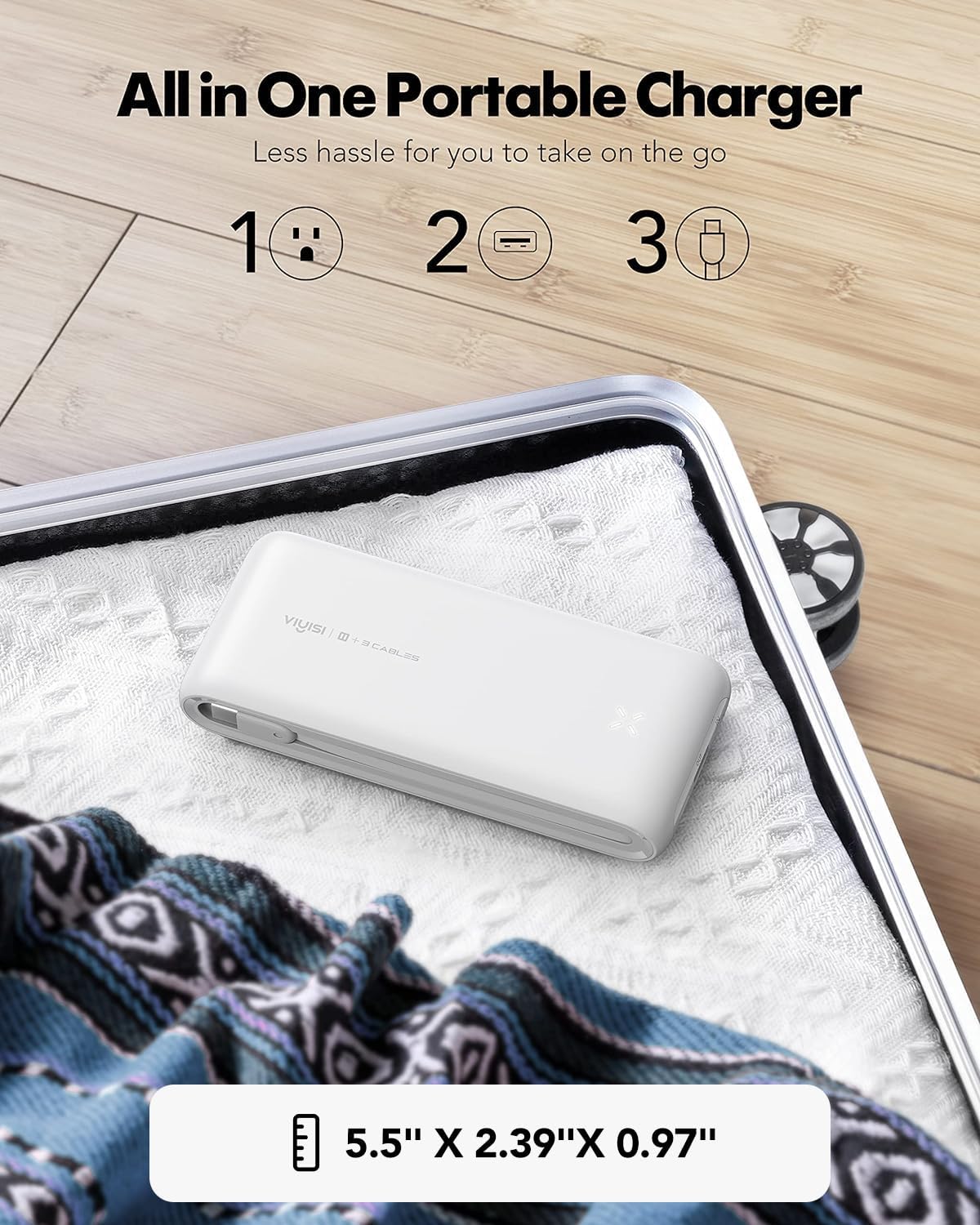
Image: The VIYISI Portable Charger G1158, demonstrating its compact design and dimensions, making it suitable for travel.
2. Setup: Charging the Power Bank
Before using your VIYISI Portable Charger to charge other devices, ensure the power bank itself is fully charged. The device offers two convenient methods for recharging:
- Using the Built-in AC Wall Plug: Fold out the integrated AC wall plug and insert it directly into a standard wall socket. The power bank will begin charging. A full charge using this method takes approximately 5 hours.
- Using the USB-C Input Port: Connect a USB-C cable (not included) to the power bank's USB-C input port and then to a compatible USB wall adapter. This method allows for faster charging, typically reaching a full charge in about 3 hours.
The LED indicator lights on the power bank will show the current charge level during the charging process.

Image: The VIYISI Portable Charger G1158 being recharged directly from a wall outlet using its integrated AC wall plug.
3. Operating Instructions: Charging Your Devices
The VIYISI Portable Charger G1158 is equipped with multiple output options to charge various devices simultaneously.
3.1 Using Built-in Cables
The power bank includes three built-in cables for direct connection to your devices:
- Lightning Cable: For Apple iPhone, iPad, and AirPods.
- USB Type-C Cable: For Android phones, tablets, and other USB-C compatible devices.
- Micro USB Cable: For older Android devices and various other micro USB powered accessories.
Simply pull out the appropriate cable and connect it to your device's charging port. Charging will begin automatically.

Image: Detailed view of the power bank highlighting its integrated charging cables and various ports.
3.2 Using the USB-A Output Port
For devices requiring a standard USB-A connection, or if you prefer to use your own cable, connect your device's charging cable to the USB-A output port on the power bank. This port supports up to 22.5W fast charging.
3.3 Simultaneous Charging
The VIYISI Portable Charger G1158 can charge up to four devices concurrently using its built-in cables and the USB-A output port. This feature allows for efficient power distribution to multiple devices.
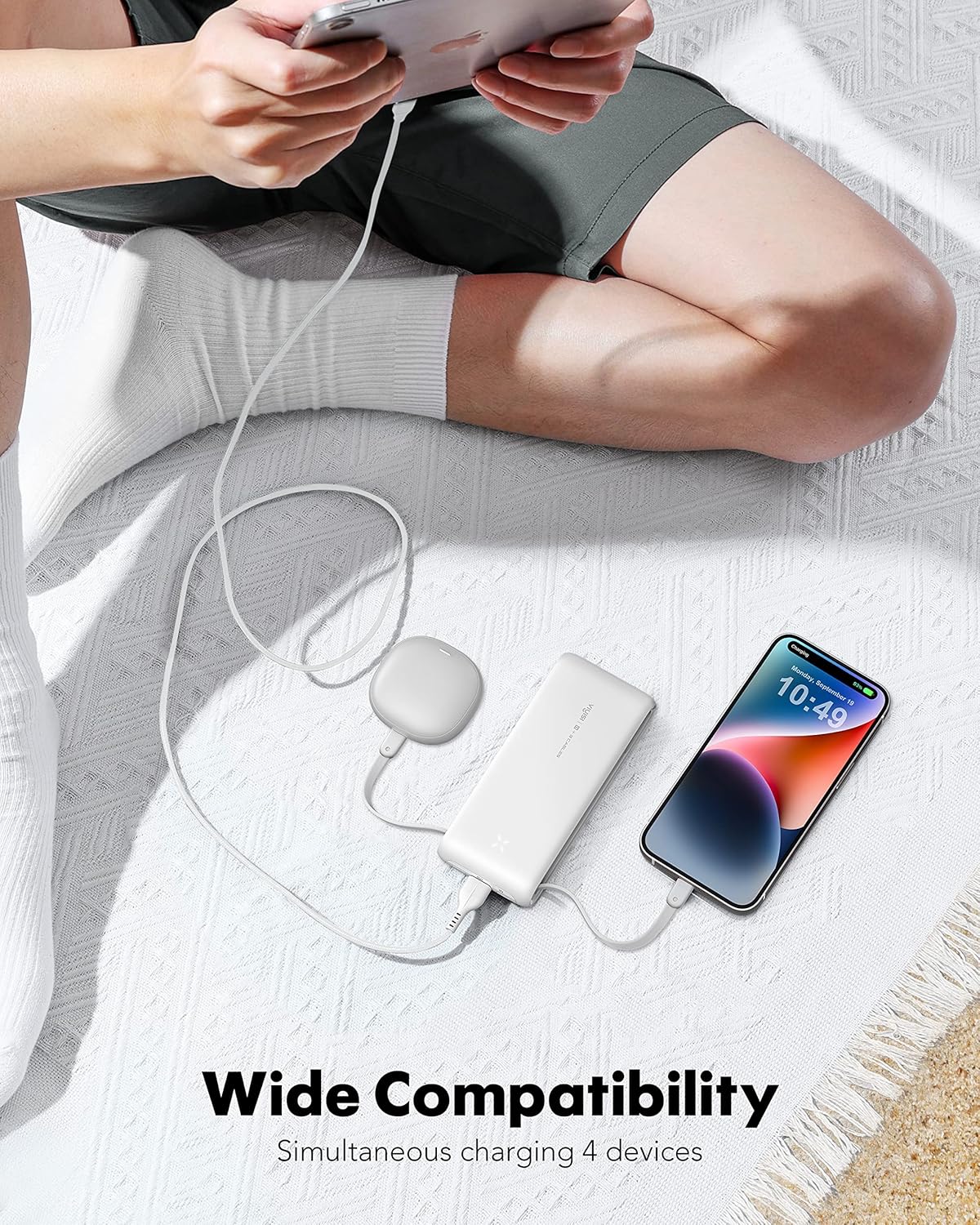
Image: The power bank charging multiple devices at the same time, showcasing its wide compatibility.
3.4 Fast Charging
The power bank supports various fast charging protocols, delivering up to 22.5W output. This allows for significantly quicker charging times compared to standard chargers, reducing the time required to power up your devices.

Image: A visual representation of the power bank's fast charging performance on a smartphone.
4. Maintenance
To ensure the longevity and optimal performance of your VIYISI Portable Charger G1158, follow these maintenance guidelines:
- Storage: Store the power bank in a cool, dry place away from direct sunlight and extreme temperatures. Avoid storing it in environments with high humidity.
- Cleaning: Use a soft, dry cloth to clean the exterior of the power bank. Do not use liquid cleaners or abrasive materials.
- Battery Care: For long-term storage, it is recommended to keep the power bank charged to approximately 50-75% to preserve battery health. Avoid fully discharging the battery for extended periods.
- Handling: Avoid dropping the power bank or subjecting it to strong impacts, as this can damage internal components.
5. Troubleshooting
If you encounter issues with your VIYISI Portable Charger G1158, refer to the following common troubleshooting steps:
- Device Not Charging:
- Ensure the power bank has sufficient charge. Check the LED indicators.
- Verify that the built-in cable or external USB cable is securely connected to both the power bank and your device.
- Try a different built-in cable or an alternative external cable/port.
- Confirm your device is compatible with the power bank's output specifications.
- Power Bank Not Recharging:
- Ensure the AC wall plug is fully inserted into a working wall socket, or the USB-C input cable is securely connected to a functional power adapter.
- Try a different wall socket or USB power adapter.
- Check for any visible damage to the built-in plug or USB-C port.
- Slow Charging:
- Ensure your device supports fast charging protocols compatible with the power bank (e.g., PD/QC).
- Using multiple output ports simultaneously may reduce the charging speed for individual devices.
- Verify that the cables used are capable of fast charging.
6. Specifications
| Model Name | G1158 |
| Brand | VIYISI |
| Battery Capacity | 10000 Milliamp Hours (mAh) |
| Connector Type | AC wall plug, USB Type-C (input/output), Lightning (output), Micro USB (output), USB-A (output) |
| Special Features | Built-in Cables, Built-in AC Wall Plug, Fast Charging, LED Indicator Lights, Pocket Size |
| Voltage | 5 Volts |
| Battery Cell Composition | Lithium Polymer |
| Recommended Uses | Phone, Tablet |
| Power Source | Battery Powered, Corded Electric |
| Color | White |
7. Warranty and Support
VIYISI provides lifetime technical support for the Portable Charger G1158. If you have any questions, concerns, or require assistance, please contact VIYISI customer service through the retailer where the product was purchased or refer to the contact information provided in the product packaging.
Please retain your proof of purchase for warranty claims.