
EZVIZ CS-EB8-R100-1K3FL4GA
EZVIZ EB8 4G LTE 2K Outdoor Wireless Battery Camera User Manual
Model: CS-EB8-R100-1K3FL4GA
1. Product Overview
The EZVIZ EB8 4G LTE 2K Outdoor Wireless Battery Camera is a versatile security solution designed for outdoor environments where Wi-Fi connectivity may be limited. It features 4G LTE connectivity, a large 10400mAh rechargeable battery, 2K resolution for clear imaging, and advanced functionalities such as auto-tracking, human detection, color night vision, two-way audio, and built-in GPS for location tracking. This camera is ideal for monitoring remote properties, construction sites, or areas without stable Wi-Fi access.

Figure 1: EZVIZ EB8 4G LTE 2K Outdoor Wireless Battery Camera. This image shows the spherical camera unit mounted on a white bracket, designed for outdoor surveillance.

Figure 2: The EZVIZ EB8 camera mounted on a tree, illustrating its portable and mobile nature with 4G connectivity, suitable for remote locations.
2. Setup Guide
2.1 Package Contents
- EZVIZ EB8 4G LTE Camera
- Mounting Plate and Screws
- Power Adapter (for charging)
- Quick Start Guide
- SIM Card Ejector Tool
2.2 Initial Charging
Before first use, fully charge the camera's built-in 10400mAh battery. Connect the provided power adapter to the camera's charging port. The indicator light will show charging status and turn solid when fully charged. A full charge can take several hours.

Figure 3: The EZVIZ EB8 camera can be kept charged using an optional EZVIZ solar panel, extending its operational time in outdoor settings.
2.3 SIM Card Installation
- Locate the SIM card slot on the camera (refer to the quick start guide for exact location).
- Use the provided ejector tool to open the SIM card tray.
- Insert a nano-SIM card with an active 4G data plan into the tray, ensuring correct orientation.
- Gently push the tray back into the camera until it clicks into place.
2.4 EZVIZ App Download and Pairing
- Download the "EZVIZ" app from the Apple App Store or Google Play Store.
- Create an EZVIZ account or log in if you already have one.
- Tap the "+" icon in the app to add a new device.
- Scan the QR code located on the camera or its packaging.
- Follow the on-screen instructions in the app to complete the pairing process. Ensure your phone has an active internet connection during this step.
2.5 Mounting the Camera
The EZVIZ EB8 camera is designed for wall or ceiling mounting. Choose a location that provides optimal viewing angle and 4G signal strength. Ensure the mounting surface is sturdy enough to support the camera's weight.
- Position the mounting plate on the desired surface and mark the screw holes.
- Drill pilot holes if necessary.
- Secure the mounting plate using the provided screws.
- Attach the camera to the mounting plate, ensuring it is securely fastened.
- Adjust the camera's angle for optimal coverage.
3. Operation
3.1 Live View and Pan/Tilt Control
Open the EZVIZ app and select your EB8 camera to access the live view. You can pan the camera horizontally up to 340° and tilt it vertically up to 80° by swiping on the live view screen in the app. This allows for comprehensive coverage of your monitored area.

Figure 4: The camera's 340° pan and 80° tilt capabilities, along with two-way audio, enable interactive communication and wide area monitoring.
3.2 Two-Way Audio
Tap the microphone icon in the live view to speak through the camera's speaker, and listen to audio from the camera's microphone. This feature is useful for interacting with visitors or deterring intruders.
3.3 Smart Human Detection and Auto-Tracking
The EB8 camera can intelligently detect human shapes, reducing false alarms caused by animals or moving objects. When a human is detected, the camera can automatically track their movement within its field of view, ensuring continuous monitoring of the activity.

Figure 5: The camera's smart human detection feature highlights detected individuals, providing focused security alerts.
3.4 Night Vision Modes
The camera offers both color night vision and traditional black and white infrared night vision. Color night vision is activated in low-light conditions when sufficient ambient light is available or when the camera's spotlights are enabled. In complete darkness, it switches to black and white infrared vision for clear monitoring.
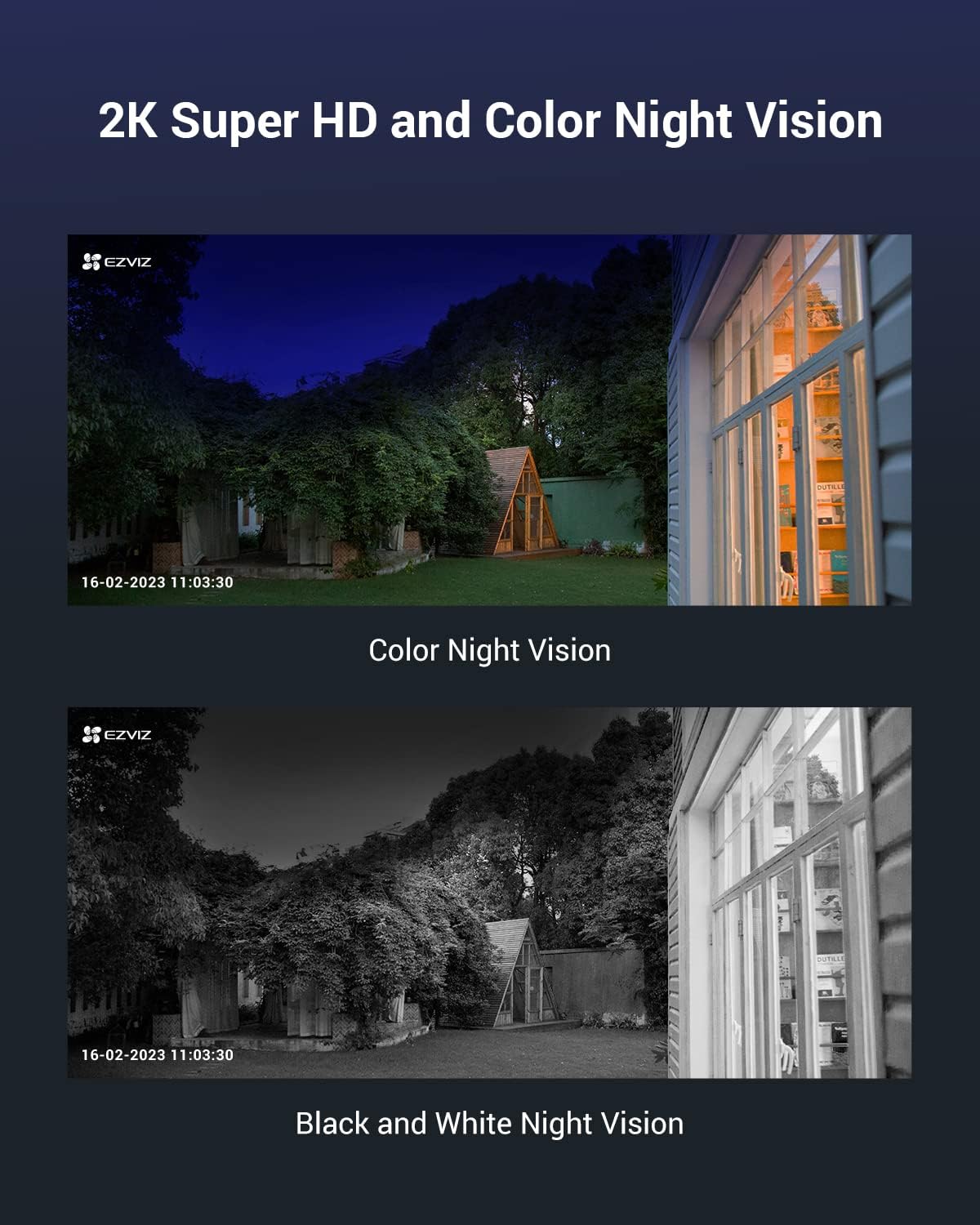
Figure 6: A visual comparison demonstrating the clarity of 2K Super HD resolution and the difference between color night vision and standard black and white night vision.
3.5 Built-in GPS
The integrated GPS functionality allows you to track the camera's location via the EZVIZ app. This is particularly useful for cameras deployed in remote or mobile settings, providing an added layer of security and asset management.

Figure 7: A smartphone screen showing the camera's location on a map, enabled by its built-in GPS feature.
3.6 Active Defense
Upon detection of suspicious activity, the camera can activate its active defense features, which may include flashing spotlights and a loud siren to deter intruders. These features can be configured within the EZVIZ app.
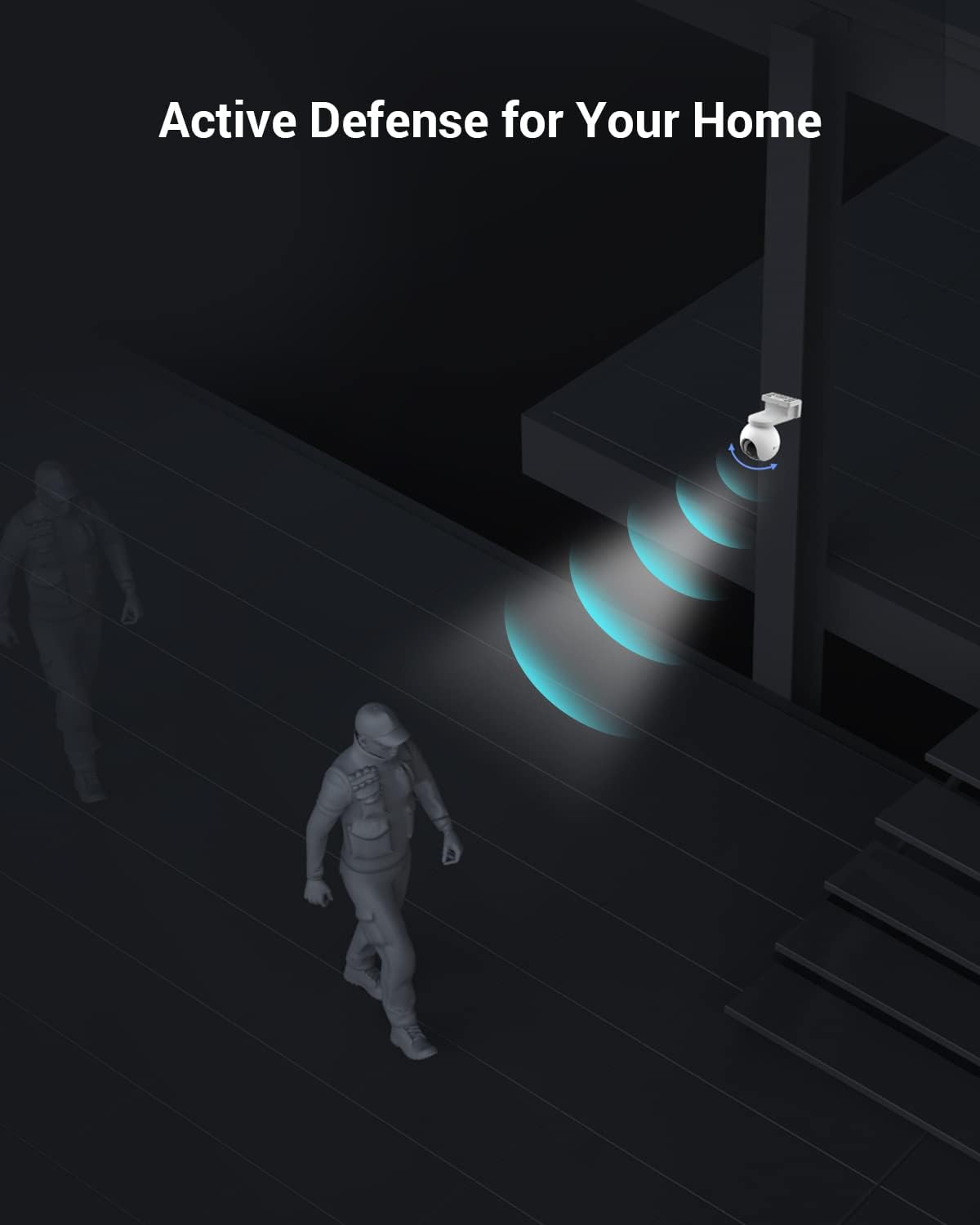
Figure 8: An illustration of the camera's active defense mechanism, showing light beams emitted to deter potential threats.
4. Maintenance
4.1 Battery Management
- Monitor battery level regularly via the EZVIZ app.
- Recharge the camera using the provided power adapter or an optional EZVIZ solar panel.
- Avoid exposing the camera to extreme temperatures, which can affect battery life.
4.2 Cleaning
Periodically clean the camera lens and housing with a soft, dry cloth. Do not use harsh chemicals or abrasive cleaners, as these can damage the camera's surface or lens coating.
4.3 Firmware Updates
Ensure your camera's firmware is up to date for optimal performance and security. Firmware updates are typically managed through the EZVIZ app. Follow the app's instructions to download and install any available updates.
5. Troubleshooting
| Problem | Possible Cause | Solution |
|---|---|---|
| Camera not connecting to 4G network | No active SIM card; poor signal; incorrect APN settings. | Ensure SIM card is active and has data. Move camera to an area with better 4G coverage. Check APN settings in the app if applicable. |
| Short battery life | Frequent motion detection; extreme temperatures; continuous live view. | Reduce motion detection sensitivity. Avoid extreme temperatures. Limit continuous live viewing. Consider an EZVIZ solar panel. |
| Poor image quality | Dirty lens; low light conditions; network bandwidth issues. | Clean the camera lens. Ensure adequate lighting for color night vision. Check 4G signal strength. |
| Two-way audio not working | Microphone/speaker muted in app; low volume; network delay. | Check audio settings in the EZVIZ app. Increase volume. Ensure stable 4G connection. |
6. Technical Specifications
| Feature | Detail |
|---|---|
| Model Name | EB8 |
| Model Number | CS-EB8-R100-1K3FL4GA |
| Resolution | 2K (2304 x 1296 pixels) |
| Connectivity Technology | 4G LTE (Wireless) |
| Battery Capacity | 10400 mAh Lithium-ion |
| Pan/Tilt Range | 340° Pan, 80° Tilt |
| Special Features | GPS Location Display, Auto Tracking, Human Detection, Color Night Vision, Two-Way Audio, Active Defense |
| Recommended Use | Outdoor Security |
| Compatible Devices | Smartphone (via EZVIZ App) |
| Controller Type | Amazon Alexa, Google Assistant |
| Mounting Type | Wall Mount |
| Product Dimensions (L x W x H) | 11.5 x 6.83 x 4.04 cm |
| Weight | 1 kilogram |
7. Warranty and Support
7.1 Warranty Information
EZVIZ products typically come with a limited manufacturer's warranty. Please refer to the warranty card included in your product packaging or visit the official EZVIZ website for detailed warranty terms and conditions specific to your region and product model. Keep your proof of purchase for warranty claims.
7.2 Customer Support
For technical assistance, troubleshooting, or product inquiries, please contact EZVIZ customer support. Support contact information, including phone numbers and email addresses, can usually be found on the official EZVIZ website (www.ezviz.com) or within the EZVIZ mobile application.
Before contacting support, ensure you have your product model number (CS-EB8-R100-1K3FL4GA) and purchase details readily available.
Ask a question about this manual
Ask about setup, troubleshooting, compatibility, parts, safety, or missing instructions. Manuals+ will review the question and use this page’s manual context to help answer it.