
Introduction
This manual provides essential information for the proper use and care of your Proster IP54 Hiking Compass with Sighting Clinometer. Designed for outdoor enthusiasts, this durable aluminum alloy compass offers accurate navigation and slope measurement capabilities. Its waterproof design ensures reliable performance in various environmental conditions, making it an ideal tool for hiking, camping, mountaineering, and geological exploration.
Key features include a liquid-filled capsule for stable readings, a 360° scale, an adjustable prism lens, and fluorescent markings for low-light visibility. The integrated clinometer allows for precise measurement of angles and slopes.
What's in the Box
Upon opening your Proster IP54 Hiking Compass package, please verify that all the following components are included:
- 1 x Proster Lensatic Compass
- 1 x Carry Pouch
- 1 x Lanyard
- 1 x Multi-language Instruction Manual

Setup
- Unpacking: Carefully remove the compass and all accessories from the packaging. Inspect for any signs of damage.
- Attaching the Lanyard: Thread the provided lanyard through the designated loop on the compass. This helps prevent accidental drops and allows for convenient carrying.
- Initial Inspection: Open the compass lid. Ensure the floating dial moves freely and the needle settles quickly. Check the clarity of the sighting optic and the functionality of the clinometer.

Operating Instructions
Basic Compass Use (Finding Direction)
- Hold Level: Hold the compass flat and steady in your hand, ensuring the bubble in the level indicator is centered. This ensures accurate readings.
- Orienting the Compass: Allow the magnetic needle to settle. The red end of the needle typically points North. Rotate the compass body until the North (N) marking on the dial aligns with the red end of the needle.
- Reading Bearings: Use the sighting optic to align your target with the spider line. Read the bearing (degree) directly from the dial through the prism lens.

Using the Clinometer (Measuring Slope)
The built-in clinometer allows you to measure the angle of inclination or declination of a slope.
- Positioning: Place the compass firmly on the surface of the slope you wish to measure. Ensure it is stable.
- Release Pointer: Press the lock button on the side of the compass to release the clinometer's pointer.
- Read Measurement: Once the pointer has stabilized, read the gradient value directly from the clinometer scale. The range is 0-90 degrees.
Luminous Effect
The compass features fluorescent markings on the needle and bezel for visibility in low-light conditions. To activate the luminous effect, expose the compass to a light source for a period of time. The markings will then glow in the dark, aiding night navigation.

Instructional Videos
Video: An official product video demonstrating the features and basic operation of the Proster IP54 Hiking Compass, including its floating dial and suitability for various outdoor activities.
Maintenance
- Cleaning: Wipe the compass with a soft, dry cloth to remove dust and dirt. For stubborn marks, a slightly damp cloth can be used, followed by immediate drying. Avoid abrasive cleaners or solvents.
- Storage: Store the compass in its protective pouch when not in use. Keep it away from strong magnetic fields (e.g., speakers, magnets, electronic devices) to prevent demagnetization or inaccurate readings.
- Water Resistance: The compass has an IP54 rating, meaning it is protected against dust and splashing water from any direction. It is not designed for submersion in water. Avoid prolonged exposure to heavy rain or direct water jets.
Troubleshooting
- Compass Not Pointing Correctly:
- Ensure you are holding the compass level.
- Check for nearby magnetic interference from electronic devices, metal objects, or power lines. Move to an open area if possible.
- The compass may need recalibration if consistently inaccurate. Consult advanced navigation guides for specific recalibration techniques if necessary.
- Dial Sticking or Slow to Settle:
- Gently tap the compass to dislodge any minor debris or air bubbles.
- Ensure the compass is held perfectly level.
- If the issue persists, the internal liquid may be compromised, or there could be internal damage.
- Luminous Effect Not Bright:
- The fluorescent markings require exposure to light to glow. Ensure the compass has been exposed to sufficient ambient light before expecting it to glow in the dark.
Specifications
| Feature | Detail |
|---|---|
| Brand | Proster |
| Model Number | PSTPST216 |
| Material | Aluminum Alloy |
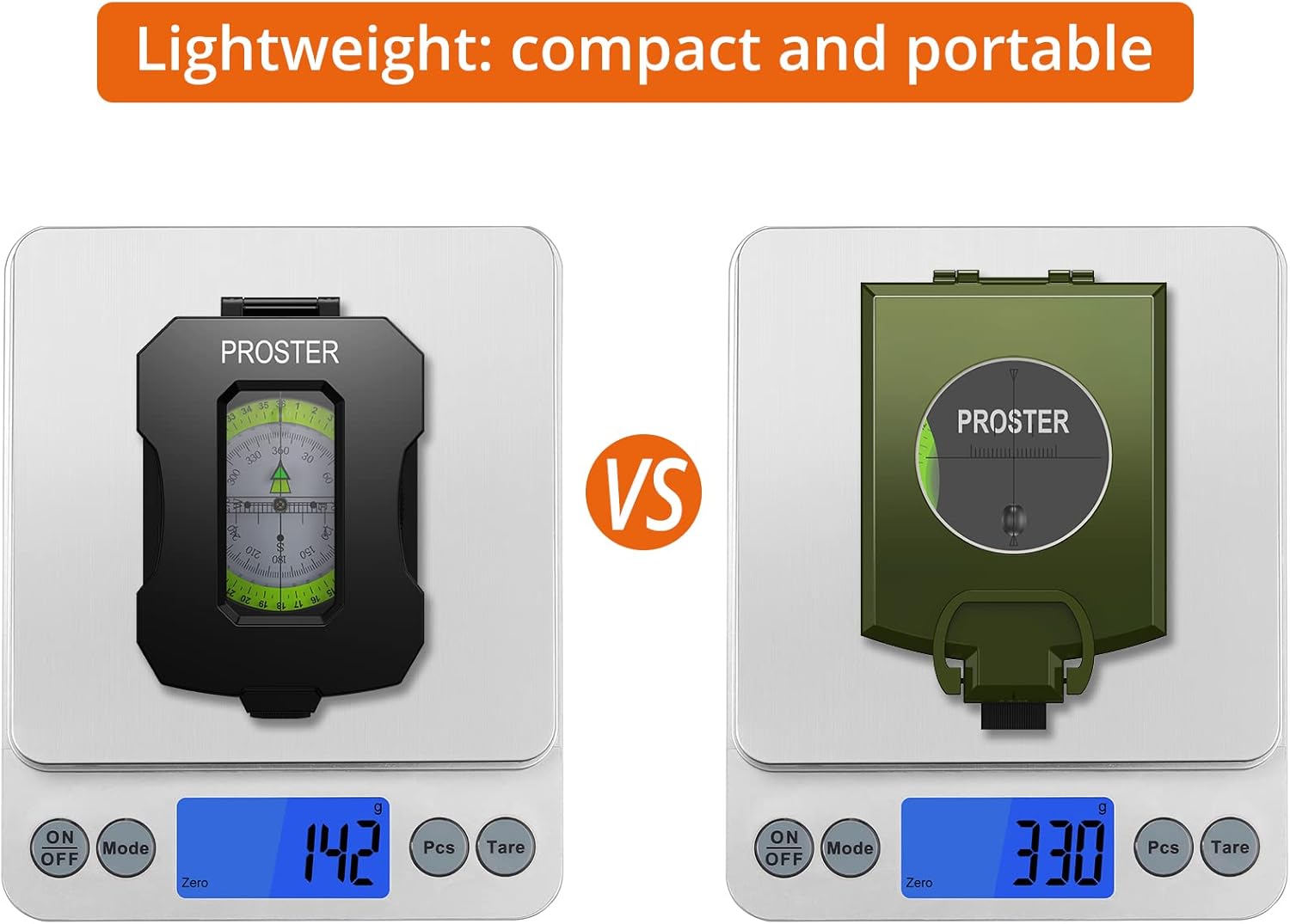
| Item Weight | 142 Grams |
| Product Dimensions (L x W) | 4.33" x 3.15" |
| Special Feature | Waterproof (IP54) |
| Included Components | Lensatic Compass, Pouch, Lanyard, Multi-language Manual |

Warranty and Support
The Proster IP54 Hiking Compass comes with a 1-year warranty from the date of purchase. This warranty covers manufacturing defects under normal use. Please retain your proof of purchase for warranty claims.
For technical support, troubleshooting assistance, or warranty inquiries, please refer to the contact information provided in the multi-language manual included with your product, or visit the official Proster website.