
Veeniix V001
Veeniix V11MINI Drone User Manual
Model: V11MINI (V001)
For Adults - 4K Camera, 60-Min Flight Time, GPS Auto Return
Introduction
The Veeniix V11MINI drone is a lightweight and portable aerial photography device designed for ease of use and extended flight. Weighing under 249g, it does not require FAA registration or Remote ID. It features a 4K camera, GPS capabilities, and intelligent flight modes, making it suitable for both beginners and experienced pilots. Its foldable design (5.9x3.35x2.17 inches) and included carry bag make it compact and travel-ready.

Image: The V11MINI drone in its portable, folded configuration.
What's in the Box
Verify that all components are present in your package:
- 1 * Veeniix V11MINI Drone
- 1 * Remote Control
- 2 * Battery
- 4 * Propeller
- 1 * Portable Bag
- 2 * USB Cable (Charger not included)

Image: All components included in the Veeniix V11MINI drone package.
Setup
1. Charging the Batteries
Ensure both the drone batteries and the remote control's built-in battery are fully charged before first use. Use the provided USB cables for charging. Real-time battery monitoring is available via the smartphone app.

Image: Two high-capacity intelligent batteries for the V11MINI drone, providing up to 60 minutes of flight time.
2. Propeller Installation
If not pre-installed, attach the propellers to the drone arms. Ensure they are securely fastened according to the markings (e.g., A and B propellers). Refer to the included quick start guide for detailed instructions on propeller attachment.

Image: Detailed view of the drone's components, including propellers and motor.
3. Inserting an SD Card
The drone supports a micro SD card up to 128GB for storing 4K photos and 2.7K/25fps videos. Insert the micro SD card into the designated slot on the drone before powering on.

Image: Location of the micro SD card slot on the V11MINI drone.
4. App Download and Connection
Download the official Veeniix V11MINI app to your smartphone for full control and real-time monitoring. The app is available on both Google Play and the Apple App Store. Once installed, connect your smartphone to the drone's Wi-Fi network.

Image: QR codes for easy download of the Veeniix V11MINI app.
Download the app here: Google Play | Apple App Store
5. Pairing the Remote Control
Power on the drone and then the remote control. Follow the instructions in the quick start guide to pair the remote with the drone. The remote control has a built-in battery and a phone holder for FPV viewing.

Image: The V11MINI remote control with a smartphone for FPV viewing.
Operating the Drone
Basic Flight Controls
The V11MINI is designed for beginner-friendly operation. Use the one-key takeoff/landing button for simplified flight initiation and termination. The remote control provides intuitive joystick movements for directional control.

Image: The V11MINI drone and its remote control, highlighting user-friendly design.
Intelligent Flight Modes
Enhance your flying experience with various intelligent modes:
- GPS Mode: Provides high-precision positioning, speed, and time benchmarks for stable outdoor flight.
- Optical Flow Positioning: Offers precise and stable flight control indoors by capturing visual data of nearby surfaces.
- Follow Me: The drone automatically follows your movements.
- Waypoints Flight: Plan a custom flight path by setting multiple points on the map.
- Points of Interest: The drone will circle a designated point of interest.
- Automatic Return-to-Home (RTH): Ensures a safe landing in situations of low battery or weak signal.

Image: Visual representation of intelligent flight modes like Waypoints and Fly Around.
Camera Operation
The V11MINI is equipped with a 120° wide-angle lens and a 90° adjustable camera, capable of capturing stunning 4K photos and 2.7K/25fps videos. Control the camera angle and initiate recording through the remote control or the smartphone app.
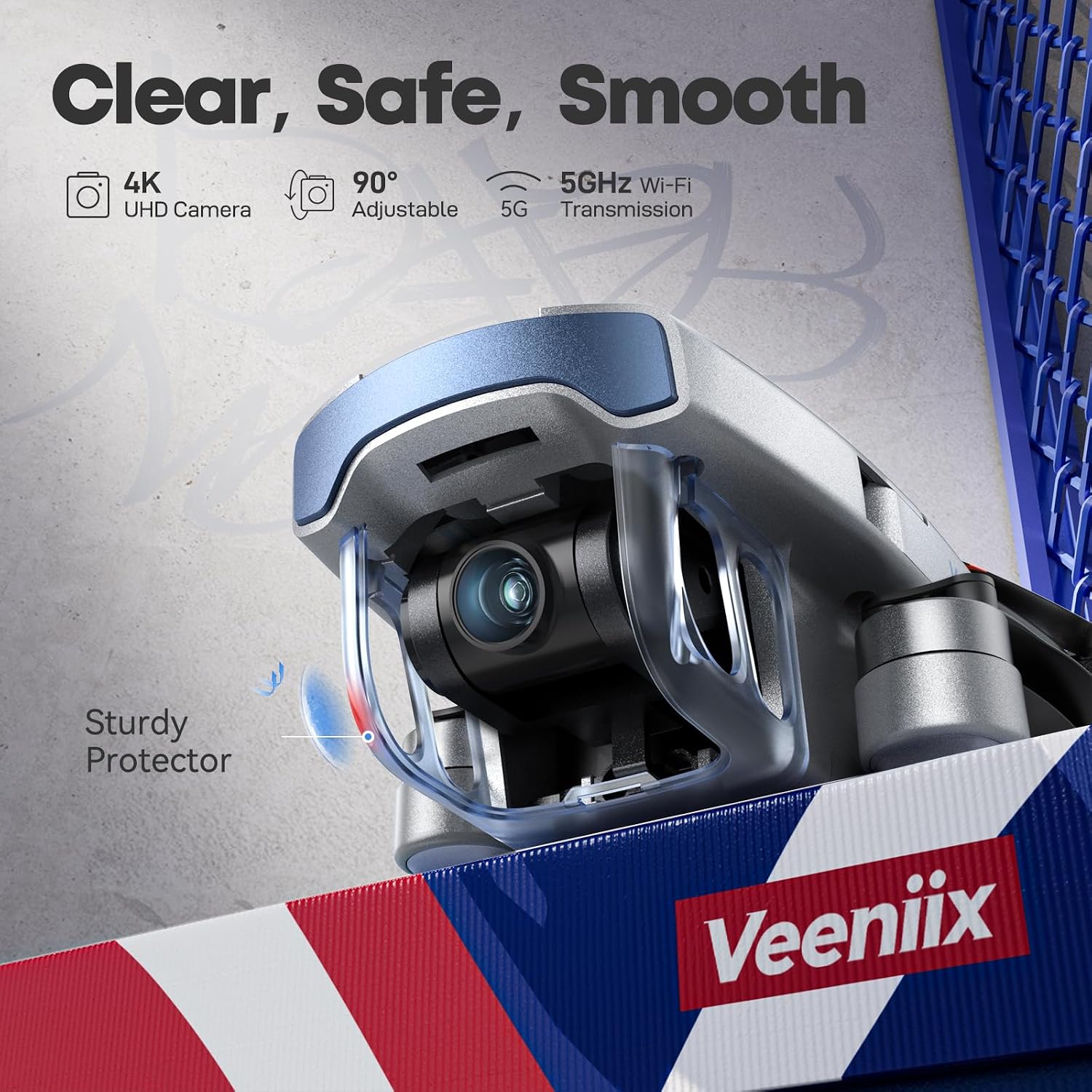
Image: The drone's 4K camera with its protective cover.
Indoor and Outdoor Modes
A long press of the Compass button on the remote allows you to easily switch between indoor and outdoor flight modes, optimizing performance for different environments.

Image: The drone positioned for GPS auto-return, suitable for outdoor use.
Maintenance
Battery Care
To prolong battery life, avoid overcharging or completely draining the batteries. Store them in a cool, dry place when not in use. If storing for extended periods, charge them to approximately 50% capacity.
Cleaning the Drone
Regularly clean the drone's body, propellers, and camera lens with a soft, dry cloth. Avoid using harsh chemicals or abrasive materials. Ensure no dust or debris obstructs the optical flow sensors or camera lens.
Propeller Replacement
In case of damage, replace propellers using the spare set provided. Ensure correct propeller type (A or B) is installed on the corresponding motor arm. Refer to the quick start guide for detailed replacement instructions.
Camera Protector
The V11MINI includes a camera protector for added durability. Ensure it is properly attached before flight to prevent damage to the camera lens during minor impacts.
Troubleshooting
- Drone Not Powering On: Ensure batteries are fully charged and correctly inserted.
- Remote Not Connecting: Verify both drone and remote are powered on and follow the pairing procedure in the quick start guide. Ensure no strong interference sources are nearby.
- Unstable Flight: Calibrate the drone's gyroscope and compass as per the manual. Ensure propellers are not damaged and are correctly installed. Fly in calm conditions, especially if new to drones.
- Poor Video/Photo Quality: Ensure the camera lens is clean. Check if the micro SD card is inserted correctly and has sufficient free space.
- Loss of Signal/Range Issues: Ensure the remote control's antenna is aimed towards the drone. Avoid flying near obstacles or in areas with high electromagnetic interference. The automatic return-to-home function should activate if signal is lost.
- GPS Not Locking: Ensure you are in an open outdoor area with a clear view of the sky. Wait for the drone to acquire sufficient GPS satellites before takeoff.
If you encounter persistent issues, please refer to the "Warranty and Support" section for contact information.
Specifications
| Feature | Detail |
|---|---|
| Brand | Veeniix |
| Model Name | V11MINI |
| Item Weight | Less than 249g (5.6 Ounces) |
| Age Range (Description) | Adult |
| Video Capture Resolution | 4K UHD Photos and 2.7K@25FPS Videos |
| Effective Still Resolution | 4 MP |
| Connectivity Technology | Wi-Fi (5GHz Transmission) |
| Battery Capacity | 2100 Milliamp Hours (x2 included) |
| Max Flight Time | Up to 60 minutes (with 2 batteries) |
| Maximum Range | 1640 Feet (500 meters) |
| Control Type | Remote Control, App-Controlled |
| Special Features | App-Controlled, Gesture Control, Integrated Camera, Crash Resistant, FPV Capable, Foldable, Extended Flight Time, Dual Band, GPS Auto Return, Indoor-Outdoor |
| Product Dimensions (Folded) | 5.9"L x 3.35"W x 2.17"H |
| Material | Metal or Durable Plastic Composite |
Warranty and Support
Veeniix provides a 90-day quality warranty for the V11MINI drone. For any questions, technical assistance, or warranty claims, please contact our customer support team.

Image: Veeniix Customer Service Center details.
Phone: +1 (971) 391-2221
Email: veenixtoy@gmail.com
Related documentsV001


Ask a question about this manual
Ask about setup, troubleshooting, compatibility, parts, safety, or missing instructions. Manuals+ will review the question and use this page’s manual context to help answer it.