
1. Introduction
The Braun All in One Trimmer Series 9 (Model BT9420) is designed for precise grooming, offering versatility for beard, body, and head styling. It features lifetime sharp metal blades, a long-lasting 180-minute cordless runtime, and 40 length settings for ultimate control. This manual provides essential information for the safe and effective use of your trimmer.

Image: The Braun Professional Beard Trimmer Series 9 in action, demonstrating its ability to achieve barber-fresh results at home.
2. Safety Information
Please read all instructions carefully before using this appliance. Keep this manual for future reference.
- Keep out of the reach of children.
- This appliance is suitable for cleaning under running tap water.
- Do not use the appliance with a damaged foil or comb, as this may result in injury.
- Always check the appliance, attachments, and cord for any damage before use. Do not use if damaged.
- This appliance contains batteries that are non-replaceable.
3. What's in the Box
Your Braun All in One Trimmer BT9420 package includes the following components:
- Braun All in One Trimmer BT9420 unit
- Premium Charging Stand
- Precision Comb (0.5mm - 10mm)
- Adjustable Guard (10mm - 20mm)
- ProDetail Trimmer Head
- ProContour Trimmer Head
- Gillette Razor
- Premium Case
- Cleaning Brush
- Power Cord

Image: A comprehensive view of all items included in the Braun All in One Trimmer BT9420 package, showcasing the trimmer, multiple attachments, charging stand, and accessories.
4. Setup
4.1 Initial Charging
Before first use, fully charge your trimmer. Connect the power cord to the charging stand and plug it into a power outlet. Place the trimmer on the charging stand. The charging indicator light will show the charging status. A full charge provides up to 180 minutes of cordless runtime.

Image: The Braun trimmer positioned on its charging stand, highlighting its impressive 180-minute cordless operation time.
4.2 Attaching and Detaching Combs/Heads
To attach a comb or trimmer head, align it with the trimmer's head and press firmly until it clicks into place. To detach, gently pull the attachment away from the trimmer. Ensure the trimmer is switched off before changing attachments.
5. Operating Instructions
5.1 Power On/Off
Press the power button to turn the trimmer on or off.
5.2 Adjusting Length Settings
The built-in ProWheel allows for precise length adjustments. Rotate the ProWheel to select from 40 length settings in 0.5mm precise steps. The ProLock feature ensures the selected length is securely locked during use, preventing accidental changes.

Image: A detailed view of the Braun trimmer's ProWheel, illustrating its 40 precise length settings and the locking function for consistent grooming.
5.3 Using Attachments for Styling
- Trimming: Use the precision comb or adjustable guard for uniform beard or hair length. The Autosense technology adapts to your beard density for an effortless trim.
- Fading: Utilize the adjustable guards to create smooth transitions in hair length.
- Edging: The ProContour trimmer head is ideal for defining sharp lines and contours around your beard or hairline.
- Detailing: For intricate styling and small areas, attach the ProDetail trimmer head.
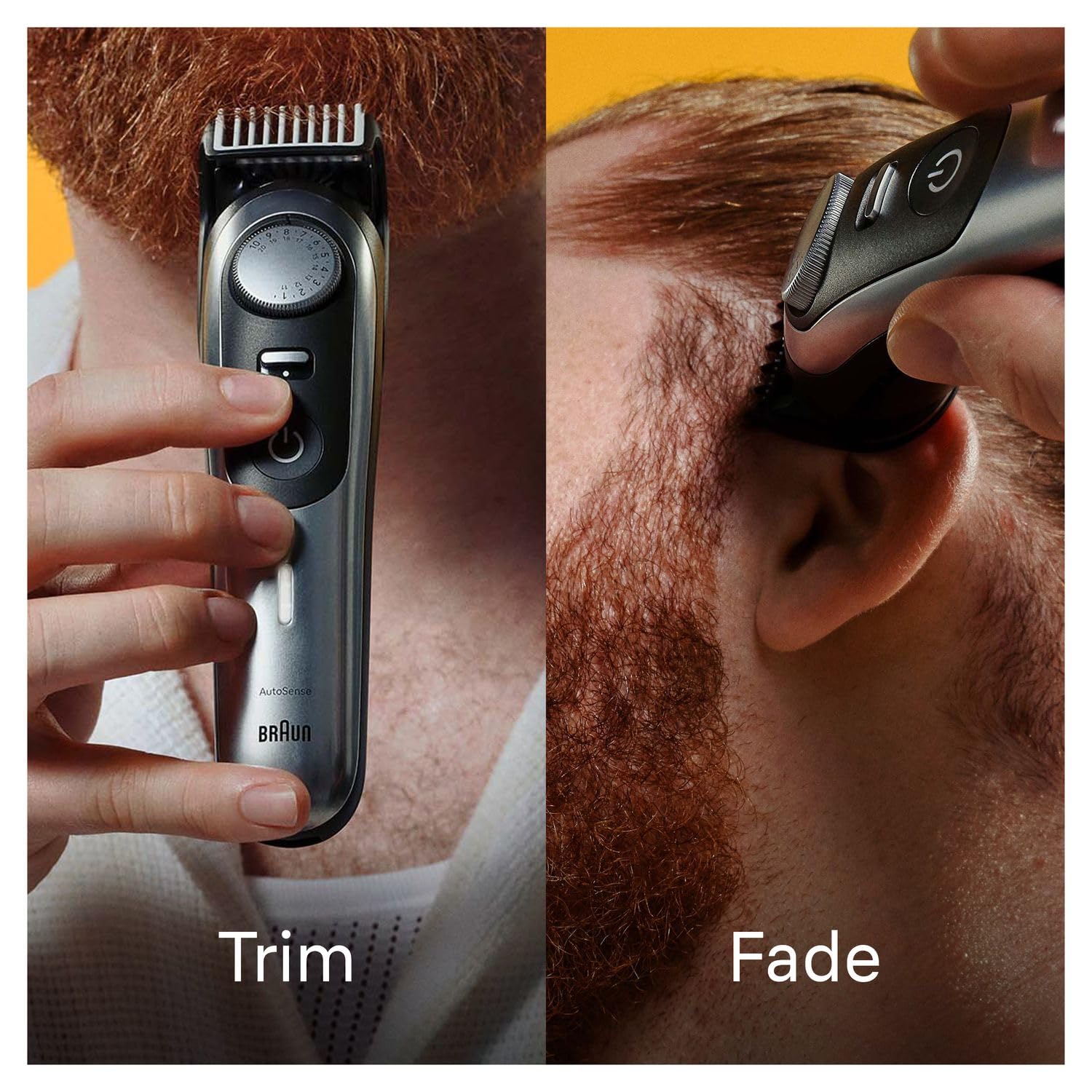
Image: Demonstrations of the Braun trimmer performing both beard trimming and hair fading techniques.

Image: Examples of the Braun trimmer being used for precise edging and detailing of facial hair.
6. Maintenance
6.1 Cleaning
The Braun BT9420 is fully washable and shower-proof. After each use, remove the trimmer head and rinse it, along with the comb attachments, under running tap water. You can also rinse the trimmer body. Ensure all parts are dry before reassembling or storing.
6.2 Blade Care
The trimmer features lifetime sharp metal blades designed for professional precision. Regular cleaning helps maintain their performance. No oiling is required for these blades.

Image: A close-up view of the Braun trimmer's durable, lifetime sharp metal ProBlade, engineered for professional precision.
6.3 Storage
Store your trimmer and its accessories in the provided premium case to protect them from damage and keep them organized.
7. Troubleshooting
If you encounter any issues with your Braun All in One Trimmer, please refer to the following common solutions:
- Trimmer not turning on: Ensure the trimmer is fully charged. If it's a new unit, it may require an initial charge.
- Reduced cutting performance: Clean the trimmer head and comb attachments thoroughly. Remove any trapped hairs. Ensure the blades are free of debris.
- Battery not holding charge: Ensure the charging stand and power cord are correctly connected and the power outlet is functional.
- Unusual noise: Check if any hair or debris is caught in the trimmer head. Clean thoroughly.
If the problem persists, please contact customer support.
8. Specifications
| Feature | Detail |
|---|---|
| Model Number | BT9420 |
| Brand | Braun |
| Power Source | Battery Powered (Lithium Ion) |
| Runtime | Up to 180 minutes cordless |
| Blade Material | Metal |
| Length Settings | 40 (in 0.5mm steps) |
| Waterproof | Yes, fully washable |
| Included Components | Trimmer, Charging Stand, Multiple Combs/Heads, Gillette Razor, Case |
| Item Weight | 543 g |
| Product Dimensions | 16 x 7.4 x 28.2 cm |
| Country of Origin | USA |
9. Warranty and Support
Your Braun All in One Trimmer BT9420 is manufactured to high-quality standards. For information regarding warranty coverage, please refer to the warranty card included in your product packaging or visit the official Braun website.
For customer support, technical assistance, or service inquiries, please contact:
- Braun Customer Care: 1800 – 202 – 1364
- Email: intouch.im@pg.com
Please have your model number (BT9420) and purchase details ready when contacting support.