
Introduction
Thank you for choosing paleblue USB Rechargeable AA Batteries. These 2550mWh Lithium Ion batteries are designed for performance, convenience, and reliability, offering over 1000 charge cycles. This manual provides essential information for the safe and efficient use of your batteries.
Safety Information
- All batteries are inherently dangerous if misused or abused. Please take care to use, store, charge, and dispose of batteries safely.
- Do not use lithium-ion batteries in products that are not designed for them. Check your product and its instructions or user guide for any indications that they are not designed to be used with lithium or rechargeable batteries.
- For best performance, always use the paleblue charging cable provided with your batteries, and only charge from a 5V output USB power source. Some higher-output power sources like tablet and laptop chargers may not be compatible with your batteries.
- Do not leave batteries charging for longer than 24 hours.
- Always remove the battery from the device when the battery is not in use or when the device is not designed to be used with rechargeable batteries.
- To avoid risk of damage to the battery, do not mix battery types or brands.
- Do not install batteries backward.
- If a battery appears to be damaged, do not use it. Dispose of it immediately and contact support.
- Avoid getting water, dirt, dust, or other contaminants into the charging port.
- Recycle batteries properly.
Package Contents
Your paleblue USB Rechargeable AA Batteries package includes:
- 4 x paleblue AA USB-C Rechargeable Batteries
- 1 x 4-in-1 USB-A to USB-C Charging Cable
- 1 x Clear Travel Case
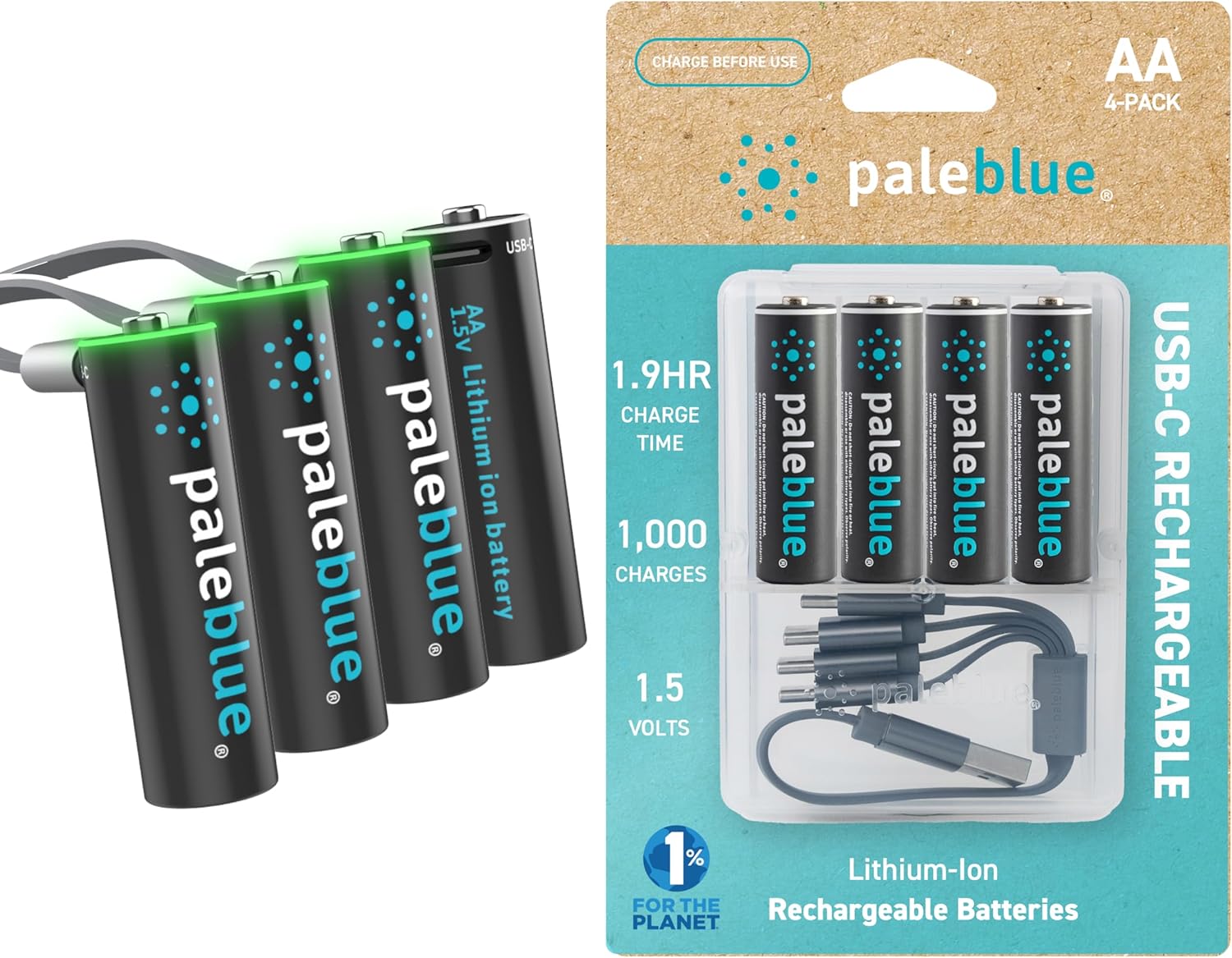
Image: The complete paleblue AA battery 4-pack, showing the batteries, the multi-charging cable, and the clear storage case.
Setup
Initial Charge
It is recommended to fully charge your paleblue batteries before their first use to ensure optimal performance. The advanced lithium rechargeable technology allows for fast charging.
- Connect the USB-A end of the provided 4-in-1 charging cable to a compatible 5V USB power source (e.g., wall adapter, computer USB port, power bank).
- Plug the USB-C connectors from the cable into the charging ports located on the top of each paleblue AA battery.
- The LED indicator on each battery will flash green, indicating that charging is in progress.
- Once fully charged, the LED indicator will turn solid green or turn off (depending on the battery's charge state when connected). A full charge typically takes approximately 1.9 hours.

Image: paleblue AA batteries connected to the 4-in-1 USB-C charging cable, plugged into a wall adapter, with green LED indicators lit, signifying active charging.
Video: An overview of the paleblue rechargeable batteries, demonstrating their features and the convenient USB-C charging method.
Operating
Using the Batteries
Once fully charged, insert the paleblue AA batteries into any device that uses standard AA batteries. Ensure correct polarity (+/-) when inserting.

Image: A hand carefully inserting a paleblue AA battery into the battery compartment of a white electronic device.
Recharging
When the batteries require recharging, follow the steps outlined in the 'Initial Charge' section. The built-in LED indicator will signal the charging status.
Video: A demonstration of connecting the paleblue USB-C rechargeable batteries to the multi-charging cable and a power source, showing the LED indicators during charging.
Maintenance
Storage
Store your paleblue batteries in the provided clear travel case when not in use. This protects them from dust, dirt, and accidental short circuits.

Image: Four paleblue AA batteries neatly stored in their transparent plastic travel case.
Cleaning
Keep the USB-C charging ports on the batteries clean and free of debris to ensure proper connection and charging efficiency.
Lifespan
paleblue batteries are designed for over 1000 charge cycles, offering a long-lasting and environmentally friendly power solution.

Image: A graphic illustrating the superior charging speed of paleblue Lithium Ion batteries (1.9 hours) compared to traditional Ni-Mh batteries (9 hours).
Troubleshooting
- Batteries not charging: Ensure the 4-in-1 charging cable is securely connected to both the USB power source and each battery. Try a different 5V USB power source or a different USB-A port if available. Check the battery's USB-C port for any obstructions.
- Batteries not fitting in device: Verify that your device is designed to accept rechargeable lithium-ion batteries. Some devices may have specific requirements for battery dimensions or voltage.
- Short battery life: Ensure batteries are fully charged (LED indicator is solid green or off). Note that some devices may not accurately display the remaining charge level of lithium-ion batteries.
Specifications
| Feature | Detail |
|---|---|
| Battery Type | AA Lithium Ion |
| Capacity | 2550mWh (1700 mAh) |
| Voltage | 1.5V |
| Charge Cycles | 1000+ |
| Charge Time | Approx. 1.9 hours |
| Charging Port | USB-C (on battery) |
| Model Number | PB-AA-C-DC |
| Item Weight (per battery) | 0.656 ounces |

Image: A graphic showcasing the key benefits of paleblue batteries: high performance, convenience, and over 1000 charges, along with the 4-in-1 charging cable.
Warranty and Support
Limited Lifetime Warranty
paleblue stands behind the quality of its products with a limited lifetime warranty. This warranty covers manufacturing defects and failures during normal use when products are registered through paleblue's online registration process.
Product Registration and Support
For warranty details, product registration, and customer support, please visit the official paleblue website: www.paleblueearth.com.
