
1. Introduction
Thank you for choosing the Generic M-19 TWS Wireless Headphones. These earbuds are designed to provide a high-quality audio experience with the convenience of wireless connectivity. Featuring Bluetooth 5.1, touch controls, and an LED charging display, they offer a seamless and intuitive user experience. Please read this manual carefully to ensure proper use and optimal performance of your device.
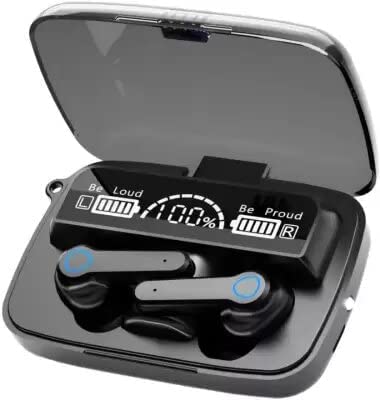
Image 1: M-19 TWS Wireless Headphones in their charging case, displaying battery percentages for both earbuds and the case.
2. What's in the Box
Your M-19 TWS Wireless Headphones package includes the following items:
- M-19 TWS Wireless Earbuds (Left and Right)
- Charging Case with LED Display
- USB Charging Cable
- Protective Case
- User Manual (this document)
3. Setup
3.1. Charging the Earbuds and Charging Case
Before first use, ensure both the earbuds and the charging case are fully charged.
- Charging the Earbuds: Place the earbuds into the charging compartment and close the lid. The earbuds will automatically begin charging. They will display a red light while charging, which will turn off once fully charged. The LED display on the case will show the charging status and battery level of each earbud.
- Charging the Case: Connect the provided USB charging cable to the charging port on the case and plug the other end into a USB power adapter (not included) or a computer's USB port. The LED display will indicate the charging progress of the case.
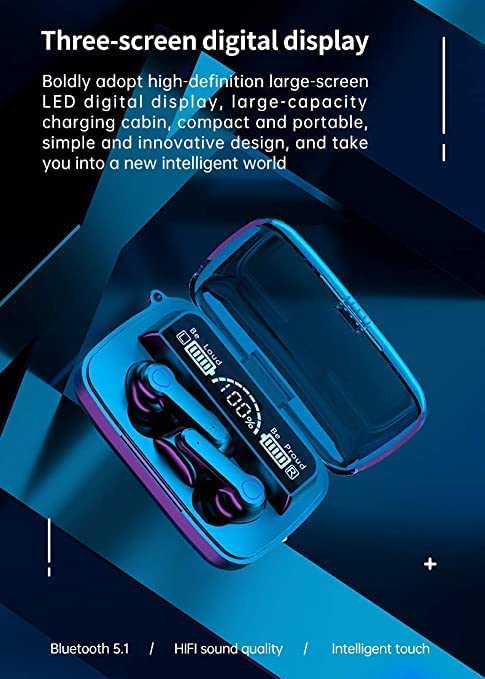
Image 2: The charging case with its digital LED display, indicating battery levels and highlighting key features like Bluetooth 5.1.
3.2. Pairing with Your Device
The M-19 headphones use Bluetooth 5.1 for a stable and fast connection.
- Initial Pairing:
- Open the charging case and remove both earbuds. They will automatically power on and enter pairing mode.
- On your smartphone or other Bluetooth-enabled device, go to the Bluetooth settings.
- Search for available devices and select "M-19" (or similar name) from the list.
- Once connected, you will hear a confirmation sound, and the earbuds will be ready for use.
- Automatic Reconnection: After the initial pairing, the earbuds will automatically connect to the last paired device when removed from the charging case, provided Bluetooth is enabled on your device.
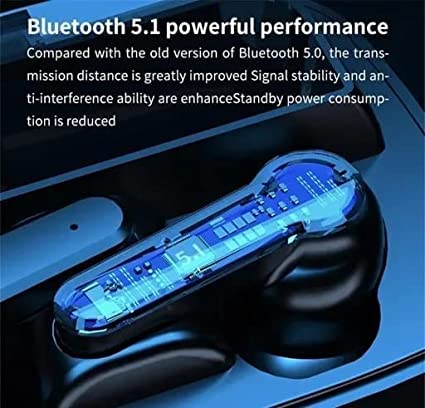
Image 3: A detailed view of an earbud, emphasizing its Bluetooth 5.1 capabilities for enhanced connectivity.
4. Operating Instructions
The M-19 TWS Wireless Headphones feature intuitive touch controls for various functions.
4.1. Touch Controls
| Action | Function |
|---|---|
| Single Tap (Left or Right Earbud) | Play/Pause music, Answer/Hang up call |
| Long Press for 1 Second (Left or Right Earbud) | Summon Voice Assistant (Siri, Google Assistant, etc.) |
| Triple Tap (Left Earbud) | Volume Down |
| Triple Tap (Right Earbud) | Volume Up |
| Double Tap (Left Earbud) | Previous Song |
| Double Tap (Right Earbud) | Next Song |
| Long Press for 5 Seconds (Left or Right Earbud) | Power On/Off |
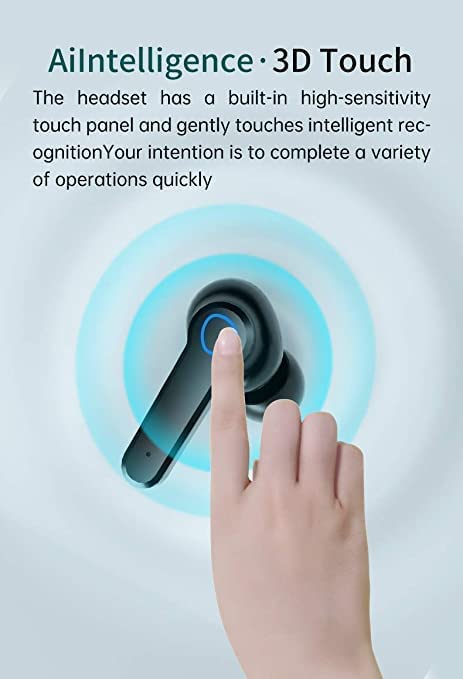
Image 4: Demonstration of the touch-sensitive area on an M-19 earbud for controlling functions.
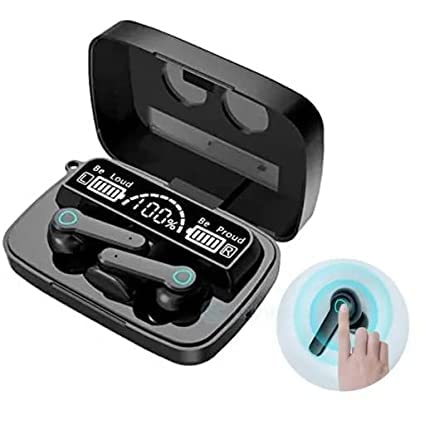
Image 5: The M-19 charging case with earbuds, featuring the LED display and a visual cue for touch control functionality.
4.2. LED Charging Display
The charging case features an LED digital display that clearly shows the remaining power of the charging compartment and the individual battery levels of the left and right earbuds. This helps prevent unexpected power loss.
5. Maintenance and Care
- Cleaning: Use a soft, dry cloth to clean the earbuds and charging case. Do not use abrasive cleaners or solvents.
- Storage: When not in use, store the earbuds in their charging case to protect them and keep them charged.
- Water Resistance: The earbuds are sweatproof, making them suitable for workouts. However, they are not waterproof; avoid submerging them in water.
- Temperature: Avoid exposing the device to extreme temperatures (hot or cold) or high humidity.
6. Troubleshooting
| Problem | Possible Solution |
|---|---|
| Earbuds not pairing with device. |
|
| Only one earbud is working. |
|
| Earbuds not charging. |
|
| Poor sound quality or disconnections. |
|
7. Specifications
| Feature | Detail |
|---|---|
| Model Name | M-19 |
| Connectivity Technology | Wireless (Bluetooth) |
| Bluetooth Version | 5.1 |
| Control Type | Touch, Voice Control |
| Form Factor | In-Ear |
| Microphone | Included |
| Special Features | Sweatproof, LED Digital Display |
| Battery Life (Earbuds per charge) | 10-12 hours (up to 48 hours total with charging case) |
| Charging Time | Approximately 2 hours (for case) |
| Material | Plastic |
| Color | Black |
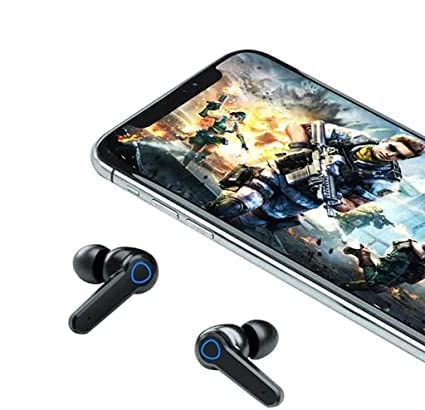
Image 6: The M-19 earbuds positioned near a smartphone, illustrating their use for media consumption and gaming.
8. Warranty and Support
For warranty information or technical support, please refer to the retailer or the point of purchase. Keep your proof of purchase for any warranty claims.