
1. Introduction
This instruction manual provides essential information for the Ravensburger GraviTrax Building Expansion Set, Model 22415. This set is designed to enhance your existing GraviTrax marble run system by adding new components that allow for increased height and complexity in your track designs. Please read these instructions carefully before integrating the expansion set into your GraviTrax system.
2. Product Overview
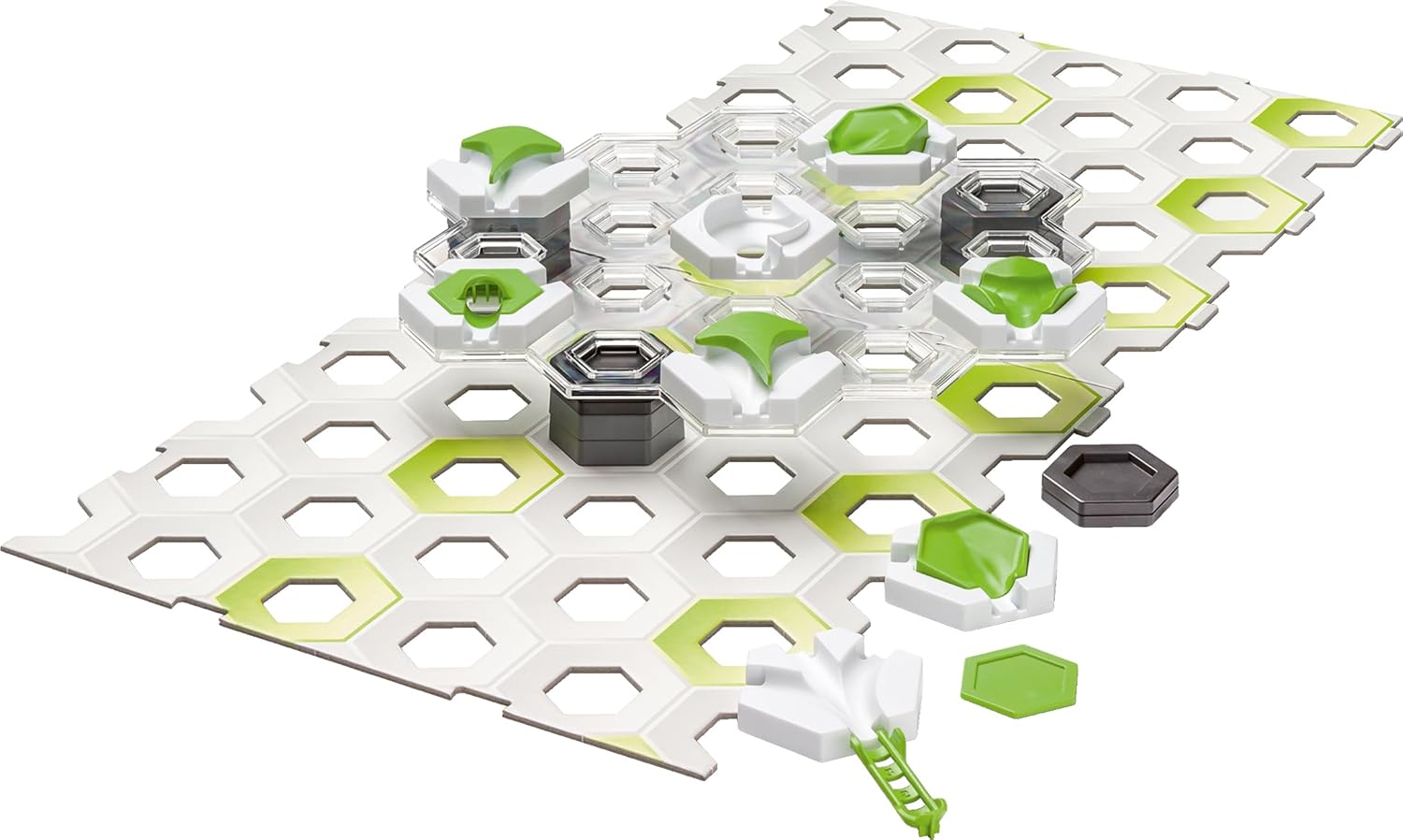
The GraviTrax Building Expansion Set provides additional elements to elevate your marble run experience. It focuses on vertical construction, enabling you to build taller and more intricate tracks.
2.1 Included Components
The set includes 30 pieces designed to expand your GraviTrax system:
- 2 Base Plates
- 1 Transparent Level
- 8 Large Height Tiles
- 4 Small Height Tiles
- 2 Switches
- 1 3-in-1 Tile
- 1 Vortex
- 1 Finish Line
- 4 Basic Tiles
- Inserts (2 Catchers, 1 Freefall, 1 Splash, 1 Landing)

An overview of the 29 components included in the expansion set, such as height tiles, switches, and special action tiles like the vortex and freefall.
A visual breakdown of the 30 individual pieces included in the expansion set, showing quantities of each type of height tile, base plate, switch, and special element.
3. Setup
The GraviTrax Building Expansion Set is designed to be used in conjunction with a GraviTrax Starter Set. It does not function as a standalone product.
3.1 Compatibility
All components in this expansion set are fully compatible with all GraviTrax systems, including Core, Pro, and Power lines. Ensure you have a GraviTrax Starter Set before attempting to use this expansion.

Image showing the product box dimensions (33.8 cm / 13.3 inches) and illustrating that the set is compatible with all GraviTrax Starter/Theme Sets and product lines (Core, Pro, Power).
3.2 Integrating Components
- Begin with a stable base from your GraviTrax Starter Set.
- Use the included height tiles to create vertical layers for your track.
- Place transparent levels and base plates to support track pieces at different elevations.
- Incorporate switches, the 3-in-1 tile, vortex, and other special elements to add dynamic movement and decision points for the marbles.
- Ensure all track pieces and height elements are securely connected to prevent marbles from falling off the track prematurely.
4. Operation
The GraviTrax system encourages experimentation and creative problem-solving. Use the expansion set to explore new possibilities in marble run design.
4.1 Building Principles
- Gravity: Understand how gravity affects marble speed and trajectory. Taller drops increase speed.
- Height: Utilize the height tiles to create inclines and declines, controlling the marble's momentum.
- Switches: Experiment with switches to direct marbles along different paths.
- Special Elements: The vortex, freefall, splash, and landing inserts offer unique interactions for the marbles. Position them strategically for desired effects.
4.2 Design and Experimentation
There are no fixed rules for building; creativity is key. Test your designs frequently by releasing marbles to observe their path. Adjust components as needed to achieve desired outcomes. The official GraviTrax app can provide additional building ideas and a virtual design environment.
A child intently watching a marble navigate a complex GraviTrax track, demonstrating the interactive nature of the system.

A child actively engaged in constructing a GraviTrax track, placing components to extend the marble run.

A family collaborating to build and play with a GraviTrax marble run, illustrating the set's appeal for multiple users.
5. Maintenance
5.1 Cleaning
To clean the GraviTrax components, wipe them with a soft, damp cloth. Avoid using harsh chemicals or abrasive cleaners, as these may damage the plastic. Ensure all parts are dry before storage.
5.2 Storage
Store the GraviTrax components in their original packaging or a suitable container to prevent loss or damage. Keep the set away from direct sunlight and extreme temperatures to maintain material integrity.
6. Troubleshooting
6.1 Common Issues and Solutions
- Marbles stop or get stuck:
- Check track connections for proper alignment.
- Ensure sufficient incline for gravity to propel the marble.
- Remove any debris from the track path.
- Track sections detach:
- Verify that all pieces are firmly clicked into place.
- Ensure the base plates are on a flat, stable surface.
- Marbles fall off the track:
- Reduce the speed of the marble entering the problematic section by adjusting previous inclines.
- Ensure track curves are not too sharp for the marble's speed.
- Check for any misaligned pieces that might create gaps.
7. Specifications
| Attribute | Detail |
|---|---|
| Model Number | 22415 |
| Product Dimensions | 13.31 x 13.31 x 2.17 inches (33.8 x 33.8 x 5.5 cm) |
| Item Weight | 1.79 pounds (0.81 kg) |
| Recommended Age | 8 years and up |
| Batteries Required | No (AA batteries mentioned in product data are likely for other GraviTrax sets, not this expansion) |
8. Warranty and Support
For information regarding product warranty, replacement parts, or additional support, please visit the official Ravensburger website or contact their customer service department. You can find more information at the Ravensburger Store on Amazon or their main corporate website.