
HealthSmart 18-930-000
HealthSmart Talking Infrared Ear & Forehead Thermometer User Manual
Model: 18-930-000
Introduction
The HealthSmart Talking Infrared Ear & Forehead Thermometer is designed for accurate and instant temperature readings for all ages. This versatile device features both an ear probe and a touchless infrared attachment, allowing for temperature measurement of the body and objects. It includes a visual fever alarm, clear audio readings in English and Spanish, and a memory function to track readings.

Figure 1: HealthSmart Talking Infrared Ear & Forehead Thermometer.
What's in the Box
- HealthSmart Talking Infrared Ear & Forehead Thermometer
- Storage Case
- 2 x AAA Batteries
- Instruction Manual (English & Spanish)
Setup
1. Battery Installation
The thermometer requires two AAA batteries (included). To install or replace batteries:
- Locate the battery compartment cover on the back of the device.
- Slide the cover open.
- Insert the two AAA batteries, ensuring correct polarity (+/-).
- Close the battery compartment cover securely.

Figure 2: Rear view of the thermometer showing the battery compartment.
2. Initial Settings (Time, Date, Unit, Language)
Upon first use or after battery replacement, you may need to set the time, date, temperature unit (Fahrenheit/Celsius), and audio language (English/Spanish).
- Press the Power button (
 ) to turn on the device.
 - Press the Settings button (S) to cycle through settings options.
- Use the Start button to adjust values for time, date, and unit.
- The device supports audio readings in English and Spanish. Refer to the full instruction manual for detailed language setting procedures.

Figure 3: Thermometer controls and display features.
Operating Instructions
1. Mode Selection (Ear, Forehead, Object)
The thermometer can measure temperature in three modes: Ear, Forehead, and Object. The mode is automatically detected based on the attachment used.
- Ear Mode: Use the ear probe directly.
- Forehead Mode: Attach the infrared forehead scan attachment.
- Object Mode: Use the infrared forehead scan attachment to measure object temperatures.
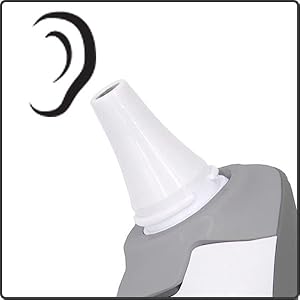

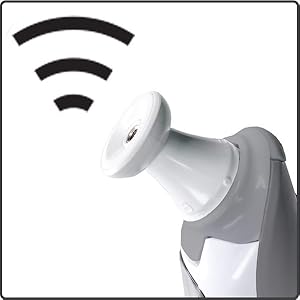
Figure 4: Icons representing Ear, Forehead, and Object measurement modes.
2. Taking a Temperature Reading
The thermometer utilizes instant scan technology for quick readings.
- Ensure the correct mode attachment is in place (ear probe or forehead attachment).
- Position the thermometer correctly for the chosen mode (e.g., gently insert ear probe into ear canal, or hold forehead attachment near the forehead/object).
- Press the Start button.
- The reading will appear on the backlit LCD display instantly.
- If audio readings are enabled, the temperature will be announced in the selected language.
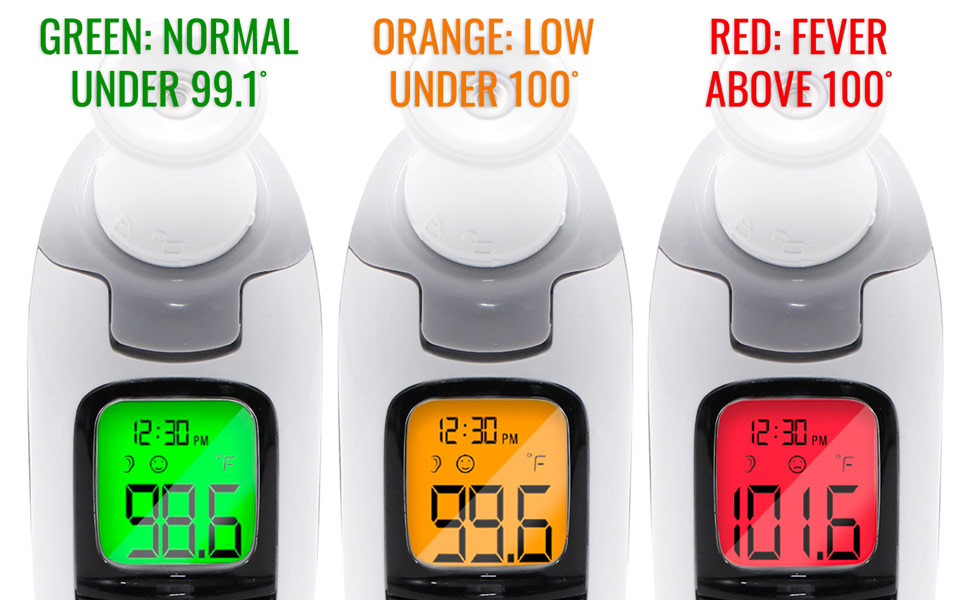
3. Interpreting Readings (3-Color Backlit Display)
The backlit display changes color to provide a quick visual indication of the temperature status:
- Green: Normal temperature (Under 99.1°F / 37.3°C)
- Orange: Low-grade fever (Under 100°F / 37.8°C)
- Red: Fever (Above 100°F / 37.8°C)

Figure 5: Visual fever alarm with three-color backlit display.
4. Memory Recall
The thermometer stores up to 30 previous readings. To access the memory bank:
- With the device on, press the Settings button (S) repeatedly until "MEM" appears on the display.
- Use the Start button to scroll through the stored readings.

Figure 6: Detailed view of the thermometer's informative display, including memory indicator.
Maintenance
Cleaning
To ensure accurate readings and hygiene, clean the thermometer regularly. The ear probe cover is washable.
- Wipe the thermometer body with a soft, damp cloth.
- The ear probe cover can be washed with mild soap and water. Ensure it is completely dry before reattaching.
- Do not immerse the entire device in water or use abrasive cleaners.
Storage
Store the thermometer in its included storage case when not in use to protect it from dust and damage.
- Store in a cool, dry place, away from direct sunlight and extreme temperatures.
- Keep out of reach of children.
Troubleshooting
If you encounter issues with your HealthSmart thermometer, please refer to the following common solutions:
| Problem | Possible Cause | Solution |
|---|---|---|
| Device does not turn on. | Batteries are low or incorrectly installed. | Check battery polarity. Replace batteries if necessary. |
| Inaccurate readings. | Improper placement, dirty probe, or environmental factors. | Ensure correct placement for ear/forehead. Clean the probe. Allow device to acclimate to room temperature. |
| Audio function not working. | Audio setting is off or volume is too low. | Check audio settings via the 'S' button. Refer to the full manual for detailed audio control. |
For further assistance, please consult the complete instruction manual or contact HealthSmart customer support.
Specifications
| Feature | Detail |
|---|---|
| Model Number | 18-930-000 |
| Brand | HealthSmart |
| Display Type | Digital, 3-color backlit LCD |
| Measurement Modes | Ear, Forehead, Object |
| Temperature Units | Fahrenheit (°F) / Celsius (°C) |
| Memory Function | Stores up to 30 readings |
| Audio Readings | English & Spanish |
| Power Source | 2 x AAA Batteries (included) |
| Product Dimensions | Approx. 6.97 x 6.38 x 2.2 inches |
| Product Weight | Approx. 8.15 ounces |
| Material | Plastic |
| Care Instructions | Wipe Clean |
Warranty and Support
For warranty information or technical support regarding your HealthSmart Talking Infrared Ear & Forehead Thermometer, please refer to the full instruction manual included with your product or visit the official HealthSmart website. Keep your purchase receipt for warranty claims.