
Introduction
Thank you for purchasing the MZ M7 Portable Bluetooth Mini Speaker. This compact speaker delivers dynamic sound with high bass and offers wireless music streaming via Bluetooth 5.0. Its portable design makes it ideal for both indoor and outdoor use. This manual provides essential information on setting up, operating, and maintaining your speaker.
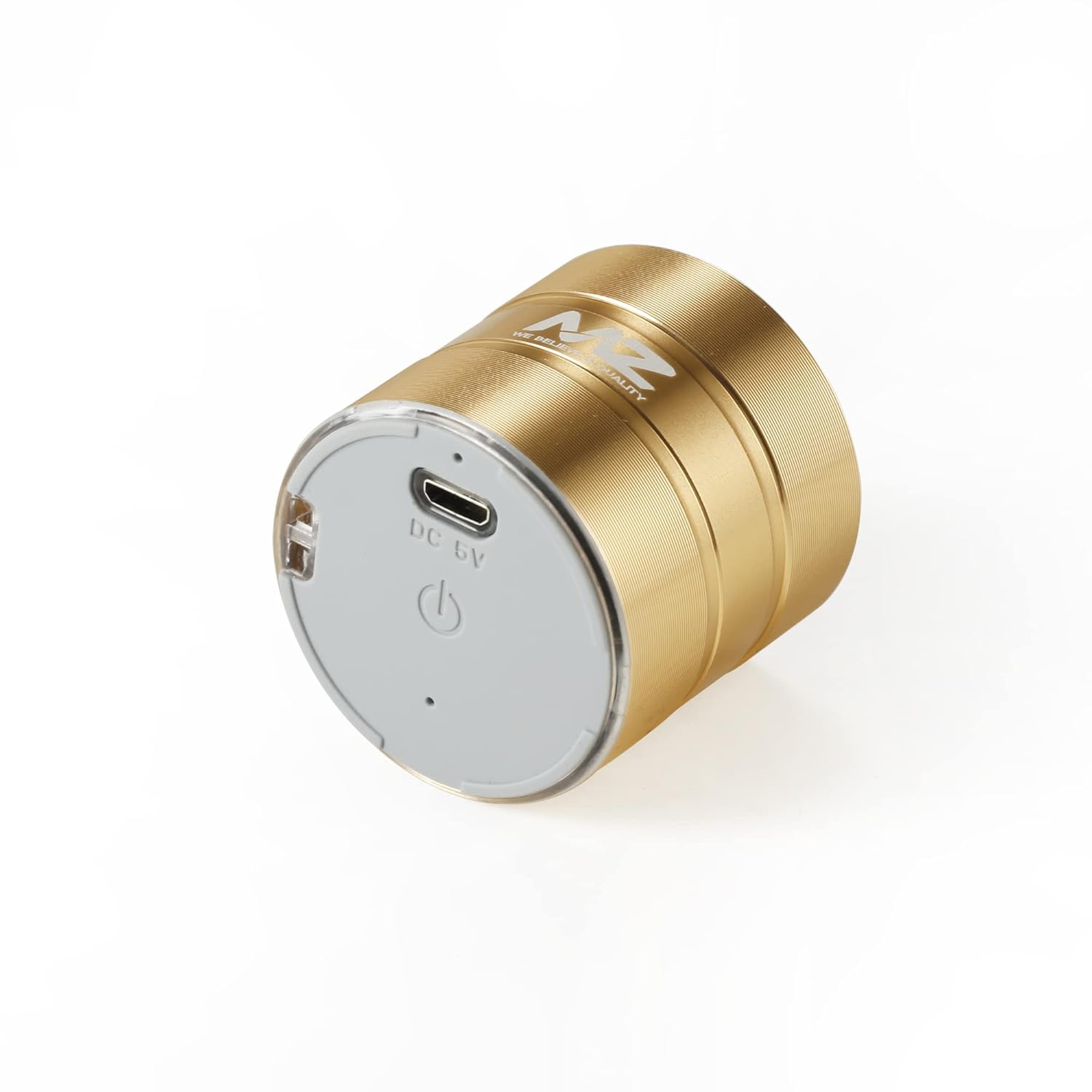
Image: The MZ M7 Portable Bluetooth Mini Speaker in gold, showcasing its compact, cylindrical design and metal finish.
Package Contents
Please check the box for the following items:
- MZ M7 Portable Bluetooth Mini Speaker
- Charging Cable
- Hanging String
Product Overview
Familiarize yourself with the speaker's ports and controls.
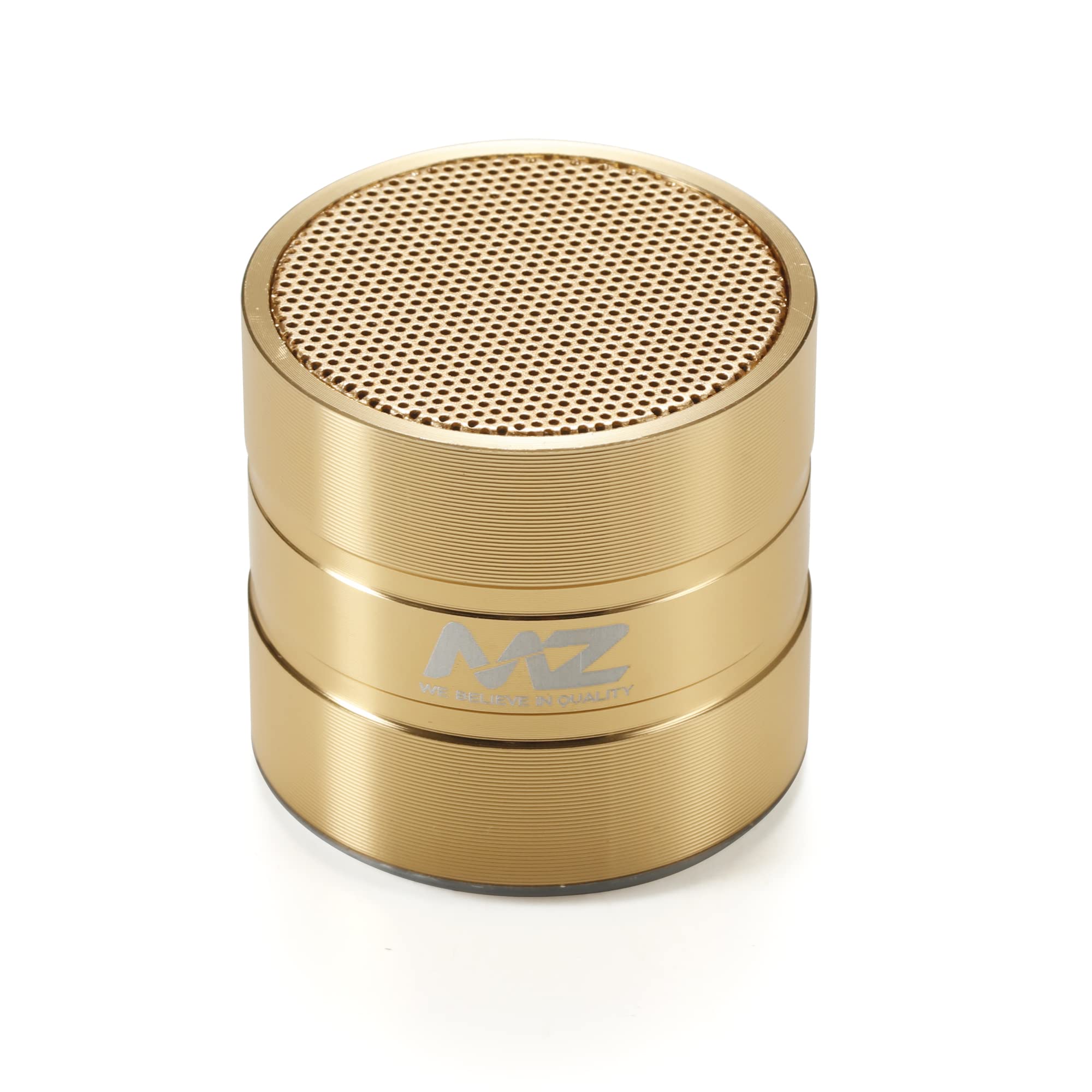
Image: Bottom view of the MZ M7 speaker, highlighting the DC 5V USB charging port and the power button with its indicator light.
- Power Button: Press and hold to power on/off. Short press for play/pause (when connected).
- DC 5V Charging Port (USB): Connect the provided charging cable here to charge the speaker.
- LED Indicator: Indicates power status, charging status, and Bluetooth pairing mode.
Setup
1. Charging the Speaker
- Connect the provided USB charging cable to the DC 5V port on the speaker.
- Connect the other end of the USB cable to a compatible USB power adapter (not included) or a computer's USB port.
- The LED indicator will illuminate during charging and turn off once fully charged.
- Ensure the speaker is fully charged before first use for optimal battery life.
2. Power On/Off
- To Power On: Press and hold the Power Button for approximately 3 seconds. You will hear an audible prompt, and the LED indicator will flash.
- To Power Off: Press and hold the Power Button for approximately 3 seconds. You will hear an audible prompt, and the LED indicator will turn off.
Operating Instructions
1. Bluetooth Pairing
The MZ M7 speaker uses Bluetooth 5.0 for wireless connectivity, offering a range of up to 10 meters.
- Ensure the speaker is powered on. The LED indicator will flash rapidly, indicating it is in pairing mode.
- Enable Bluetooth on your mobile phone, tablet, computer, or other compatible device.
- Search for available Bluetooth devices.
- Select "MZ M7" from the list of devices.
- Once successfully paired, you will hear a confirmation sound, and the LED indicator will stop flashing and remain solid.
- The speaker will automatically attempt to reconnect to the last paired device when powered on.
2. Audio Playback
- After successful pairing, open your preferred music or audio application on your connected device.
- Adjust the volume using your connected device's volume controls.
- Short press the Power Button on the speaker to play or pause audio.
Maintenance
- Clean the speaker with a soft, dry cloth. Do not use abrasive cleaners or solvents.
- Keep the speaker away from extreme temperatures, direct sunlight, and moisture.
- Although the speaker has splash-proof features, avoid submerging it in water.
- Store the speaker in a cool, dry place when not in use for extended periods.
Troubleshooting
| Problem | Possible Solution |
|---|---|
| Speaker does not power on. | Ensure the speaker is charged. Connect it to a power source using the charging cable. |
| Cannot pair with Bluetooth device. |
|
| No sound or low volume. |
|
| Charging not working. |
|
Specifications
- Model: M7
- Connectivity Technology: Bluetooth 5.0
- Bluetooth Range: Up to 10 meters (33 feet)
- Audio Output Mode: Stereo
- Speaker Type: Coaxial
- Audio Driver Type: Dynamic Driver
- Power Source: USB, Rechargeable Battery
- Material: Metal
- Color: Gold (as per product variant)
- Speaker Size: 4.5 Centimeters
- Item Dimensions (D x W x H): 38 x 39 x 45 Millimeters
- Control Method: App (Note: Primary controls are on device, app control may refer to connected device's app)
- Water Resistance: Splash-proof (not fully waterproof)
- Compatible Devices: Personal Computer, Smartphone, Tablet, Television
Safety Information
- Do not disassemble, repair, or modify the speaker. This may cause damage, electric shock, or fire.
- Keep the speaker away from water, fire, and high voltage equipment.
- Do not expose the speaker to extreme temperatures or direct sunlight for prolonged periods.
- Use only the provided charging cable or a certified equivalent.
- Dispose of the speaker and its battery responsibly according to local regulations.
Warranty and Support
This product is sold without a manufacturer's warranty as per the provided product information.
For any operational issues or questions not covered in this manual, please refer to the retailer where the product was purchased or visit the MZ brand's official support channels if available.