
ciciglow ciciglowaibt30ku1s
Mini 1080P HD Wireless Indoor Security Camera User Manual
Model: ciciglowaibt30ku1s
Product Overview
The ciciglow Mini 1080P HD Wireless Indoor Security Camera is designed for comprehensive home surveillance, offering high-definition video recording, advanced night vision, and motion detection capabilities. Its compact, wireless design and magnetic base allow for flexible placement in various indoor environments, making it ideal for monitoring homes, pets, or offices.
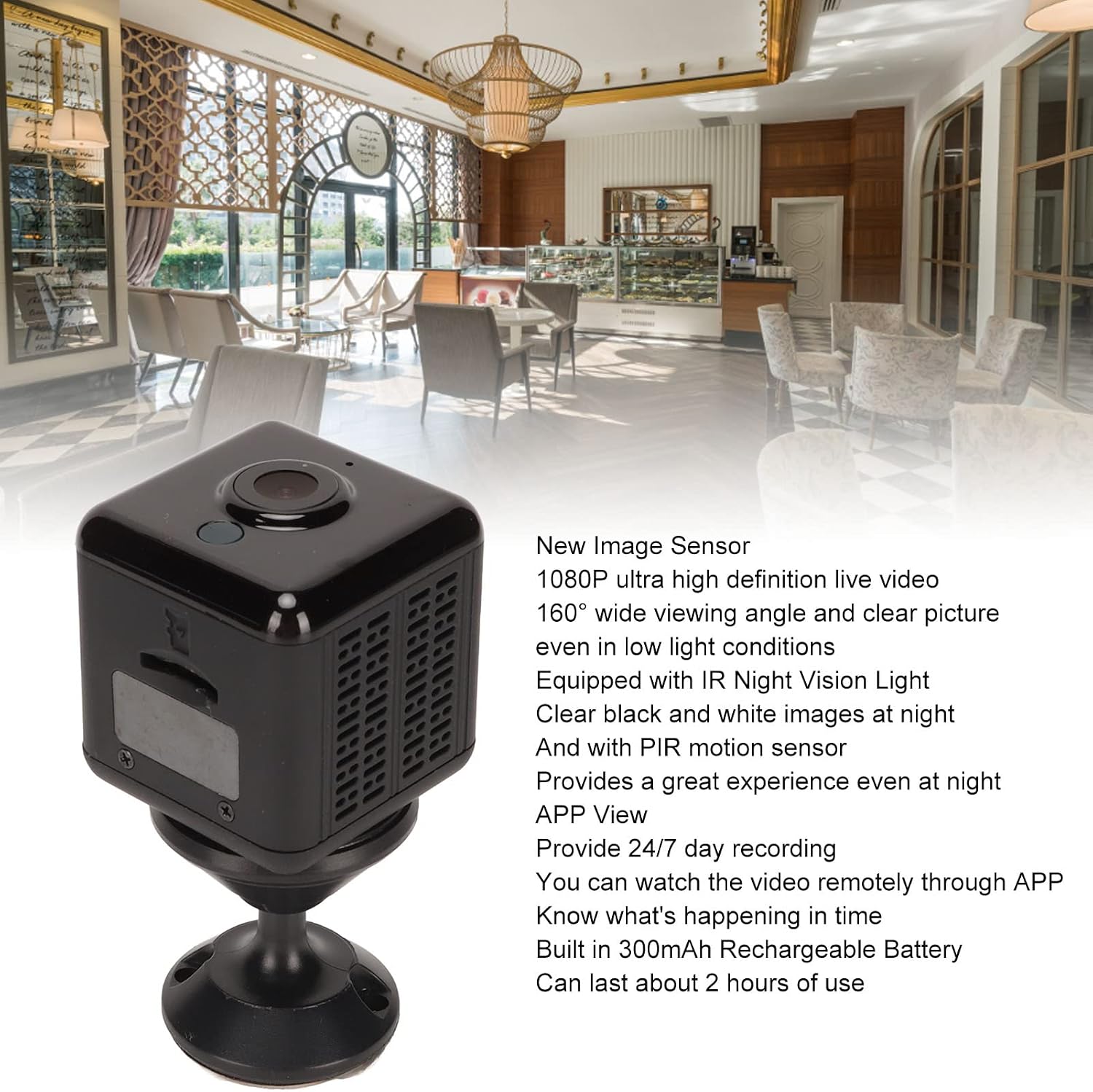
Image: The mini camera showcasing its 1080P resolution, 160-degree wide viewing angle, IR night vision, PIR motion sensor, APP view capability, and built-in 300mAh rechargeable battery.
- 1080P HD Lens: Equipped with a new image sensor for ultra HD 1080P live video and a 160-degree wide viewing angle, ensuring clear images even in low light.
- Advanced Night Vision: Features IR night vision lights and a PIR motion sensor, providing clear black and white images at night for enhanced security.
- Remote APP View: Offers 24/7 recording and allows remote viewing via the dedicated APP (HIDVCAM), enabling real-time monitoring from anywhere.
- Rechargeable & Wireless: Built-in 300mAh battery provides approximately 2 hours of operation, offering wireless flexibility for placement without cable limitations.
- Memory Card Support: Supports micro storage cards (up to 32GB, not included) for local video recording, even without WiFi or internet access.
- Easy Installation: Features a magnetic base for simple, professional-free installation, perfect for various indoor monitoring needs.
What's in the Box
Please check the package contents upon unboxing to ensure all components are present and in good condition.

Image: The complete package contents, including the mini camera, magnetic base, USB cables, and adhesive pads.
- 1 x Mini Camera
- 1 x Magnetic Base
- 1 x Magnetic Piece (for mounting)
- 2 x USB Cables (charging/data)
- 2 x Adhesive Stickers
- 1 x Instruction Manual

Image: A detailed view of the magnetic base and the two adhesive stickers, used for secure mounting of the camera.
Setup Guide
Follow these steps to set up your ciciglow Mini Camera for optimal performance.
- Charge the Camera: Before first use, fully charge the camera using one of the provided USB cables connected to a 5V USB power adapter (not included). The charging indicator light will typically change color or turn off when fully charged.
- Insert Memory Card (Optional): If you wish to record video locally, gently insert a micro SD card (up to 32GB, not included) into the designated slot on the side of the camera. Ensure it is inserted correctly until it clicks into place.

Image: Side view of the mini camera, highlighting the slot for inserting a micro SD memory card.
- Download the APP: Search for "HIDVCAM" in your smartphone's app store (iOS or Android) and download the official application.
- Power On: Press and hold the power button on the camera until the indicator light turns on.
- Connect to Wi-Fi (APP Setup):
- Open the HIDVCAM app and follow the on-screen instructions to add your camera.
- The app will guide you through connecting the camera to your home Wi-Fi network. Ensure your Wi-Fi is 2.4GHz, as 5GHz networks may not be supported.
- Mount the Camera:
- Attach the camera to the magnetic base.
- Use the magnetic piece and adhesive stickers to secure the base to a clean, flat surface in your desired monitoring area. The magnetic design allows for easy adjustment of the camera's angle.

Image: The mini camera discreetly placed on a shelf in a bedroom, demonstrating its compact size and ease of installation.
Operating Instructions
Once set up, you can begin using your ciciglow Mini Camera for surveillance.
- Live View: Open the HIDVCAM app on your smartphone. Select your camera from the device list to view the live feed. You can monitor your home, pets, or office in real-time.

Image: The mini camera positioned to monitor a living room, providing a sense of security for families.
- Motion Detection: The camera features a PIR motion sensor. When motion is detected, the camera can automatically start recording and send notifications to your phone via the app. Adjust sensitivity settings within the app.
- Night Vision: The camera automatically switches to IR night vision mode in low light conditions, providing clear black and white video.
- Video Recording:
- Continuous Recording: If a memory card is inserted, the camera can record continuously.
- Event Recording: Records clips when motion is detected.
- Manual Recording: You can initiate recording directly from the app.

Image: The mini camera positioned to monitor a pet dog, illustrating its use for pet surveillance.
- Battery Life: The built-in 300mAh battery provides approximately 2 hours of continuous operation. For extended use, keep the camera connected to a power source.
Maintenance
Proper maintenance ensures the longevity and optimal performance of your camera.
- Cleaning: Use a soft, dry cloth to clean the camera lens and body. Avoid using liquid cleaners or abrasive materials that could scratch the lens or damage the device.
- Storage: When not in use for extended periods, store the camera in a cool, dry place away from direct sunlight and extreme temperatures. Ensure the battery is partially charged before storage to prevent deep discharge.
- Software Updates: Periodically check the HIDVCAM app for any available firmware updates for your camera. Keeping the firmware updated can improve performance and add new features.
- Battery Care: Avoid completely draining the battery frequently. Recharge the camera as needed to maintain battery health.
Troubleshooting
If you encounter issues with your camera, refer to the following common solutions.
| Problem | Possible Cause / Solution |
|---|---|
| Camera not powering on. | Battery might be drained. Connect the camera to a power source using the USB cable and allow it to charge for at least 30 minutes before attempting to power on again. |
| Cannot connect to Wi-Fi. |
|
| No video recording. |
|
| Poor video quality / blurry image. |
|
| App notifications not received. |
|
Specifications
| Feature | Detail |
|---|---|
| Model | Q18S / ciciglowaibt30ku1s |
| Material | ABS |
| Battery | Built-in 300mAh Lithium Battery |
| Resolution | 1080P (1920 x 1080 Pixels) |
| Viewing Angle | 160 Degrees |
| Storage | Memory Card (Max 32GB, not included) |
| APP | HIDVCAM |
| Connectivity Technology | Wireless |
| Special Feature | Motion Detector, Night Vision |
| Indoor/Outdoor Use | Indoor |
| Compatible Devices | Smartphone (iOS) |
| Power Source | Battery Powered |
| Manufacturer | ciciglow |
Warranty and Support
Specific warranty information and direct support contact details are not available in the provided product data. Please refer to the seller's or manufacturer's website for the most up-to-date warranty policy and customer support options.
For technical assistance or inquiries, please contact the retailer or manufacturer directly through their official channels.
Ask a question about this manual
Ask about setup, troubleshooting, compatibility, parts, safety, or missing instructions. Manuals+ will review the question and use this page’s manual context to help answer it.