
Introduction
Thank you for choosing the Progenion PR-110 UV Ultrasonic Humidifier. This manual provides essential information for the safe and efficient operation, maintenance, and troubleshooting of your device. Please read it thoroughly before use and keep it for future reference.
The PR-110UV is an ultrasonic humidifier, featuring an adjustable hygrometer, timer function, UV sterilization, and ionization. The combination of UV and ionization ensures water and air disinfection. The ionizer also adds negative ions to the air, which precipitate particles and can positively impact health. This humidifier is suitable for dry rooms with underfloor heating or parquet flooring, and ideal for new homes where rooms are often highly insulated.
With a power consumption of only 25 watts, the humidifier is very energy-efficient and suitable for rooms up to approximately 55 m².
Important Safety Instructions
- Always place the humidifier on a firm, flat, water-resistant surface away from direct sunlight and heat sources.
- Do not block air vents.
- Keep out of reach of children and pets.
- Do not immerse the unit in water or other liquids.
- Unplug the humidifier before filling, cleaning, or moving it.
- Use only clean, cool tap water. Distilled or demineralized water is recommended to prevent mineral buildup.
- Do not add essential oils directly into the water tank; use the dedicated aroma box.
- If the power cord is damaged, it must be replaced by the manufacturer, its service agent, or similarly qualified persons to avoid a hazard.
Product Components
The Progenion PR-110 UV Ultrasonic Humidifier consists of the following main components:
- Main Unit with Control Panel
- Water Tank (5 Liters capacity)
- Water Tank Cover
- Aroma Box
- Remote Control (battery included)
- User Manual

Image: Front view of the Progenion PR-110 UV Ultrasonic Humidifier, showing the digital display and control buttons.
Setup
- Unpack: Carefully remove all packaging materials and place the humidifier on a flat, stable surface.
- Fill Water Tank: The humidifier is easy to fill from the top.
- Remove the water tank cover.
- Fill the water tank with clean, cool tap water using a jug or bottle.
- Alternatively, the entire water tank can be removed and filled under a tap. The tank has a capacity of up to 5 liters.
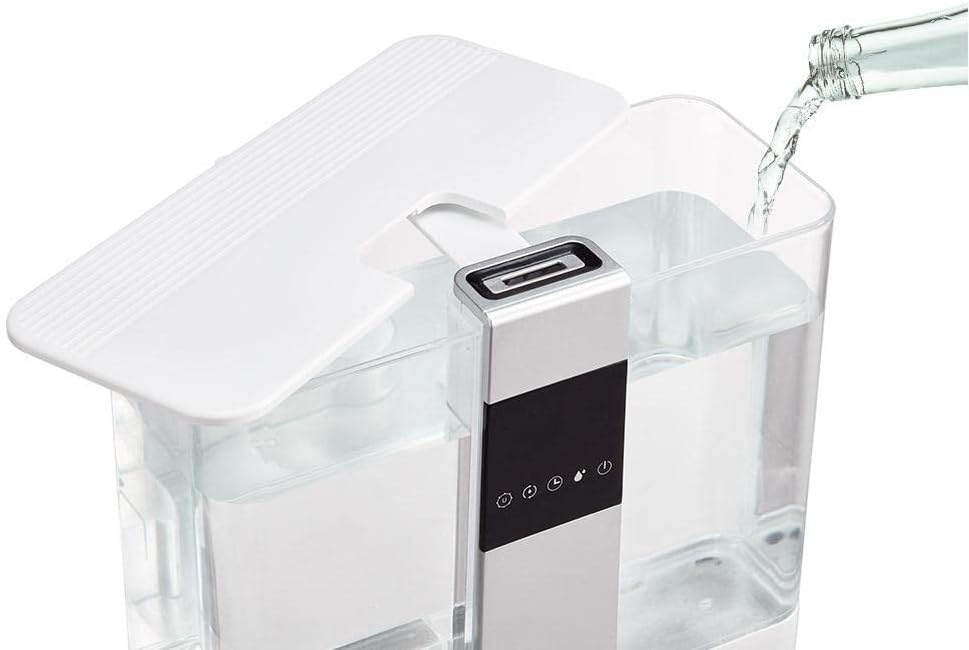
Image: Demonstrates filling the humidifier from the top by pouring water into the open tank.
- Replace Cover: Securely place the water tank cover back on the unit.
- Connect Power: Plug the power cord into a suitable electrical outlet. The unit will emit a short beep, and the display will light up briefly.
Operating Instructions
The PR-110UV can be controlled via the soft-touch buttons on the front panel or using the included remote control.
Control Panel & Remote Functions
- Power Button: Turns the humidifier on or off.
- Mist Output Adjustment: Adjusts the mist intensity (low, medium, high).
- Hygrometer Setting: Allows you to set the desired humidity level. The unit will automatically maintain this level.
- UV Function: Activates or deactivates the UV sterilization lamp for water disinfection.
- Ionizer Function: Activates or deactivates the ionizer for air purification.
- Timer Function: Sets the operating time (e.g., 1-12 hours) after which the humidifier will automatically shut off.
Aromatherapy Function
To use the aromatherapy feature:
- Locate the aroma box on the side or back of the humidifier.
- Gently pull out the aroma box drawer.
- Add a few drops of your preferred aromatic or essential oil onto the sponge inside the drawer. Do not overfill.
- Push the drawer back into the unit until it clicks into place.
- When the humidifier is operating, the scent will be diffused into the air along with the mist.

Image: Close-up of the aroma box being pulled out, showing the sponge for essential oils.
Maintenance
Regular cleaning and maintenance are crucial for the optimal performance and longevity of your humidifier.
Daily Maintenance
- Empty and rinse the water tank and water basin daily.
- Refill with fresh, cool water.
Weekly Maintenance
- Unplug: Always unplug the humidifier before cleaning.
- Clean Water Tank:
- Remove the water tank and empty any remaining water.
- Clean the inside of the tank with a soft brush or cloth and a mild detergent. Rinse thoroughly.
- Clean Water Basin & Transducer:
- Empty the water from the base unit.
- Wipe the water basin with a soft cloth.
- Gently clean the ultrasonic transducer (the small metal disc) with a soft brush or cotton swab to remove any mineral deposits. Do not scrape.
- For stubborn mineral buildup, fill the basin with a 1:1 mixture of white vinegar and water, let it soak for 20-30 minutes, then gently scrub and rinse.
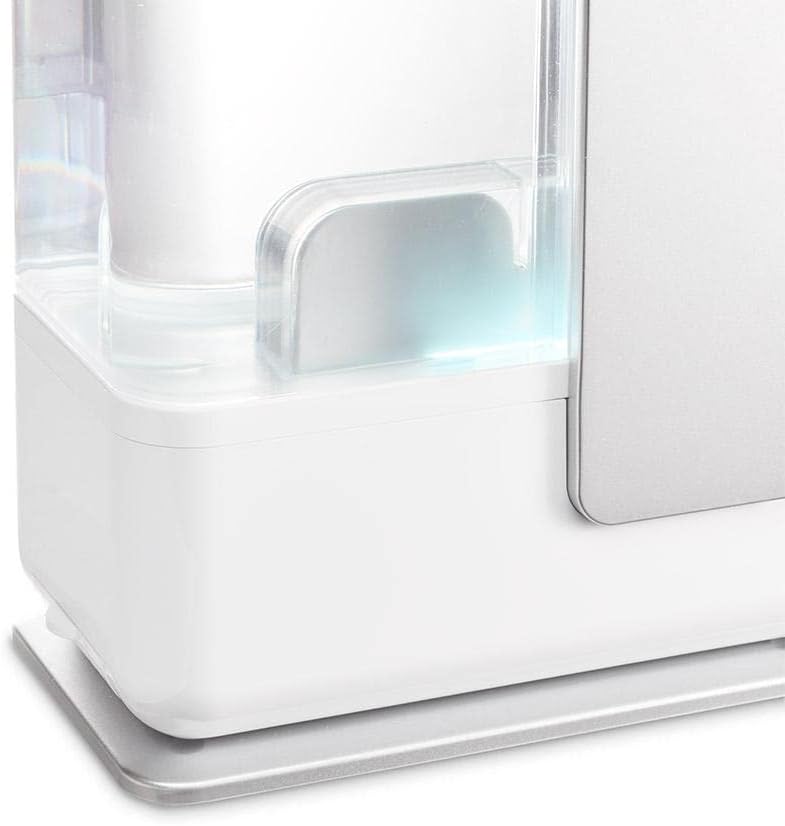
Image: Close-up view of the humidifier's base, showing the water reservoir area that requires cleaning.
- Clean Aroma Box: Remove the sponge from the aroma box and rinse it with water. Allow it to air dry before reinserting.
- Exterior Cleaning: Wipe the exterior of the humidifier with a soft, damp cloth.
- Storage: If storing the humidifier for an extended period, ensure all parts are clean and dry. Store in a cool, dry place.
Troubleshooting
| Problem | Possible Cause | Solution |
|---|---|---|
| No mist output |
|
|
| Unpleasant odor |
|
|
| White dust around humidifier |
|
|
| Humidifier leaks |
|
|
Specifications
| Brand | Progenion |
| Model Name | PR-110 UV Ultrasonic Humidifier |
| Color | White |
| Operating Mode | Ultrasonic |
| Capacity | 5 Liters |
| Power | 25 Watts |
| Voltage | 230 Volts |
| Operating Time | Up to 8 hours (continuous) |
| Automatic Shut-off Function | Yes |
| Special Features | Ionizer, Removable Tank, UV-C, Aroma Box, Adjustable Hygrometer, Timer |
| Material | Plastic |
| Suitable Room Size | Up to approx. 55m² / 140m³ |
| Included Components | Remote Control, User Manual |
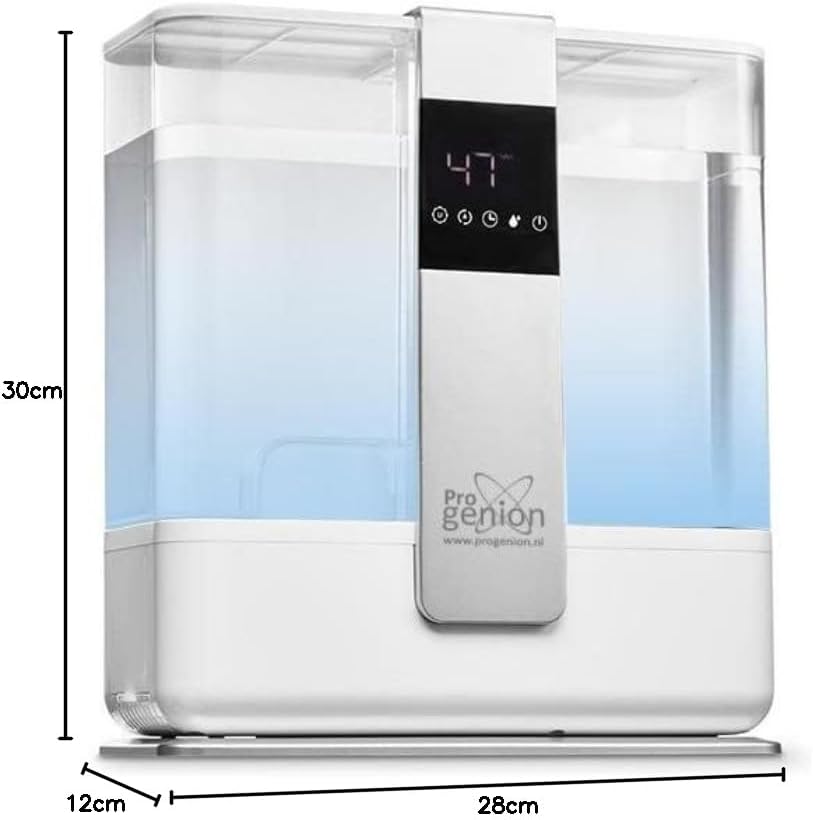
Image: Diagram showing the dimensions of the humidifier: 30cm height, 28cm width, 12cm depth.
Warranty and Support
Spare Parts Availability: The manufacturer indicates spare parts availability for 3 years.
For further assistance, troubleshooting not covered in this manual, or warranty inquiries, please contact Progenion customer support. Refer to the product packaging or the official Progenion website for contact details.