
Introduction
This manual provides essential information for the safe and effective operation, maintenance, and troubleshooting of your Generic 8032 BGA Rework Solder Station Hot Air Gun. Please read this manual thoroughly before using the device to ensure proper handling and to prevent damage or injury.
Safety Information
Always observe the following safety precautions to prevent electric shock, fire, or personal injury:
- Electrical Safety: Ensure the power supply matches the device's requirements. Do not operate with wet hands or in damp environments. Disconnect power before cleaning or maintenance.
- Heat Safety: The hot air gun produces extremely high temperatures. Do not touch the nozzle or heated components directly. Allow the unit to cool completely before storing. Keep flammable materials away from the working area.
- Ventilation: Use the device in a well-ventilated area to disperse fumes generated during soldering or desoldering.
- Personal Protective Equipment (PPE): Wear appropriate safety glasses to protect eyes from solder splatter or debris. Consider heat-resistant gloves.
- Children and Pets: Keep the device out of reach of children and pets.
Product Components
The Generic 8032 BGA Rework Solder Station Hot Air Gun typically includes the following components:
- 8032 Hot Air Gun Unit with integrated cable and power adapter.
- Assorted Nozzles (typically 3 different sizes).
- Hot Air Gun Stand/Holder.
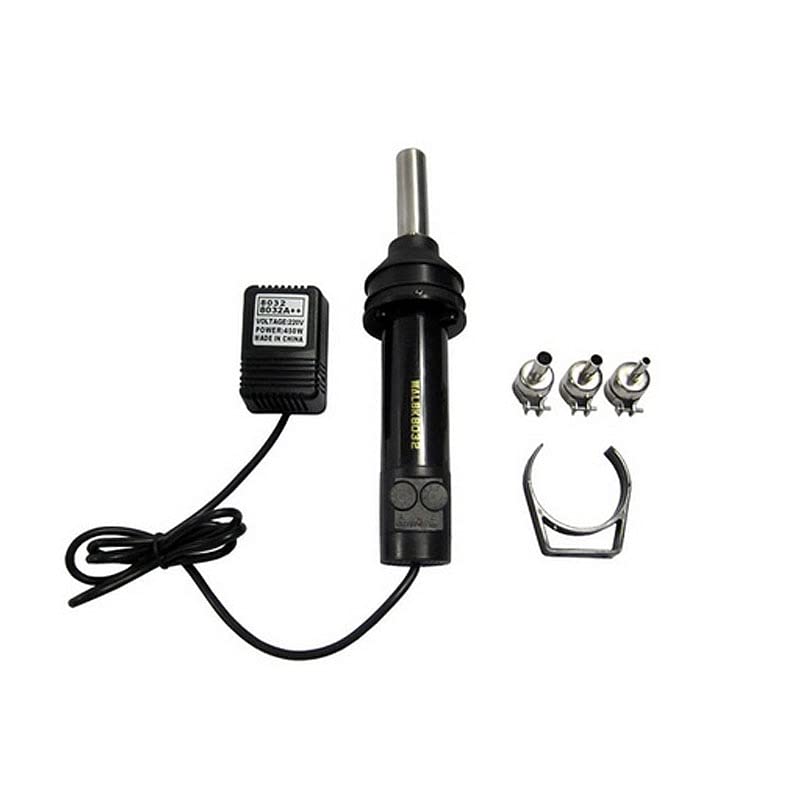
Figure 1: Overview of the Generic 8032 BGA Rework Solder Station Hot Air Gun and its included accessories.
Setup
- Unpack: Carefully remove all components from the packaging.
- Placement: Place the hot air gun unit on a stable, heat-resistant surface. Ensure adequate clearance around the unit for ventilation.
- Attach Nozzle: Select the appropriate nozzle for your application and securely attach it to the hot air gun's outlet. Ensure it clicks into place or is firmly seated.
- Connect Power: Plug the power adapter into a suitable electrical outlet.
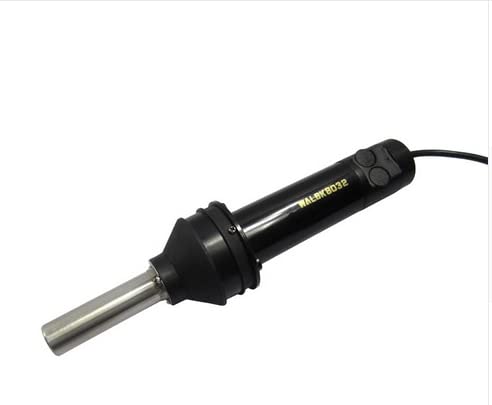
Figure 2: The hot air gun unit with a nozzle installed, ready for operation.
Operating Instructions
The 8032 hot air gun features controls for adjusting air volume and temperature. Familiarize yourself with these controls before operation.
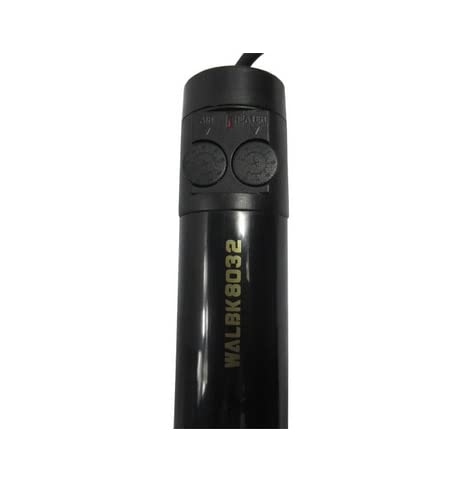
Figure 3: Control buttons for air volume and heater temperature on the hot air gun.
- Power On: Once plugged in, the unit is typically in standby mode. Press the power button (if available, otherwise it may power on directly).
- Adjust Temperature: Use the "HEATER" control (often a dial or buttons) to set the desired temperature. Refer to component datasheets for recommended desoldering temperatures.
- Adjust Air Volume: Use the "AIR" control to set the desired airflow. Start with a lower setting and increase as needed to avoid blowing away small components.
- Operation: Hold the hot air gun at a safe distance from the component, typically 1-2 cm, and move it in a circular motion to ensure even heating.
- Cool Down: After use, place the hot air gun back into its stand. Many units have an automatic cool-down function that continues to blow air until a safe temperature is reached before shutting off. Do not unplug the unit until it has fully cooled down.
Maintenance
Regular maintenance ensures the longevity and optimal performance of your hot air gun.
- Cleaning Nozzles: Periodically clean the nozzles to remove any flux residue or debris that may accumulate. Ensure the unit is cool and unplugged before cleaning.
- Unit Cleaning: Wipe the exterior of the unit with a soft, dry cloth. Do not use abrasive cleaners or solvents.
- Storage: Store the hot air gun in a dry, dust-free environment when not in use. Ensure it is completely cool before storage.
Troubleshooting
| Problem | Possible Cause | Solution |
|---|---|---|
| No heat output | Power not connected; Heater element failure; Incorrect temperature setting. | Check power connection; Contact support if heater element is suspected; Increase temperature setting. |
| No airflow | Air pump failure; Air volume set to minimum. | Increase air volume setting; Contact support if air pump is suspected. |
| Inconsistent heating | Blocked nozzle; Faulty temperature sensor. | Clean nozzle; Contact support for sensor issues. |
If the problem persists after attempting the above solutions, please contact the manufacturer's support for further assistance.
Specifications
| Model | 8032 |
| Manufacturer | Generic |
| Product Dimensions (LxWxH) | 10 x 10 x 6 cm |
| ASIN | B0BSCFNVRP |
| Net Quantity | 1.00 Count |
| Generic Name | Spare Part |
Warranty and Support
Information regarding warranty coverage and customer support for the Generic 8032 BGA Rework Solder Station Hot Air Gun is typically provided at the point of purchase or within separate documentation included with the product. For specific warranty details or technical assistance, please refer to the seller's information or the manufacturer's official website.
Note: No specific warranty or support contact information was available in the provided product data.