
AQL AUDIO QUALITY LAB BTURBANTWSB
AQL URBAN Bluetooth TWS Earbuds User Manual
Model: BTURBANTWSB | Brand: AQL AUDIO QUALITY LAB
1. Introduction
Welcome to the user manual for your AQL URBAN Bluetooth True Wireless Stereo (TWS) Earbuds. These earbuds are designed for optimal comfort and high-quality audio, offering a seamless listening experience with their ultra-light design and intuitive touch controls. This manual provides detailed instructions on how to set up, operate, and maintain your earbuds.
Key Features:
- Ultra-thin Design: Sleek and compact for easy portability.
- Pocket Size: Designed to fit comfortably in any pocket.
- Touch Control: Manage volume, tracks, and calls with simple taps.
- Extended Playtime: Up to 21 hours of total listening time with the charging case.
- Soft-touch Finish: Provides a comfortable and premium feel.
2. Package Contents
Please check the box for the following items:
- AQL URBAN True Wireless Earbuds (Left and Right)
- Charging Case
- Charging Cable
- User Manual
3. Product Overview
Familiarize yourself with the components of your AQL URBAN earbuds and charging case.

Figure 3.1: AQL URBAN earbuds shown outside their open charging case, highlighting their compact design and the charging contacts within the case.

Figure 3.2: The AQL URBAN earbuds positioned next to their closed charging case, demonstrating the sleek, pocket-friendly form factor of the complete set.
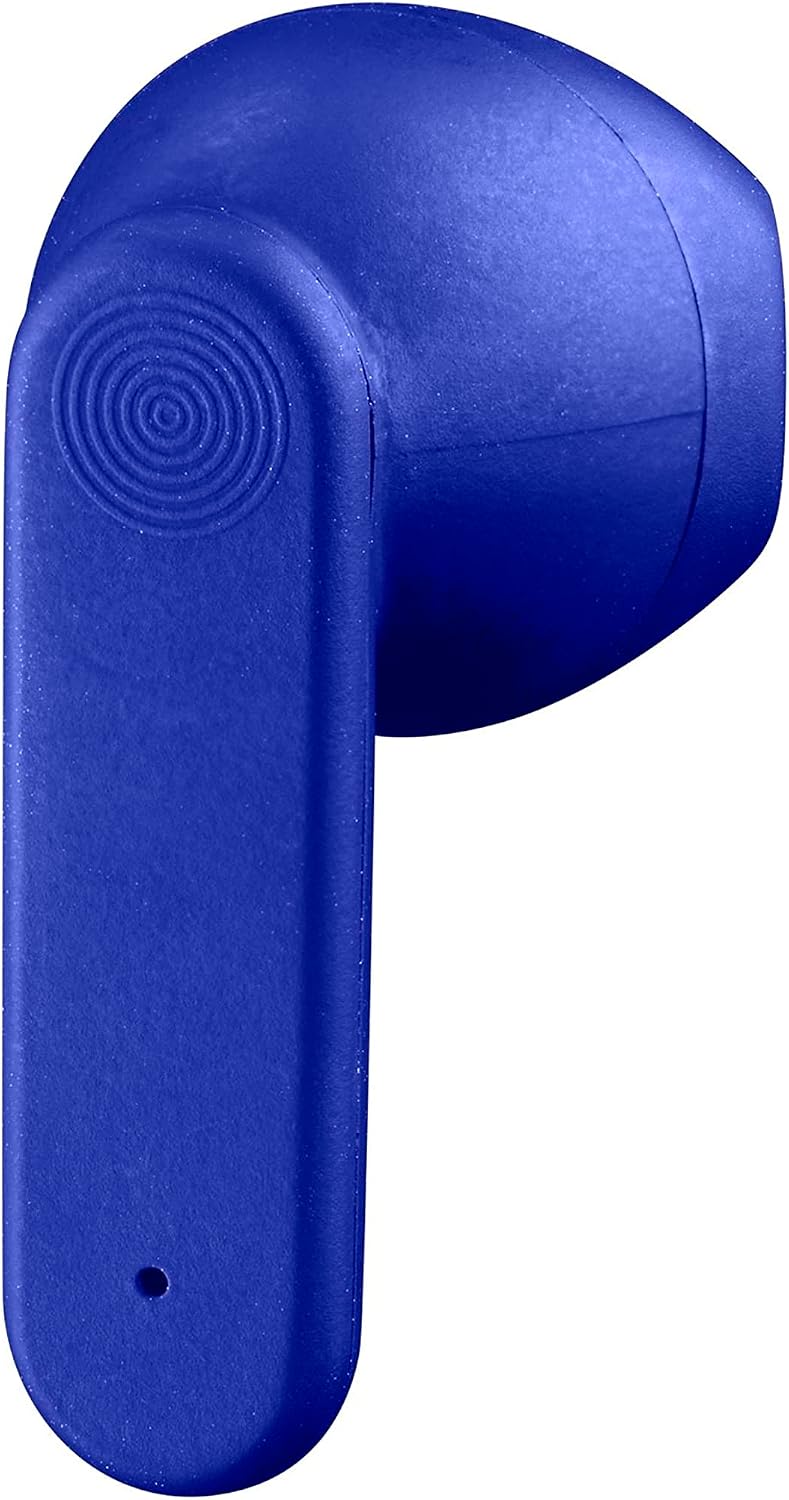
Figure 3.3: A detailed close-up of a single AQL URBAN earbud, showcasing its ergonomic shape and the touch control area.
Earbud Components:
- Touch Control Area: For playback, call management, and voice assistant activation.
- Microphone: For calls and voice commands.
- Charging Contacts: Connects with the charging case.
Charging Case Components:
- Earbud Charging Slots: Holds and charges the earbuds.
- Charging Port: For connecting the charging cable to power the case.
- LED Indicator: Shows charging status of the case and earbuds.
4. Setup
4.1. Initial Charging
- Before first use, fully charge the earbuds and the charging case.
- Place the earbuds into the charging case. Ensure they are correctly seated in their respective slots.
- Connect the charging cable to the charging port on the case and the other end to a USB power source (e.g., computer USB port, wall adapter).
- The LED indicator on the case will show the charging status. A full charge for the case takes approximately 1.5 hours.
- Once fully charged, disconnect the charging cable. The case can recharge the earbuds up to 6 times, providing a total of 21 hours of playtime.
4.2. Pairing with Your Device
- Ensure the earbuds are charged.
- Open the charging case. The earbuds will automatically enter pairing mode, and their LED indicators will flash (typically blue/red or white).
- On your smartphone or Bluetooth-enabled device, go to the Bluetooth settings.
- Search for new devices. You should see "AQL URBAN" or a similar name appear in the list of available devices.
- Select "AQL URBAN" to connect. Once connected, the earbud LED indicators will stop flashing or turn off, and you will hear a confirmation tone.
- If pairing fails, place the earbuds back into the case, close the lid, wait a few seconds, and then repeat the steps.
5. Operating Your Earbuds
The AQL URBAN earbuds feature intuitive touch controls for easy management of your audio and calls.

Figure 5.1: A user wearing the AQL URBAN earbuds, demonstrating their comfortable fit and discreet appearance during use.
5.1. Basic Functions (Touch Control)
| Action | Touch Command |
|---|---|
| Play/Pause Music | Single tap on either earbud |
| Next Track | Double tap on the Right earbud |
| Previous Track | Double tap on the Left earbud |
| Volume Up | Triple tap on the Right earbud |
| Volume Down | Triple tap on the Left earbud |
| Answer/End Call | Single tap on either earbud |
| Reject Call | Press and hold either earbud for 2 seconds |
| Activate Voice Assistant (Siri, Google Assistant) | Press and hold either earbud for 3 seconds |
5.2. Power On/Off
- Power On: Open the charging case, or press and hold the touch area on both earbuds for 3 seconds.
- Power Off: Place the earbuds back into the charging case and close the lid, or disconnect them from Bluetooth and they will automatically power off after a few minutes of inactivity.
6. Maintenance
Proper care will extend the life of your AQL URBAN earbuds.
6.1. Cleaning
- Use a soft, dry, lint-free cloth to clean the earbuds and charging case.
- Do not use abrasive cleaners, alcohol, or chemical solvents.
- Gently clean the charging contacts on both the earbuds and the case with a dry cotton swab if necessary.
6.2. Storage
- Always store the earbuds in their charging case when not in use to protect them and keep them charged.
- Store in a cool, dry place, away from direct sunlight, extreme temperatures, and humidity.
6.3. General Precautions
- Avoid dropping or subjecting the earbuds to strong impacts.
- Do not expose to water or excessive moisture. These earbuds are not waterproof.
- Keep out of reach of children and pets.
7. Troubleshooting
If you encounter issues with your earbuds, try the following solutions:
| Problem | Possible Solution |
|---|---|
| Earbuds not pairing | Ensure earbuds are charged. Place them back in the case, close the lid, then open to re-enter pairing mode. Turn off and on Bluetooth on your device. Forget the device in your Bluetooth settings and try pairing again. |
| No sound from one earbud | Check if both earbuds are charged. Try placing both earbuds back in the case, closing the lid, and then taking them out again. Re-pair with your device. |
| Earbuds not charging | Ensure the charging cable is securely connected to both the case and the power source. Check the charging contacts on the earbuds and inside the case for any debris. Try a different charging cable or power adapter. |
| Poor sound quality | Ensure the earbuds are properly seated in your ears. Move closer to your connected device to avoid interference. Clean the earbud speakers if necessary. |
| Touch controls not responding | Ensure your fingers are clean and dry. Try restarting the earbuds by placing them in the case and taking them out again. |
8. Specifications
| Feature | Detail |
|---|---|
| Model Name | BTURBANTWSB |
| Connectivity Technology | Wireless (Bluetooth) |
| Form Factor | In-Ear |
| Color | Blue |
| Material | Plastic |
| Total Playtime (with case) | Up to 21 hours |
| Charging Time (case) | Approx. 1.5 hours |
| Special Features | Ultra-thin design, Touch control |
| Manufacturer | CellularLine S.p.A. |
9. Warranty and Support
Your AQL URBAN earbuds are covered by a manufacturer's warranty. Please refer to the warranty card included in your package or visit the official AQL AUDIO QUALITY LAB website for detailed warranty terms and conditions.
For technical support, troubleshooting assistance, or warranty claims, please contact AQL AUDIO QUALITY LAB customer service through their official channels. Keep your proof of purchase for warranty validation.
Related Documents - BTURBANTWSB
 |
Aquilon User Manual (v6.1) Comprehensive user manual for the Analog Way Aquilon multi-screen live presentation system, covering hardware specifications, installation, Web RCS configuration, and troubleshooting. |
 |
Analog Way LivePremier User Manual V4.2 Comprehensive user manual for the Analog Way LivePremier unit (V4.2), covering hardware specifications, operation via Web RCS, LivePremier concepts, preconfiguration, audio, timers, GPIO, screens, memories, multiviewers, and troubleshooting. Includes safety instructions and warranty information. |
 |
AQL-402 Twin Adjustable Surface Light - Aqualux Warranty and Specifications Detailed specifications and comprehensive warranty information for the Aqualux AQL-402 Twin Adjustable Surface Light. Includes product code, materials, IP rating, configured options, warranty terms, installation requirements, and claim procedures. |
 |
AQL URBAN Bluetooth Earphones: User Manual & Specifications Comprehensive guide to AQL URBAN Bluetooth stereo earphones, covering setup, usage, technical specifications, safety, and compliance. Learn how to pair, charge, and control your wireless earbuds. |
 |
AQL RIDE True Wireless Stereo Bluetooth Earphones - User Guide & Specifications Get detailed information on the AQL RIDE True Wireless Stereo (TWS) Bluetooth earphones. This guide covers setup, touch controls, technical specifications, safety precautions, and warranty details. |
 |
Aquilon RS1 Quick Start Guide Quick start guide for the Analog Way Aquilon RS1 4K/8K multi-screen presentation system and videowall processor, covering setup, operation, and specifications. |
Ask a question about this manual
Ask about setup, troubleshooting, compatibility, parts, safety, or missing instructions. Manuals+ will review the question and use this page’s manual context to help answer it.