
Jimmy H8 Flex
Jimmy H8 Flex Cordless Stick Vacuum Cleaner User Manual
1. Introduction
This manual provides essential information for the safe and efficient operation, maintenance, and troubleshooting of your Jimmy H8 Flex Cordless Stick Vacuum Cleaner. Please read this manual thoroughly before first use and retain it for future reference.
The Jimmy H8 Flex is a versatile and powerful cordless vacuum cleaner designed for comprehensive home cleaning. It features a lightweight and flexible design, a powerful 550W digital brushless motor delivering 185 AW of suction power, and a removable battery providing up to 65 minutes of runtime. Key features include an intelligent LED display, adaptive technology for automatic power adjustment, and a motorized brush with LED lights for enhanced visibility.
2. Important Safety Instructions
- Read all instructions before using the appliance.
- Do not use the vacuum cleaner outdoors or on wet surfaces.
- Do not allow children to operate the vacuum cleaner. Close supervision is necessary when used near children.
- Do not pick up flammable or combustible liquids, such as gasoline, or use in areas where they may be present.
- Do not pick up anything that is burning or smoking, such as cigarettes, matches, or hot ashes.
- Do not use without the dust cup and filter in place.
- Turn off the appliance before connecting or disconnecting the motorized brush or other accessories.
- Use only manufacturer-recommended attachments.
- Do not immerse the vacuum cleaner or charger in water or other liquids.
- Store the appliance indoors in a dry place.
3. Package Contents
Verify that all components are present in the package:
- Main Vacuum Unit
- Flexible Metal Tube
- Motorized Floor Brush with LED lights
- Anti-mite Brush
- Crevice Tool
- 2-in-1 Upholstery Tool
- Carpet Brush
- Soft Brush
- Flexible Hose
- Multi-position Angle Adapter
- Charging Adapter
- Wall Mount
- Battery Pack

Figure 1: All components included with the Jimmy H8 Flex Cordless Stick Vacuum Cleaner, laid out for inspection.
4. Product Overview
The Jimmy H8 Flex consists of a main unit, a flexible metal tube, and various interchangeable brush heads and tools. The main unit houses the motor, dust cup, and LED display. The flexible tube allows for easy cleaning under furniture.

Figure 2: The Jimmy H8 Flex vacuum cleaner shown in its full stick configuration and as a handheld unit, highlighting its modular design.
5. Setup and Initial Use
5.1 Assembly
- Insert the flexible metal tube into the main vacuum unit until it clicks securely.
- Attach the desired brush head (e.g., motorized floor brush) to the end of the flexible metal tube until it clicks.
- Ensure the battery pack is securely inserted into the main unit.
5.2 Charging the Battery
Before first use, fully charge the battery. The battery can be charged while attached to the main unit or separately.
- Connect the charging adapter to the charging port on the main unit or directly to the battery pack.
- Plug the adapter into a power outlet.
- The LED display will indicate charging status. A full charge typically takes approximately 4-5 hours.
6. Operating Instructions
6.1 Power On/Off and Mode Selection
- Press the power button on the main unit to turn the vacuum cleaner on or off.
- Use the mode selection button to cycle through the four available cleaning modes: Eco, Turbo, Max, and Auto.
- The LED display will show the current mode and remaining battery runtime.
6.2 Auto Mode and Smart Sensor
In Auto mode, the vacuum's intelligent sensor automatically detects the level of dirt and the type of floor surface (hard floor or carpet) and adjusts the suction power accordingly for optimal cleaning efficiency and battery life.
6.3 Flexible Tube Functionality
The flexible metal tube allows the vacuum to bend at an angle, making it easy to clean under low furniture, beds, and other hard-to-reach areas without excessive bending.
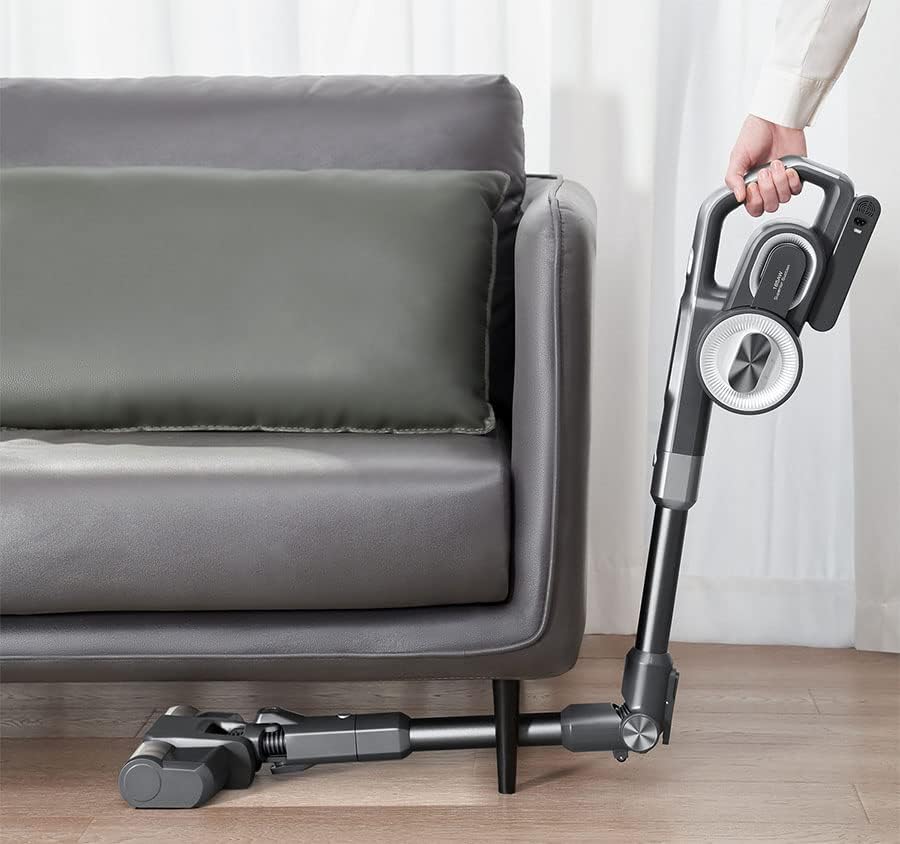
Figure 3: The Jimmy H8 Flex demonstrating its flexible tube feature, allowing the user to clean underneath furniture with ease.
6.4 LED Brush Head
The motorized floor brush is equipped with 6 LED lights that automatically illuminate dark areas, such as under furniture or in corners, to reveal hidden dust and debris, ensuring a thorough clean.
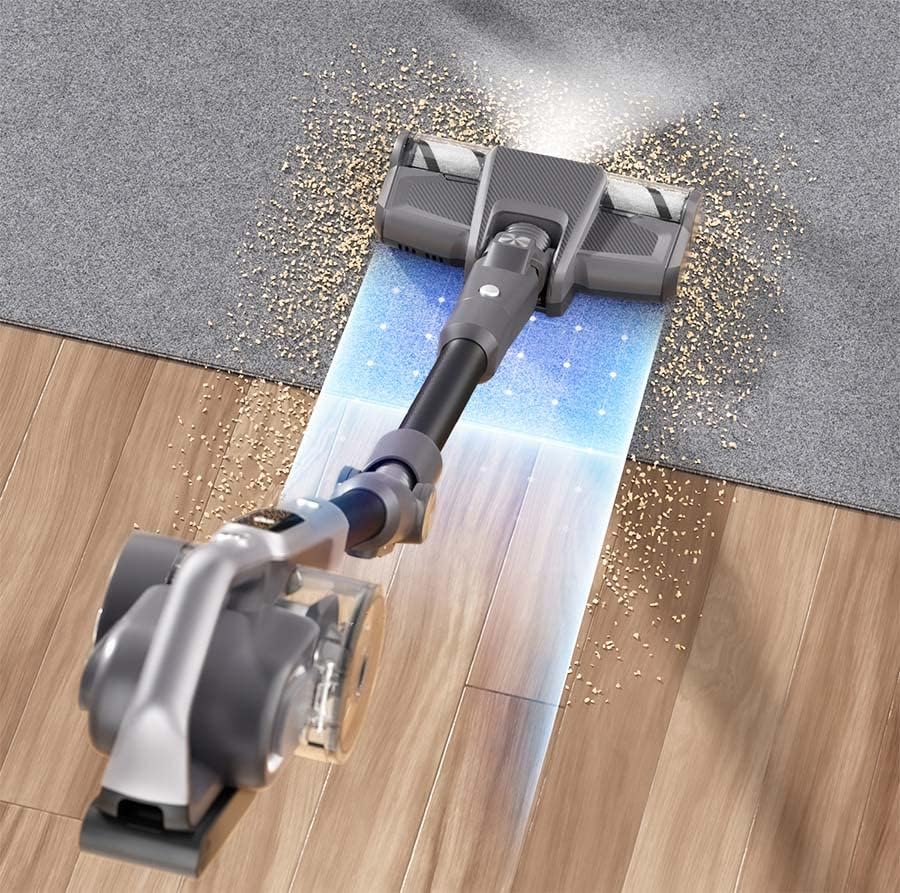
Figure 4: The LED lights on the Jimmy H8 Flex's main brush head illuminating dust particles on a hard floor, enhancing visibility during cleaning.
6.5 Using Attachments
The various attachments can be connected directly to the main unit for handheld cleaning or to the end of the flexible tube for extended reach. Select the appropriate tool for the cleaning task:
- Anti-mite Brush: Ideal for cleaning mattresses, sofas, and pet beds.
- Crevice Tool: For narrow gaps, corners, and edges.
- 2-in-1 Upholstery Tool: For cleaning fabric surfaces and delicate items.
- Carpet Brush: Optimized for deep cleaning carpets and rugs.
- Soft Brush: Suitable for delicate surfaces and dusting.

Figure 5: A user operating the Jimmy H8 Flex Cordless Vacuum Cleaner on a carpeted floor, demonstrating its ease of use in a typical home environment.
7. Maintenance
Regular maintenance ensures optimal performance and extends the lifespan of your vacuum cleaner.
7.1 Emptying the Dust Cup
- Press the dust cup release button to detach the dust cup from the main unit.
- Hold the dust cup over a trash bin and press the bottom release latch to open and empty the contents.
- Close the latch and reattach the dust cup to the main unit.
7.2 Cleaning the HEPA Filter
- Remove the dust cup. The HEPA filter is located inside.
- Twist and pull out the HEPA filter.
- Tap the filter gently to remove loose dust. If heavily soiled, rinse under cold running water.
- Allow the filter to air dry completely for at least 24 hours before reinserting. Do not use a dryer or direct heat.
- Replace the HEPA filter every 3-6 months, depending on usage.
7.3 Cleaning Brush Rolls
- Turn off the vacuum cleaner and detach the brush head.
- Use a coin or screwdriver to unlock the brush roll cover.
- Remove the brush roll and clear any tangled hair or debris using scissors or the cleaning tool provided.
- Reinsert the brush roll and secure the cover.
8. Troubleshooting
If you encounter issues with your Jimmy H8 Flex, refer to the following common problems and solutions:
| Problem | Possible Cause | Solution |
|---|---|---|
| Vacuum does not turn on | Battery not charged; Battery not properly installed | Charge the battery; Ensure battery is securely clicked into place |
| Reduced suction power | Dust cup full; Filter clogged; Obstruction in nozzle/tube | Empty dust cup; Clean/replace filter; Remove obstruction |
| Brush roll not spinning | Obstruction in brush roll; Brush roll not properly installed | Clear debris from brush roll; Reinstall brush roll correctly |
| Short battery runtime | Battery not fully charged; Using Max mode frequently; Battery degradation | Fully charge battery; Use Eco/Auto mode for longer runtime; Contact support for battery replacement if necessary |
9. Specifications
| Feature | Detail |
|---|---|
| Brand | Jimmy |
| Model | H8 Flex |
| Power | 550 Watts |
| Suction Power | 185 AW |
| Voltage | 25.2 Volts |
| Battery Type | Lithium-ion (7 x 2500 mAh) |
| Max Runtime | Up to 65 minutes |
| Dust Cup Capacity | 500 Milliliters |
| Noise Level | 80 Decibels |
| Filter Type | HEPA |
| Weight | 4.1 Kilograms |
| Dimensions (L x W x H) | 28 x 15 x 68 cm |
| Number of Speeds | 4 (Eco, Turbo, Max, Auto) |
10. Warranty and Support
The Jimmy H8 Flex Cordless Stick Vacuum Cleaner comes with a manufacturer's warranty. Please refer to the warranty card included in your package for specific terms and conditions, including the warranty period and coverage details.
For technical support, spare parts, or warranty claims, please contact your retailer or the official Jimmy customer service. Contact information can typically be found on the product packaging or the official Jimmy website.
Related documentsH8 Flex


Ask a question about this manual
Ask about setup, troubleshooting, compatibility, parts, safety, or missing instructions. Manuals+ will review the question and use this page’s manual context to help answer it.