
1. Product Overview
This manual provides essential information for the safe and effective use of your Dexpt 26V Replacement Charger. This power adapter is designed to replace the original charger for specific Voweek cordless handheld vacuum cleaner models.
The package includes one (1) power adapter. It features a rugged exterior and scratch-proof design for durability.
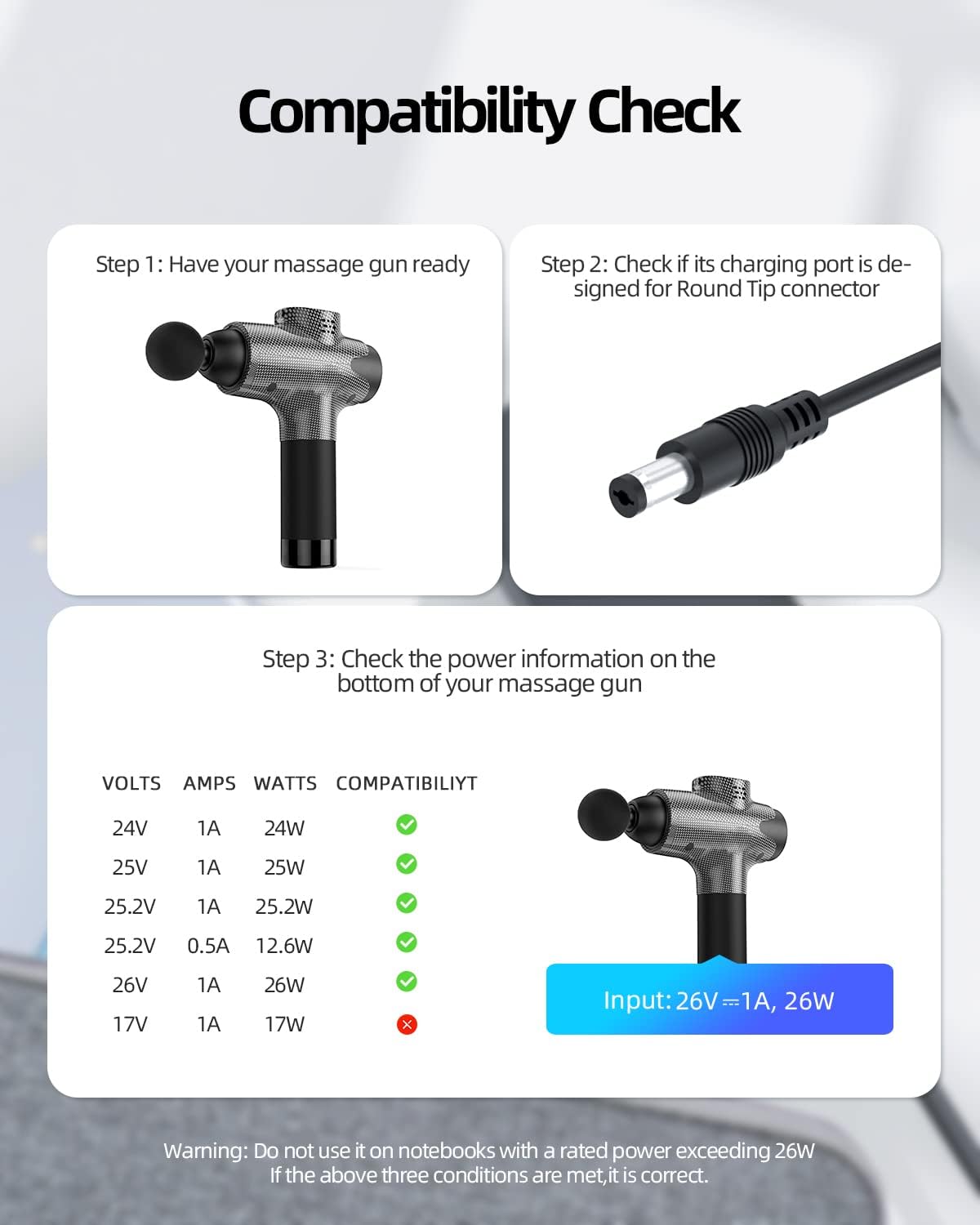
Image: The Dexpt 26V Replacement Charger, a black power adapter with a round tip connector.
2. Safety Information
Your safety is paramount. This charger has undergone stringent safety tests to ensure the protection of both the user and connected devices.
- Always ensure the charger is compatible with your device's voltage and amperage requirements before use.
- Do not use the charger if the cable or plug is damaged.
- Avoid exposing the charger to water or extreme temperatures.
- Unplug the charger from the wall outlet when not in use or during electrical storms.
- Warning: Do not use this charger on devices with a rated power exceeding 26W.
3. Product Compatibility
This Dexpt 26V Replacement Charger is specifically designed for the following Voweek cordless handheld vacuum cleaner models:
- Voweek VC08
- Voweek VC07
- Voweek VW-VC07
- Voweek VW-VC08
Important: This charger is NOT compatible with Voweek vacuum models with a 25.9V battery, such as VW-VC09, VW-VC10, VW-VC11, or VW-VC12.
Ensure your device requires a 26V 1A (26W) power input and has a round tip connector.

Image: A visual guide demonstrating how to check device compatibility. Step 1 shows a device (represented by a massage gun) ready for charging. Step 2 illustrates a round tip connector, confirming the required port type. Step 3 shows a table of voltage, amperage, and wattage, indicating compatibility with 26V 1A 26W input.

Image: Illustrates the correct round port connector type versus an incorrect USB-C port type for this charger.
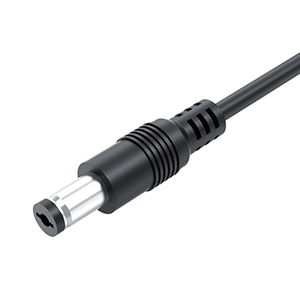
Image: A close-up view of the round tip connector, highlighting its design.
4. Setup and Operating Instructions
Follow these simple steps to set up and operate your Dexpt 26V Replacement Charger:
- Verify Compatibility: Before connecting, ensure your Voweek vacuum cleaner model (VC08, VC07, VW-VC07, VW-VC08) requires a 26V input and has a round charging port.
- Connect to Device: Insert the round tip connector of the charger firmly into the charging port of your Voweek cordless vacuum cleaner.
- Connect to Power Outlet: Plug the charger's AC adapter into a standard 100-240V wall outlet.
- Charging Indication: Your vacuum cleaner should indicate that it is charging (refer to your vacuum's user manual for specific charging indicators).
- Disconnect: Once the device is fully charged, unplug the charger from the wall outlet first, then disconnect it from your vacuum cleaner.

Image: The charger plugged into a wall outlet, with a device (represented by a massage gun) on a table, illustrating the charging process and highlighting high charging efficiency.

Image: An example of the charger connected to a device (represented by a massage gun) and a wall outlet, demonstrating the proper connection method for charging compatible Voweek vacuum cleaners.

Image: The charger connected to a device (represented by a massage gun) and a wall outlet, illustrating the total cable length of 6 feet for convenient use.
5. Maintenance
To ensure the longevity and optimal performance of your Dexpt 26V Replacement Charger, follow these maintenance guidelines:
- Cleaning: Wipe the charger with a dry, soft cloth. Do not use liquid cleaners or abrasive materials.
- Storage: Store the charger in a cool, dry place away from direct sunlight and moisture when not in use.
- Cable Care: Avoid sharp bends or kinks in the cable. Do not wrap the cable too tightly around the adapter.
- Inspection: Periodically inspect the charger and cable for any signs of damage, such as fraying, cuts, or bent pins. Discontinue use if damage is found.
6. Troubleshooting
If you encounter issues with your Dexpt 26V Replacement Charger, refer to the following common troubleshooting steps:
- Device Not Charging:
- Ensure the charger is securely plugged into both the wall outlet and the vacuum cleaner.
- Verify that the wall outlet is functional by testing it with another device.
- Confirm that the charger is compatible with your specific Voweek vacuum model (VC08, VC07, VW-VC07, VW-VC08) and its power requirements.
- Check for any visible damage to the charger cable or connector.
- Slow Charging:
- Ensure the charger is connected directly to a wall outlet, not through a power strip or extension cord that might reduce power delivery.
- The charging speed can also be affected by the condition of your vacuum's battery.
- Charger Overheating:
- It is normal for chargers to become slightly warm during operation. However, if the charger becomes excessively hot, unplug it immediately.
- Ensure adequate ventilation around the charger and avoid covering it.
- Verify that the connected device's power requirements do not exceed the charger's output (26V 1A 26W).
If these steps do not resolve the issue, please contact customer support.
7. Specifications
| Feature | Specification |
|---|---|
| Model Number | RSF-DY115B-2601000US |
| Input Voltage Range | 100-240V |
| Output Voltage | 26V |
| Output Amperage | 1A |
| Output Wattage | 26W |
| Connector Type | Round Tip |
| Color | Black |
| Item Weight | 3.52 ounces |
| Package Dimensions | 4.57 x 2.68 x 1.73 inches |

Image: Illustrates the compact design of the charger, showing approximate dimensions of 2.25 inches in height and 1.3 inches in width.
8. Warranty and Support
Dexpt is committed to providing reliable products and excellent customer service.
- 30-Day Replacement Guarantee: Within 30 days of purchase, we offer a no-questions-asked replacement guarantee.
- 360-Day Quality Guarantee: The product is covered by a 360-Day Quality Guarantee provided by the manufacturer.
- 24-Hour Online Support: If you encounter any issues or have questions, our technical support team is available 24 hours a day to assist you.
For support, please refer to the contact information provided with your purchase or visit the official Dexpt website.

Image: Visual representation of Dexpt's customer support, highlighting 24-hour technical support, a 30-day refund policy, and a 365-day replacement policy.