
1. Introduction
This manual provides detailed instructions for the Bigmeda Kids Digital Sport Watch, Model BMJBSB. This watch is designed for children aged 5-12, offering a range of features including time display, date, day of the week, alarm clock, stopwatch, pedometer, calorie counter, distance tracker, and 5ATM waterproofing. It functions as a fitness tracker without requiring a smartphone connection or app download.

Image: Overview of the Bigmeda Kids Digital Sport Watch with its key features highlighted, including EL-Backlight, Pedometer, 50M waterproof, Accurate Distance, Stopwatch, Accurate Calories, USB Charging Port, Date/Time, and Alarm Clocks.
2. Product Overview
The Bigmeda Kids Digital Sport Watch is equipped with a clear digital display and two control buttons, typically labeled 'A' and 'B', for navigation and setting adjustments. The watch features a durable ABS case and a soft, eco-friendly silicone strap for comfortable wear.
Key Features:
- Digital Time Display: Shows hours, minutes, and seconds.
- Date and Day Display: Keeps track of the current date and day of the week.
- Pedometer: Counts steps taken throughout the day.
- Calorie Counter: Estimates calories burned based on activity.
- Distance Tracker: Calculates distance traveled.
- Stopwatch: For timing activities.
- Vibration Alarm Clock: Two settable alarms with silent vibration alerts.
- EL-Backlight: For clear visibility in low-light conditions.
- 5ATM Waterproof: Suitable for hand washing and rain exposure.
- Integrated USB Charging: Convenient charging without a separate cable.

Image: Detailed view of the watch face, highlighting the 'A' and 'B' buttons, battery icon, alarm clock icon, and indicators for distance traveled, steps counting, and calories burned. The image also emphasizes the 50m waterproof capability.
3. Setup
3.1 Charging the Watch
Before initial use, fully charge the watch. The watch features an integrated USB charging port. To charge:
- Gently remove one side of the watch strap to reveal the USB connector. The strap is designed to be removable for this purpose.
- Plug the USB connector directly into any standard USB port, such as a computer, power bank, or USB wall adapter.
- The watch display will indicate charging status.
- A full charge typically takes approximately one hour and provides power for more than 15 days of use.
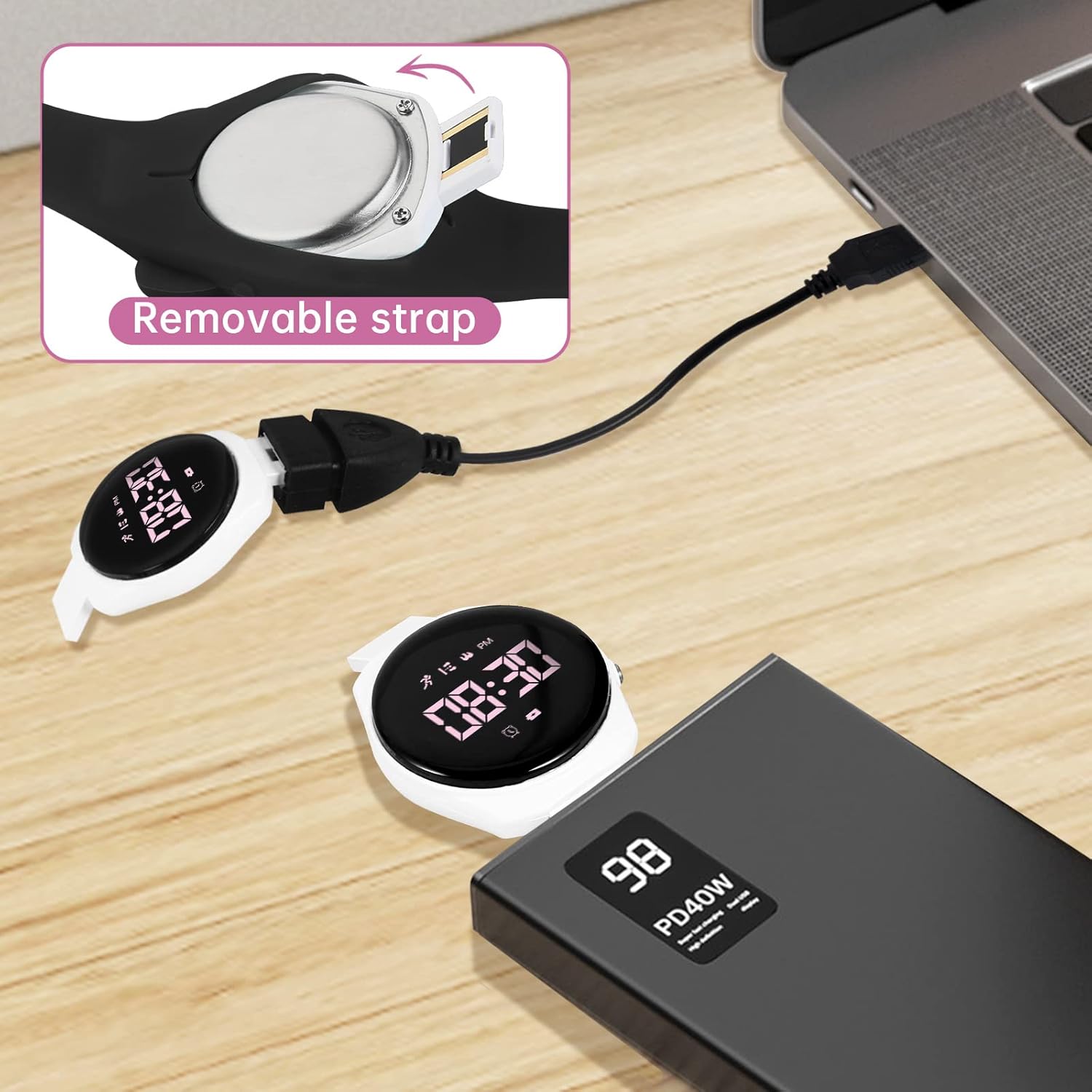
Image: The watch with its strap removed, showing the integrated USB connector plugged into a laptop for charging. Another watch is shown next to a power bank, illustrating charging flexibility.

Image: A detailed view of the watch's removable strap mechanism and the integrated USB charging port, emphasizing ease of charging.
3.2 Initial Time and Date Setting
Upon first use or after a long period without power, you may need to set the time and date.
- Press and hold the 'A' button (top button) for a few seconds until the time display starts flashing. This indicates entry into setting mode.
- Press the 'A' button repeatedly to cycle through the settings: hours, minutes, month, day, and year.
- Use the 'B' button (bottom button) to adjust the flashing value.
- Once all settings are correct, press and hold the 'A' button again to exit setting mode and save changes.
4. Operating Instructions
4.1 Basic Navigation
The watch operates with two buttons: 'A' (top) and 'B' (bottom).
- Short Press 'A' button: Cycles through display modes (Time, Date, Pedometer, Calories, Distance, Stopwatch).
- Long Press 'A' button: Enters setting mode for the currently displayed function (e.g., time setting, alarm setting).
- Short Press 'B' button: Adjusts values when in setting mode. Activates backlight.
4.2 Using the Alarm Clock
The watch supports two vibration alarms.
- From the time display, short press 'A' until the alarm icon is visible.
- Long press 'A' to enter alarm setting mode. The hour display will flash.
- Use 'B' to adjust the hour. Short press 'A' to move to minutes.
- Use 'B' to adjust the minutes. Short press 'A' to move to alarm ON/OFF.
- Use 'B' to toggle the alarm ON or OFF.
- Long press 'A' to save and exit.
- When the alarm triggers, the watch will vibrate silently. Press any button to stop the vibration.

Image: A child sleeping peacefully with the watch on their wrist, illustrating the silent vibrating alarm feature.
4.3 Using the Stopwatch
- From the time display, short press 'A' until the stopwatch display appears (usually '00:00:00').
- Press 'B' to start the stopwatch.
- Press 'B' again to pause/resume.
- Long press 'A' to reset the stopwatch to zero.
4.4 Pedometer and Fitness Tracking
The watch automatically tracks steps, calories, and distance without needing an app.
- From the time display, short press 'A' to cycle through the fitness tracking modes: Steps, Calories, and Distance.
- The watch will display the accumulated data for the current day.
- Data typically resets at midnight.

Image: Five children playing on grass, with an overlay showing pedometer watch statistics: 7800 Steps, 1.1km Distance, and 185 Calories, illustrating the fitness tracking capabilities.
4.5 Backlight Function
To illuminate the display in dark environments, short press the 'B' button. The backlight will activate for a few seconds.
5. Maintenance
5.1 Water Resistance
The Bigmeda Kids Digital Sport Watch is 5ATM waterproof. This means it is resistant to splashes, rain, and brief immersion in water, such as during hand washing or playing in the rain.
- Do NOT wear the watch during: showering, bathing, swimming, diving, or in saunas. Exposure to hot water or steam can compromise the waterproof seals.
- Avoid pressing buttons while the watch is wet or submerged, as this can allow water to enter the casing.

Image: A white version of the Bigmeda Kids Digital Sport Watch partially submerged in water, with text indicating "50m Waterproof", demonstrating its water resistance.
5.2 Cleaning and Strap Care
To maintain the watch's appearance and hygiene:
- Wipe the watch and strap regularly with a soft, damp cloth.
- Avoid using harsh chemicals or abrasive cleaners.
- The silicone strap is designed to be soft and durable. If it becomes dirty, it can be gently cleaned with mild soap and water.
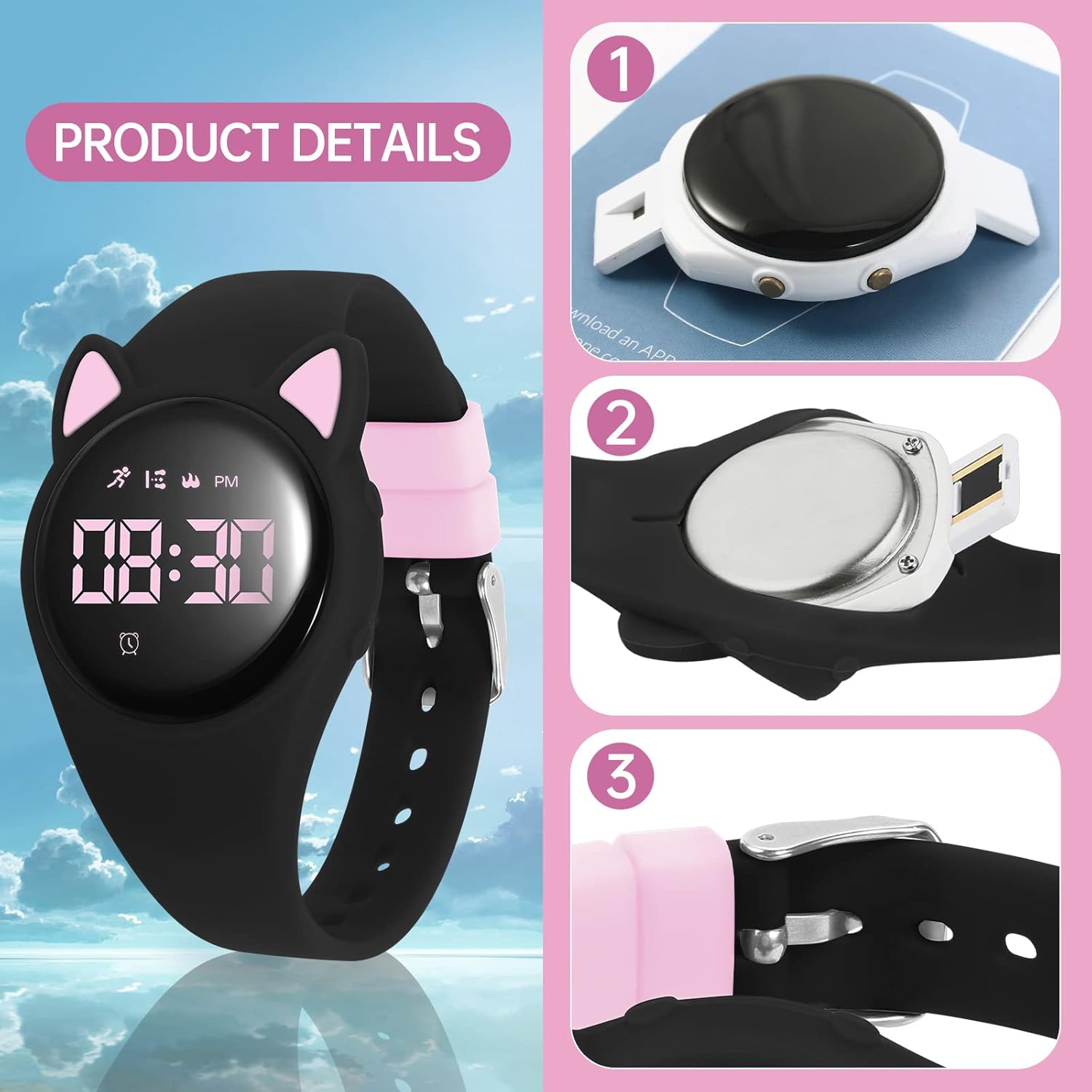
Image: A detailed breakdown of the watch's components, showing the removable strap, the watch back, and the buckle mechanism, illustrating its construction.

Image: A close-up view of the watch's removable strap, showing how it detaches from the watch body for charging or cleaning.

Image: A detailed view of the soft silicone watch strap and its buckle, highlighting the material and design for comfort.
6. Troubleshooting
- Watch not turning on or display blank: Ensure the watch is fully charged. Connect it to a USB power source for at least 1 hour. If the issue persists, try a different USB port or adapter.
- Time/Date incorrect: Refer to Section 3.2 for instructions on how to set the time and date. Ensure you save the settings by long-pressing the 'A' button.
- Pedometer not counting steps accurately: Ensure the watch is worn snugly on the wrist. Movement patterns can affect accuracy; consistent arm swings are best for step detection.
- Alarm not vibrating: Check if the alarm is set to 'ON' in the alarm settings (refer to Section 4.2). Ensure the watch has sufficient battery power.
- Display difficult to read: Activate the backlight by short-pressing the 'B' button. Ensure the screen is clean and free from smudges.
7. Specifications
| Feature | Specification |
|---|---|
| Model Name | BMJBSB |
| Brand | Bigmeda |
| Display Type | Digital |
| Screen Size | 1.57 Inches |
| Water Resistance Level | 5ATM (50 Meters) |
| Battery Capacity | 65 Milliamp Hours |
| Battery Life (Average) | Up to 20 days |
| Battery Charge Time | 1 Hour |
| Connectivity Technology | USB (for charging) |
| Band Material Type | Rubber (Silicone) |
| Case Material Type | Plastic (ABS) |
| Item Weight | 60 Grams |
| Band Length | 24 Centimeters |
| Item Dimensions | 9.45 x 0.55 x 0.04 inches |
| Metrics Measured | Step counter, calories burned, sleep duration |

Image: A diagram illustrating the dimensions (24cm/9.44in length, 1.37in/3.5cm watch face width) and weight (55g) of the watch, along with packaging dimensions.
8. Warranty and Support
8.1 Warranty Information
This Bigmeda Kids Digital Sport Watch comes with an extended warranty. Please retain your proof of purchase for warranty claims. The warranty covers manufacturing defects under normal use conditions.
8.2 Customer Support
For any questions, technical assistance, or warranty claims, please contact Bigmeda customer support through the retailer's platform or visit the official Bigmeda website for contact information.