
1. Introduction
The AVIOT TE-BD11tR Noise Cancelling Earbuds are designed to provide an immersive audio experience with enhanced bass and effective noise cancellation. This model features a hybrid dual driver system and an advanced algorithm to reduce noise across a broad spectrum, particularly in low and middle frequencies. Key features include up to 60 hours of battery life with the charging case, IPX4 water resistance, multipoint connectivity, and a built-in microphone for external sound monitoring.
2. Package Contents
Please ensure all items are present in the package:
- AVIOT TE-BD11tR Earbuds (Left and Right)
- Charging Case
- USB Charging Cable
- Multiple Sizes of Ear Cushions
3. Product Overview
The TE-BD11tR earbuds feature a compact design with touch controls and integrated microphones for active noise cancellation and voice calls. The accompanying charging case provides additional battery life and supports wireless charging.
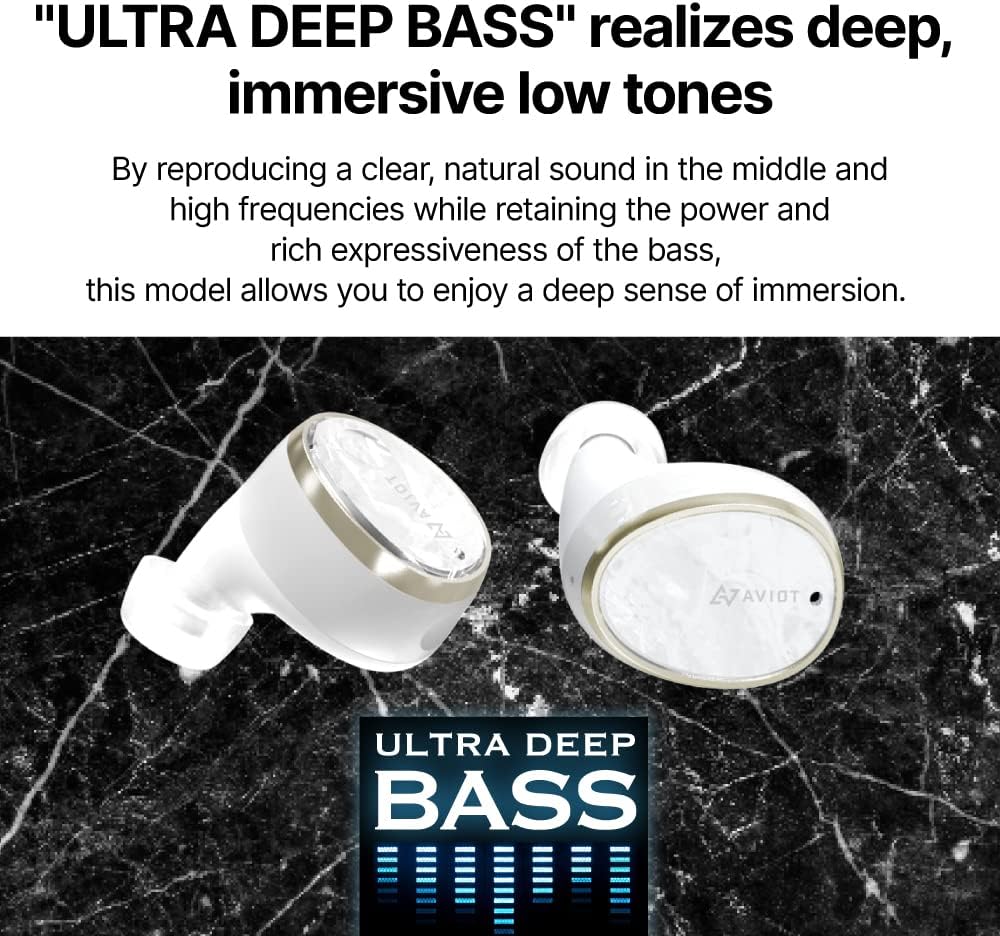
Image showing the AVIOT TE-BD11tR earbuds, highlighting their design for deep bass reproduction.

Diagram illustrating the hybrid dual driver design of the AVIOT TE-BD11tR earbuds, featuring Knowles BA and Dynamic drivers.

Close-up image of an AVIOT TE-BD11tR earbud worn by a user, with annotations pointing to the feedback ANC mic and feedforward ANC mic, illustrating the hybrid noise cancelling technology.
4. Setup
4.1 Charging the Earbuds and Case
Before first use, fully charge the earbuds and charging case. The case can be charged via the included USB cable or wirelessly.
- Wired Charging: Connect the USB charging cable to the charging port on the case and to a power source. The indicator lights on the case will show charging status.
- Wireless Charging: Place the charging case on a compatible wireless charging pad. Ensure the case is properly aligned for charging to begin.

Image showing the AVIOT TE-BD11tR charging case placed on a wireless charging pad, illustrating its wireless charging capability.
4.2 Pairing with a Device
- Ensure the earbuds are in the charging case and the case has sufficient power.
- Open the charging case lid. The earbuds will automatically enter pairing mode.
- On your device (smartphone, tablet, laptop), go to Bluetooth settings and enable Bluetooth.
- Select "AVIOT TE-BD11tR" from the list of available devices.
- Once connected, a confirmation sound will play (note: voice prompts may be in Japanese).
The earbuds support multipoint connectivity, allowing connection to multiple devices simultaneously.
5. Operating Instructions
5.1 Wearing the Earbuds
Select the ear cushions that provide the best seal and comfort. Insert the earbuds into your ears and gently twist them to ensure a secure and comfortable fit. A proper fit is crucial for optimal sound quality and noise cancellation.

Image of an AVIOT TE-BD11tR earbud comfortably fitted in a user's ear, demonstrating its ergonomic design for extended wear.
5.2 Touch Controls
The earbuds feature touch-sensitive controls for various functions. Specific gestures (single tap, double tap, long press) on the left or right earbud control playback, calls, volume, and noise control modes. Refer to the quick start guide for detailed touch control mappings.
5.3 Noise Control Modes
- Active Noise Cancellation (ANC): This mode reduces ambient noise, allowing for a more focused listening experience. It is particularly effective at eliminating low and mid-frequency sounds.
- Transparency Mode: This mode uses the built-in microphones to allow external sounds to pass through, enabling you to hear your surroundings without removing the earbuds. This is useful for conversations or being aware of traffic.
Switch between ANC, Transparency Mode, and standard mode using the touch controls on the earbuds.
5.4 Power On/Off
The earbuds automatically power on when removed from the charging case and power off when placed back in the case and the lid is closed. They can also be powered on or off individually using specific touch controls, allowing for single earbud use without needing the charging case.
6. Maintenance
To ensure the longevity and optimal performance of your AVIOT TE-BD11tR earbuds, follow these maintenance guidelines:
- Cleaning: Regularly clean the ear tips and the earbud surfaces with a soft, dry cloth. For earwax buildup, gently use a small brush. Ensure charging contacts on both earbuds and case are clean and dry.
- Storage: When not in use, store the earbuds in their charging case to protect them from dust and damage.
- Water Resistance: The earbuds are IPX4 water-resistant, meaning they are protected against splashing water from any direction. They are not designed for submersion. Ensure earbuds are dry before placing them back in the charging case.
- Battery Care: Avoid exposing the battery to extreme temperatures. For long-term storage, charge the battery to approximately 50% every few months.
7. Troubleshooting
If you encounter issues with your AVIOT TE-BD11tR earbuds, refer to the following common solutions:
- Earbuds not pairing or connecting:
- Ensure both earbuds are charged.
- Place earbuds back in the case, close the lid, wait a few seconds, then open the lid to re-initiate pairing mode.
- Delete "AVIOT TE-BD11tR" from your device's Bluetooth list and attempt to pair again.
- Ensure your device's Bluetooth is enabled and within range (up to 10 meters).
- Voice prompts are in Japanese:
- The default voice prompts for this model may be in Japanese. Check the AVIOT official website or app (if available) for any firmware updates or settings that allow language changes.
- Low battery chime/beep:
- An infrequent chime or beep typically indicates a low battery warning for one of the earbuds. Charge the earbuds promptly. Note that the battery level displayed on your device may represent the average or the higher of the two earbuds.
- Sound quality issues (e.g., distorted, tinny, or excessive bass):
- Ensure the ear tips provide a good seal in your ear canal. Try different sizes of ear cushions.
- Adjust the equalizer settings on your audio device or through a dedicated app if available.
- Clean any debris from the earbud nozzles.
- Earbuds feel bulky or cause discomfort:
- Experiment with different ear tip sizes to find the most comfortable and secure fit.
- Ensure the earbuds are inserted and rotated correctly in your ear.
8. Specifications
| Feature | Specification |
|---|---|
| Brand | AVIOT |
| Model Name | TE-BD11tR |
| Color | White |
| Ear Placement | In Ear |
| Form Factor | In Ear |
| Noise Control | Active Noise Cancellation |
| Connectivity Technology | Wireless (Bluetooth) |
| Bluetooth Range | 10 Metres |
| Battery Average Life | 60 Hours (with charging case) |
| Water Resistance | IPX4 |
| Control Method | Touch |
| Additional Features | Microphone Included, Multipoint |
| Compatible Devices | Cellphones, Tablets, Laptops, Smart Speaker |
9. Warranty and Support
For warranty information and technical support, please refer to the warranty card included in your product packaging or visit the official AVIOT website. Keep your proof of purchase for any warranty claims.