
1. Introduction and Overview
This manual provides instructions for the proper use and care of Fujifilm Instax Mini Instant Camera Film. This film is designed to produce instant, credit card-sized prints from compatible Instax Mini cameras.
Compatibility: This film is compatible with Fujifilm Instax Mini cameras, including models such as the Mini 12, Mini 11, Mini 9, Mini 8, Mini 90, Mini 70, Mini 40, Mini Hello Kitty, and Polaroid PIC 300.

Image 1.1: Compatible Instax Mini Camera Models
2. Setup: Loading the Film
Proper film loading is crucial for optimal image quality. Follow these steps carefully:
- Open the Film Compartment: Locate the film compartment door on the back of your Instax Mini camera. Press the latch or slide the button to open it.
- Unpack the Film Pack: Remove the new film pack from its foil packaging. Avoid touching the dark film surface or the small yellow dot on the film cartridge.
- Insert the Film Pack: Align the yellow mark on the film pack with the yellow mark inside the camera's film compartment. Gently push the film pack straight in until it clicks into place. Do not force it.
- Close the Compartment: Close the film compartment door securely.
- Eject the Dark Slide: Turn on your camera and press the shutter button once. A black protective sheet (dark slide) will eject. This is normal and indicates the film is loaded correctly. Discard the dark slide.
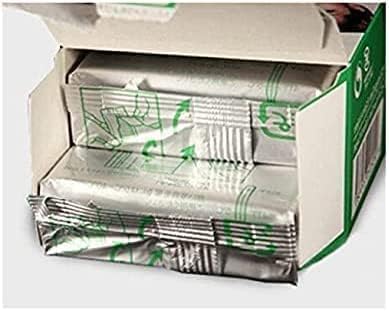
Image 2.1: Inserting the Film Pack
Video: How to Load Instax Mini Film
Video 2.1: This video demonstrates the step-by-step process of loading Fujifilm Instax Mini film into a compatible camera, ensuring correct alignment and preparation for use.
3. Operating: Taking Photos
Once the film is loaded and the dark slide ejected, your camera is ready to capture images. The film is Hi-Speed ISO 800, designed to capture shots in various lighting conditions.
- Frame Your Shot: Look through the viewfinder to compose your picture.
- Press the Shutter Button: Press the shutter button to take a photo. The camera will automatically adjust settings and the film will eject from the top slot.
- Allow to Develop: Do not shake or bend the ejected film. Place it on a flat surface or in a pocket and allow it to develop naturally. Images typically begin to appear within 90 seconds and fully develop within 5-10 minutes, depending on ambient temperature.

Image 3.1: A Developed Instax Mini Photo

Image 3.2: Multiple Developed Instax Mini Photos
4. Maintenance and Storage
To ensure the longevity and quality of your Instax Mini film and prints, observe the following guidelines:
- Storage: Store unused film packs in a cool, dry place, away from direct sunlight and high temperatures. Refrigeration is not necessary but can extend shelf life.
- Handling Prints: Once developed, avoid exposing prints to direct sunlight for extended periods, as this can cause fading. Store prints in albums or protective sleeves.
- Cleaning: If a cleaning cloth is provided (as with some film packs), use it gently to wipe dust or smudges from your camera lens or film surface before shooting.

Image 4.1: Instax Mini Film Packs with Cleaning Cloth
5. Troubleshooting
Most issues with Instax Mini film are related to handling or environmental factors. Here are some common points:
- Blank or Overexposed Photos: Ensure adequate lighting. Instax Mini cameras often have automatic flash, but very dark or very bright environments can still affect results.
- Film Not Ejecting: Check if the film pack is inserted correctly and the camera batteries are charged. If the dark slide did not eject, the film might not be properly seated.
- Streaks or Imperfections: Avoid bending or pressing on the film as it ejects or during development. Extreme temperatures can also affect development.
- Expired Film: Always check the expiration date on the film packaging. Using expired film can lead to poor image quality or failure to develop.
6. Specifications
| Feature | Detail |
|---|---|
| Brand | Fujifilm |
| Model Name | instax mini |
| Film Color | Color |
| Film Format Type | Instax Mini |
| Exposures per Roll | 10 |
| ISO Speed | 800 |
| Print Size | 5.4 x 8.6 cm (Credit Card Size) |
| Image Area | 4.6 x 6.2 cm |
| Development Time | Approx. 90 seconds (varies with ambient temperature) |
7. Warranty and Support
For warranty information or technical support regarding your Fujifilm Instax Mini Instant Camera Film, please refer to the official Fujifilm website or contact their customer service directly. Specific warranty terms may vary by region and retailer.


