
Nispira GXZ-AP01
Nispira GXZ-AP01 3-in-1 True HEPA Activated Carbon Filter Replacement Manual
For Proton Pure Portable Air Purifier
1. Introduction
This manual provides essential information and instructions for the proper installation and maintenance of your Nispira GXZ-AP01 3-in-1 True HEPA Activated Carbon Filter. This filter is designed to work with the Proton Pure Portable Air Purifier, ensuring optimal air quality in your environment. Please read these instructions carefully before replacing your filter.
2. Product Overview
The Nispira GXZ-AP01 filter is a premium 3-in-1 filtration system engineered to capture various airborne particles and odors, contributing to cleaner air.
2.1 Key Features
- 3-Stage Filtration System:
- Preliminary Filter: Captures large particles such as hair, debris, and pet fur, extending the lifespan of the subsequent filters.
- True HEPA Filter: Captures 99.97% of airborne particles as small as 0.3 microns, including dust mites, pet dander, pollen, and mold spores.
- Activated Carbon Filter: Effectively absorbs household odors, smoke, cooking smells, and harmful volatile organic compounds (VOCs).
- Compatibility: Specifically designed for the Proton Pure Air Purifier GXZ-AP01.
- Quantity: Each package includes two (2) replacement filters.
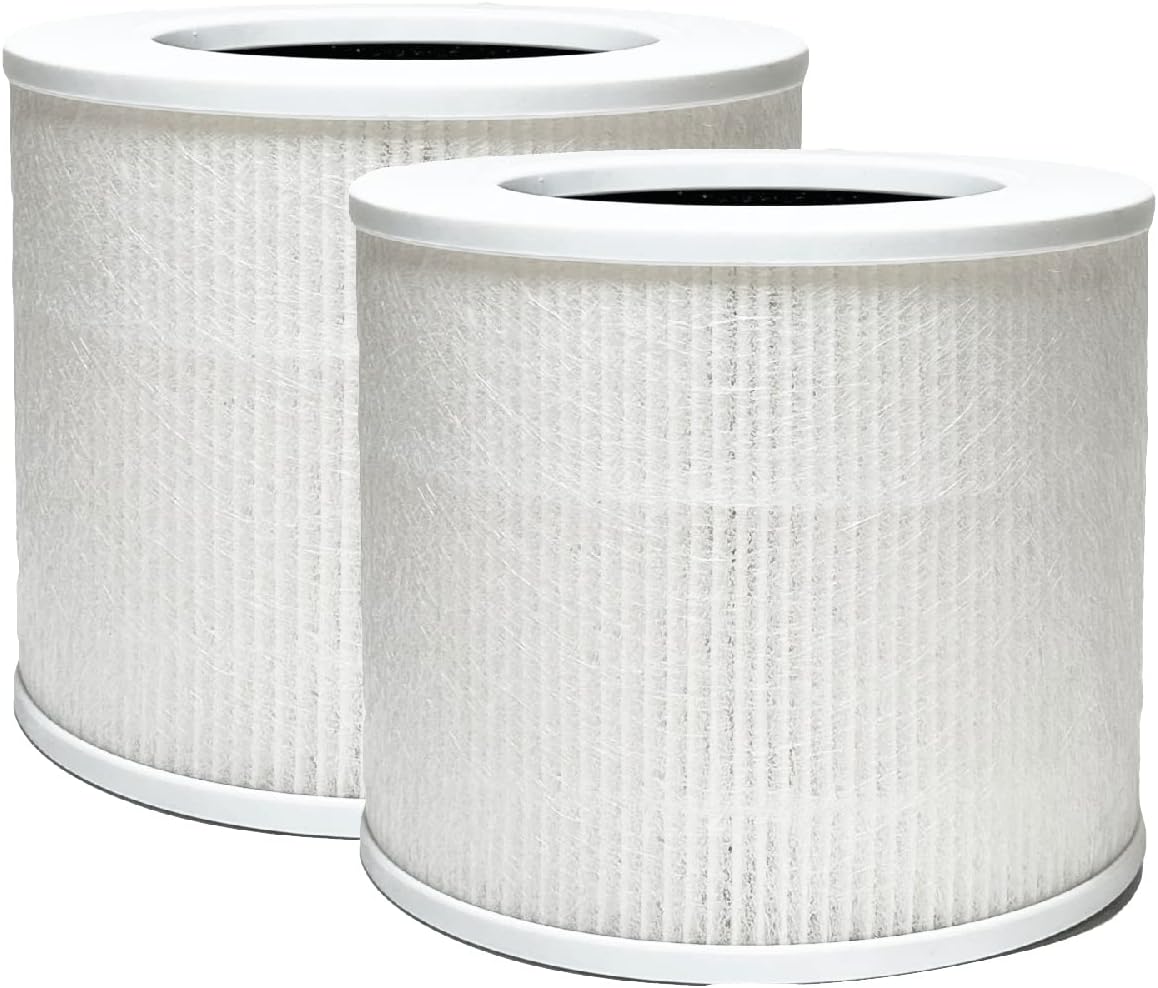
Figure 1: Two Nispira GXZ-AP01 3-in-1 True HEPA Activated Carbon Filters. This image displays two cylindrical Nispira GXZ-AP01 replacement filters, featuring a white outer mesh and white top/bottom caps.
3. Compatibility
This Nispira GXZ-AP01 replacement filter is exclusively compatible with the following air purifier model:
- Proton Pure Portable Air Purifier GXZ-AP01
Ensure your air purifier model matches the listed compatibility to guarantee proper fit and performance.
4. Installation Instructions
Follow these steps to replace the filter in your Proton Pure Portable Air Purifier GXZ-AP01:
- Power Off and Unplug: Before beginning, ensure the air purifier is turned off and unplugged from the power outlet for safety.
- Access Filter Compartment: Locate the filter compartment cover on your air purifier. This is typically at the bottom or back of the unit. Refer to your air purifier's original manual for specific instructions on opening the compartment.
- Remove Old Filter: Carefully remove the used filter from the compartment. Dispose of the old filter responsibly.
- Unpack New Filter: Remove the new Nispira GXZ-AP01 filter from its protective packaging.
- Insert New Filter: Place the new filter into the compartment, ensuring it is seated correctly and securely. The filter should fit snugly.
- Close Compartment: Reattach the filter compartment cover, making sure it is properly closed and latched.
- Restore Power: Plug the air purifier back into the power outlet and turn it on.
- Reset Filter Indicator (if applicable): If your air purifier has a filter replacement indicator, follow its specific instructions to reset it.

Figure 2: Filter Installation. A person is shown inserting a new filter into the base of an air purifier, demonstrating the typical installation process.
5. Maintenance
5.1 Filter Replacement Schedule
For optimal performance and air purification efficiency, it is recommended to replace the Nispira GXZ-AP01 filter every 6 months. This duration may vary depending on air quality, usage frequency, and environmental factors. Regularly checking the filter condition can help determine the best replacement time.
5.2 Care and Storage
- Do not wash or attempt to clean the filter. Washing can damage the filter media and reduce its effectiveness.
- Store unused filters in their original sealed packaging in a cool, dry place to maintain their integrity.
- Avoid exposing filters to direct sunlight or extreme temperatures.
6. Troubleshooting
If you experience any issues after replacing your filter, consider the following:
- Reduced Airflow: Ensure the filter is correctly seated in the compartment and the cover is securely closed. If airflow remains low, the filter might be excessively dirty (if it's an older filter) or incorrectly installed.
- Persistent Odors: If odors persist after filter replacement, verify that the new filter is properly installed and that the air purifier is operating correctly. In environments with very strong odors, more frequent filter replacement may be necessary.
- Filter Indicator Light: If the filter replacement indicator light remains on after installing a new filter, consult your air purifier's manual for instructions on how to reset the filter life monitor.
7. Specifications
| Feature | Detail |
|---|---|
| Brand | Nispira |
| Model Number | GXZ-AP01 (Filter) |
| Compatible Device | Proton Pure Air Purifier GXZ-AP01 |
| Filtration Type | 3-in-1 True HEPA, Activated Carbon, Preliminary Filter |
| Material | Activated Carbon, Polypropylene |
| Product Dimensions (L x W x H) | 5.63" x 5.39" x 5.63" |
| Item Weight | 1.12 pounds (per filter) |
| MERV Rating | 17 |
| Recommended Replacement | Every 6 months |
8. Support
For further assistance, questions, or to purchase additional replacement filters, please visit the official Nispira website or contact customer support through the retailer where you purchased the product.
Nispira Official Store: Visit Nispira Store on Amazon
Ask a question about this manual
Ask about setup, troubleshooting, compatibility, parts, safety, or missing instructions. Manuals+ will review the question and use this page’s manual context to help answer it.