
GODOX XProIIF
Godox XProII-F TTL Wireless Flash Trigger User Manual
Model: XProIIF
Introduction
The Godox XProII-F is a professional TTL wireless flash trigger designed for Fuji cameras, offering advanced control over your lighting setup. This 2.4G wireless flash transmitter supports High-Speed Sync (HSS) up to 1/8000s, features Bluetooth connectivity for remote control via the Godox Flash app, and includes a convenient TCM (TTL Convert Manual) function. Its large LCD display and new hotshoe locking mechanism enhance usability and reliability, making it an essential tool for photographers seeking precise and efficient flash control.
Setup
What's in the Box
- Godox XProII-F Flash Trigger
- User Manual (this document)
Battery Installation
The Godox XProII-F uses two AA batteries (not included). Open the battery compartment cover on the side of the unit, insert the batteries according to the polarity indicators, and close the cover securely.
Mounting on Camera
Align the hotshoe of the XProII-F with your camera's hotshoe. Slide the trigger fully into the hotshoe. Secure the trigger in place using the quick-release lock lever. This updated lever ensures the speedlight is safely locked while on camera and allows for easy and quick unlocking when removed.

Figure 1: Godox XProII-F TTL Wireless Flash Trigger mounted on a camera.

Figure 2: Detail of the quick-release lock mechanism on the XProII-F, showing its secure and easy-to-use design.
Initial Power On
Press and hold the power button to turn on the flash trigger. The large LCD display will illuminate, showing the current settings. Ensure your flash units are also powered on and set to the correct wireless mode.
Operating Instructions
Basic Controls and Display
The XProII-F features a large LCD screen for real-time display of remote flash settings. Navigate through menus and adjust parameters using the control dial and dedicated buttons. The intuitive layout allows for quick adjustments to groups, channels, and power output.
2.4GHz Wireless Control
The trigger operates on a 2.4GHz wireless system, allowing for stable signal transmission. It supports 16 groups and 32 channels. To avoid signal interference, ensure your flash trigger and flash units are set to the same channel and ID. The channel scan function helps find the least interfered channel in your environment.

Figure 3: The XProII-F wirelessly triggering a Godox flash unit, demonstrating remote control capabilities.
App Control (Godox Flash App)
For enhanced remote control, download the Godox Flash app on your mobile device. The app connects via Bluetooth and allows you to adjust flash values and settings directly from your phone. This is particularly useful when your camera, trigger, and flash are positioned far apart.

Figure 4: The Godox Flash app interface on a smartphone, illustrating remote control of the flash trigger settings.
Video 1: An operational tutorial demonstrating the features and usage of the Godox XProII TTL Wireless Flash Trigger, including app control and various settings.
TTL and HSS Functions
The XProII-F fully supports both TTL (Through-The-Lens) and HSS (High-Speed Sync) functions. HSS allows you to use flash at shutter speeds up to 1/8000s, ensuring your entire picture is evenly exposed, even in bright conditions. TTL mode provides automatic flash exposure for quick and convenient shooting.
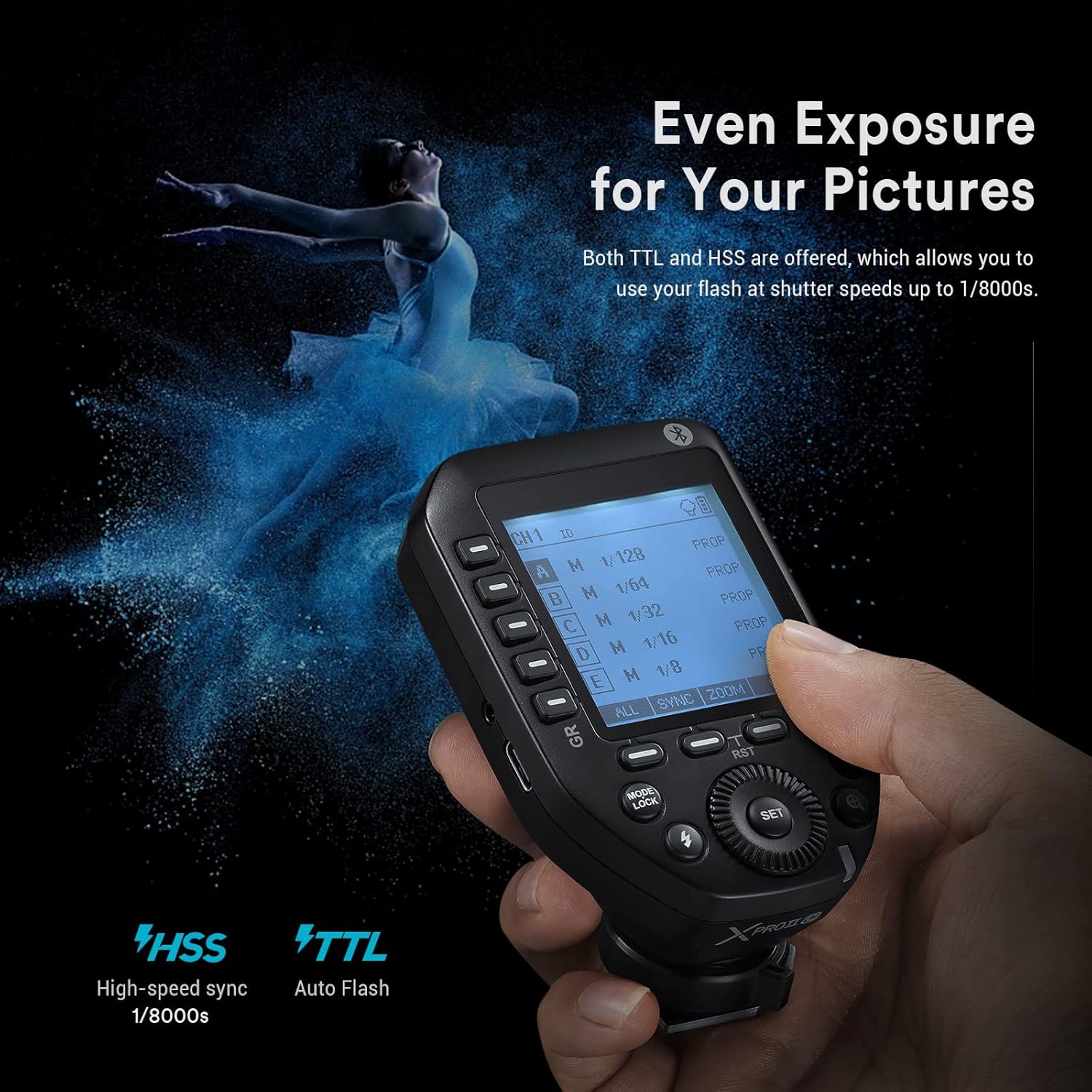
Figure 5: Visual representation of the XProII-F's TTL and HSS functions, highlighting their role in achieving even exposure.
TCM (TTL Convert Manual) Function
The two-way TCM function allows for instant conversion from TTL mode to manual mode while retaining the parameters. This helps you quickly obtain the proper exposure value and ensures accurate and coherent light expression with every shot.
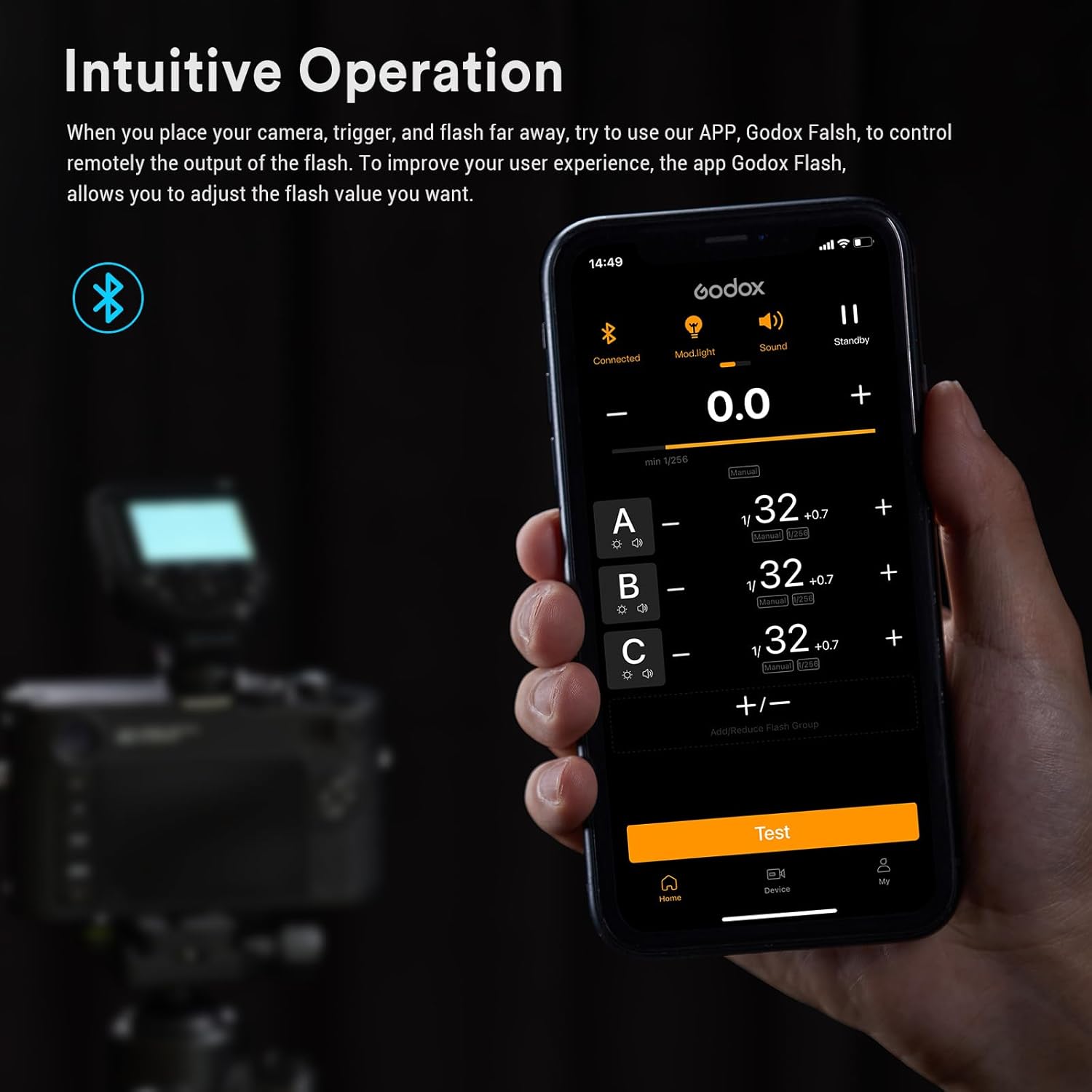
Figure 6: The XProII-F display showing the TCM function, which allows for seamless transition between TTL and manual flash settings.
Multi-Shooting Mode
When shooting the same object with multiple fixed lights, the multi-shooting mode allows the XProII-F to send the flash value you set to all lights, ensuring they operate according to your desired flash value. This simplifies complex lighting setups.

Figure 7: An illustration of the multi-shooting mode, where the XProII-F controls several flash units simultaneously for consistent lighting.
L-858 Light Meter Integration
Godox has partnered with Sekonic, allowing the XProII-F to connect with the Sekonic L-858 light meter (with built-in Godox 2.4G module). This enables direct adjustment of flash parameters through the light meter, streamlining your workflow for precise exposure control.

Figure 8: The XProII-F shown alongside a Sekonic L-858 light meter, demonstrating the direct control of flash parameters through the meter.
Single Contact Triggering
When this feature is enabled, the speed of burst mode shooting can be significantly increased. Flashes are triggered in rapid succession, and the interval between each flash is shorter, optimizing performance for high-speed photography.

Figure 9: The XProII-F's menu displaying the option for Single Contact Triggering, designed to improve burst mode performance.
Maintenance
Cleaning
To clean the flash trigger, use a soft, dry cloth. For stubborn dirt, a slightly damp cloth with mild detergent can be used, followed by a dry cloth. Avoid using strong solvents or abrasive cleaners. Keep the hotshoe contacts clean and free of debris.
Storage
When not in use for extended periods, remove the batteries to prevent leakage. Store the unit in a cool, dry place, away from direct sunlight, excessive heat, and humidity. Use the original packaging or a protective case to prevent damage.
Troubleshooting
Flash Not Firing
- Ensure the trigger and flash unit are powered on.
- Verify that the trigger is securely mounted on the camera's hotshoe.
- Check that the channel and ID settings on both the trigger and flash are identical.
- Confirm that the flash unit is in wireless receiver mode.
- Check battery levels in both the trigger and flash.
Signal Interference
- Use the channel scan function on the XProII-F to find a less congested channel.
- Change the ID setting to a different value.
- Ensure there are no large metallic objects or other 2.4GHz devices directly between the trigger and flash units that could block the signal.
Bluetooth Connection Issues
- Ensure Bluetooth is enabled on both the XProII-F and your mobile device.
- Restart both the trigger and the Godox Flash app.
- Forget the device in your phone's Bluetooth settings and re-pair.
- Ensure your mobile device is within range of the trigger.
Specifications
| Feature | Detail |
|---|---|
| Brand | GODOX |
| Model Number | XProIIF |
| Package Dimensions | 5.08 x 4.02 x 2.52 inches |
| Item Weight | 9.2 ounces |
| Connectivity Technology | Bluetooth |
| Max Number of Supported Devices | 1 (per trigger, controls multiple flashes) |
| Compatible Devices | Fuji Cameras, Godox X System Flashes |
| Special Feature | Ergonomic |
| Date First Available | February 4, 2023 |
Warranty and Support
For detailed warranty information and technical support, please refer to the official Godox website or contact your local distributor. A comprehensive User Guide in PDF format is also available for download: Godox XProII-F User Guide (PDF).
Related Documents - XProIIF
 |
Godox XProII-F TTL Wireless Flash Trigger Instruction Manual Instruction manual for the Godox XProII-F TTL Wireless Flash Trigger for Fuji cameras, detailing its features, operation, settings, and maintenance. |
 |
Godox X3 TTL Wireless Flash Trigger Instruction Manual Comprehensive user manual for the Godox X3 TTL Wireless Flash Trigger, detailing its features, operation, setup, compatibility, and safety guidelines for professional photography. |
 |
Godox XProN TTL Wireless Flash Trigger Instruction Manual Comprehensive user manual for the Godox XProN TTL Wireless Flash Trigger, detailing setup, functions, settings, and troubleshooting for Nikon cameras. Covers i-TTL, High-Speed Sync, and compatibility with various Godox flashes and Nikon camera models. |
 |
Godox X3 N TTL Wireless Flash Trigger Instruction Manual Comprehensive instruction manual for the Godox X3 N TTL Wireless Flash Trigger, covering setup, operation, settings, troubleshooting, and technical specifications for photographers. Includes safety guidelines, part identification, and compatibility information. |
 |
Godox XProII-N TTL Wireless Flash Trigger User Manual Comprehensive user manual for the Godox XProII-N TTL Wireless Flash Trigger for Nikon cameras, detailing its features, operation, settings, and maintenance. |
 |
Godox XProC TTL Wireless Flash Trigger Instruction Manual Comprehensive user manual for the Godox XProC TTL Wireless Flash Trigger, covering setup, operation, features, compatibility, and troubleshooting for Canon EOS cameras. |
Ask a question about this manual
Ask about setup, troubleshooting, compatibility, parts, safety, or missing instructions. Manuals+ will review the question and use this page’s manual context to help answer it.