1. Introduction
This manual provides comprehensive instructions for the installation, operation, and maintenance of your MARS HYDRO 2025 New Version iFresh 6 Inch Smart Inline Fan Combo. Please read this manual thoroughly before using the product to ensure proper function and safety. Keep this manual for future reference.
2. Product Overview
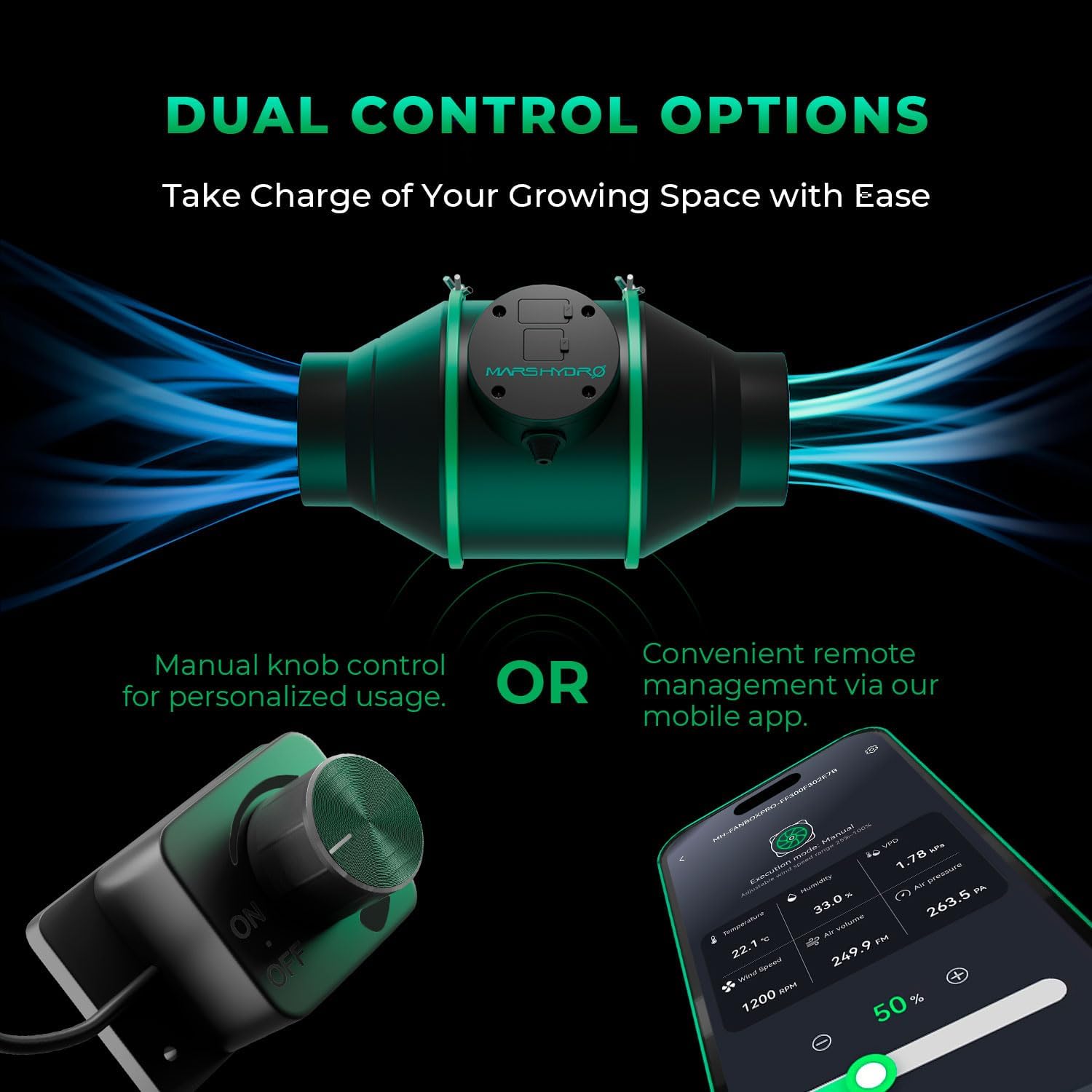
The MARS HYDRO iFresh 6 Inch Smart Inline Fan Combo is designed for efficient ventilation in various indoor environments, including grow tents. It features a powerful EC motor, dual control options (manual and app-based), and a high-quality carbon filter for odor control.
2.1 Components Included
- 6-inch Inline Duct Fan
- Activated Carbon Filter
- Flexible Ducting
- Duct Clamps (3 units)
- Variable Speed Controller
- Pre-filter cloth for carbon filter
2.2 Key Features
- Smart Control: Connects to the MarsPRO APP for remote control, alarms, climate triggers, and loop timers.
- Powerful Airflow: Provides up to 402 CFM (Cubic Feet Per Minute) airflow.
- Low Noise Operation: Engineered for quiet performance.
- Efficient Motor: PWM-controlled EC-powered motor with a mixed-flow design.
- Superior Odor Filtration: Features a carbon filter made with 1050+ Virgin Australian activated charcoal.
- Durable Ducting: Flexible, double-layer aluminum film ducting for longevity.
- Real-Time Monitoring: Displays fan speed (RPM) and airflow (CFM) on the app.


3. Safety Information
Please observe the following safety precautions to prevent injury or damage to the product:
- Always disconnect power before installation, cleaning, or maintenance.
- Ensure the power supply voltage matches the product's requirements (120V AC).
- Do not operate the fan with a damaged cord or plug.
- Keep hands and foreign objects away from moving fan blades.
- Install the fan in a dry environment. Avoid exposure to water or high humidity.
- Ensure all connections are secure to prevent air leaks and electrical hazards.
- This product is intended for indoor use only.
4. Setup and Installation
Proper installation is crucial for optimal performance. The iFresh inline fan system offers flexible installation options.
4.1 Installation Steps
- Secure the Inline Fan: Use lifting straps or appropriate hangers to secure the inline fan inside your grow tent or desired ventilation area. Ensure it is stable and level.
- Connect Filter and Ducts: Attach the carbon filter to one end of the inline fan. Connect the flexible ducting to the other end of the fan and to the carbon filter, using the provided duct clamps to secure all connections tightly.
- Attach Controller: Connect the variable speed controller to the fan's control port.

4.2 Flexible Installation Methods
The system can be configured in several ways to suit your specific ventilation needs:
- Fan & Filter Inside Grow Tent: Ideal for large grow spaces, bringing fresh air into grow rooms.
- Filter Inside, Fan Outside Grow Tent: Functions as an exhaust filter.
- Fan Outside, Filter Inside Grow Tent: Functions as an intake filter.
- Fan & Filter Outside Grow Tent: Provides ventilation while keeping equipment outside the grow space.

5. Operating Instructions
The MARS HYDRO iFresh fan offers both manual and smart app control options.
5.1 Manual Control
Use the included variable speed controller to adjust the fan speed. Turn the knob to increase or decrease airflow. The controller also features an ON/OFF switch.
5.2 App Control (MarsPRO APP)
For advanced control and monitoring, download the MarsPRO APP. This enables remote management and smart features.
- Download App: Search for "MarsPRO" on the App Store (iOS) or Google Play Store (Android).
- Connect Device: Follow the in-app instructions to connect your iFresh fan via Bluetooth. Ensure your phone's location services are enabled for device discovery.
- Remote Control: Adjust fan speed, turn on/off, and access smart features from your smartphone.
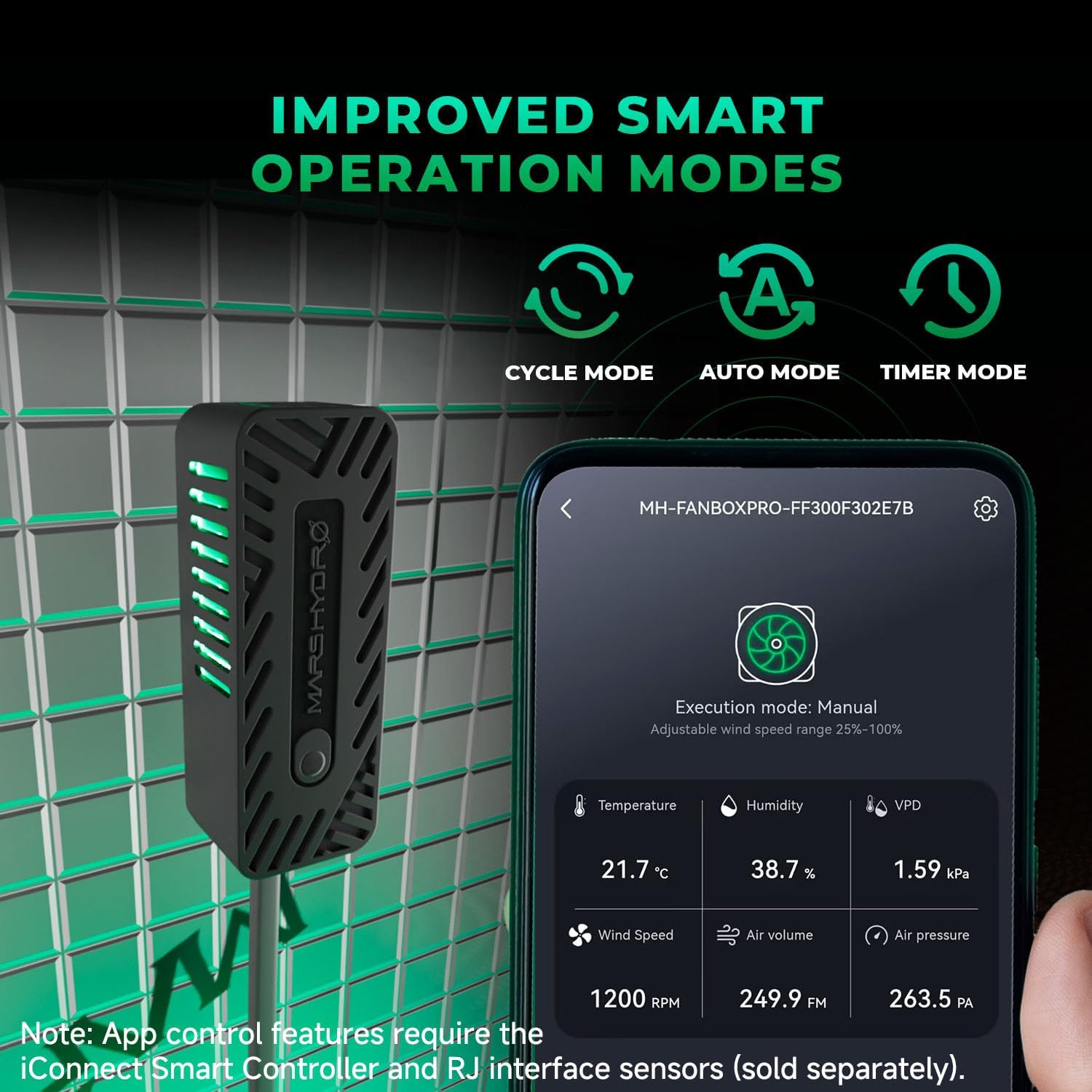
- Real-Time Data: Monitor temperature, humidity, VPD, fan speed (RPM), air volume (CFM), and air pressure directly from the app.
Note: App control features, including advanced climate triggers and sensor data, require the iConnect Smart Controller and RJ interface sensors, which are sold separately.

5.3 Smart Operation Modes (via App)
When using the MarsPRO APP with compatible sensors, you can utilize the following modes:
- Auto Mode: Automatically detects and controls temperature and humidity to maintain desired environmental conditions.
- Cycle Mode: Provides effortless, automatic cycle operation for repetitive tasks.
- Timer Mode: Customize fan speeds and timings for specific periods throughout the day.
- Standby Mode: Maintains a steady 25% fan speed even when idle, ensuring continuous fresh air circulation. This mode must be set separately within the three main modes.

6. Maintenance
Regular maintenance ensures the longevity and efficiency of your iFresh fan system.
6.1 Carbon Filter Maintenance
- Pre-filter Cleaning: The carbon filter includes a machine washable pre-filter cloth. Regularly remove and wash this cloth to prevent dust and debris buildup, which can reduce airflow and filter effectiveness.
- Activated Carbon Replacement: The activated carbon inside the filter is refillable. When odor control diminishes, remove the top cover side screws to access and replace the activated carbon.

6.2 General Cleaning
- Wipe down the exterior of the fan and ducting with a damp cloth.
- Ensure no moisture enters the electrical components.
- Periodically check ducting and clamps for secure fit and any signs of wear or damage.
7. Troubleshooting
If you encounter issues with your iFresh fan system, refer to the following common problems and solutions:
| Problem | Possible Cause | Solution |
|---|---|---|
| Fan not turning on | No power, loose connection, faulty controller | Check power outlet and cable connections. Ensure controller is properly connected and switched ON. |
| App cannot find device | Bluetooth off, location services off, fan not in pairing mode | Ensure Bluetooth is enabled on your phone. Turn on location services. Try resetting the fan (refer to app instructions for reset procedure, typically cycling power 3-5 times). |
| Poor odor control | Clogged pre-filter, exhausted activated carbon, loose duct connections | Clean or replace the pre-filter. Replace the activated carbon. Check all duct clamps and connections for airtightness. |
| Reduced airflow | Blocked filter/ducting, fan speed too low, fan obstruction | Clean pre-filter. Check ducting for kinks or obstructions. Increase fan speed via controller or app. |
| Excessive noise | Loose mounting, foreign object in fan, damaged fan blades | Ensure fan is securely mounted. Disconnect power and inspect fan for obstructions. Contact support if blades are damaged. |
| App features not working (e.g., climate triggers) | Missing iConnect Smart Controller or RJ interface sensors | Verify that the iConnect Smart Controller and necessary RJ interface sensors are purchased and correctly connected. These are sold separately. |
If the problem persists after attempting these solutions, please contact MARS HYDRO customer support.
8. Specifications
| Feature | Specification |
|---|---|
| Brand | MARS HYDRO |
| Model Name | MH-iFresh6kit |
| Size | 6 inch |
| Air Flow Capacity | 402 Cubic Feet Per Minute (CFM) |
| Voltage | 120 Volts (AC) |
| Power Source | Corded Electric |
| Control Method | App, Remote (Variable Speed Controller) |
| Indoor/Outdoor Usage | Indoor |
| Item Weight | 16.57 pounds |
| Package Dimensions | 26.2 x 14.4 x 11.4 inches |
9. Warranty and Support
For warranty information and customer support, please refer to the official MARS HYDRO website or contact their customer service directly. Keep your purchase receipt as proof of purchase for any warranty claims.
MARS HYDRO Customer Support:
- Visit the MARS HYDRO Store on Amazon for contact information and FAQs.


