Product Overview
The MARS HYDRO iFresh 4 Inch Smart Inline Fan Combo is designed for efficient ventilation in indoor growing environments. It features smart control capabilities via a mobile application, allowing for remote monitoring and adjustment of climate parameters. The system includes a powerful inline fan, an activated carbon filter for odor control, flexible ducting, and clamps for installation.

Image: The complete MARS HYDRO iFresh 4 Inch Smart Inline Fan Combo, showing the inline fan, carbon filter, flexible ducting, clamps, and the smart controller with its app interface.
Setup and Installation
Proper installation is crucial for optimal performance of your iFresh inline fan system. Follow these steps for a secure and efficient setup.
Components Included
- iFresh 4-inch Inline Fan
- Variable Speed Controller
- Temperature and Humidity Probe Sensor
- Flexible Ducting
- Duct Clamps (3 included)
- Activated Carbon Filter
- Pre-filter cloth
- Vent Cover
Installation Steps
- Secure the Inline Fan: Use lifting straps or appropriate hanging mechanisms to secure the inline fan inside your grow tent or desired ventilation area. Ensure it is stable and positioned to facilitate airflow.
- Connect Filter and Ducting: Attach the activated carbon filter to one end of the inline fan. Connect the flexible ducting to the other end of the fan and to the carbon filter, using the provided duct clamps to ensure airtight connections. The flexible ducting can be bent 360 degrees for versatile routing.
- Attach the Controller: Connect the variable speed controller to the inline fan. If using the iConnect Smart Controller for app control, connect it via the USB interface. For manual control, use the RJ interface for the knob/sensor control. Note that iConnect Smart Controller and RJ interface sensors are sold separately.

Image: A visual guide demonstrating the three main steps for installing the inline fan: securing the fan, connecting the filter and ducting, and attaching the controller.
Flexible Installation Options
The system supports various installation configurations to suit your specific grow space requirements:
- Fan & Filter inside the Grow Tent
- Filter inside, Fan outside the Grow Tent
- Filter outside, Fan inside the Grow Tent
- Fan & Filter outside the Grow Tent

Image: Diagrams illustrating four different ways to install the inline fan and filter, either inside or outside the grow tent, to optimize ventilation.
Vent Cover Usage
The included vent cover helps enhance plant health by preventing small contaminants from entering the system. It can be used for both exhaust fans and vent ducts.

Image: A visual representation of the vent cover's function, showing how it keeps small mesh contaminants out for exhaust fans and vent ducts.
Operating Instructions
The MARS HYDRO iFresh fan system offers both manual and smart control options for managing your indoor environment.
Control Options
- Manual Knob Control: For direct adjustment of fan speed and on/off functions.
- Mars Hydro APP Control: Download the Mars Hydro APP to connect to the inline duct fan for remote control and smart features. This includes OTA remote control, alarms, climate triggers, and loop timers.
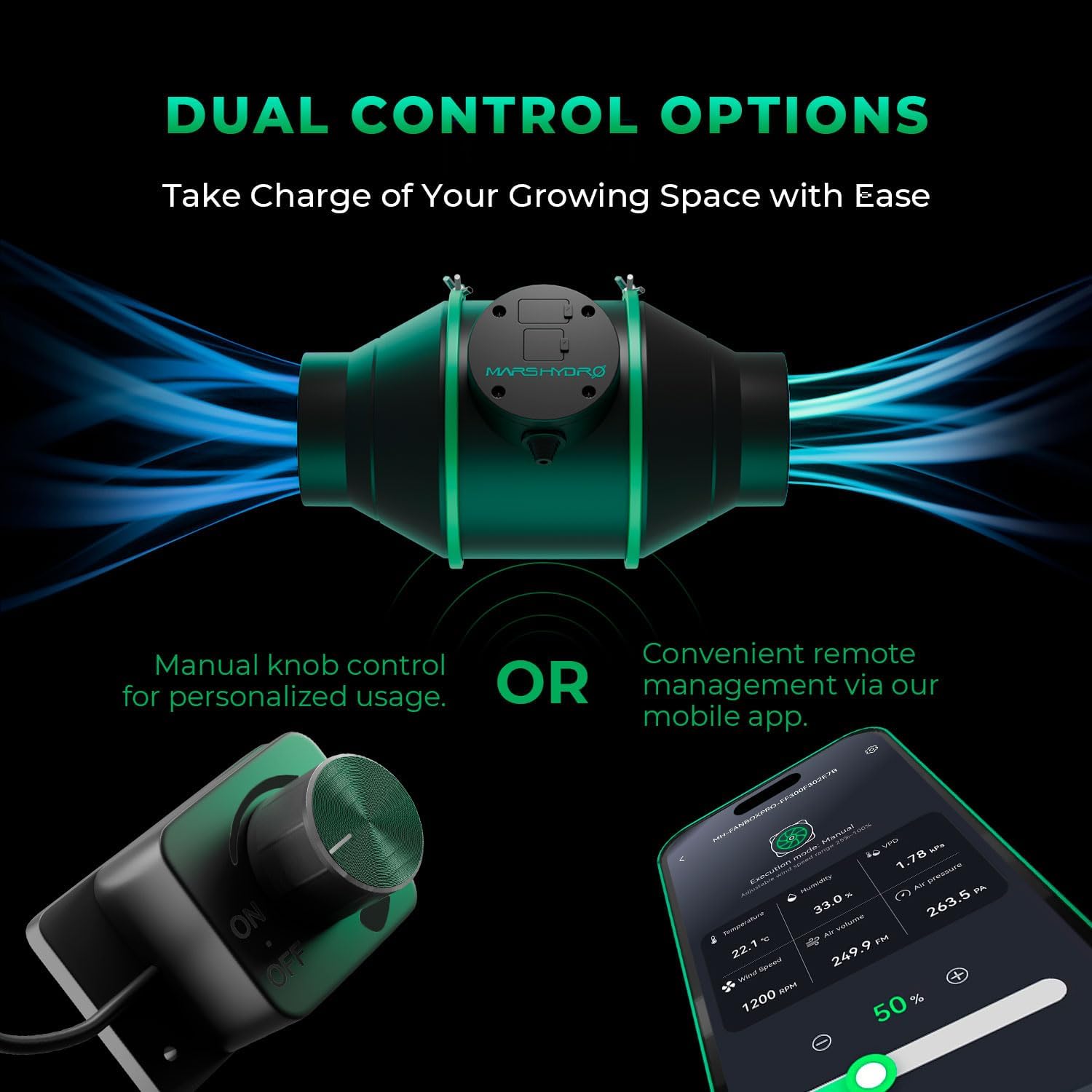
Image: A comparison illustrating the two methods of controlling the iFresh inline fan: a physical manual knob controller and a smartphone displaying the Mars Hydro app interface.
Smart Operation Modes (via App)
When using the Mars Hydro APP, you can utilize advanced operation modes:
- Auto Mode: Automatically detects and controls temperature and humidity to maintain optimal conditions.
- Cycle Mode: Provides effortless, automatic cycle operation for consistent environmental management.
- Timer Mode: Allows customization of fan speeds and timings for specific stages throughout the day.

Image: Icons and descriptions for Auto Mode, Cycle Mode, and Timer Mode, highlighting the smart functionalities available through the app.
Real-Time Environment Data Monitoring
The 4-inch inline fan includes a probe sensor that displays key climate data, such as temperature and relative humidity, in real-time on the APP screen. This allows for continuous monitoring of fan speed (RPM) and airflow (CFM).

Image: A digital interface displaying real-time metrics like airflow, air pressure, speed, RPM, temperature, humidity, and VPD, indicating efficient and quiet operation.
Standby Mode
The system features a standby mode that maintains a steady 25% fan speed even when idle, ensuring continuous fresh air circulation. This mode must be set separately within the three main operation modes.

Image: An illustration of the inline fan installed in a grow tent, with an overlay indicating it is operating in standby mode at 25% fan speed for continuous fresh air.
Maintenance
Regular maintenance ensures the longevity and optimal performance of your MARS HYDRO iFresh system.
Activated Carbon Filter Maintenance
The system includes a superior activated carbon filter made of 1050+ Virgin Australian activated charcoal, designed for 100% filtered airflow and efficient odor removal. It comes with a machine washable pre-filter cloth to prevent carbon residue.
- Pre-filter Cleaning: Regularly clean or wash the pre-filter cloth to maintain airflow and prevent clogging.
- Carbon Replacement: The carbon filter is refillable. The top cover side screws can be removed to replace the activated carbon when its effectiveness diminishes.

Image: An exploded diagram of the carbon filter, detailing its layers: pre-filter, outer mesh, replaceable activated carbon, and inner mesh, illustrating how it can be refilled.
Troubleshooting
This section provides solutions to common issues you might encounter with your iFresh inline fan system.
Fan Not Turning On
- Check Power Connection: Ensure the fan is properly plugged into a working power outlet.
- Verify Controller Connection: Make sure the controller is securely connected to the fan.
- App Settings: If using the app, check that the fan is enabled and not in a scheduled off period.
Reduced Airflow or Odor Control
- Inspect Filter: Check the pre-filter for dust and debris. Clean or wash it if necessary.
- Carbon Filter Life: The activated carbon may be exhausted. Replace the carbon if it has been in use for an extended period.
- Ducting Obstructions: Ensure there are no kinks or blockages in the flexible ducting.
Inaccurate Sensor Readings
- Sensor Placement: Ensure the temperature and humidity probe sensor is placed in an area that accurately reflects the environment you wish to monitor, away from direct airflow or heat sources.
- Sensor Cleanliness: Gently clean the sensor if it appears dusty.
App Connectivity Issues
- Bluetooth/Wi-Fi: Ensure your smartphone's Bluetooth or Wi-Fi is enabled and connected to the correct network.
- App Version: Update the Mars Hydro APP to the latest version.
- Device Proximity: Ensure your phone is within range of the iConnect Smart Controller.
Specifications
Detailed technical specifications for the MARS HYDRO iFresh 4 Inch Smart Inline Fan Combo.
| Feature | Specification |
|---|---|
| Brand | MARS HYDRO |
| Model Name | MH-iFresh4kit |
| Size | 4 inch/APP CNTLR Kit |
| Electric Fan Design | Exhaust Fan |
| Power Source | Corded Electric |
| Recommended Uses | Cooling, Exhausting |
| Noise Level | 26.8 dB |
| Air Flow Capacity | 205 Cubic Feet Per Minute (CFM) |
| Included Components | Variable Speed Controller, Temperature and Humidity Probe Sensor, Flexible Ducting, Clamps |
| Indoor/Outdoor Usage | Indoor |
| Control Method | App |
| Number of Power Levels | 3 |
| Item Weight | 13.6 pounds |
| Package Dimensions | 18.78 x 17.8 x 13.27 inches |

Image: A detailed diagram illustrating the dimensions of the 4-inch inline fan and its components, including the hose clamp, flexible duct, strap, and vent cover.
Warranty and Support
Information regarding product warranty and customer support was not provided in the available product data. Please refer to the manufacturer's official website or contact their customer service for details on warranty coverage and support options.


