
Korbot Korbot-Clip Fan-Black
Korbot 8-inch Clip on Fan User Manual
Model: Korbot-Clip Fan-Black
Introduction
Thank you for choosing the Korbot 8-inch Clip on Fan. This portable and versatile fan is designed to provide powerful airflow and convenient lighting wherever you need it. With its long-lasting rechargeable battery, multiple speed settings, and quiet operation, it's an ideal companion for your office, bedroom, stroller, or camping adventures.

Figure 1: Korbot 8-inch Clip on Fan, showcasing its remote control and phone charging capability.
Product Features
- Rechargeable Battery: Equipped with a 12000 mAh rechargeable battery, offering up to 65 hours of continuous operation on a single charge. Easily rechargeable via USB.
- Adjustable Wind Speed and Light Modes: Features 3 distinct wind speed settings and 2 light modes for customized airflow and illumination.
- Quiet Operation: Operates at less than 23 decibels, ensuring minimal disturbance in quiet environments like bedrooms, libraries, or offices.
- Compact Size: The 8-inch design allows for easy placement on desks, tables, or bookshelves without occupying excessive space.
- Multipurpose Use: Functions as a clip-on fan, desk fan, or personal fan, suitable for various situations due to its portable and lightweight design.
Package Contents
Please check the package for the following items:
- Korbot 8-inch Clip on Fan
- USB Charging Cable (Type-C)
- Remote Control
- User Manual (this document)
Setup
The Korbot Clip on Fan offers versatile placement options:
- Desk Placement: Place the fan on any flat surface. The sturdy base ensures stability.
- Clip-on Use: Utilize the integrated strong clip to attach the fan to various surfaces such as desks, shelves, or stroller bars. Ensure the clip is securely fastened before use.
- Hanging Use: The fan features a hidden hooking design, allowing it to be hung from suitable fixtures, ideal for tents or overhead spaces.
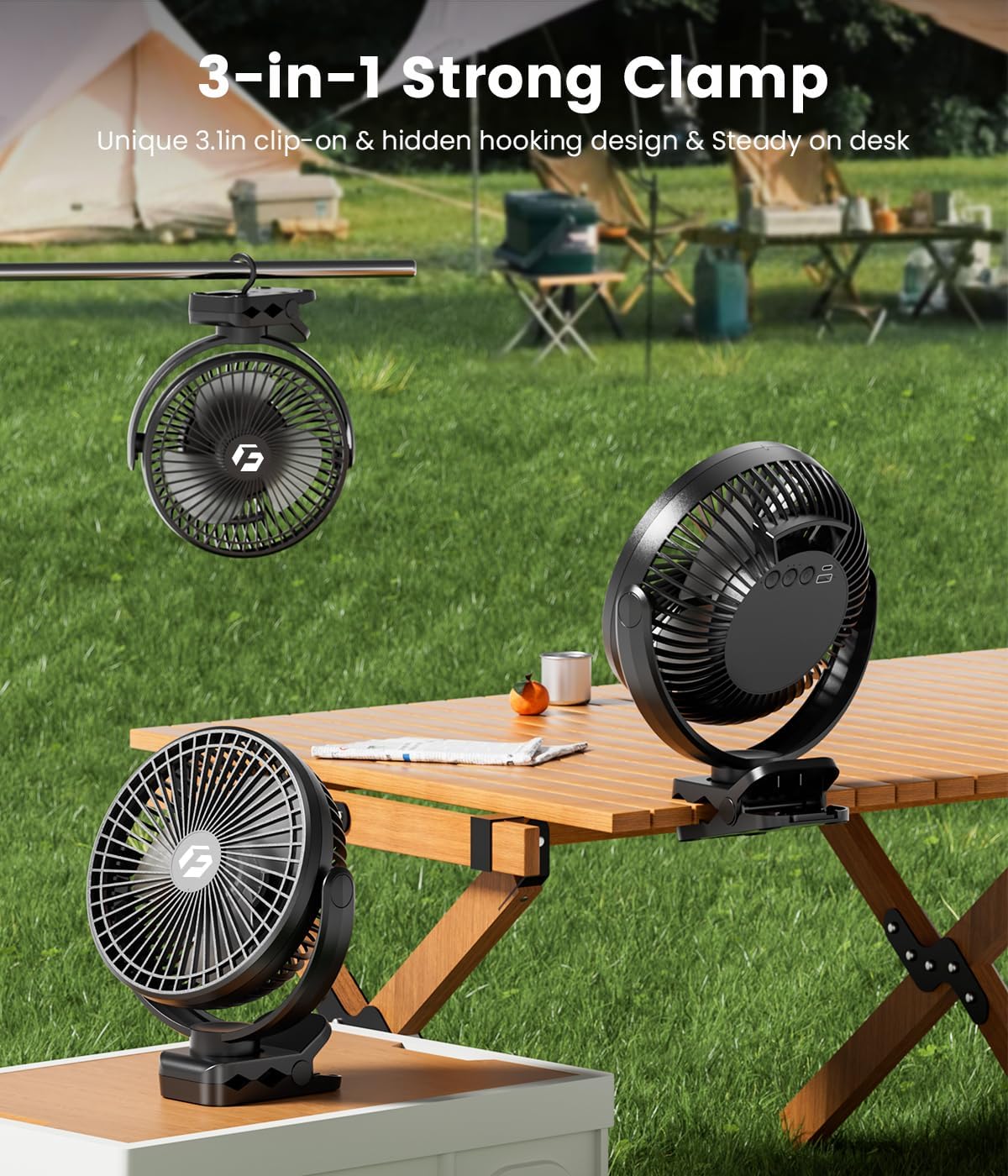
Figure 2: The fan's versatile 3-in-1 strong clamp allows for desk, clip-on, and hanging applications.
Adjusting Fan Angle
The fan head can be rotated 360 degrees both vertically and horizontally, allowing you to direct airflow precisely where needed. Gently adjust the fan head to your desired angle.

Figure 3: The fan supports dual-axis 360-degree rotation for comprehensive airflow direction.
Operating Instructions
The fan can be operated using the control buttons on the unit or the included remote control.
Button Control
On the back of the fan, you will find control buttons for power, fan speed, and light modes.
- Power Button: Press once to turn the fan on/off.
- Fan Speed Button: Press repeatedly to cycle through 3 wind speed settings (Low, Medium, High).
- Light Button: Press repeatedly to cycle through 2 light brightness modes (Low, High) or turn the light off.
Video 1: Demonstration of the Korbot clip-on fan's features, including its operation and suitability for various uses like bedside cooling.
Remote Control
The included remote control provides convenient operation from a distance. Ensure the remote is pointed towards the fan's sensor.
- Power Button: Turns the fan on or off.
- Speed Buttons: Adjust fan speed.
- Light Button: Controls light brightness.
- Timer Buttons: Set the fan to automatically turn off after 1, 3, or 5 hours.
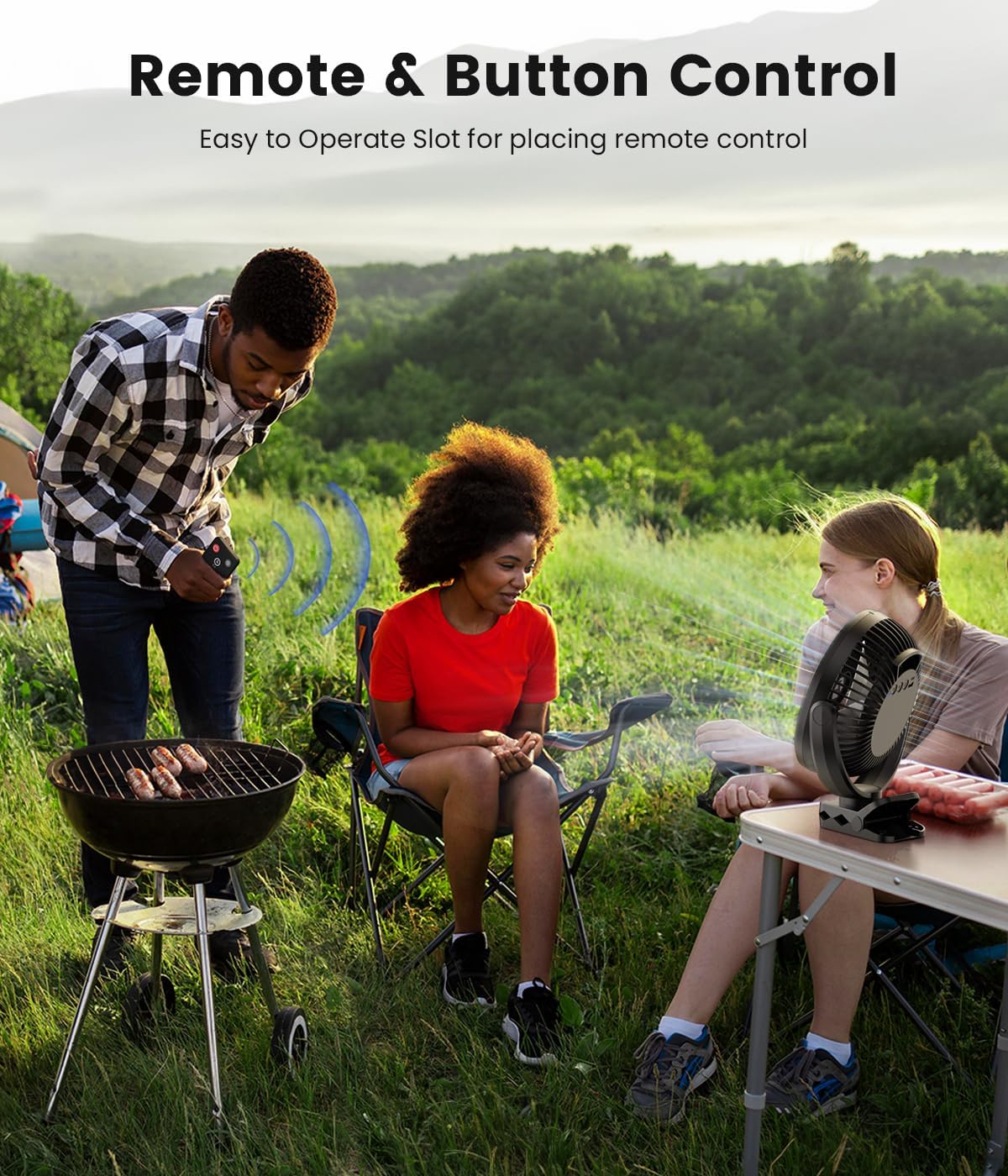
Figure 4: The fan can be easily controlled via remote, making it convenient for outdoor activities.
Charging Instructions
The Korbot fan is equipped with a high-capacity 12000 mAh battery for extended use.
- Connect the provided USB Type-C cable to the fan's charging port.
- Connect the other end of the USB cable to a compatible USB power source (e.g., wall adapter, power bank, computer USB port).
- The charging indicator lights will illuminate to show charging status.
- A full charge can provide up to 65 hours of operation on the lowest speed setting.
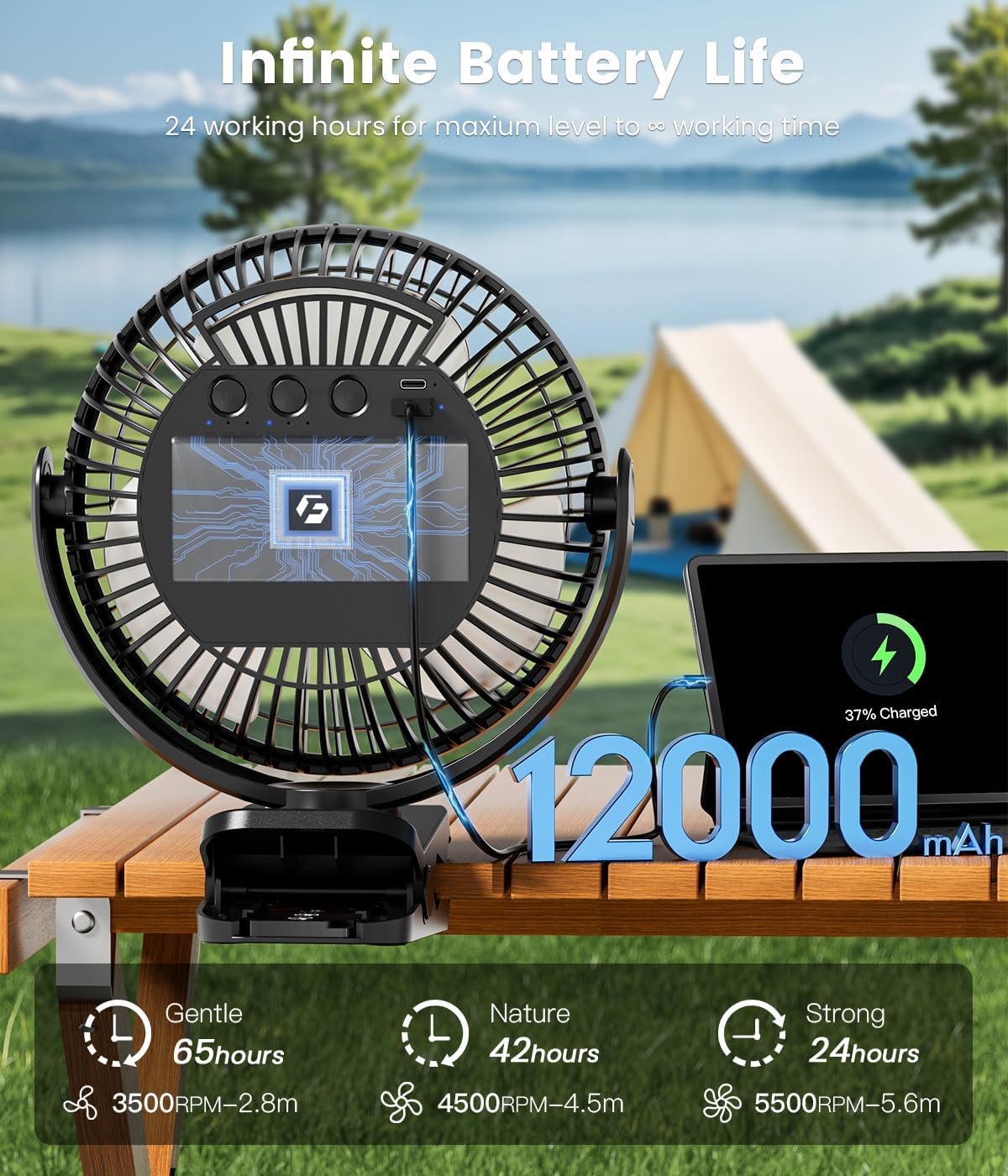
Figure 5: The fan's 12000mAh battery provides long-lasting power, with charging indicators visible on the back.
Maintenance
To ensure optimal performance and longevity of your Korbot fan, follow these simple maintenance guidelines:
- Cleaning: Periodically wipe the fan's exterior with a soft, dry cloth. Do not use abrasive cleaners or immerse the fan in water.
- Storage: When not in use for extended periods, store the fan in a cool, dry place, away from direct sunlight and extreme temperatures.
- Battery Care: To prolong battery life, avoid fully discharging the battery frequently. Charge the fan regularly, even if not in constant use.
Troubleshooting
If you encounter any issues with your Korbot fan, please refer to the following common problems and solutions:
| Problem | Possible Cause | Solution |
|---|---|---|
| Fan does not turn on. | Battery is depleted; Power button not pressed correctly. | Charge the fan using the USB-C cable. Ensure the power button is pressed firmly. |
| Fan airflow is weak. | Fan speed is set too low; Obstruction in front/back of fan. | Increase the fan speed setting. Clear any obstructions around the fan grille. |
| Light does not work. | Light mode is off; Battery is low. | Press the light button to cycle through modes. Charge the fan. |
| Remote control not working. | Remote battery depleted; Obstruction between remote and fan; Not pointed correctly. | Replace remote battery (if applicable). Ensure clear line of sight. Point remote directly at the fan's sensor. |
| Fan makes unusual noise. | Fan blades obstructed; Fan not on a stable surface. | Turn off the fan and check for any foreign objects obstructing the blades. Place the fan on a flat, stable surface. |
Specifications
| Specification | Detail |
|---|---|
| Brand | Korbot |
| Model Name | Korbot-Clip Fan-Black |
| Color | Black-12000mah |
| Power Source | Battery Powered |
| Battery Capacity | 12000 mAh (Lithium Ion) |
| Electric Fan Design | Table Fan / Clip-on / Hanging |
| Product Dimensions | 9"D x 10"W x 3"H |
| Item Weight | 1.74 pounds (0.79 Kilograms) |
| Noise Level | 23 dB |
| Number of Power Levels | 3 |
| Special Feature | LED Light (2 modes) |
| Control Method | Remote, Touch Button |
| Connector Type | USB Type C |
| Blade Material | Plastic |
| Indoor/Outdoor Usage | Outdoor, Indoor |
| UPC | 753775526090 |
Warranty and Support
For warranty information and customer support, please refer to the documentation included with your purchase or contact Korbot customer service through the retailer where the product was purchased. Please retain your proof of purchase for warranty claims.
Ask a question about this manual
Ask about setup, troubleshooting, compatibility, parts, safety, or missing instructions. Manuals+ will review the question and use this page’s manual context to help answer it.