
1. Introduction
This manual provides essential instructions for the safe and effective use of your URVOLAX CarPlay Charger, designed specifically for the UR71C GPS device. Please read this manual thoroughly before using the product and retain it for future reference.
2. Safety Information
- Do not expose the charger to water, moisture, or extreme temperatures.
- Avoid dropping or subjecting the charger to strong impacts.
- Do not attempt to disassemble or modify the charger. This will void the warranty and may cause damage.
- Ensure the charger is securely plugged into the vehicle's power outlet to prevent intermittent connection.
- Keep out of reach of children.
- Use only with compatible devices as specified (URVOLAX UR71C).
3. Product Overview
The URVOLAX CarPlay Charger is a dedicated power supply unit for your UR71C GPS device, ensuring reliable power during vehicle operation. It features a standard car cigarette lighter plug on one end and a compatible connector for the UR71C on the other.
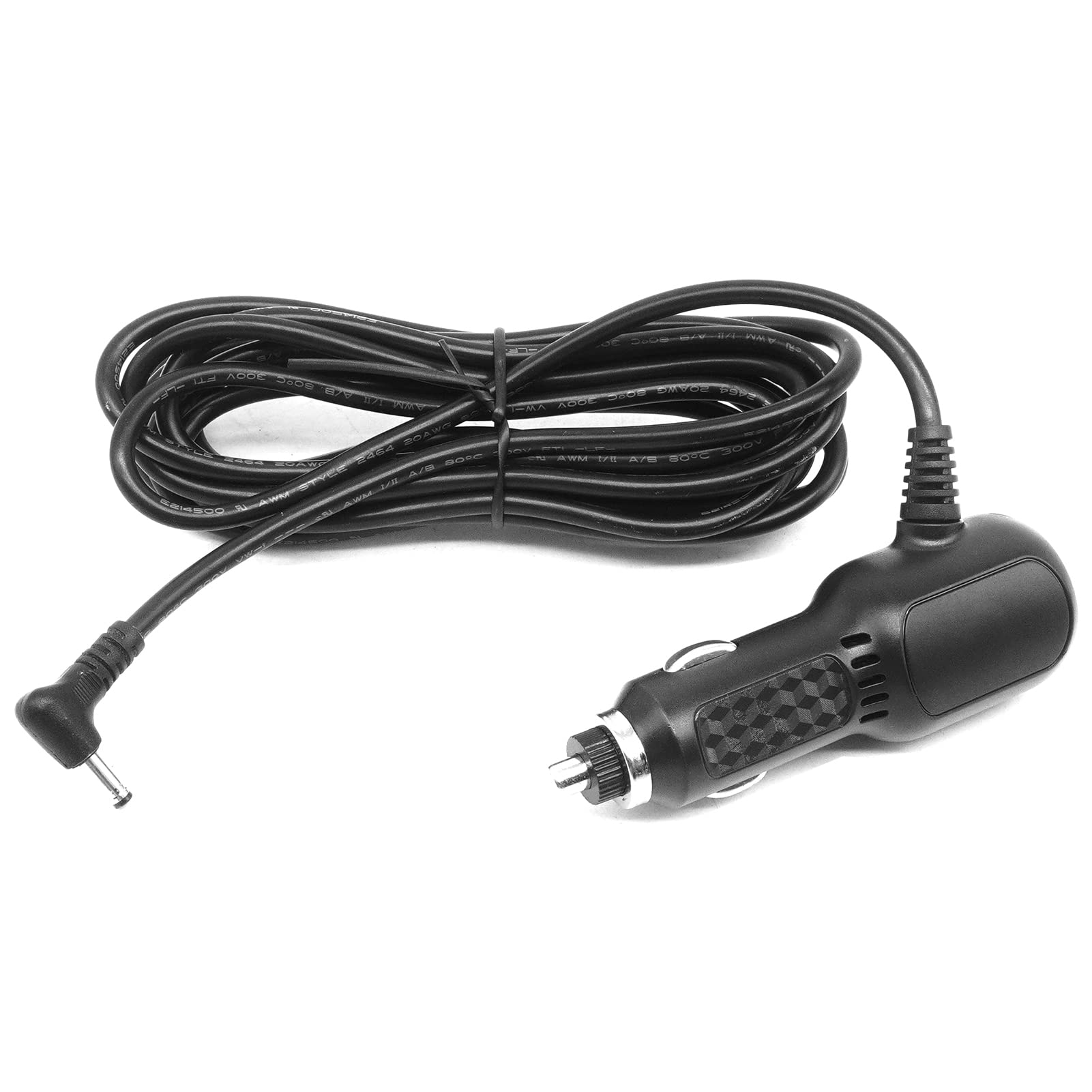
Image 1: URVOLAX CarPlay Charger for UR71C. This image displays the full length of the charger cable, showing the car cigarette lighter plug on the right and the device connector on the left.
4. Setup Instructions
- Locate Vehicle Power Outlet: Identify the 12V cigarette lighter socket or auxiliary power outlet in your vehicle.
- Insert Charger: Firmly insert the car charger plug into the vehicle's power outlet. Ensure it is fully seated for a stable connection.
- Connect to UR71C: Plug the device connector end of the charger cable into the designated power input port on your URVOLAX UR71C GPS device.
- Verify Connection: Confirm that your UR71C device indicates it is receiving power or charging.
5. Operating Instructions
Once connected, the URVOLAX CarPlay Charger will automatically provide power to your UR71C device. There are no additional operational steps required for the charger itself. The charger is designed for continuous power supply to the UR71C while the vehicle's ignition is on or the power outlet is active.
- Ensure the vehicle's power outlet is functioning correctly.
- If the UR71C device does not power on or charge, check all connections.
6. Maintenance
- Cleaning: Use a soft, dry cloth to clean the exterior of the charger. Do not use liquid cleaners or solvents.
- Storage: When not in use, store the charger in a cool, dry place, away from direct sunlight and extreme temperatures. Avoid tightly coiling the cable to prevent damage.
- Inspection: Periodically inspect the cable and connectors for any signs of wear, fraying, or damage. Discontinue use if any damage is observed.
7. Troubleshooting
| Problem | Possible Cause | Solution |
|---|---|---|
| UR71C not receiving power/charging. | Loose connection. | Ensure the charger is firmly plugged into both the vehicle outlet and the UR71C device. |
| UR71C not receiving power/charging. | Vehicle power outlet is not active. | Check if the vehicle's ignition is on or if the power outlet requires the vehicle to be running. Test the outlet with another device if possible. |
| UR71C not receiving power/charging. | Damaged charger cable or connector. | Inspect the cable for visible damage. If damaged, discontinue use and replace the charger. |
| Charger feels warm during use. | Normal operation. | It is normal for chargers to generate some heat during operation. If it becomes excessively hot or emits smoke/odor, disconnect immediately. |
8. Specifications
- Brand: URVOLAX
- Model: UR71C CarPlay Charger
- Compatible Devices: URVOLAX UR71C GPS Device
- Connector Type: USB Type C (device end)
- Power Source: DC (Vehicle 12V outlet)
- Output Voltage: 5 Volts
- Included Components: Car charger
- Total USB Ports: 1
- Item Weight: Approximately 3 ounces (0.085 kg)
- Package Dimensions: Approximately 5.98 x 3.98 x 1.57 inches
9. Warranty and Support
For warranty information and customer support, please refer to the product packaging, the URVOLAX official website, or contact your retailer. Keep your purchase receipt as proof of purchase.
URVOLAX Official Website: Visit URVOLAX Store on Amazon


