
1. Safety Information
Read and follow all instructions in this manual and on the equipment. Failure to follow instructions can cause severe injury and/or property damage.
- Professional Installation: This equipment must be installed and serviced by a qualified pool professional in accordance with all applicable local and national codes and ordinances.
- Electrical Safety: Always disconnect power to the pump before servicing. Ensure all electrical connections are made by a qualified electrician and comply with local codes.
- Pressure Warning: Do not operate the filter system above the maximum working pressure specified on the filter. Never attempt to open the filter or pump while the system is under pressure.
- Chemical Handling: Exercise caution when handling pool chemicals. Always wear appropriate personal protective equipment.
2. Product Overview
The Pentair Sand Dollar Filter System 40 with 1hp Optiflo Pump is designed for efficient and reliable filtration of swimming pool water. This system combines a high-performance sand filter with a powerful 1 horsepower Optiflo pump to ensure clear and clean pool water. The multi-port valve allows for easy operation and maintenance functions.
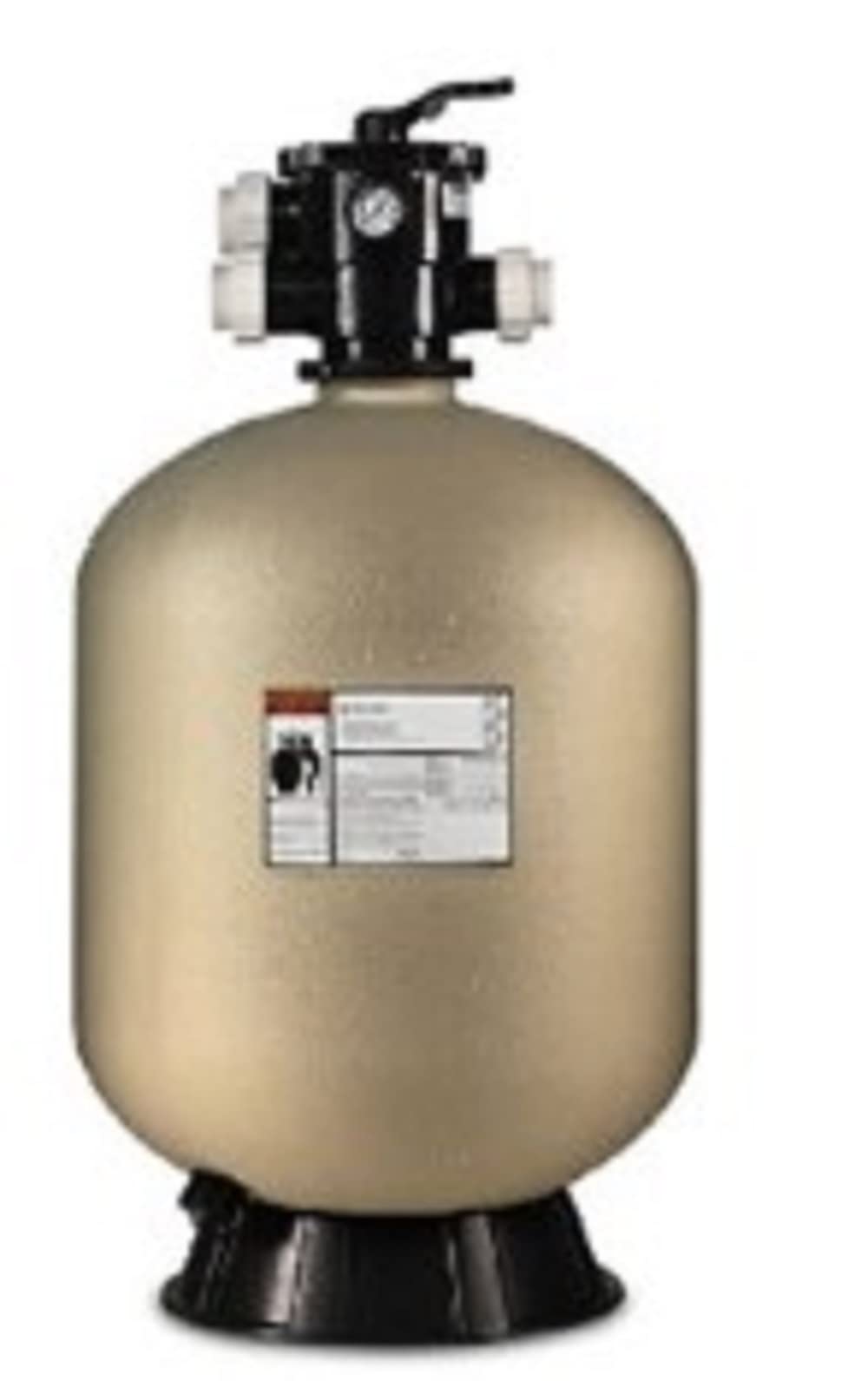
Image of the Pentair Sand Dollar Filter System 40 with its multi-port valve and pressure gauge. The beige filter tank is visible at the bottom, topped by a black multi-port valve with white union connections and a pressure gauge.
3. Setup and Installation
3.1 Pre-Installation
- Location: Place the filter system on a firm, level surface, preferably concrete, as close to the pool as possible. Ensure adequate drainage and ventilation.
- Clearance: Allow sufficient clearance around the filter for servicing and maintenance.
- Electrical Supply: Verify that the electrical supply matches the pump's requirements and is protected by a Ground Fault Circuit Interrupter (GFCI).
3.2 Assembly
- Position Filter Tank: Place the filter tank in its final operating position.
- Add Sand: Carefully add the specified amount and grade of filter sand (typically #20 silica sand) into the filter tank. Ensure the standpipe is centered during this process.
- Install Multi-Port Valve: Securely attach the multi-port valve to the top of the filter tank, ensuring the O-ring is properly seated.
- Connect Plumbing: Connect the pump to the filter's 'PUMP' port and the pool return line to the filter's 'RETURN' port. Connect the waste line to the 'WASTE' port. Use appropriate PVC cement and primer for secure, leak-free connections.
- Connect Pump: Connect the pool skimmer/main drain line to the suction side of the pump.
3.3 Initial Startup
- Fill Pump with Water: Remove the pump lid and fill the pump basket with water to prime the pump. Replace the lid securely.
- Set Valve: Ensure the multi-port valve handle is in the 'BACKWASH' position.
- Start Pump: Turn on the pump. Allow it to run for 2-3 minutes or until the water runs clear from the waste line.
- Rinse: Turn off the pump. Move the valve handle to the 'RINSE' position. Turn on the pump and run for 30-60 seconds.
- Filter: Turn off the pump. Move the valve handle to the 'FILTER' position. Turn on the pump. The system is now operating in normal filtration mode. Note the initial pressure gauge reading.
4. Operating Instructions
The multi-port valve controls the flow of water through the filter system. Always turn off the pump before changing the valve position to prevent damage.
- FILTER: Normal operating position for daily filtration. Water flows through the sand bed, trapping debris, and returns to the pool.
- BACKWASH: Used to clean the filter sand. Water flows in reverse through the sand bed, flushing trapped debris out the waste line.
- RINSE: Used after backwashing to settle the sand bed and flush any remaining dirty water from the valve before returning to filter mode.
- WASTE/DRAIN: Bypasses the filter and sends water directly out the waste line. Useful for lowering pool water level or vacuuming heavy debris directly to waste.
- RECIRCULATE/BYPASS: Bypasses the filter and circulates water directly back to the pool. Used when the filter is not needed, or for chemical mixing without filtration.
- CLOSED: Shuts off all flow to the filter. Do not operate the pump with the valve in this position.
5. Maintenance
5.1 Backwashing
Backwash the filter when the pressure gauge reading is 8-10 PSI above the clean operating pressure, or when pool water clarity decreases.
- Turn off the pump.
- Move the multi-port valve handle to the 'BACKWASH' position.
- Turn on the pump and backwash for 2-3 minutes, or until the water in the sight glass (if present) runs clear.
- Turn off the pump.
- Move the valve handle to the 'RINSE' position.
- Turn on the pump and rinse for 30-60 seconds.
- Turn off the pump.
- Move the valve handle to the 'FILTER' position.
- Turn on the pump to resume normal filtration.
5.2 Pump Basket Cleaning
Regularly inspect and clean the pump strainer basket to ensure optimal flow and prevent damage to the pump.
- Turn off the pump and close any necessary valves to prevent water flow.
- Remove the pump lid.
- Lift out the strainer basket and empty any debris.
- Rinse the basket thoroughly.
- Replace the basket and ensure the lid O-ring is clean and properly seated before securing the lid.
5.3 Sand Replacement
Filter sand typically needs to be replaced every 3-5 years, depending on usage and water chemistry. Consult a pool professional for this procedure.
5.4 Winterization
In areas subject to freezing temperatures, the filter system must be properly winterized to prevent damage.
- Drain all water from the pump and filter tank.
- Remove the drain plug from the filter tank and the pump.
- Store the pump in a dry, warm place if possible.
- Leave the multi-port valve handle between positions to prevent O-ring compression.
6. Troubleshooting
| Problem | Possible Cause | Solution |
|---|---|---|
| Low water flow / Poor filtration | Clogged pump basket Dirty filter sand Air leak in suction line Low water level in pool | Clean pump basket Backwash filter; if persistent, consider sand replacement Check all suction side connections for leaks Add water to pool |
| Pump not priming / No water flow | Pump basket not filled with water Air leak in suction line Clogged skimmer/main drain Impeller clogged | Fill pump basket with water Check and seal all suction connections Clear skimmer/main drain Turn off power and clear impeller (consult professional) |
| Cloudy pool water | Dirty filter sand Improper water chemistry Insufficient filtration time | Backwash filter; consider sand replacement Test and balance pool chemicals Increase daily filtration run time |
| Water leaking from valve | Worn O-rings or gaskets Cracked valve body | Inspect and replace O-rings/gaskets Contact a qualified professional for repair or replacement |
7. Specifications
- Model Number: PNSD0040OE1162
- Manufacturer: Pentair
- Product Dimensions: 19 x 19 x 19 inches
- Item Weight: 75 pounds
- Pump Horsepower: 1 hp (Optiflo Pump)
- Filter Type: Sand Filter
8. Warranty and Support
For warranty information and technical support, please refer to the official Pentair website or contact Pentair customer service directly. Keep your purchase receipt as proof of purchase for any warranty claims.
Pentair Customer Support: Visit Pentair Support


