
1. Introduction
The Kuject 8-in-1 Wall Scanner is an advanced electronic stud finder designed to accurately and reliably detect studs, metal objects, and live AC wires hidden behind various wall surfaces. This versatile tool also integrates a bubble level and a scale ruler for enhanced utility in DIY projects and professional tasks. Please read this manual thoroughly before use to ensure safe and effective operation.
2. Important Safety Notes
- Proper Handling: Hold the tool with your thumb on one side of the handle and your fingers on the other. Ensure your fingertips are on the handle and do not touch the scanning surface or the scanning head of the tool. Keep the tool flat against the wall and avoid shaking it. Do not tilt or press excessively hard when slowly sliding across the scanning surface.
- Avoid Interference: Do not place your other hand or any other part of your body on the surface being scanned, as this may interfere with the tool's performance and accuracy.
- Wall Composition: The composition of the wall can affect the accuracy of the tool's detection. Walls containing metal, conductive wallpaper, tiles, sound-absorbing materials, or those with high moisture content may cause detection errors.
- Precautionary Measures: Before drilling, sawing, or nailing, always use additional sources of information and take precautionary measures to prevent risks. The tool may detect electrical wires or pipes near the wall surface in a similar manner to studs.
- Live Wires: Always exercise extreme caution when working near areas where live electrical wires or pipes might be present. Cutting or drilling into walls, floors, and ceilings that may contain these elements can be hazardous.
3. Product Features
- Accuracy and Consistency: Equipped with a precise smart sensor chip for quick, accurate, and repeatable detection of studs, metal, joists, pipes, and live AC wires.
- 8-in-1 Functionality: Offers 6 scanning modes, a built-in bubble level, and a scale ruler for comprehensive utility.
- Multiple Scanning Modes:
- Stud Mode: Locates the center and edge of wood/metal studs up to 0.5, 1, or 1.5 inches deep.
- Magnetic Mode: Identifies nails and screws to help pinpoint stud positions.
- Metal Mode: Detects metal objects up to 2.36 inches deep.
- AC Mode: Detects unshielded live AC wires up to 2 inches deep.
- Dual Verification: Combining stud mode with magnetic mode provides more reliable detection results, especially on complex wall structures.
- LCD Screen and Audio Alarm: Features a backlit LCD screen for clear display in various lighting conditions and clear audio prompts to indicate detection. The display shows direction, edge, center, and signal strength.
- Ergonomic Design: Lightweight and comfortable for extended use, with automatic calibration for maximum reliability and accuracy.
4. Package Contents
- Kuject 8-in-1 Wall Scanner (Model T30)
- Battery (Zinc Carbon)
- Instruction Manual
5. Setup
5.1 Battery Installation
The Kuject T30 Wall Scanner requires one 9V battery (included). To install the battery:
- Locate the battery compartment cover on the back of the device.
- Slide or open the cover.
- Insert the 9V battery, ensuring correct polarity (+/-).
- Close the battery compartment cover securely.
5.2 Initial Calibration
The device features automatic calibration. Before each scan, ensure the device is placed flat against the wall in the desired scanning area, away from known studs or metal objects. Press and hold the scan button until calibration is complete (usually indicated by a beep or a stable display).
6. Operating Instructions
To operate the Kuject T30 Wall Scanner, follow these general steps:
- Power On: Press the power button (if applicable) or the scan button to turn on the device.
- Select Mode: Use the 'MODE' button to cycle through the available scanning modes (Stud Scan, Metal Scan, AC Scan, Magnetic Scan). The selected mode will be displayed on the LCD screen.
- Calibrate: Place the device flat against the wall where you intend to start scanning. Press and hold the scan button until calibration is complete. Release the button to begin scanning.
- Scan: Slowly slide the tool horizontally across the surface, maintaining firm contact. Do not lift or tilt the device during scanning.
- Interpret Results: The LCD screen will display indicators for detected objects, including direction, edge, center, and signal strength. An audio alarm will also sound upon detection.
6.1 Detailed Mode Usage
Each mode is designed for specific detection tasks:
- Stud Scan Mode: Ideal for locating wooden or metal studs. The device will indicate the edges and center of the stud. Multiple depth settings (0.5, 1, 1.5 inches) allow for scanning through different wall thicknesses.
- Magnetic Scan Mode: Useful for finding nails and screws embedded in studs, which helps confirm stud locations.
- Metal Scan Mode: Detects various metal objects, such as pipes, conduits, and rebar, up to 2.36 inches deep.
- AC Scan Mode: Designed to detect live, unshielded AC electrical wires up to 2 inches deep. Always use this mode with caution.
6.2 Using the Bubble Level and Scale Ruler
The integrated bubble level assists in ensuring objects are hung straight, while the scale ruler provides quick measurements directly on the device.

Figure 1: Overview of the Kuject 8-in-1 Wall Scanner's multi-function capabilities, including stud, magnetic, AC, and metal modes, along with bubble level and scale ruler.

Figure 2: The upgraded chip sensor ensures accurate and repeatable detection of various objects like studs, AC wires, wooden beams, metal pipes, and nails/screws.

Figure 3: The backlit LCD display and audio alarm indicate the exact center and edge of a detected stud, providing clear visual and auditory feedback.

Figure 4: The magnetic mode utilizes a strong neodymium magnet to detect nails and screws, helping to accurately position wood studs.

Figure 5: The integrated bubble level and scale ruler assist in precise alignment and measurement, making home remodeling tasks easier.
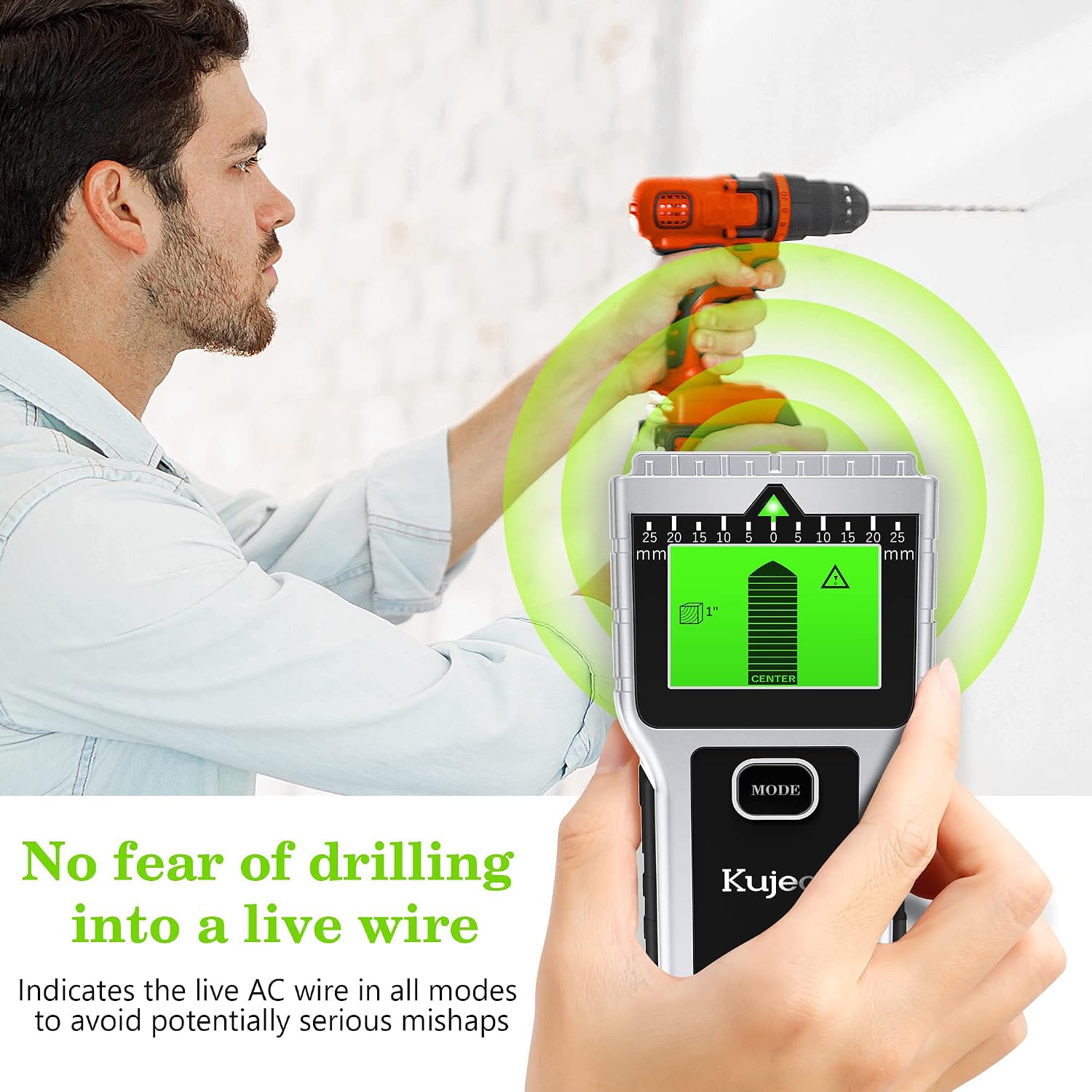
Figure 6: The AC mode indicates the presence of live AC wires, helping to avoid potentially serious mishaps during drilling.
7. Maintenance
- Cleaning: Wipe the device with a soft, dry cloth. Do not use abrasive cleaners or solvents.
- Storage: Store the device in a cool, dry place, away from direct sunlight and extreme temperatures. Remove the battery if the device will not be used for an extended period to prevent leakage.
- Battery Replacement: Replace the battery when the low battery indicator appears on the screen or if the device's performance degrades.
8. Troubleshooting
| Problem | Possible Cause | Solution |
|---|---|---|
| Inaccurate or inconsistent readings | Improper calibration; Wall material interference (metal, high moisture, conductive wallpaper); Hand touching scanning surface; Rapid scanning movement. | Recalibrate the device by placing it flat on the wall away from known objects before scanning. Ensure proper grip and slow, steady movement. Consider using dual verification (Stud + Magnetic modes) for complex walls. |
| Device does not turn on | Dead or improperly installed battery. | Check battery polarity. Replace with a fresh 9V battery. |
| AC wire detection is inconsistent | Shielded wires; Wires too deep; Interference from other objects. | Ensure wires are unshielded and within the 2-inch detection depth. Scan slowly and try different angles. Always verify with other methods before proceeding. |
9. Specifications
| Feature | Detail |
|---|---|
| Model Number | T30 |
| Manufacturer | Suzhou TongXinWei electronics Technology Co.,Ltd |
| Item Weight | 197 g |
| Package Dimensions | 18.5 x 9.9 x 3.6 cm |
| Color | Silver |
| Style | 8 in 1 Multi-function |
| Power Source Type | Battery Powered |
| Battery Cell Type | Zinc Carbon |
| Stud Detection Depth | Up to 1.5 inches (38mm) |
| Metal Detection Depth | Up to 2.36 inches (60mm) |
| AC Wire Detection Depth | Up to 2 inches (51mm) |
| Included Components | Stud finder and battery |
| Date First Available | January 11, 2023 |
10. Warranty Information
Please refer to the product packaging or the retailer's website for specific warranty details. Typically, electronic devices come with a limited manufacturer's warranty covering defects in materials and workmanship under normal use.
11. Support
For technical support, troubleshooting assistance, or inquiries regarding your Kuject 8-in-1 Wall Scanner, please contact the retailer or manufacturer directly. Contact information can usually be found on the product packaging or the official brand website.