
1. Introduction
The BaBylissPRO Barberology FX3 Double Foil Shaver FXX3SB is a professional-grade electric shaver designed for precise and close shaving. It features an advanced high-torque engine, ergonomic housing, and a unique carbon-texture grip surface. This manual provides essential information for the safe and effective use, maintenance, and troubleshooting of your FX3 shaver.
2. Safety Instructions
- Always ensure the shaver is dry before use. Do not use the shaver in wet conditions or while showering.
- Do not submerge the shaver in water. While rinsing the foils is acceptable, the main unit should not be immersed.
- Keep the appliance away from water. If the appliance falls into water, do not reach for it. Unplug it immediately.
- Unplug the appliance from the power outlet immediately after use and before cleaning.
- Do not use the appliance with a damaged cord or plug, or if it malfunctions or has been dropped or damaged.
- Keep the cord away from heated surfaces.
- This appliance is for household and professional use only.
3. Package Contents
Your BaBylissPRO Barberology FX3 Double Foil Shaver package includes the following items:
- FX3 Double Foil Shaver
- Storage Pouch
- Charging Cord
- Cleaning Brush
- Hanging Strap

Figure 3.1: Included items in the BaBylissPRO FX3 Double Foil Shaver package.
4. Product Features
The BaBylissPRO FX3 Double Foil Shaver is engineered with advanced technology for superior performance:
- Offset Double Foil System: Designed for a close and precise shave.
- Hypoallergenic Gold Titanium Foils: Reduces irritation and suitable for sensitive skin.
- High-Speed Rotary Engine: Operates at 10,000 RPM for efficient cutting.
- Lithium-Ion Battery: Provides up to 3 hours of continuous runtime on a full charge.
- 4-Stage LED Battery Indicator: Clearly displays remaining battery life.
- Auto Shutoff: The shaver automatically turns off when the protective cap is placed on.
- Cord/Cordless Operation: Offers flexibility for use with or without the charging cord.
- Ergonomic Design: Sleek European housing with a carbon-texture grip for comfortable handling.

Figure 4.1: Key features of the FX3 Double Foil Shaver.

Figure 4.2: Visual summary of shaver benefits.
5. Setup
5.1 Initial Charging
Before first use, fully charge the shaver. Connect the charging cord to the shaver and plug it into a suitable power outlet. The 4-stage LED battery indicator will illuminate to show the charging progress. A full charge typically provides up to 3 hours of runtime.
5.2 Battery Indicator
The LED indicator lights display the current battery level. When the last bar starts blinking, approximately 10 minutes of runtime remain.
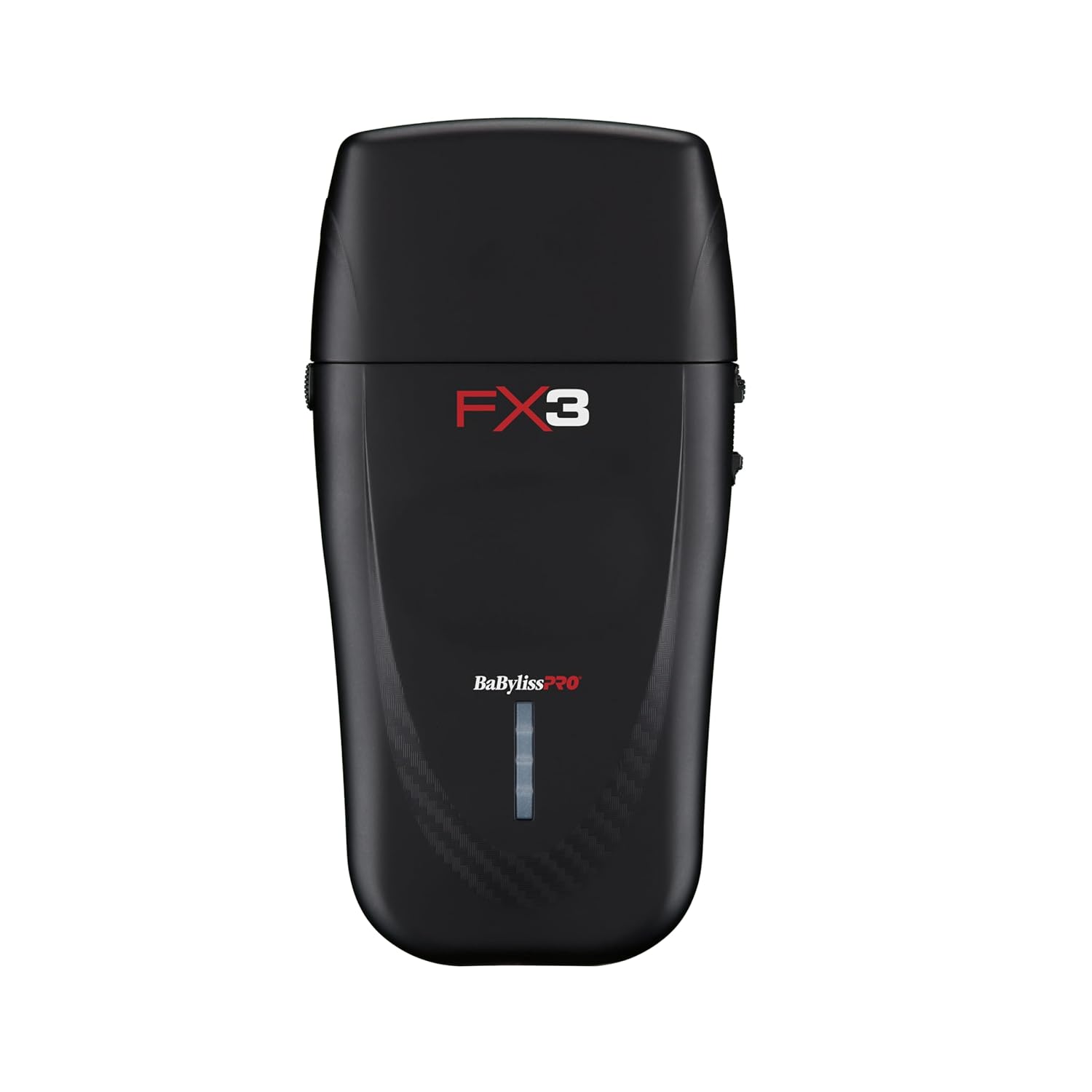
Figure 5.1: Front view of the FX3 Shaver with LED indicator.
6. Operating Instructions
6.1 Power On/Off
To turn the shaver on, slide the power switch located on the side of the unit. To turn it off, slide the switch back to the original position. The shaver also features an auto-shutoff function when the protective cap is placed over the foils.
6.2 Shaving Technique
The FX3 Double Foil Shaver is ideal for achieving a close shave on the neck, face, and hairline. For optimal results, ensure the skin is clean and dry. Gently press the shaver against the skin and move it in short, circular motions or against the grain of the hair. Avoid excessive pressure to prevent irritation.
6.3 Pro Tip for Best Results
The Double-Foil Shaver performs best on short stubble, specifically hair that is approximately 1/32 inch long. For longer hair, it is recommended to first trim the hair down to a shorter length using a hair trimmer before using the shaver to achieve a smooth finish.

Figure 6.1: Versatile use for various shaving needs.

Figure 6.2: Recommendation for optimal shaver performance.
7. Maintenance
7.1 Cleaning
Regular cleaning ensures optimal performance and hygiene. To clean the shaver, remove the foil head. You can rinse the foil head under running water to remove hair clippings. Do not submerge the main body of the shaver. After rinsing, allow the foil head to air dry completely. Do not use a blow dryer, as this can damage the components.
7.2 Oiling Blades
It is crucial to oil the blades after every use to maintain their sharpness and prevent wear. Failure to do so may void the product warranty. Shaver oil is not included in the package and must be purchased separately.
7.3 Foil and Cutter Replacement
Over time, the foils and cutters may wear down, affecting shaving performance. Replacement foils and cutters are available and can be installed when needed. Refer to the product packaging or BaBylissPRO's official website for information on purchasing replacement parts.

Figure 7.1: Side view of the FX3 Shaver, showing the removable foil head.
8. Troubleshooting
- Shaver not turning on: Ensure the shaver is fully charged. Check if the power switch is in the 'on' position.
- Reduced shaving performance: Clean the foils and cutters thoroughly. Ensure the blades are oiled. Consider replacing the foils and cutters if they are worn.
- Battery not holding charge: Ensure the charging cord is properly connected and the power outlet is functional. If the issue persists, the battery may be nearing the end of its lifespan. The internal battery is not user-replaceable.
- Irritation during shaving: Ensure the foils are clean and undamaged. Use light pressure and shave in the direction that minimizes irritation.
9. Specifications
| Feature | Specification |
|---|---|
| Model Number | FXX3SB |
| Engine Speed | 10,000 RPM |
| Battery Type | Lithium Ion (1 included) |
| Runtime | Up to 3 hours |
| Power Source | Battery Powered |
| Special Feature | Cordless |
| UPC | 074108458865 |
| Manufacturer | BaBylissPRO |
10. Warranty and Support
10.1 Warranty Information
The BaBylissPRO Barberology FX3 Double Foil Shaver FXX3SB comes with a 2-year limited warranty from the date of purchase. This warranty covers manufacturing defects. Please retain your proof of purchase for warranty claims. Note that failure to oil the blades after every use may void the warranty.
10.2 Customer Support
For any questions, technical assistance, or warranty claims, please contact BaBylissPRO customer service. Contact details can typically be found on the product packaging or the official BaBylissPRO website.