
DT8 Ultra
DT8 Ultra Smartwatch User Manual
Model: DT8 Ultra
1. Introduction
This manual provides comprehensive instructions for the safe and efficient operation of your DT8 Ultra Smartwatch. Please read this manual thoroughly before using the device to ensure proper functionality and to prevent damage.
The DT8 Ultra Smartwatch is designed to offer a range of features including Bluetooth calling, health monitoring, and various smart functionalities, all presented on a large, clear display.
2. Product Overview
The DT8 Ultra Smartwatch features a stylish square design with a 49mm case. It is equipped with a 2.02-inch IPS touchscreen display, offering a resolution of 420x480 pixels for clear visuals. The device incorporates two physical buttons on the right side for navigation and control.
Key components include magnetic contacts for charging and a heart rate sensor on the reverse side. The smartwatch body is constructed from zinc alloy, paired with a comfortable silicone strap.
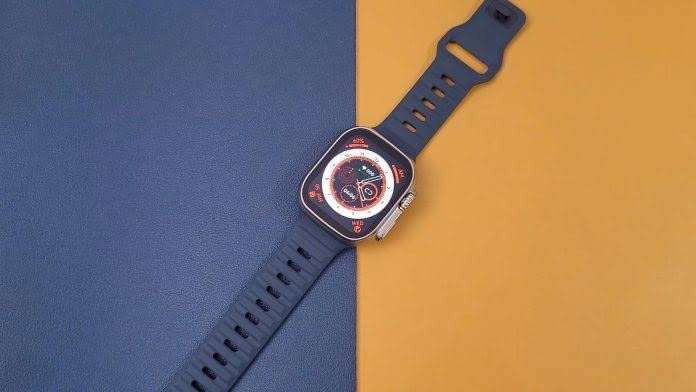
Figure 2.1: DT8 Ultra Smartwatch. This image shows the smartwatch from an elevated angle, highlighting its square display and silicone strap against a blue and orange background.
2.1. Features
- Bluetooth Calling: Make and receive calls directly from your wrist.
- Wireless Charging: Convenient and cable-free charging.
- 2.02-inch IPS Full View Color Screen: Large and vibrant display for easy viewing.
- NFC Access Control: Use your smartwatch for access control (check compatibility with specific systems).
- Multiple Standby Watch Faces: Customize your watch's appearance.
- Inbuilt Games: Enjoy casual games on your device.
- AI Voice Assistant: Control your watch and access information using voice commands.
- App Notifications: Receive alerts from your smartphone applications.
- Multitasking Background: Manage multiple applications efficiently.
- GPS Movement Tracking: Track your outdoor activities (requires connection to smartphone GPS).
- Health Monitoring: Includes heart rate, blood pressure, blood oxygen, and sleep monitoring.
- Pedometer: Tracks steps and estimates calories burned.
- IP68 Waterproof: Resistant to dust and immersion in water up to 1.5 meters for 30 minutes.

Figure 2.2: Enhanced Display. This image highlights the smartwatch's large, bright screen, showcasing detailed health indicators and a clear digital clock face, emphasizing its readability.

Figure 2.3: Comprehensive Features Overview. This composite image illustrates several key functionalities including multitasking, NFC access control, body temperature measurement, AI voice assistant, Bluetooth call interface, atmospheric pressure monitoring, multiple watch faces, and wireless charging with bedside lamp mode.
3. Setup
3.1. Unboxing and Initial Inspection
Upon receiving your DT8 Ultra Smartwatch, carefully open the packaging and inspect all contents. Ensure the following items are present:
- DT8 Ultra Smartwatch
- Wireless Charger
- Extra Band (if included in your package)
- User Manual (this document)
If any items are missing or damaged, please contact your retailer or customer support immediately.
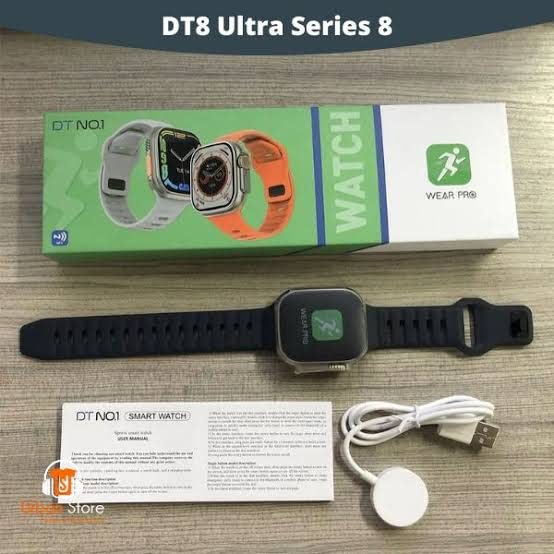
Figure 3.1: Package Contents. This image displays the DT8 Ultra Smartwatch, its retail box, the wireless charger, and the included user manual, providing a visual guide to what is in the box.
3.2. Charging the Device
Before first use, fully charge your smartwatch. Connect the wireless charger to a USB power source. Place the back of the smartwatch onto the charging pad. The watch display will indicate charging status. A full charge typically takes approximately 2 hours.
3.3. Powering On/Off
- Power On: Press and hold the side button until the screen lights up.
- Power Off: Press and hold the side button, then select "Power Off" on the screen.
3.4. App Installation and Pairing
To unlock the full potential of your DT8 Ultra Smartwatch, download the companion application on your smartphone. Search for the recommended app (usually mentioned in the quick start guide or on the watch screen during initial setup) in your phone's app store (Google Play Store for Android, Apple App Store for iOS).
- Download and install the app on your smartphone.
- Enable Bluetooth on your smartphone.
- Open the app and follow the on-screen instructions to create an account or log in.
- In the app, navigate to "Add Device" or "Pair Device".
- Select "DT8 Ultra" from the list of available devices.
- Confirm the pairing request on both your smartphone and smartwatch.
Once paired, your smartwatch will synchronize data with the app and allow you to customize settings, receive notifications, and track your health data.
4. Operating Instructions
4.1. Basic Navigation
- Touchscreen: Swipe left/right, up/down to navigate through menus and screens. Tap to select items.
- Side Buttons: Use the physical buttons for power on/off, returning to the home screen, or accessing specific functions as configured.
4.2. Bluetooth Calling
After pairing with your smartphone, you can make and receive calls directly from your smartwatch. Ensure your phone's Bluetooth is active and the watch is within range.
- To make a call: Access the dialer or contacts list on your watch.
- To receive a call: An incoming call notification will appear on your watch; tap to answer or decline.
4.3. Health Monitoring
The DT8 Ultra Smartwatch provides various health monitoring features:
- Heart Rate: Access the heart rate monitor function on the watch to measure your current heart rate. The watch also continuously monitors heart rate throughout the day.
- Blood Pressure & Blood Oxygen: Initiate measurements through the dedicated functions on the watch. For accurate readings, remain still during measurement.
- Sleep Monitoring: Wear the watch while sleeping for automatic sleep tracking. Data will be synchronized with the app.
- Pedometer: The watch automatically tracks your steps, distance, and estimated calories burned.
Note: Health monitoring data is for reference only and should not be used for medical diagnosis or treatment. Consult a medical professional for health concerns.
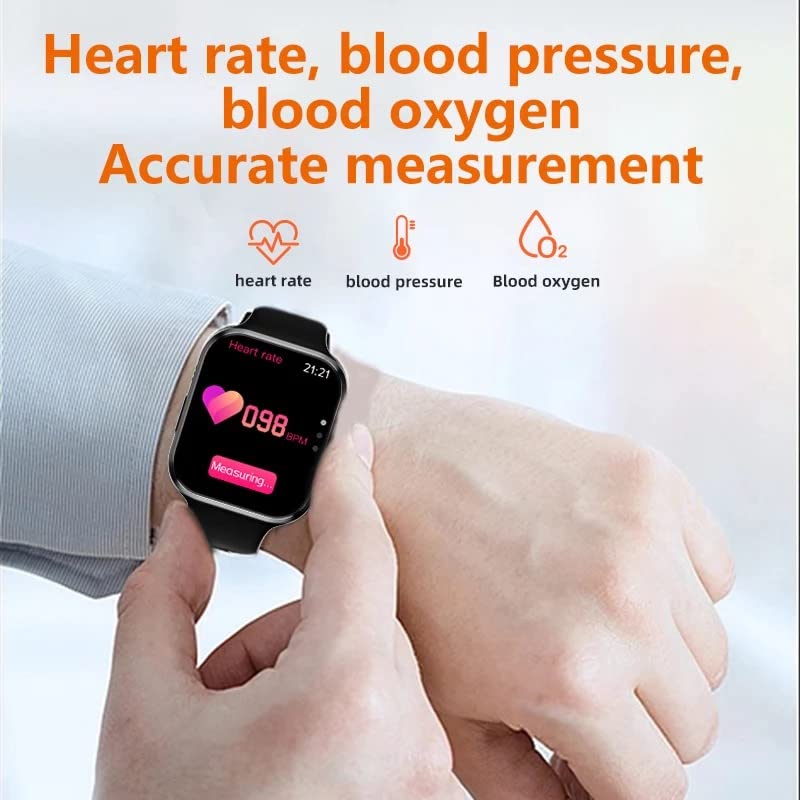
Figure 4.1: Health Measurement. This image shows the smartwatch on a wrist, displaying a heart rate reading, with icons for heart rate, blood pressure, and blood oxygen measurements.
4.4. Sport Modes and GPS Tracking
The smartwatch supports multiple sport modes to track various physical activities. Select the desired sport mode before starting your workout. For GPS movement tracking, ensure your smartwatch is connected to your smartphone, as it utilizes the phone's GPS.
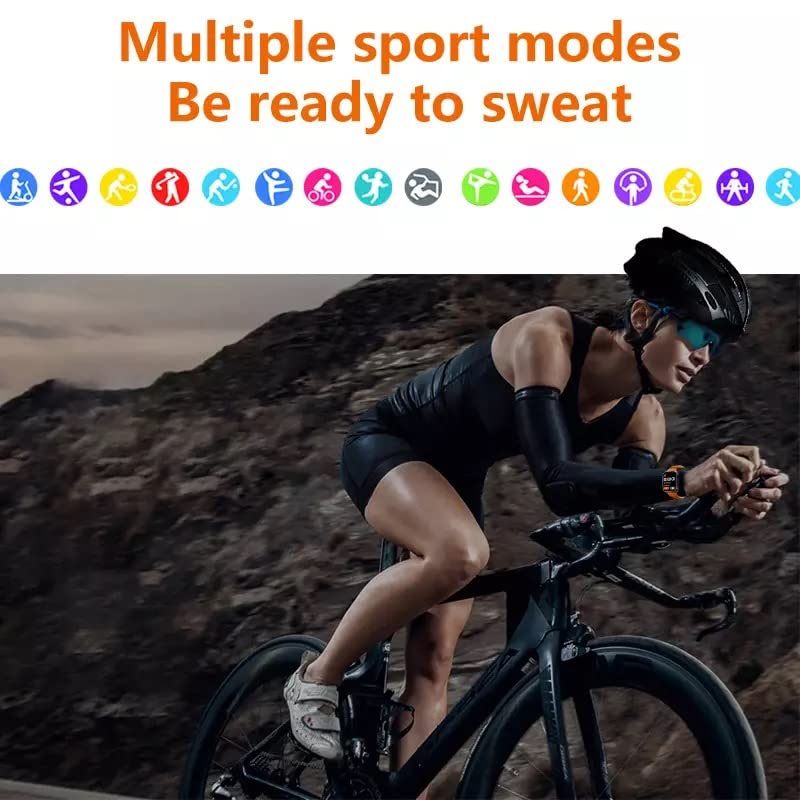
Figure 4.2: Multiple Sport Modes. This image features various sport icons, indicating the smartwatch's capability to track different activities, with a cyclist in the foreground.
4.5. NFC Access Control
The DT8 Ultra supports NFC access control. To use this feature, you will need to configure it with compatible NFC-enabled access systems. Refer to the specific instructions of your access system for pairing the smartwatch as an access card.
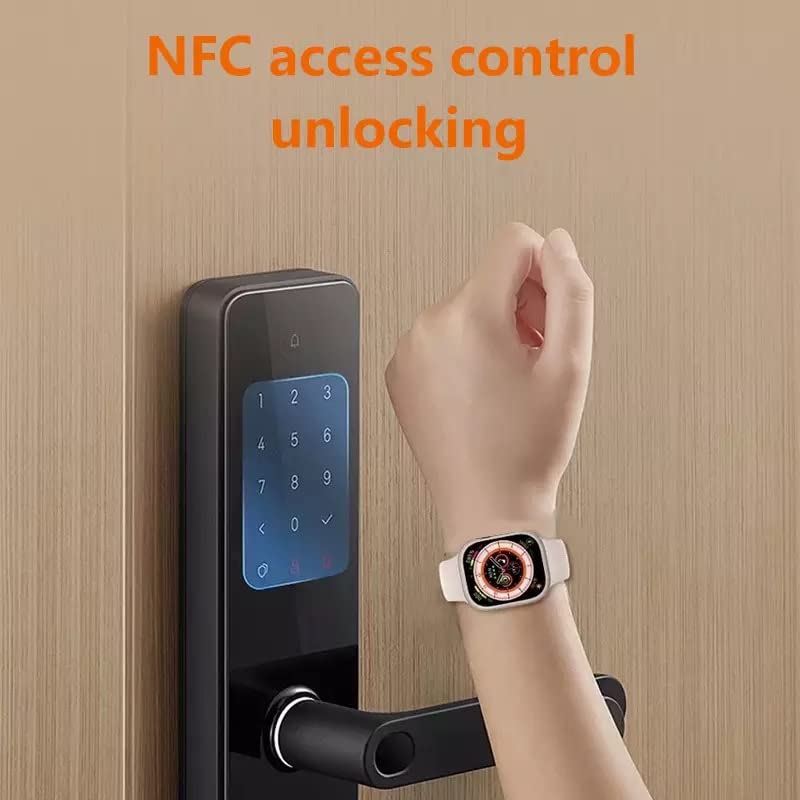
Figure 4.3: NFC Access Control. This image shows a hand wearing the smartwatch, using it to unlock a digital door lock via NFC technology.
4.6. Other Smart Features
- AI Voice Assistant: Activate the voice assistant by a designated gesture or button press (refer to watch settings) and speak your commands.
- App Notifications: Ensure notifications are enabled in both your smartphone's settings and the companion app for them to appear on your watch.
- Watch Faces: Customize your watch face through the companion app or directly on the watch.
- Inbuilt Games: Access the games menu on your watch to play pre-installed games.

Figure 4.4: Enriched Applications. This image shows the smartwatch display filled with various application icons, indicating a wide range of available functions and features.
5. Maintenance
5.1. Cleaning Your Smartwatch
To maintain the appearance and functionality of your smartwatch:
- Wipe the screen and body with a soft, lint-free cloth.
- For stubborn marks, slightly dampen the cloth with water. Avoid using harsh chemicals or abrasive materials.
- Clean the charging contacts regularly to ensure efficient charging.
5.2. Water Resistance (IP68)
The DT8 Ultra Smartwatch is IP68 rated, meaning it is protected against dust ingress and can withstand immersion in water up to 1.5 meters for 30 minutes. While it is suitable for washing hands or use in rainy conditions, it is not recommended for swimming, diving, or high-pressure water activities (e.g., showering with hot water, saunas). Prolonged exposure to water or chemicals (like soap, detergents, or saltwater) may compromise the water resistance over time.
- After exposure to water, especially saltwater, wipe the watch dry with a soft cloth.
- Do not operate buttons underwater.
- Ensure the watch is completely dry before charging.

Figure 5.1: IP68 Water Resistance. This image depicts a person underwater, wearing the smartwatch, illustrating its IP68 deep waterproof capability.
5.3. Battery Care
- Avoid fully discharging the battery frequently.
- Charge the device using only the provided wireless charger.
- Do not expose the watch to extreme temperatures.
6. Troubleshooting
If you encounter issues with your DT8 Ultra Smartwatch, try the following troubleshooting steps before seeking professional assistance:
| Problem | Possible Solution |
|---|---|
| Watch does not power on. | Ensure the watch is fully charged. Connect it to the charger for at least 30 minutes. |
| Cannot pair with smartphone. |
|
| Inaccurate health readings. |
|
| Short battery life. |
|
| Notifications not appearing. |
|
7. Specifications
| Feature | Detail |
|---|---|
| Brand | Generic |
| Model | DT8 Ultra |
| Dimensions | 49 x 41 x 13 mm (approx. from description), Product: 20 x 6.5 x 2 cm |
| Weight | 50 g |
| Display Size | 2.02 inches / 49 Millimetres |
| Display Resolution | 420 x 480 pixels |
| Display Type | Amoled |
| Connectivity | Bluetooth |
| Water Resistance | IP68 |
| Power Source | Battery Powered |
| Battery Life (Average) | 24 Hours |
| Charging Type | Wireless Charging |
| Compatible Devices | Smartphone |
| Special Features | Time Display, Sleep Monitoring, Blood Pressure Monitor, Multisport Tracker, GPS, Phone Call, Notifications, Music Player, Heart Rate Monitor, NFC Access Control, AI Voice Assistant, Inbuilt Games |
| Operating System | Smartwatch (Proprietary) |
8. Warranty and Support
Specific warranty information for the Generic DT8 Ultra Smartwatch is not provided in this document. Please refer to the product packaging, the retailer's website, or contact the seller directly for details regarding warranty coverage and terms.
For technical support or further assistance, please consult the companion application's help section or visit the manufacturer's official website if available. Keep your purchase receipt as proof of purchase for any warranty claims.
Related Documents - DT8 Ultra
 |
DT8 Ultra Sports Smart Watch User Manual Comprehensive user manual for the DT8 Ultra Sports Smart Watch, detailing features, functions, app binding, and maintenance. |
 |
Noise ColorFit Ultra 3 Luminary Smartwatch User Manual Comprehensive user manual for the Noise ColorFit Ultra 3 Luminary smartwatch, covering setup, features, health tracking, safety, and regulatory information. |
 |
H26 Ultra+ Smartwatch: Quick Start Guide and Features Comprehensive guide to setting up and using the H26 Ultra+ smartwatch. Covers unboxing, connection via Wearfit Pro app, charging, and details on health monitoring, exercise modes, daily tools, and essential precautions. |
 |
DT NO.1 DT8 Pro Sports Smart Watch User Manual and Features Comprehensive user manual for the DT NO.1 DT8 Pro sports smart watch, detailing its functions, features, app binding procedures, maintenance advice, and warranty information. |
 |
Bix TSW3 Smartwatch User Manual and Specifications Comprehensive guide to the Bix TSW3 Ultra-Thin Smartwatch, covering setup, features, technical specifications, charging, and warranty information. Learn how to connect, use functions like health tracking, sports modes, notifications, and more. |
 |
DA4-D 4 Channel Constant Voltage DALI LED Dimmer User Manual Comprehensive user manual for the DA4-D, a 4-channel constant voltage DALI LED dimmer. Features include DT6/DT8 dimming modes, digital display, AC push switch compatibility, technical specifications, detailed wiring diagrams, installation guides, and operational instructions. |
Ask a question about this manual
Ask about setup, troubleshooting, compatibility, parts, safety, or missing instructions. Manuals+ will review the question and use this page’s manual context to help answer it.