
1. Introduction
Thank you for choosing the Alveus MFA 604 White Built-in Oven. This manual provides essential information for the safe and efficient use, installation, and maintenance of your new appliance. Please read these instructions carefully before using the oven and keep them for future reference.
2. Safety Instructions
Always prioritize safety when operating electrical appliances. Failure to follow these instructions may result in electric shock, fire, or personal injury.
- Electrical Safety: Ensure the oven is properly grounded and connected to a suitable power supply. Do not use extension cords. Disconnect power before any maintenance or cleaning.
- Hot Surfaces: The oven and its accessible parts become very hot during use. Always use oven mitts when handling hot dishes or oven components. Keep children and pets away from the appliance.
- Ventilation: Ensure adequate ventilation around the oven as specified in the installation instructions. Do not block ventilation openings.
- Cleaning: Clean the oven regularly to prevent grease buildup, which can be a fire hazard. Do not use harsh abrasive cleaners or sharp metal scrapers.
- Supervision: Never leave the oven unattended during operation, especially when cooking with oil or fat.
3. Product Description and Features
The Alveus MFA 604 is a modern built-in oven designed for efficiency and ease of use. It features a spacious 75-liter capacity and an A energy efficiency rating, ensuring economical operation. The oven includes a black enamel interior for easy cleaning and an inox control panel for a sleek appearance.

Image: The Alveus MFA 604 oven, emphasizing its large volume, A energy efficiency, and interior lighting.
Key Features:
- 3+1 Functions: Offers versatile cooking options for various dishes.
- A Energy Class: High energy efficiency for reduced power consumption.
- 75 Liter Capacity: Generous interior space suitable for larger meals.
- Black Enamel Interior: Durable and easy-to-clean surface.
- Inox Control Panel: Stylish and functional control interface.
- Interior Lighting: Provides clear visibility of food during cooking.
- Accessories: Includes 1 baking tray and 1 wire rack.
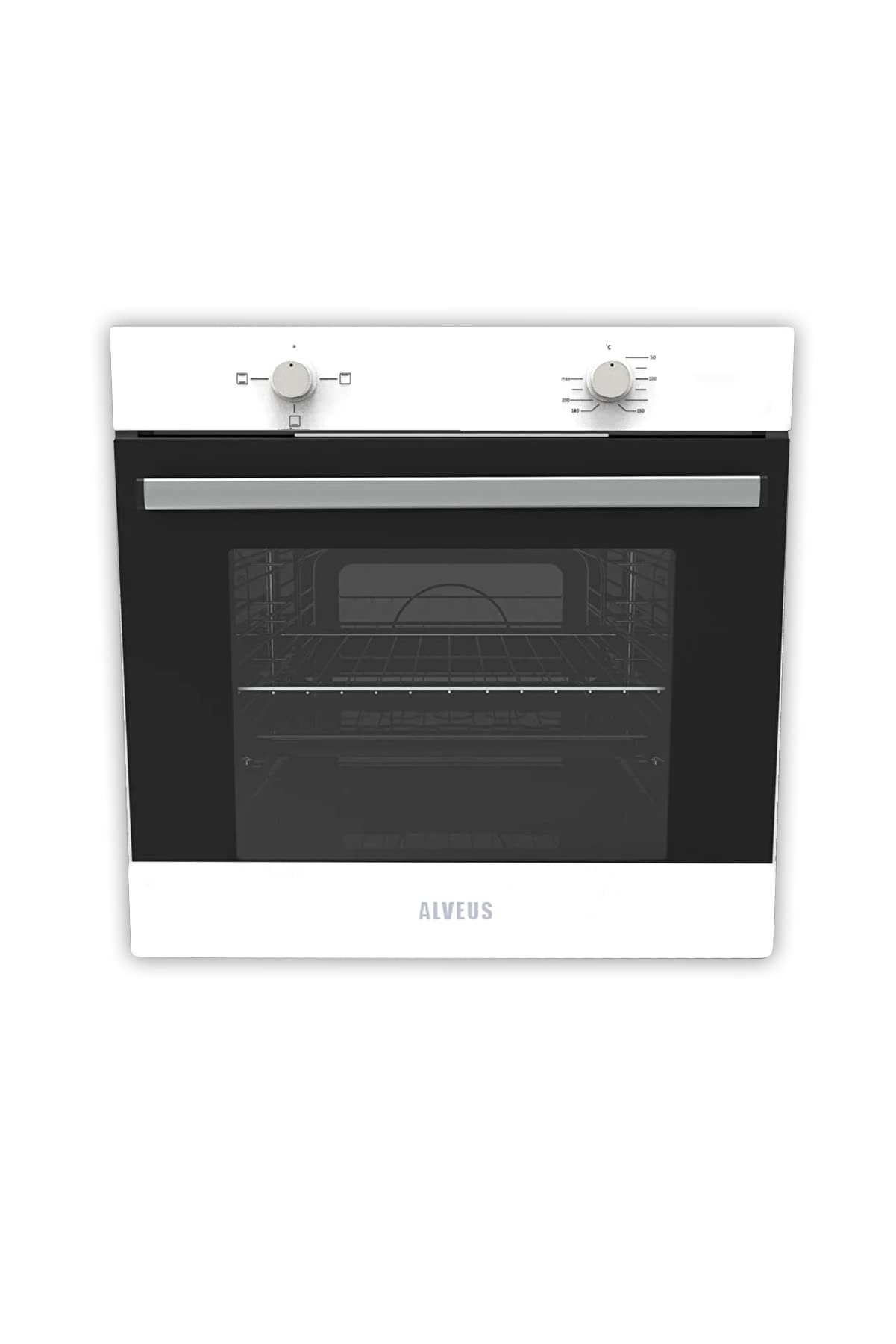
Image: Front view of the Alveus MFA 604 oven with its interior light illuminated, showcasing the heating element and wire racks.
4. Setup and Installation
Proper installation is crucial for the safe and efficient operation of your Alveus MFA 604 oven. This appliance is designed for built-in installation into a kitchen cabinet.
- Professional Installation: Installation must be performed by an authorized service technician. Free installation service is available. Contact the authorized service to schedule an appointment.
- Warranty: The product warranty will be void if installation is not carried out by an authorized service technician.
- Cabinet Dimensions: Ensure the kitchen cabinet opening meets the required dimensions for a secure fit. Refer to the dimensional drawing below for precise measurements.

Image: Technical drawing illustrating the precise dimensions for installing the Alveus MFA 604 built-in oven into a kitchen cabinet.
5. Operating Instructions
The Alveus MFA 604 oven is controlled using two rotary knobs on the control panel.

Image: A detailed view of the Alveus MFA 604 oven's control panel, showing the two rotary knobs for function and temperature selection.
5.1. Control Panel
- Left Knob: Used to select the desired cooking function (e.g., top/bottom heat, grill, fan-assisted).
- Right Knob: Used to set the cooking temperature in degrees Celsius.
5.2. First Use
Before using the oven for the first time, remove all packaging materials and accessories. Clean the interior with a damp cloth. Heat the empty oven at maximum temperature for approximately 30 minutes to burn off any manufacturing residues. Ensure good ventilation during this process.
5.3. Setting a Cooking Program
- Turn the left knob to select the desired cooking function.
- Turn the right knob to set the desired temperature.
- The oven will begin to heat up. The indicator light will turn off once the set temperature is reached.
- Place your food inside the oven using the provided tray or wire rack.
- To turn off the oven, return both knobs to the '0' (off) position.
6. Maintenance and Cleaning
Regular cleaning and maintenance will ensure the longevity and optimal performance of your oven.
- Exterior Cleaning: Clean the exterior surfaces with a soft cloth and mild detergent. Avoid abrasive cleaners that can scratch the finish.
- Interior Cleaning: For the black enamel interior, use a damp cloth and a non-abrasive oven cleaner after each use, once the oven has cooled down. For stubborn stains, follow the instructions of a specialized oven cleaner.
- Accessories: The baking tray and wire rack can be washed with warm soapy water.
- Door Glass: Clean the oven door glass with a soft cloth and glass cleaner.
- Light Bulb Replacement: Ensure the oven is unplugged and completely cool before attempting to replace the interior light bulb. Refer to the full service manual for detailed instructions or contact authorized service.
7. Troubleshooting
If you encounter any issues with your oven, refer to the following common problems and solutions. If the problem persists, contact an authorized service technician.
| Problem | Possible Cause | Solution |
|---|---|---|
| Oven does not heat up. | No power supply. Oven controls not set correctly. | Check the circuit breaker/fuse. Ensure both function and temperature knobs are set. |
| Oven light is not working. | Light bulb is faulty. | Replace the light bulb (ensure oven is cool and unplugged). |
| Uneven cooking. | Incorrect rack position. Overcrowding the oven. | Use the recommended rack position for your dish. Avoid placing too many items in the oven at once. |
8. Specifications
Detailed technical specifications for the Alveus MFA 604 Built-in Oven:
- Brand: Alveus
- Model Name: MFA 604
- Manufacturer: Alveus
- ASIN: B0BRCNCSFY
- Finish Type: Brushed
- Form Factor: Plug-in
- Control Type: Rotary Knob
- Energy Efficiency Class: A
- Capacity: 75 Liters
- Functions: 3+1
9. Warranty and Support
Your Alveus MFA 604 Built-in Oven comes with a 24-month warranty from the date of purchase.
- Warranty Conditions: The warranty covers manufacturing defects and malfunctions under normal use. It is essential that the installation is performed by an authorized service technician to maintain warranty validity.
- Authorized Service: An authorized service network is available in all provinces. A list of authorized service centers is included in the product packaging. For service requests, please contact the nearest authorized service center.
- Customer Support: For any questions or assistance not covered in this manual, please contact Alveus customer support.