
1. Introduction
Thank you for choosing OMIKA Globe Outdoor String Lights. This manual provides essential information for the safe and efficient use of your new string lights. Please read these instructions carefully before installation and operation, and retain them for future reference.
These connectable 66ft 120LED crystal ball lights are designed for both indoor and outdoor decorative purposes, offering 24 color options and various dynamic modes via remote control.
2. What's in the Box
Upon opening the package, please verify that all components listed below are present and undamaged:
- 2 x Globe String Lights (66ft total, 120 LEDs) with connector
- 2 x Remote Controls
- 1 x Power Adapter (29V)
- 1 x User Manual

Figure 2.1: Package Contents Diagram. This image displays the two string light sets, two remote controls, the power adapter, and the connector included in the package.
3. Specifications
| Brand | OMIKA |
| Model Number | MKR-PL-26 |
| Item Length | 66 Feet (2 sets of 33ft) |
| Number of Light Sources | 120 LEDs (60 LEDs per 33ft string) |
| Light Source Type | LED |
| Power Source | Corded Electric (29V Power Adapter) |
| Wattage | 3.6 watts |
| Light Color | Multicolor (24 colors, warm white) |
| Special Features | 128 dynamic modes, timer (4H/6H/8H), memory function, speed adjust, IP65 waterproof, USB powered (via adapter), remote control. |
| Water Resistance Level | IP65 Waterproof (lights only, adapter is not waterproof) |
| Material Type | Plastic |
| Controller Type | Remote Control (Infrared) |
| Number of Batteries | 1 C battery required (included for remote) |
4. Setup Instructions
- Unpack Components: Carefully remove all items from the packaging. Inspect the string lights, power adapter, and remote controls for any visible damage.
- Connect String Lights (Optional): If you are using both 33ft string lights together, connect the end of the first string to the beginning of the second string using the provided end-to-end connector. Up to 4 sets can be connected for a total length of 132ft (240 LEDs).
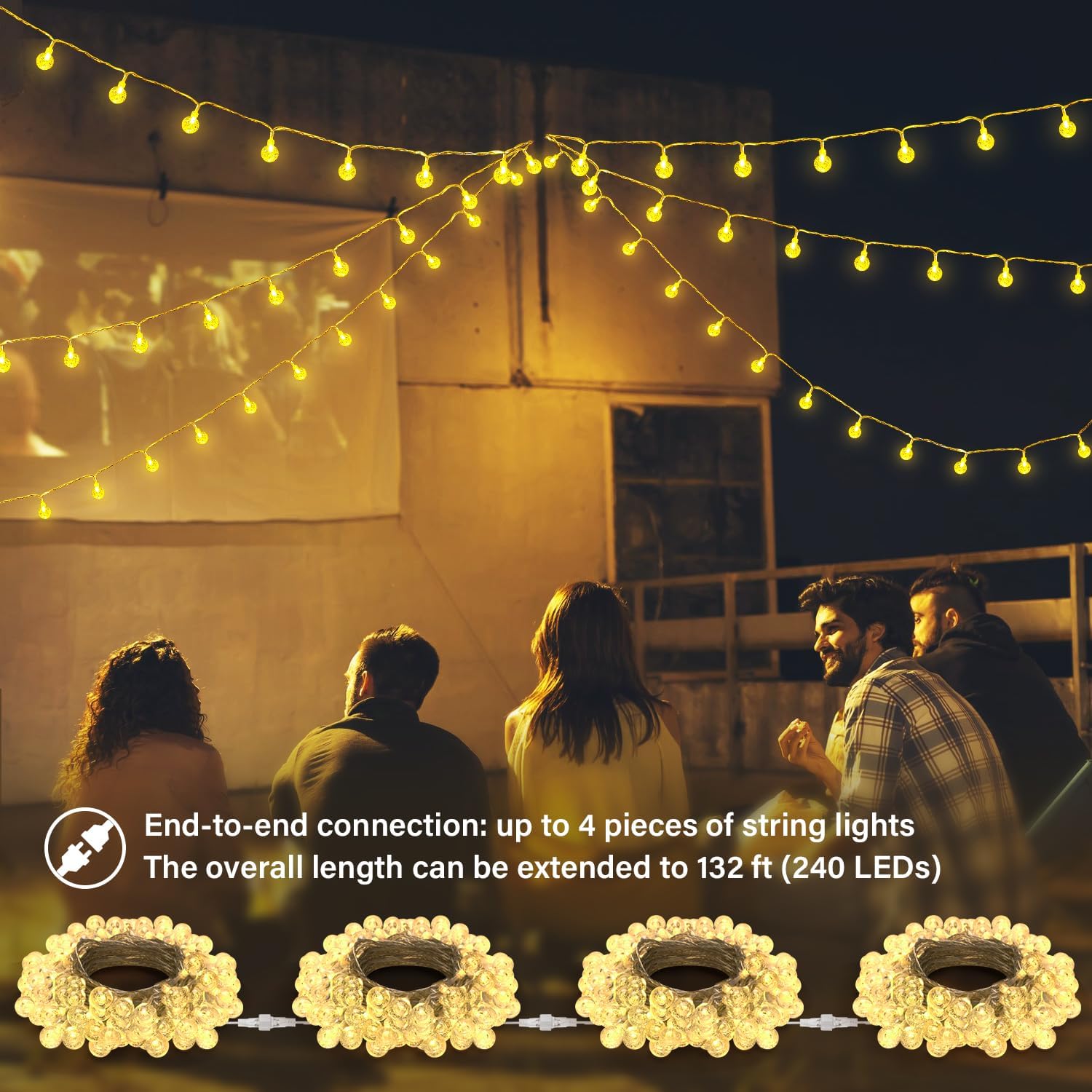
Figure 4.1: End-to-End Connection. This image illustrates how to connect multiple string light sets to extend their total length.
- Connect Power Adapter: Attach the power adapter to the main string light connector. Ensure the connection is secure.
Video 4.1: Connecting the Power Adapter. This video demonstrates the process of connecting the string lights to the power adapter and plugging it into an outlet.
- Placement: Position the string lights in your desired indoor or outdoor location. The lights themselves are IP65 waterproof, suitable for outdoor use. Important: The power adapter is NOT waterproof and must be protected from water and moisture.

Figure 4.2: Waterproof Rating. This image shows the string lights in an outdoor, rainy environment, highlighting that while the lights are waterproof, the power adapter requires protection from water.
- Power On: Plug the power adapter into a standard electrical outlet.
5. Operating Instructions
Your OMIKA Globe String Lights are controlled using the included remote control. Ensure the remote's battery is installed correctly.

Figure 5.1: Remote Control Layout. This image illustrates the various buttons and functions available on the remote control.
5.1 Remote Control Functions
- ON/OFF: Press to turn the lights on or off.
- Color Selection: Choose from 16 single colors and 8 mixed colors using the color palette buttons.
- Brightness Adjustment: Use the "Brightness +/-" buttons to increase or decrease the light intensity.

Figure 5.2: Brightness Levels. This image demonstrates the adjustable brightness settings of the string lights.
- Dynamic Modes: Select from 128 dynamic modes, including FADE, JUMP, IN WAVES, STROBE, TWINKLE, ASYN FADE, ASYN JUMP.
Video 5.1: Dynamic Modes Demonstration. This video showcases various dynamic lighting modes and color changes controlled by the remote.
- Speed Adjustment: Adjust the speed of dynamic modes using the "SPEED +/-" buttons.
- Timer Function: Set the lights to automatically turn off after 4, 6, or 8 hours. Press the corresponding button (4H, 6H, 8H). The lights will then turn on for the set duration and off for the remaining time in a 24-hour cycle.
- Memory Function: The lights will remember the last selected setting (color, mode, brightness, timer) when turned off and will resume that setting when turned back on.
5.2 General Usage Tips
- Ensure a clear line of sight between the remote control and the receiver on the string lights for optimal performance.
- The 29V power adapter provides a safe and stable current output.
- The crystal ball design of the LEDs provides a unique decorative effect.

Figure 5.3: Crystal Globe LED. A detailed view of one of the 1-inch crystal globe LED bulbs.
6. Maintenance
- Cleaning: Disconnect the power before cleaning. Wipe the lights gently with a soft, damp cloth. Do not use harsh chemicals or abrasive cleaners.
- Storage: When not in use for extended periods, carefully coil the string lights and store them in a cool, dry place away from direct sunlight.
- Power Adapter Protection: Always ensure the power adapter is protected from water and extreme weather conditions, as it is not waterproof.
- Bulb Replacement: The LED bulbs are integrated and not user-replaceable.
7. Troubleshooting
| Problem | Possible Cause | Solution |
|---|---|---|
| Lights do not turn on. |
|
|
| Remote control not responding. |
|
|
| Some bulbs are not lighting up or show incorrect colors. |
|
|
| Lights flicker or behave erratically. |
|
|
8. Warranty and Support
8.1 Manufacturer's Warranty
OMIKA provides a 180-day limited warranty for this product from the date of purchase. This warranty covers manufacturing defects and malfunctions under normal use. It does not cover damage caused by misuse, accidents, unauthorized modifications, or improper installation.
8.2 Customer Support
If you encounter any issues or have questions regarding your OMIKA Globe Outdoor String Lights, please contact our customer support team. We are committed to providing reliable quality and thoughtful care.
For support, please refer to the contact information provided on the product packaging or the official OMIKA website.