
Septpenta PH48
PCI e Expansion Card User Manual
Model: PH48
Brand: Septpenta
1. Introduction
This manual provides detailed instructions for the installation, operation, and maintenance of your Septpenta PCI E Expansion Card. This card is designed to expand your desktop PC's connectivity by providing additional PCI E ports, ensuring high stability and reliable data transfer.
Please read this manual thoroughly before using the product to ensure correct usage and optimal performance.

Image: The Septpenta PCI E Expansion Card, showing its compact design and PCI-E interface.
2. Important Safety Information
Warning: Please read the product instructions carefully before use to ensure correct use.
Image: A warning symbol accompanied by text in multiple languages, emphasizing the importance of reading the instructions carefully.
- Always handle the expansion card by its edges to avoid touching sensitive components.
- Ensure your computer is powered off and unplugged before installation.
- Discharge any static electricity from your body before handling the card.
- Do not attempt to modify or repair the card yourself. Contact support if issues arise.
3. Features
- Reliable Data Transfer: Designed to reduce interface interference and line loss, ensuring high data reliability.
- 4 PCIE Ports: Provides four additional PCIE ports, effectively solving the issue of insufficient PCIE ports on desktop systems.
- High Stability: The main control board utilizes the PCIE interface for direct power supply, eliminating the need for an external power cord and reducing external interference.
- Plug-in Design: Can be directly connected to the motherboard interface without an extension cord, enhancing stability and reliability. It can also be fixed within the chassis.
- Easy to Use: Simple plug-and-play operation with no driver installation required. Note: Requires an external power supply and plug for full functionality.
4. Package Contents
Please verify that all items are present in the package:
- 1 x PCI E Expansion Card (Model: PH48)
- 1 x Metal Baffle
- 1 x Screw

Image: The PCI E Expansion Card shown alongside the included metal baffle and a mounting screw.

Image: Close-up of the metal baffle.

Image: Close-up of the mounting screw.
5. Specifications
| Attribute | Value |
|---|---|
| Item Type | PCI E Expansion Card |
| Material | PCB |
| Model | PH48 |
| Function | Hard Disk Expansion Transfer |
| Scope of Application | Desktop Computers |
| Hardware Interface | PCI Express (PCIe) |
| Number of PCIE Ports | 4 |
| Power Supply | PCIe Interface (requires external power supply for full functionality) |
| Item Weight | 0.09 Kilograms (approx. 3.17 ounces) |
| Manufacturer | Septpenta |
6. Setup and Installation
Follow these steps to install your PCI E Expansion Card:
- Prepare Your System:
- Power off your computer completely and unplug the power cord from the wall outlet.
- Open your computer case. Refer to your computer's manual for instructions on how to safely open the case.
- Discharge any static electricity by touching a grounded metal object, such as the unpainted metal part of your computer chassis.
- Locate an Available PCIe Slot:
Identify an available PCI Express (PCIe) x1 or larger slot on your motherboard. The card is designed to fit directly into the motherboard interface.

Image: The expansion card positioned to illustrate its direct connection to a motherboard slot, emphasizing stability and reliability.
- Install the Expansion Card:
- Carefully align the PCI E Expansion Card with the chosen PCIe slot.
- Gently but firmly press the card straight down into the slot until it is fully seated. Ensure the gold contacts are completely inserted into the slot.
- Secure the card to the chassis using the provided screw. If necessary, attach the metal baffle to the card before installation to ensure proper fit and stability within the chassis.
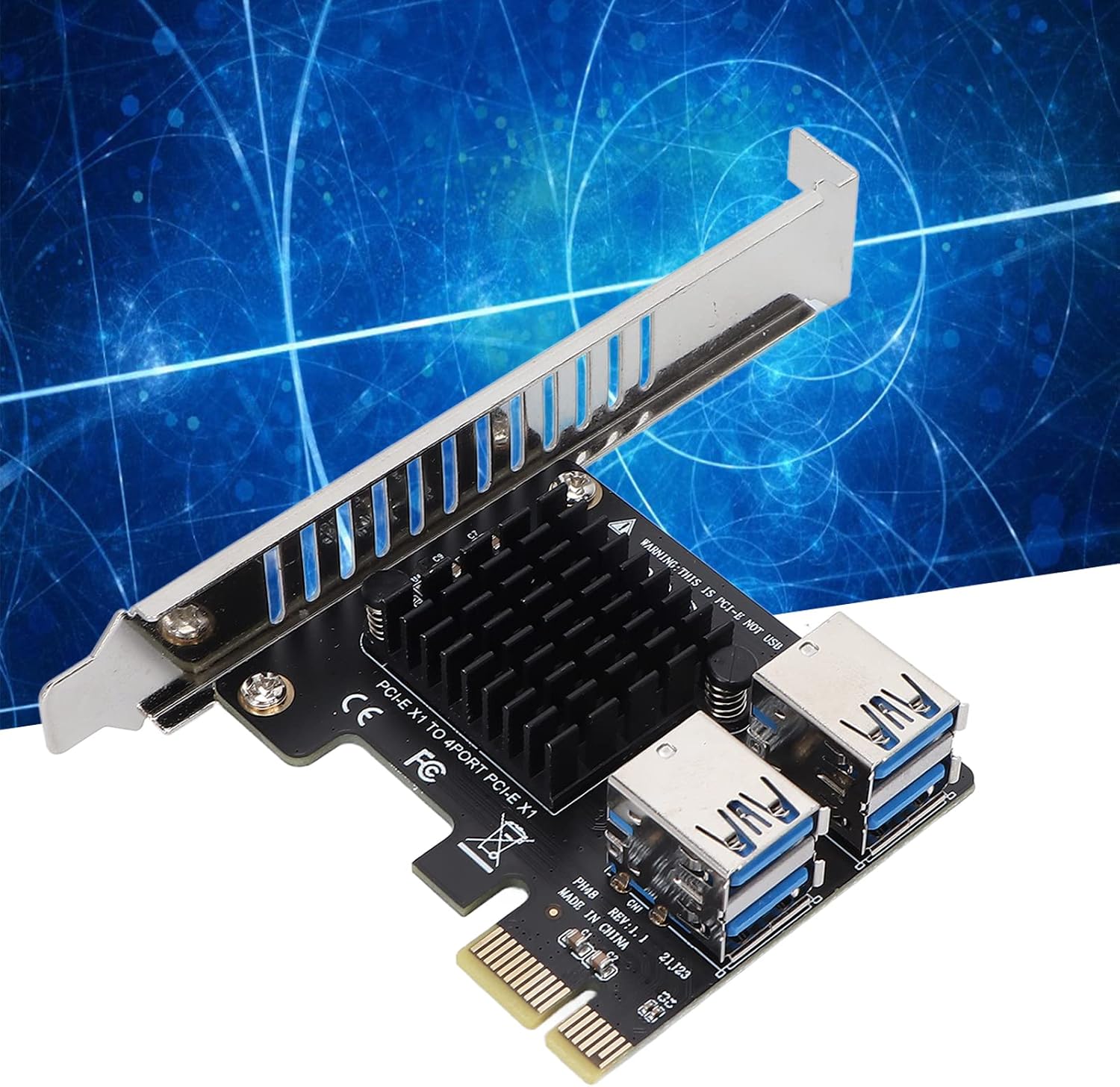
Image: The PCI E Expansion Card shown installed, with a blue background representing data flow, highlighting its integration into a system.
- Connect External Power (if required):
While the main control board draws power from the PCIe interface, some devices connected to the expansion card's ports may require additional external power. Ensure any such devices are properly powered.
- Close Case and Power On:
- Close your computer case securely.
- Plug the power cord back into the wall outlet and power on your computer.
- Driver Installation:
The PCI E Expansion Card is designed for plug-and-play operation and typically does not require manual driver installation. Your operating system should automatically detect and configure the card.
7. Operation
Once installed, the Septpenta PCI E Expansion Card functions as an extension of your motherboard's PCI Express capabilities, providing four additional ports for connecting compatible devices.
- Connecting Devices: Simply plug your PCI Express compatible devices (e.g., additional graphics cards, network cards, or other expansion cards) into the available ports on the expansion card.
- Data Transfer: The card facilitates high-speed data transfer between your connected devices and the computer's system, ensuring reliable performance.
- Power Supply: The card draws power directly from the PCIe interface. Ensure that your system's power supply unit (PSU) can adequately support the expansion card and any devices connected to it.

Image: A detailed view of the four USB ports on the PCI E Expansion Card, highlighting their design.

Image: A close-up of the heatsink component on the PCI E Expansion Card, indicating thermal management.
8. Maintenance
The Septpenta PCI E Expansion Card requires minimal maintenance. Follow these guidelines to ensure its longevity:
- Keep Clean: Periodically, with the computer powered off and unplugged, use compressed air to gently remove dust buildup from the card and surrounding components. Dust can impede airflow and lead to overheating.
- Avoid Physical Damage: Handle the card with care. Avoid dropping it or subjecting it to excessive force.
- Environmental Conditions: Ensure your computer operates in a well-ventilated area with stable temperature and humidity to prevent damage to internal components, including the expansion card.
9. Troubleshooting
If you encounter issues with your PCI E Expansion Card, refer to the following common troubleshooting steps:
| Problem | Possible Cause | Solution |
|---|---|---|
| Card not detected by system. |
|
|
| Connected devices not working. |
|
|
| System instability after installation. |
|
|
If the problem persists after trying these steps, please contact Septpenta customer support for further assistance.
10. Warranty and Support
Septpenta products are manufactured with high quality standards. For warranty information and technical support, please visit the official Septpenta website or contact their customer service department.
Septpenta Official Store: Visit Septpenta Store on Amazon
Please have your product model (PH48) and purchase details ready when contacting support.
Related documentsPH48


Ask a question about this manual
Ask about setup, troubleshooting, compatibility, parts, safety, or missing instructions. Manuals+ will review the question and use this page’s manual context to help answer it.