
1. Introduction and Safety Information
Thank you for choosing the Alveus MFA 627 Built-in Oven. This manual provides essential information for the safe and efficient operation, installation, and maintenance of your appliance. Please read these instructions carefully before using the oven and keep them for future reference.
General Safety Warnings
- This appliance is intended for household use only.
- Ensure the oven is installed by a qualified technician according to local regulations. Incorrect installation can cause injury or damage.
- Do not allow children to play with the appliance. Supervise children when the oven is in use.
- The oven becomes hot during operation. Avoid touching heating elements or interior surfaces. Use oven mitts.
- Never use water to extinguish oil or grease fires. Turn off the appliance and cover the flame with a lid or fire blanket.
- Do not store flammable materials in or near the oven.
- Disconnect the appliance from the power supply before cleaning or maintenance.
2. Product Overview
The Alveus MFA 627 is a 71-liter built-in electric oven designed for modern kitchens. It features a digital control panel with pop-up and touch controls, offering 6+1 cooking functions, including a turbo fan for even heat distribution and a cooling fan for safety.
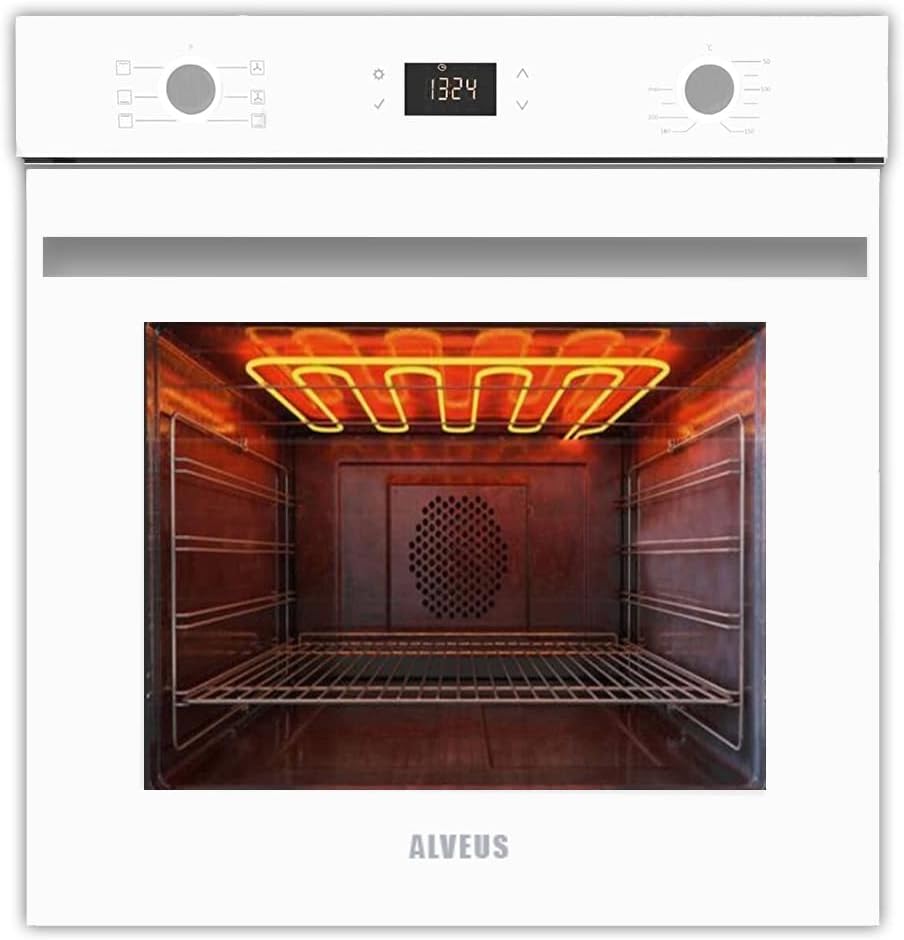
Figure 2.1: Front view of the Alveus MFA 627 Built-in Oven.
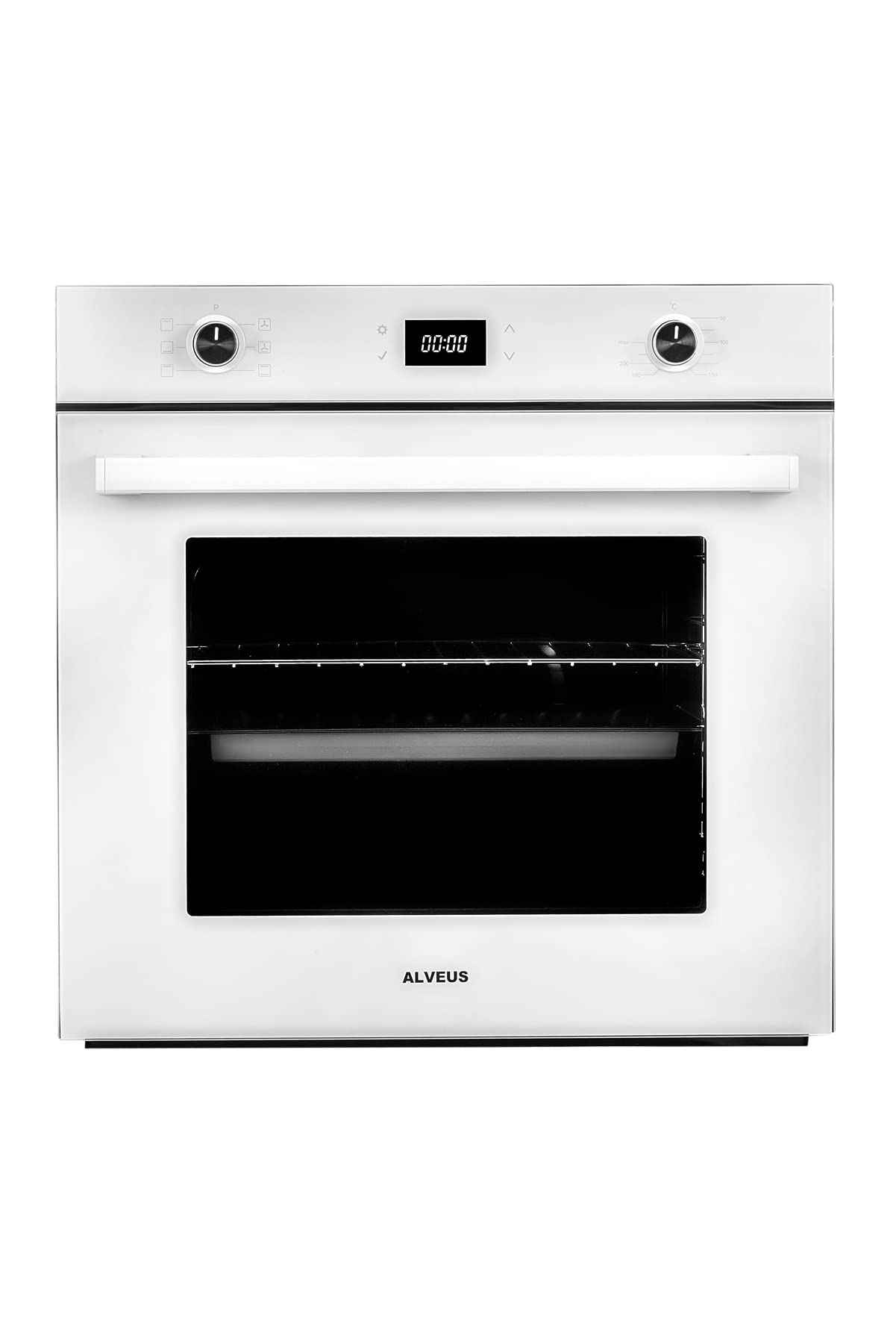
Figure 2.2: Interior view of the oven with heating elements and fan.
3. Installation and First Use
Installation Requirements
The Alveus MFA 627 oven must be installed into a suitable kitchen cabinet opening. Ensure adequate ventilation around the appliance. For safety and warranty validity, installation must be performed by an authorized service technician. Unauthorized installation will void the product warranty.

Figure 3.1: Oven installation dimensions (measurements in millimeters).
Electrical Connection
Connect the oven to a grounded electrical outlet with the correct voltage and current rating as specified on the appliance's rating plate. The electrical connection should be made by a qualified electrician.
First Use
- Remove all packaging materials, accessories, and protective films from the oven interior and exterior.
- Clean the oven interior with a damp cloth and mild detergent. Dry thoroughly.
- Before cooking, operate the empty oven at maximum temperature (250°C) for approximately 30-60 minutes to burn off any manufacturing residues. Ensure the kitchen is well-ventilated during this process, as some smoke and odor may be produced.
- Allow the oven to cool completely before its first cooking use.
4. Operating Instructions
The Alveus MFA 627 oven features a user-friendly control panel for selecting cooking functions, temperature, and time.

Figure 4.1: Oven Control Panel.
Control Panel Overview
- Left Rotary Knob: Used to select cooking functions (e.g., conventional heating, turbo fan, grill). This knob is pop-up for a flush finish.
- Digital Display: Shows current time, cooking duration, and timer settings.
- Touch Controls: Used to adjust digital timer settings (e.g., time, duration, end time).
- Right Rotary Knob: Used to set the desired cooking temperature (from 50°C to 250°C/Max). This knob is also pop-up.
Cooking Functions (6+1 Programs)
Rotate the left knob to select one of the available cooking functions. The specific symbols for each function are indicated around the knob.
- Conventional Heating: Top and bottom heating elements for traditional baking and roasting.
- Turbo Fan (Convection): Combines top/bottom heating with a fan for even heat distribution, ideal for cooking multiple dishes simultaneously.
- Grill: Upper heating element for grilling and browning.
- Fan Assisted Grill: Grill with fan for more even grilling.
- Additional functions may include bottom heating, defrost, etc., as indicated by symbols on the knob.
Setting Temperature and Time
- Select the desired cooking function using the left rotary knob.
- Set the desired temperature using the right rotary knob.
- Use the digital timer's touch controls to set cooking duration or a delayed start/end time if desired. Refer to the detailed timer instructions in the full manual for advanced settings.
Cooling Fan
The oven is equipped with a cooling fan that operates automatically during and after cooking to cool the appliance's exterior surfaces and internal components. This fan will continue to run for a period after the oven is turned off until a safe temperature is reached.
5. Maintenance and Cleaning
Regular cleaning and maintenance will ensure the longevity and optimal performance of your Alveus MFA 627 oven. Always ensure the oven is cool and disconnected from the power supply before cleaning.
Cleaning the Interior
- The oven interior features a black enamel surface, which is easy to clean.
- Wipe spills and food residues immediately after the oven has cooled down.
- Use a soft cloth, warm water, and a mild, non-abrasive oven cleaner. Avoid harsh chemicals or abrasive pads that can damage the enamel.
- For stubborn stains, a specialized oven cleaner can be used, following the product's instructions carefully. Ensure to rinse thoroughly and dry.
Cleaning the Exterior
- Clean the exterior surfaces, including the control panel and door, with a soft cloth dampened with warm, soapy water.
- Do not use abrasive cleaners or scouring pads on the glass or stainless steel parts.
- Dry all surfaces thoroughly to prevent water spots.
Replacing the Oven Lamp
If the oven lamp needs replacement, ensure the oven is cool and unplugged. Unscrew the protective glass cover, replace the bulb with a new one of the same type (check specifications for wattage), and reattach the cover.
6. Troubleshooting
Before contacting service, please check the following common issues and solutions:
| Problem | Possible Cause | Solution |
|---|---|---|
| Oven does not heat up. | No power supply; oven not switched on; incorrect function/temperature setting. | Check power connection and circuit breaker. Ensure oven is switched on and settings are correct. |
| Oven light is not working. | Lamp is faulty or loose. | Replace the oven lamp (refer to Maintenance section). Ensure it is screwed in tightly. |
| Excessive smoke during first use. | Residues from manufacturing process. | This is normal. Ensure good ventilation. It will subside after initial burn-off. |
| Digital display not working. | Power interruption; internal fault. | Check power supply. If problem persists, contact authorized service. |
If the problem persists after attempting these solutions, please contact an authorized Alveus service center.
7. Technical Specifications
| Feature | Detail |
|---|---|
| Model | MFA 627 |
| Brand | Alveus |
| Capacity | 71 Liters |
| Energy Class | A |
| Control Type | Pop-Up & Touch Control, Digital Timer |
| Cooking Functions | 6+1 Programs (including Turbo Fan, Grill, Fan Assisted Grill) |
| Special Features | Turbo Fan, Cooling Fan, Interior Lighting |
| Interior Surface | Black Enamel |
| Accessories | 1 Tray, 1 Wire Rack |
| Color | White |
| Heating Method | Convectional |
| ASIN | B0BR8D5BMB |
8. Warranty and Support
Warranty Information
This Alveus MFA 627 Built-in Oven comes with a 24-month warranty from the date of purchase. The warranty covers manufacturing defects and malfunctions under normal household use. Please retain your proof of purchase for warranty claims.
Important: The product warranty will be void if the installation is not performed by an authorized service technician. Any repairs or interventions by unauthorized personnel will also void the warranty.
Customer Support
For installation appointments, technical assistance, or warranty service, please contact your local authorized Alveus service center. A list of authorized service centers is typically provided with the product documentation or can be found on the official Alveus website.
When contacting support, please have your oven's model number (MFA 627) and serial number (if applicable) ready.