
1. Introduction
Thank you for choosing the Auxoliev Wireless TENS Unit Muscle Stimulator. This device utilizes Transcutaneous Electrical Nerve Stimulation (TENS) technology to deliver microcurrents to nerve endings, providing targeted pain relief and muscle stimulation. It is designed for ease of use, portability, and effective management of various body pains, including those in the back, neck, shoulders, and for cramps. This manual provides essential information for safe and effective operation of your device.

Figure 1: Auxoliev Wireless TENS Unit in use, highlighting areas of pain relief.
2. Important Safety Information
Please read all instructions and warnings carefully before using this device. Keep this manual for future reference.
- Do not use this device if you have a pacemaker, implanted defibrillator, or other metallic or electronic implanted devices.
- Consult your physician before use if you have any medical conditions, including but not limited to heart disease, epilepsy, cancer, or if you are pregnant.
- Do not apply pads to the head, face, neck (especially the carotid sinus area), or across the chest.
- Do not use on broken skin, open wounds, or areas with skin irritation.
- Keep out of reach of children.
- Statements regarding this device have not been evaluated by the FDA and are not intended to diagnose, treat, cure, or prevent any disease or health condition.
3. Package Contents
Your Auxoliev Wireless TENS Unit package should include the following items:
- 1 x Wireless TENS Unit (main device)
- 2 x Electrode Pads
- 1 x USB Charging Cable
- 1 x User Manual

Figure 2: All components included in the Auxoliev Wireless TENS Unit package.
4. Product Overview
The Auxoliev Wireless TENS Unit is designed for convenience and effectiveness. It features a compact main unit that attaches directly to electrode pads, eliminating tangled wires. The device offers multiple modes and intensity levels to customize your therapy experience.

Figure 3: Detailed view of the compact Auxoliev Wireless TENS Unit with its control buttons.
5. Setup
5.1 Charging the Device
Before first use, fully charge the TENS unit. The device has a built-in rechargeable lithium battery.
- Connect the provided USB charging cable to the charging port on the TENS unit.
- Plug the other end of the USB cable into a compatible USB power source (e.g., wall adapter, computer USB port).
- The indicator light will show charging status (e.g., red for charging, green for fully charged). A full charge typically takes about 1 hour and provides power for approximately 20 uses.

Figure 4: The TENS unit connected to its USB charging cable, showing the indicator light.
5.2 Attaching Electrode Pads
- Ensure the TENS unit is turned off.
- Snap the electrode pads onto the control unit's connectors.
- Carefully peel off the clear protective film from the adhesive side of the electrode pads.

Figure 5: Visual guide for attaching pads and preparing for use.
6. Operating Instructions
6.1 Application to Skin
Before applying, ensure your skin is clean and dry for optimal adhesion and conductivity. Moisten your skin slightly for better adhesion if needed.
- Place the device with attached pads directly onto the desired body area for pain relief.
- Press firmly to ensure good contact between the pads and your skin.
6.2 Power On/Off and Mode Selection
- Press and hold the power button on the TENS unit to turn it on. The indicator light will illuminate.
- To switch between the 10 available modes (e.g., Acupuncture, Cupping, Shiatsu, Tapping, Kneading, Massage), short press the power button. Each press cycles to the next mode.

Figure 6: The 10 available modes for customized therapy.
6.3 Adjusting Intensity
The device offers 20 intensity levels.
- Press the '+' button to increase the intensity.
- Press the '-' button to decrease the intensity.
- Start with a low intensity and gradually increase it until you feel a comfortable, yet effective, sensation.
6.4 Automatic Shut-off
The device features a 15-minute automatic shut-off to prevent over-treatment and conserve battery life. You can restart a session if desired.
Video 1: Official product video demonstrating the wireless TENS unit in use, highlighting its ease of application and portability for various body parts.
7. Maintenance & Care
7.1 Cleaning Electrode Pads
The electrode pads are reusable. If the adhesive loses its stickiness due to dirt or oils, you can restore it:
- Gently wash the adhesive side of the pads with a small amount of water.
- Allow the pads to air dry completely. Do not wipe with a cloth or tissue.
- Once dry, the stickiness should be restored.
7.2 Storage
After each use, reattach the clear protective film to the adhesive side of the pads. Store the TENS unit and pads in a cool, dry place, away from direct sunlight and extreme temperatures.
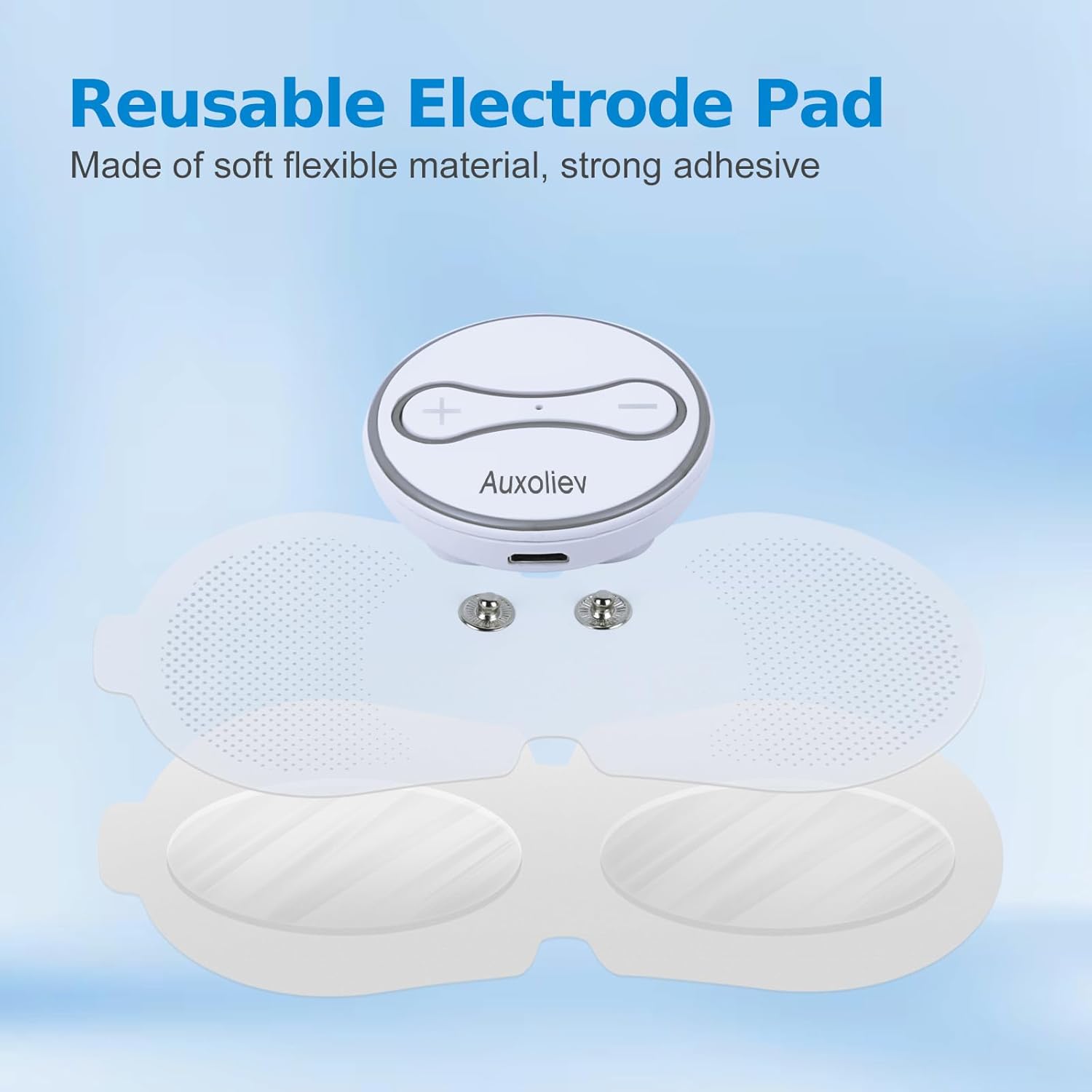
Figure 7: Reusable electrode pads with protective film for proper storage.
8. Troubleshooting
- Device not turning on: Ensure the device is fully charged. If the issue persists, contact customer support.
- No sensation or weak sensation: Check if the pads are firmly attached to the skin. Increase the intensity level gradually. Ensure pads are clean and not worn out.
- Pads not sticking: Clean the pads as described in Section 7.1. If pads are old or damaged, they may need replacement.
- Skin irritation: Discontinue use immediately. Ensure skin is clean before application. Avoid using on sensitive skin areas.
If you encounter any issues not listed here or if troubleshooting steps do not resolve the problem, please contact Auxoliev customer support.
9. Specifications
- Model: B0BR7XQRKK
- Brand: Auxoliev
- Product Dimensions: 6 x 0.95 x 4.5 inches
- Weight: 6.38 ounces
- Modes: 10 (e.g., Acupuncture, Cupping, Shiatsu, Tapping, Kneading, Massage)
- Intensity Levels: 20
- Battery: Built-in Rechargeable Lithium-ion
- Automatic Shut-off: 15 minutes
10. Warranty & Support
Auxoliev is committed to providing high-quality products. For warranty information, technical support, or any inquiries regarding your TENS unit, please refer to the contact information provided on the product packaging or visit the official Auxoliev website. Our customer service team is ready to assist you with any questions or concerns.
This device is FSA/HSA eligible. Please check with your plan provider for details on reimbursement.