
Rythflo WH01
Rythflo WH01 Bluetooth Headphones User Manual
Model: WH01 | Brand: Rythflo
Introduction
Thank you for choosing the Rythflo WH01 Bluetooth Headphones. This manual provides comprehensive instructions for setting up, operating, maintaining, and troubleshooting your new headphones. Please read this manual carefully before use to ensure optimal performance and longevity of your device.

Image: Rythflo WH01 Bluetooth Headphones, showcasing the neckband design and in-ear earbuds.
What's in the Box
Ensure all items are present in the package:
- Bluetooth Headphone x 1
- Pairs of S/M/L Eartips (Black&Red, Black&Blue, Black&Yellow) x 9
- USB Type-C Charging Cable x 1
- User Manual x 1
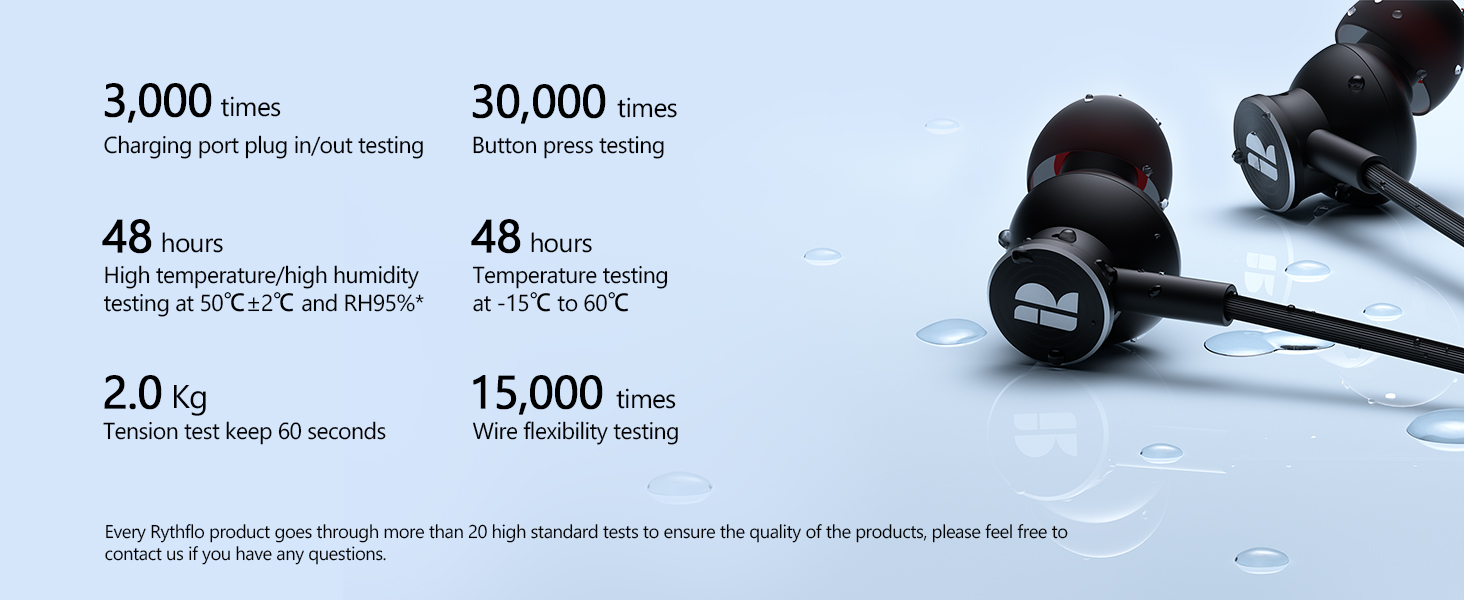
Image: A visual representation of all items included in the Rythflo WH01 package, including the headphones, various eartip sizes, USB-C charging cable, and user manual.
Product Overview and Controls
The Rythflo WH01 headphones feature an intuitive control layout on the neckband for easy access to various functions.

Image: Diagram illustrating the control buttons on the Rythflo WH01 neckband, including the Type-C Charging Port, Multi-Function Button (MFB), Volume + / Next Track, Volume - / Previous Track, and LED Indicator.
Button Functions:
- Power On: Press and hold MFB for 3 seconds.
- Power Off: Press and hold MFB for 5 seconds.
- Answer Call: Press MFB once.
- Hang Up Call: Press MFB once.
- Reject Call: Press and hold MFB for 2 seconds.
- Activate Voice Assistant: Press MFB twice.
- Volume Up: Press Volume + once.
- Volume Down: Press Volume - once.
- Previous Track: Press and hold Volume - for 2 seconds.
- Next Track: Press and hold Volume + for 2 seconds.
Setup
1. Charging the Headphones
Before first use, fully charge your Rythflo WH01 headphones. Use the provided USB Type-C charging cable to connect the headphones to a USB power source (e.g., computer, wall adapter).
- A full charge provides up to 30 hours of playback.
- For quick power, a 10-minute charge can provide up to 10 hours of playback.
- The LED indicator will show charging status.

Image: Visual representation highlighting the 30-hour battery life and the fast charge capability of the Rythflo WH01 headphones, showing 10 minutes of charge equals 10 hours of playback.
2. Bluetooth Pairing
The Rythflo WH01 headphones utilize advanced Bluetooth 5.2 technology for faster transmission speeds and more stable connections.
- Ensure the headphones are powered off.
- Press and hold the Multi-Function Button (MFB) for approximately 3-5 seconds until the LED indicator flashes blue and red, indicating pairing mode.
- On your device (smartphone, tablet, computer), enable Bluetooth and search for available devices.
- Select "Rythflo WH01" from the list of found devices.
- Once connected, the LED indicator will flash blue slowly or turn solid blue (depending on model), and you will hear a confirmation tone.

Image: A stylized diagram representing the Bluetooth 5.2 chip, emphasizing stable and faster transmission without interruptions.
Operating Instructions
Refer to the "Product Overview and Controls" section for detailed button functions. Here are common usage scenarios:
- Music Playback: Use the Volume + / - buttons for volume adjustment and track navigation.
- Phone Calls: Answer, hang up, or reject calls directly from the headphones using the MFB.
- Voice Assistant: Quickly access your device's voice assistant (Siri, Google Assistant) with a double press of the MFB.
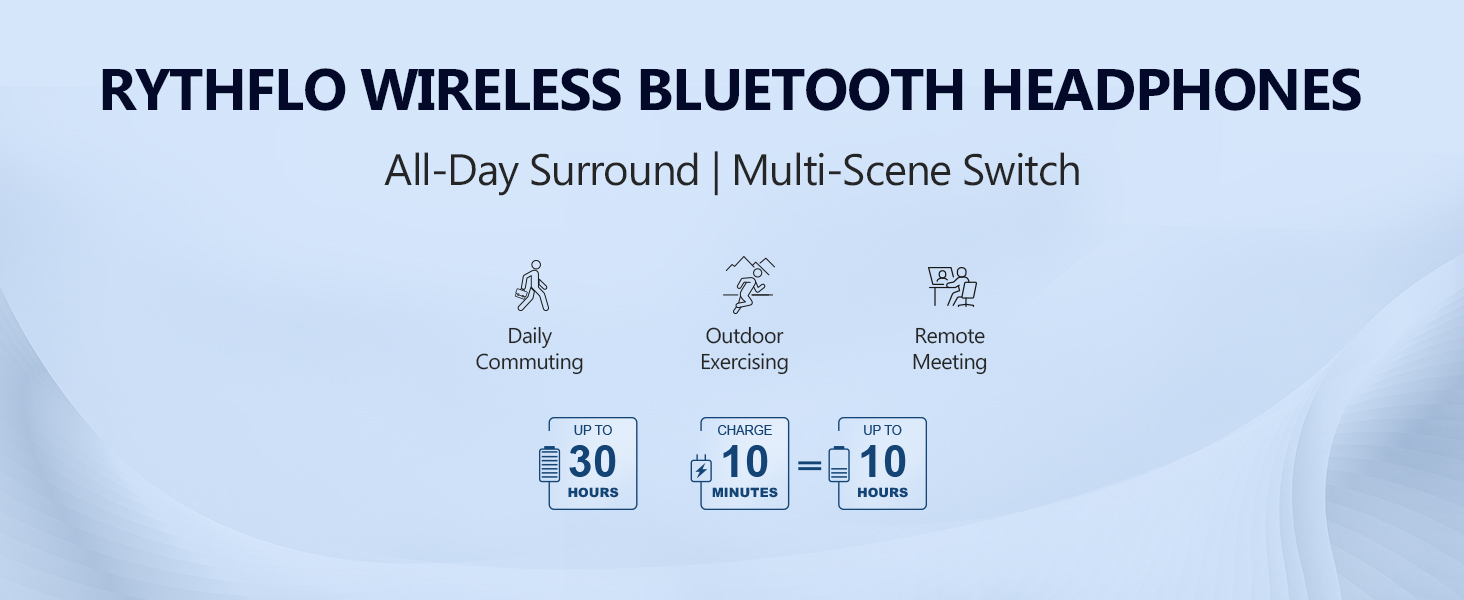
Image: Illustrates various usage scenarios for the Rythflo headphones, including daily commuting, outdoor exercising, and remote meetings, highlighting their versatility.
Maintenance
Proper care ensures the longevity and performance of your Rythflo WH01 headphones.
Cleaning:
- Wipe the headphones with a soft, dry cloth.
- For eartips, remove them and clean with a mild soap solution if necessary, then rinse and dry thoroughly before reattaching.
- Do not use abrasive cleaners or solvents.
Water and Sweat Resistance (IPX7):
The Rythflo WH01 headphones are IPX7 water and sweat-resistant, making them suitable for all-weather use and workouts. This means they can withstand immersion in water up to 1 meter for 30 minutes. However, they are not designed for swimming or prolonged submersion.

Image: Depicts the Rythflo WH01 headphones with water splashing around them, illustrating their IPX7 sweatproof and water-resistant capabilities.
Storage:
- Store the headphones in a cool, dry place away from direct sunlight and extreme temperatures.
- The magnetic design allows the earbuds to clasp together, preventing tangles and making them easy to store around your neck or in a bag.

Image: Shows various durability tests performed on Rythflo products, including charging port plug-in/out, button press, high temperature/humidity, temperature, tension, and wire flexibility testing, ensuring product quality.
Troubleshooting
If you encounter issues with your Rythflo WH01 headphones, try the following solutions:
| Problem | Possible Solution |
|---|---|
| Headphones won't turn on. | Ensure the headphones are charged. Connect to a power source using the USB Type-C cable. |
| Cannot pair with device. |
|
| No sound or low volume. |
|
| Intermittent connection. |
|
Specifications
| Feature | Detail |
|---|---|
| Model Name | WH01 |
| Connectivity Technology | Wireless (Bluetooth 5.2) |
| Battery Life | Up to 30 hours playback |
| Fast Charging | 10 minutes charge for 10 hours playback |
| Water Resistance Level | IPX7 (Waterproof) |
| Driver Unit | 10mm |
| Frequency Range | 20 Hz - 20,000 Hz |
| Item Weight | 30 Grams |
| Maximum Operating Distance | 10 Meters |
| Material | Plastic |
| Ear Placement | In Ear |
| Form Factor | In Ear |
| Noise Control | Sound Isolation |
Warranty and Support
Rythflo is committed to providing high-quality products and customer satisfaction. Your Rythflo WH01 headphones come with:
- Lifetime Product Quality Support: Rythflo offers ongoing support for product quality.
- 24/7 Quick Reply: For any inquiries or issues, customer support is available.
For assistance, please contact Rythflo support at: support@rythflo.co
Please retain your proof of purchase for warranty claims.