
Introduction
This manual provides essential information for the installation, operation, and maintenance of your Putikeeg CW Morse Key Replacement part, designed for compatibility with MCT01 and MCT02 Morse code keys. Please read these instructions carefully to ensure proper use and longevity of the product.
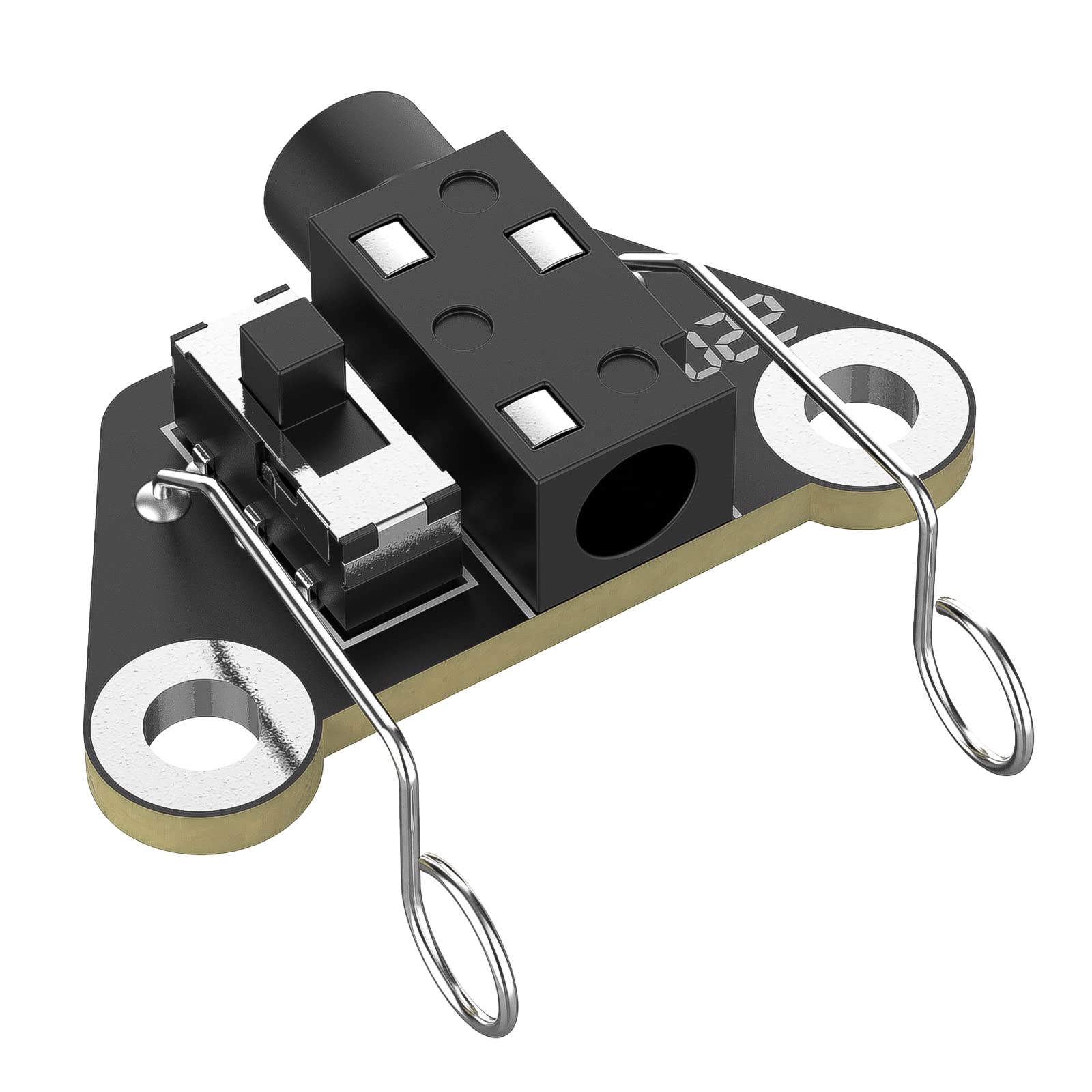
Image: The Putikeeg CW Morse Key Replacement part, showing its compact design.
Key Features:
- Equipped with a left and right hand switch, allowing selection between left Dit right Dah, and right Dit left Dah configurations.
- Features a 3.5mm standard stereo receptacle for straightforward connection.
- Specifically designed as a replacement part for MCT01 and MCT02 Morse code keys.
- Simple replacement method for the double paddle key socket.
- Compact size with precise craftsmanship.
Setup and Installation
This section details the process for replacing the double paddle key socket on your MCT01 or MCT02 Morse code key.

Image: Two-step diagram illustrating the installation of the CW Morse Key replacement part. Step 1 shows screws being installed onto the PCB. Step 2 shows screws installed on both sides, with a note to ensure washers are not omitted.
Installation Steps:
- Step 1: Install Screws on the PCB. Carefully align the replacement part with the main body of your Morse code key. Begin by installing the screws onto the Printed Circuit Board (PCB) to secure the initial position.
- Step 2: Install Screws on Both Sides. Proceed to install the remaining screws on both sides of the replacement part. Ensure all screws are tightened securely. Important: Be careful not to omit any washers during this process, as they are crucial for proper contact and stability.
Once all screws are installed and tightened, the replacement process is complete. Verify that the new key socket is firmly in place and does not wobble.

Image: Diagram showing the CW Morse Key replacement part in context with a transparent outline of the full MCT01 and MCT02 Morse code keys, with separate images of the assembled MCT01 and MCT02 below, indicating compatibility.
Operation
The Putikeeg CW Morse Key Replacement part is designed for intuitive operation with your compatible Morse code keyer.
Connecting the Key:
Connect your keyer or radio to the 3.5mm standard stereo receptacle on the replacement part. This ensures a reliable electrical connection for transmitting Morse code signals.
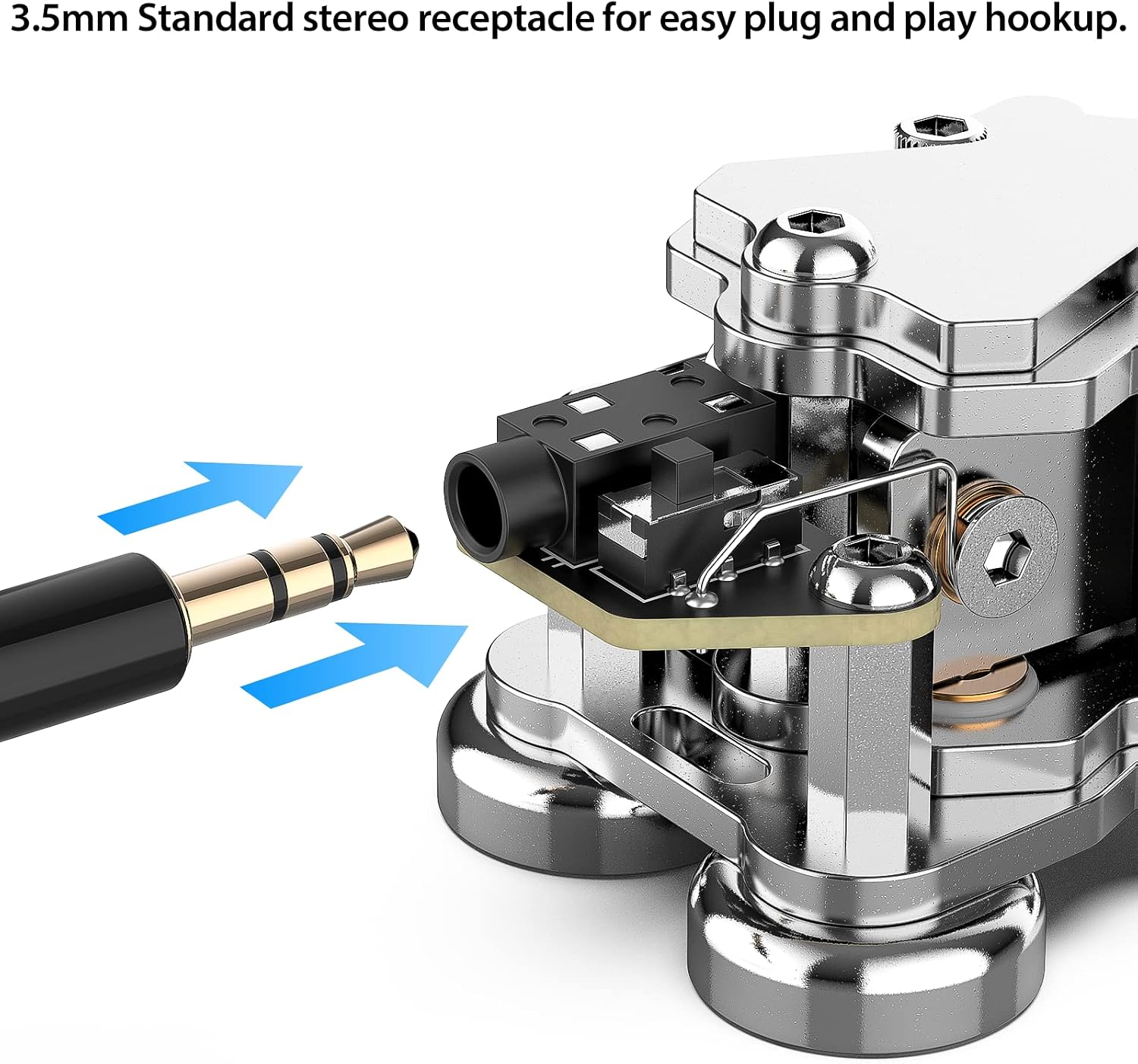
Image: A 3.5mm stereo jack being inserted into the receptacle of the CW Morse Key replacement part, demonstrating the connection method.
Using the Left/Right Hand Switch:
The CW Key button features an internal switch that allows you to configure the paddle's behavior. This switch enables you to alternate between two common configurations:
- Left Dit, Right Dah: In this mode, pressing the left paddle generates a 'Dit' (short signal), and pressing the right paddle generates a 'Dah' (long signal).
- Right Dit, Left Dah: In this mode, pressing the right paddle generates a 'Dit', and pressing the left paddle generates a 'Dah'.
Adjust this setting according to your preference and operating style. The switch is located internally and can be set during installation or by carefully accessing the internal components.

Image: Close-up of the CW Morse Key replacement part, highlighting the internal switch mechanism that allows selection between left Dit right Dah, and right Dit left Dah configurations.
Maintenance
To ensure the continued optimal performance and longevity of your Putikeeg CW Morse Key Replacement part, follow these simple maintenance guidelines:
- Cleaning: Periodically wipe the exterior of the key with a soft, dry cloth to remove dust and debris. Avoid using abrasive cleaners or solvents, as these can damage the finish or internal components.
- Inspection: Regularly inspect the screws and connections to ensure they remain tight. Loose connections can affect performance.
- Storage: When not in use, store the key in a clean, dry environment away from extreme temperatures and humidity.
Troubleshooting
If you encounter issues with your Putikeeg CW Morse Key Replacement part, consider the following common troubleshooting steps:
- No Signal or Intermittent Signal:
- Check all cable connections to ensure they are securely plugged into the 3.5mm receptacle and your keyer/radio.
- Inspect the internal wiring and screw contacts for any looseness or corrosion. Re-tighten if necessary.
- Ensure the 3.5mm plug on your cable is fully inserted into the key's receptacle.
- Incorrect Dit/Dah Assignment:
- Verify the setting of the internal left/right hand switch. Adjust it to your desired configuration (Left Dit/Right Dah or Right Dit/Left Dah).
- Physical Damage:
- If the key has been dropped or subjected to impact, visually inspect for any cracks, bends, or dislodged components.
- If significant damage is present, replacement of the part may be necessary.
If these steps do not resolve the issue, please refer to the Customer Support section for further assistance.
Specifications
Below are the technical specifications for the Putikeeg CW Morse Key Replacement part (Model MC0102 Key Replace Head):
| Brand | Putikeeg |
| Model Number | MC0102 Key Replace Head |
| Compatible Devices | MCT01, MCT02 Morse Code Keys |
| Item Weight | 1.8 Grams |
| Connectivity | 3.5mm Standard Stereo Receptacle |
| Special Feature | Left/Right Hand Switch for Dit/Dah Configuration |

Image: Top-down view of the CW Morse Key replacement part with dimensions indicated: 1.2cm/0.5in width, 1.4cm/0.55in length, 2.4cm/0.95in height, and 2.6cm/1in overall length.
Warranty Information
This product is subject to the standard return policy. For specific details regarding warranty coverage and return procedures, please refer to the purchase platform or contact customer support.
- Return Policy: Typically, products are eligible for return or replacement within 30 days of purchase. Please check your specific purchase terms for exact details.
Customer Support
For any questions, technical assistance, or support regarding your Putikeeg CW Morse Key Replacement part, please contact the seller or visit the official brand store.
- Seller: Putike
- Putikeeg Brand Store: For additional product information and support resources, visit the Putikeeg Store on Amazon.