
1. Introduction
This manual provides detailed instructions for the installation, operation, and maintenance of your Kittyhok Wireless Solar Security Camera System. Please read this manual thoroughly before using the product to ensure proper setup and functionality.

Image: The Kittyhok wireless solar security camera system, featuring a camera unit with two antennas and a separate solar panel, mounted on a wall. This system is designed for wire-free, continuous operation.
2. Package Contents
Verify that all items listed below are included in your package. If any items are missing or damaged, please contact customer support.

Image: A visual representation of the package contents, including wireless security cameras, solar panels, WiFi NVR with built-in 64GB SD card, Type-C cables, NVR adapter, HDMI cable, Ethernet cable, USB mouse, user manual, and screw packages.
- Wireless Security Camera (x4)
- Solar Panel (x4)
- WiFi NVR (x1, with built-in 64GB SD Card)
- Type-C Cable (x2)
- NVR Adapter (x1)
- HDMI Cable (x1)
- Ethernet Cable (x1)
- USB Mouse (x1)
- User Manual (x1)
- Screw Package (x4)
3. Setup
3.1 Initial Camera Recharge
It is recommended to fully recharge the cameras before initial installation. Use a 5V 1A or 2A DC phone charger (not included) and the provided Type-C cables to charge the cameras. The indicator light will show charging status. Ensure the battery is fully charged for optimal performance.
Video: This video demonstrates the initial camera recharge process and how to access the system via smartphone, showing the Kittyhok app interface and QR code scanning for NVR setup.
3.2 NVR Connections
Connect the NVR to a power source using the NVR adapter. Connect the NVR to a monitor via the HDMI port using the provided HDMI cable. For network access, connect the NVR to your router using the Ethernet cable. A USB mouse is included for NVR interface navigation.
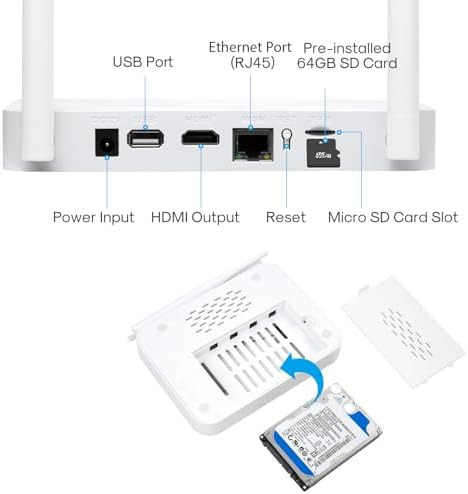
Image: A detailed view of the NVR's rear panel, highlighting the Power Input, USB Port, HDMI Output, Ethernet Port (RJ45), Reset button, and Micro SD Card Slot. It also shows the internal slot for an optional hard drive.
Video: This video provides an overview of the Kittyhok WiFi NVR Security System, showcasing its components and basic setup.
3.3 Camera and Solar Panel Installation
The cameras are 100% wire-free and solar-powered, eliminating the need for constant battery changes. Position the solar panels to receive at least 3 hours of direct sunlight daily for continuous power. The cameras can be mounted on walls, ceilings, or stands using the provided screw packages.

Image: Illustrations demonstrating different mounting methods for the camera (wall, ceiling, stand) and the adjustable solar panel for optimal sun exposure.
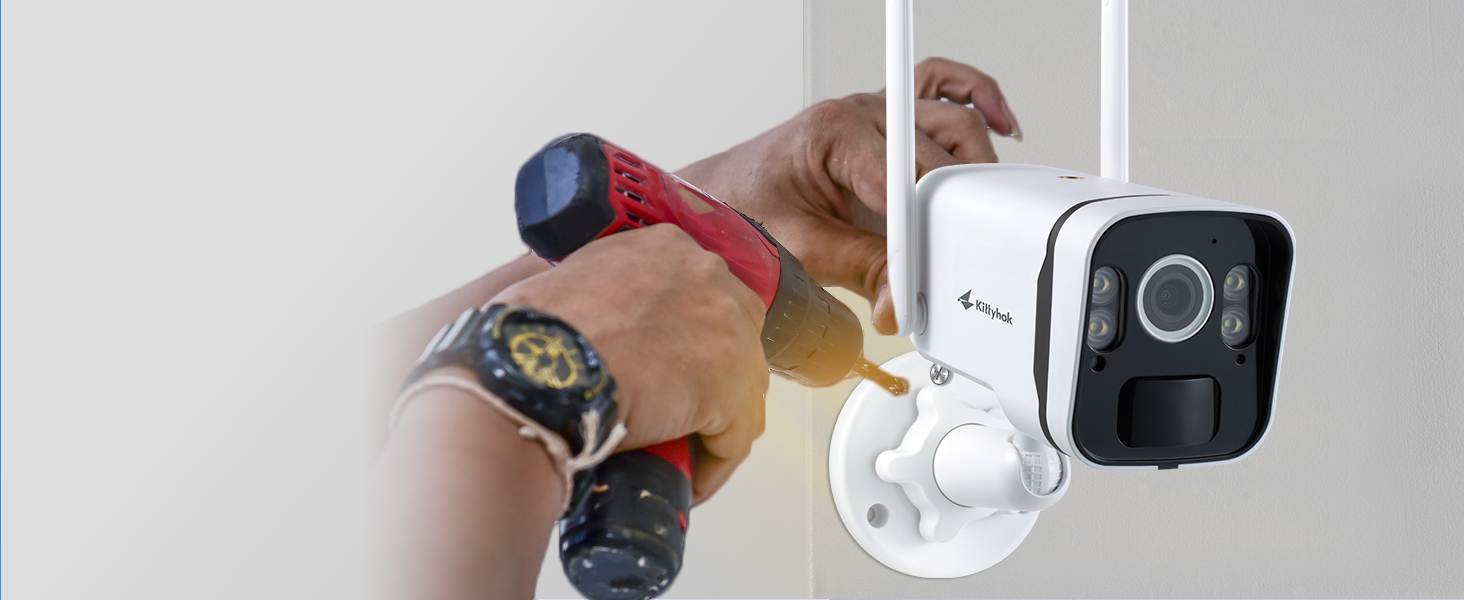
Image: A person using a drill to install a Kittyhok security camera on an outdoor wall, demonstrating the ease of installation.
3.4 System Overview
The system operates by wirelessly connecting the cameras to the NVR, which then connects to your home network via a router. You can monitor feeds on a connected display or through the Kittyhok app on your smartphone.

Image: A diagram illustrating the system's connectivity: solar-powered cameras wirelessly transmit data to the NVR, which connects to a router and allows viewing on monitors, laptops, and mobile apps.
4. Operating Instructions
4.1 Accessing Your System
You can access your security system via the Kittyhok mobile application or through a PC/Mac client.
- Mobile App: Download the Kittyhok app from the App Store or Google Play. Register an account and log in. Tap the '+' button to scan the QR code on the NVR and follow the on-screen instructions to add your NVR.
- PC/Mac Client: Download and install the CMS client from the official Kittyhok website. Log in with your app account, and your system will automatically sync.

Image: Several smartphone screens showing the Kittyhok application interface, demonstrating live view, playback, and settings for the security cameras.
4.2 Smart Detection and Alerts
The system features Smart Human Detection to minimize false notifications. You will receive alerts on the Kittyhok app only when a person is detected on your property. You can also customize detection zones to focus on specific areas.
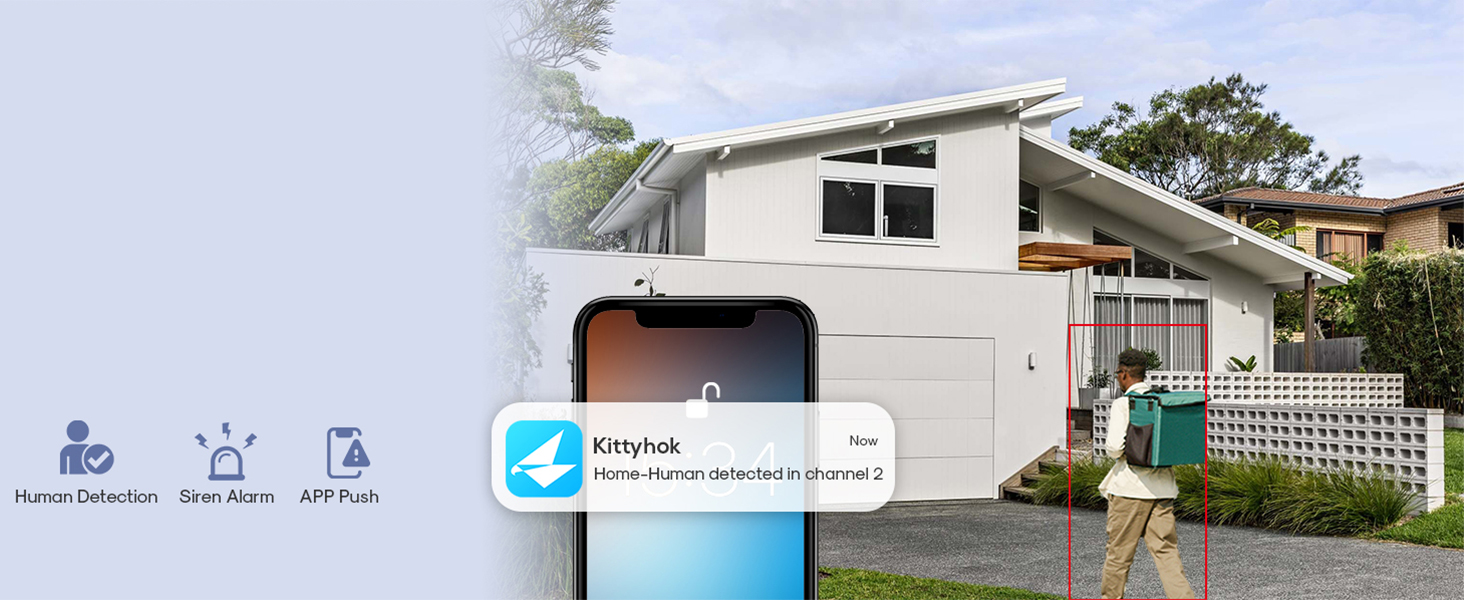
Image: A smartphone screen showing a Kittyhok app notification indicating "Home - Human detected in channel 2," with an outdoor scene in the background where a person is highlighted by a red box.
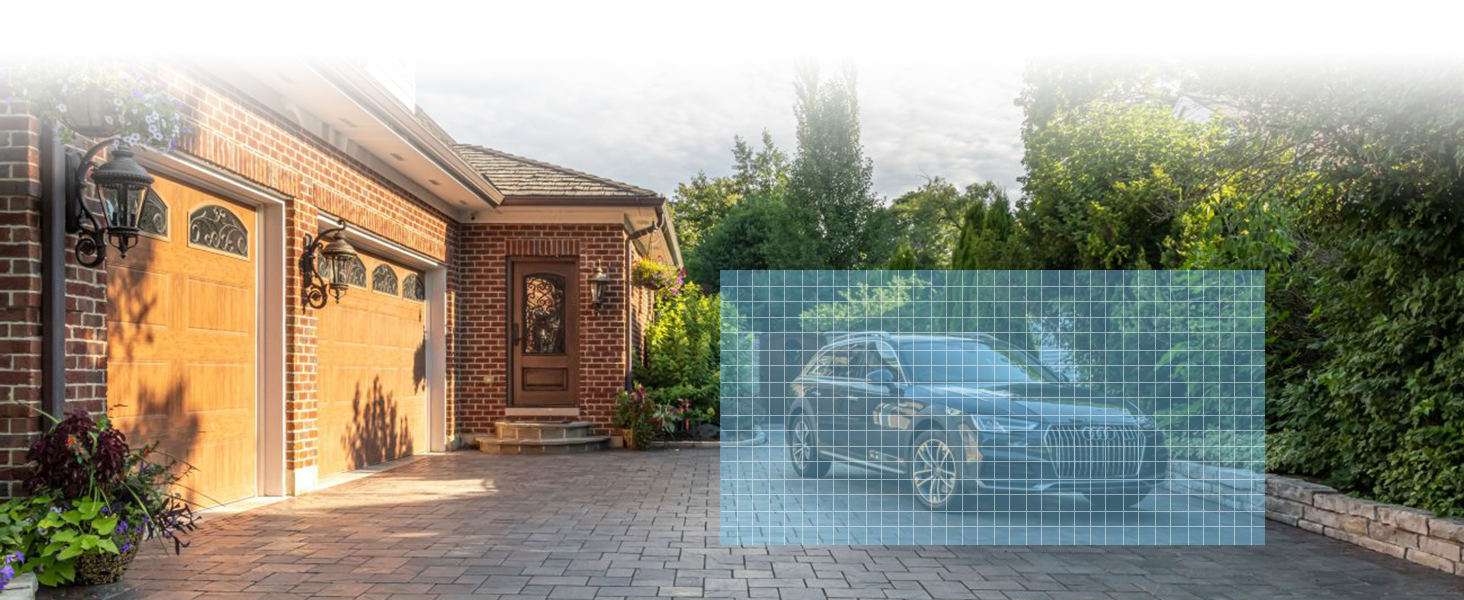
Image: A visual representation of a customizable detection zone, shown as a grid overlaid on a driveway with a car, allowing users to define specific areas for motion detection.
4.3 Active Deterrence and Night Vision
The cameras feature an ultra-bright 600 Lumens spotlight that activates upon motion detection, deterring unwanted activity. Color night vision provides clear details up to 8 meters in darkness.
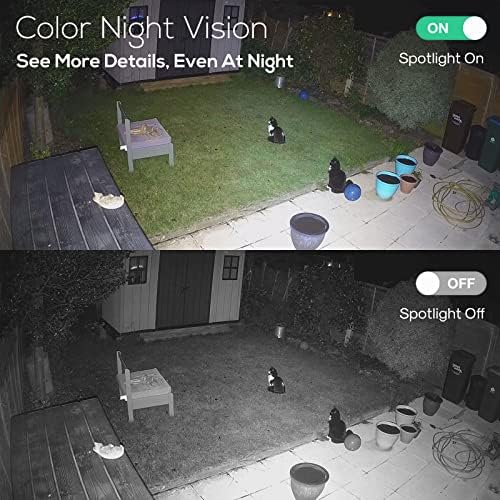
Image: A split image demonstrating the difference between color night vision (spotlight on) and standard black and white night vision (spotlight off) in a backyard setting.
Video: This video showcases the Kittyhok Solar Security Camera System in an outdoor setting, demonstrating its features like motion detection and spotlight activation.
4.4 Two-Way Audio
Utilize the built-in two-way audio feature to listen and speak through the camera from anywhere using the Kittyhok app.
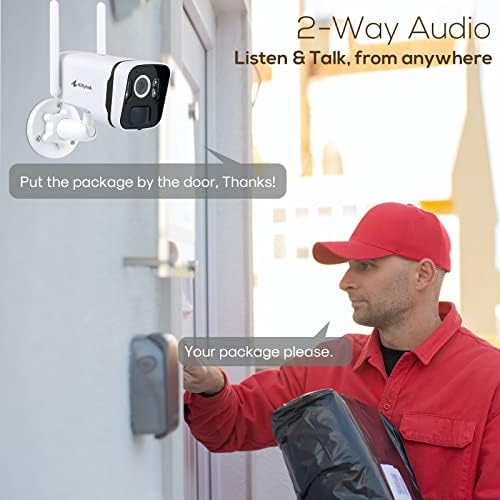
Image: A scene depicting a delivery person at a door, with a speech bubble indicating communication with someone through the Kittyhok security camera's two-way audio feature.
Video: This video provides a general overview of the Kittyhok Solar Security Camera System, highlighting its key functionalities and benefits.
5. Maintenance
5.1 Solar Panel Care
To ensure optimal charging efficiency, regularly clean the surface of the solar panels to remove dust, dirt, or debris. A soft, damp cloth is recommended for cleaning. Avoid abrasive materials that could scratch the panel surface.
5.2 Battery Management
The built-in battery provides power during periods of low sunlight or at night. While the solar panel provides continuous power, ensure the camera's battery is maintained by placing the solar panel in an area with sufficient direct sunlight. Avoid extreme temperatures to prolong battery life.
5.3 Weather Resistance
The cameras are designed to be weatherproof for outdoor use. However, for longevity, avoid direct high-pressure water jets during cleaning. Ensure all cable connections are secure to prevent water ingress.
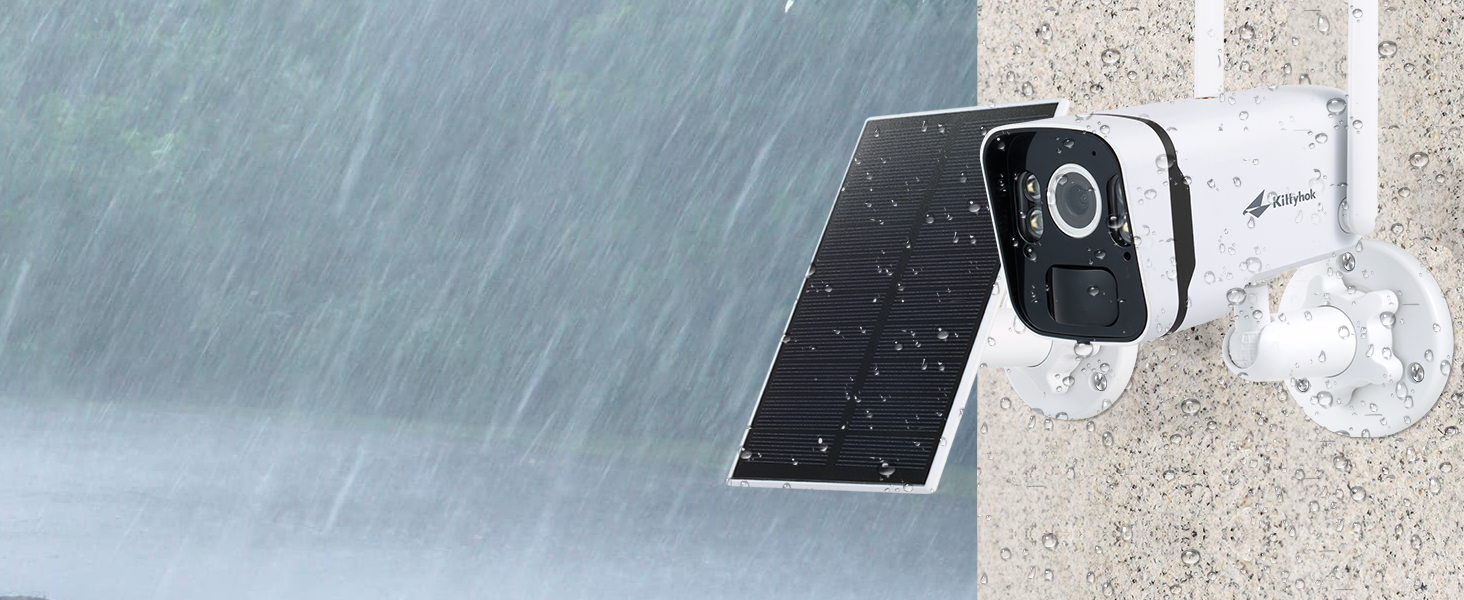
Image: A Kittyhok security camera and its solar panel shown outdoors during rainfall, illustrating its weatherproof construction suitable for various environmental conditions.
6. Troubleshooting
If you encounter issues with your Kittyhok security camera system, refer to the following common solutions:
- No Power/Camera Offline: Ensure the solar panel receives adequate direct sunlight. Check battery levels via the app. If necessary, manually recharge the camera using a 5V 1A/2A charger.
- Poor Video Quality: Ensure the camera lens is clean. Check the Wi-Fi signal strength between the camera and NVR, and between the NVR and your router. Obstructions can degrade signal quality.
- False Alarms: Adjust the motion detection sensitivity settings in the Kittyhok app. Utilize the customizable detection zones to exclude areas prone to irrelevant motion (e.g., moving trees, traffic).
- No Recording: Verify that the 64GB SD card is properly installed in the NVR. Check recording settings in the NVR interface or app to ensure motion detection recording is enabled.
- Connectivity Issues: Ensure the NVR is connected to your router via Ethernet. Restart your router, NVR, and cameras. If issues persist, try repositioning the NVR or cameras to improve wireless signal. Avoid placing the NVR near high-voltage wires or other sources of electrical interference.
For further assistance, please contact Kittyhok customer support.
7. Specifications
| Feature | Detail |
|---|---|
| Brand | Kittyhok |
| Model Number | B0BR6BF33Q |
| Connectivity Technology | Wireless |
| Video Capture Resolution | 720p (Note: Product title mentions 2K, but specifications list 720p. Please verify with manufacturer if 2K is expected.) |
| Special Features | Motion Sensor, Night Vision, Spotlight, Human Detection |
| Number of Channels | 10 (NVR supports up to 10 cameras) |
| Memory Storage Capacity | 64 GB (Built-in SD Card) |
| Power Source | Battery Powered (with Solar Recharging) |
| Night Vision Type | Color Night Vision |
| Night Vision Range | 8 Meters |
| Frame Rate | 30 FPS |
| Recording Mode | Video |
| Hardware Interface | 802.11 ac/b/g/n |
| Lens Type | Wide Angle |
8. Warranty and Support
Kittyhok is committed to providing reliable products and excellent customer service.
- 1-Year Warranty: The product comes with a 1-year warranty for replacement, not repair.
- 30-Day Money Back Guarantee: If you are not satisfied with your purchase, you may be eligible for a refund within 30 days.
- 24/7 Online Support: Dedicated one-on-one online support is available for any technical assistance or inquiries.
- No Monthly Fees: This system operates without any recurring monthly fees for basic functionality.
For support, please visit the official Kittyhok website or contact their customer service directly. Refer to the contact information provided in the packaging or on the official website.

Image: A customer service representative with a headset, symbolizing the 24/7 online support available for Kittyhok products.


