
Oral-B IO 3
Oral-B iO Series 3 Limited Edition Electric Toothbrush
Model: IO 3
Introduction
The Oral-B iO Series 3 Limited Edition Electric Toothbrush is designed to provide a superior cleaning experience with advanced features for optimal oral hygiene. It combines gentle micro-vibrations with a dentist-inspired round brush head for effective plaque removal and healthier gums.
What's in the Box
Your Oral-B iO Series 3 package includes the following components:
- (1) Oral-B iO3 Limited Edition Electric Toothbrush Handle
- (1) Ultimate Clean Replacement Brush Head
- (1) Gentle Care Replacement Brush Head
- (1) Travel Case
- (1) Travel Refill Holder
- (1) Charger
- (1) Compatible Kwalicable Microfiber Cleaning Cloth

Image: Contents of the Oral-B iO Series 3 package, including the toothbrush handle, brush heads, charger, and travel case.
Setup
Initial Charging
Before first use, fully charge your Oral-B iO Series 3 toothbrush.
- Connect the charger to a power outlet.
- Place the toothbrush handle onto the charging base.
- The light ring on the handle will illuminate to indicate charging. A full charge typically takes several hours.

Image: The Oral-B iO Series 3 toothbrush handle securely placed on its compact charging base.
Attaching a Brush Head
Align the brush head with the metal shaft on the toothbrush handle and push it down until it clicks into place.
Operating Instructions
Powering On/Off
Press the power button on the handle to turn the toothbrush on or off.
Brushing Modes
The Oral-B iO Series 3 offers three smart brushing modes to personalize your experience:
- Daily Clean: For everyday thorough cleaning.
- Whiten: Designed to polish and whiten teeth.
- Sensitive: Provides a gentle yet effective clean for sensitive areas.
To switch between modes, press the mode button below the power button while the toothbrush is on.
Pressure Sensor
The built-in pressure sensor helps protect your gums and enamel by indicating optimal brushing pressure.
- Green Light: Indicates optimal pressure.
- Red Light: Indicates too much pressure. Reduce pressure until the light turns green.
- White Light: Indicates too little pressure. Apply slightly more pressure until the light turns green.

Image: The smart pressure sensor light ring on the Oral-B iO Series 3 toothbrush, which changes color to guide optimal brushing pressure.
Built-in Timer
The toothbrush features a two-minute timer with 30-second intervals to ensure a complete clean of all four quadrants of your mouth. A short stuttering sound indicates when to move to the next quadrant. A long stuttering sound indicates the end of the recommended two-minute brushing time.
Maintenance
Cleaning the Toothbrush
After each use, rinse the brush head thoroughly under running water with the handle switched on. Remove the brush head and rinse both the handle and the brush head separately. Wipe the handle with a damp cloth.
Replacing Brush Heads
Dentists recommend replacing your brush head every 3 months, or sooner if the bristles become splayed or frayed.
To replace, simply pull the old brush head off the handle and push a new one on until it clicks.
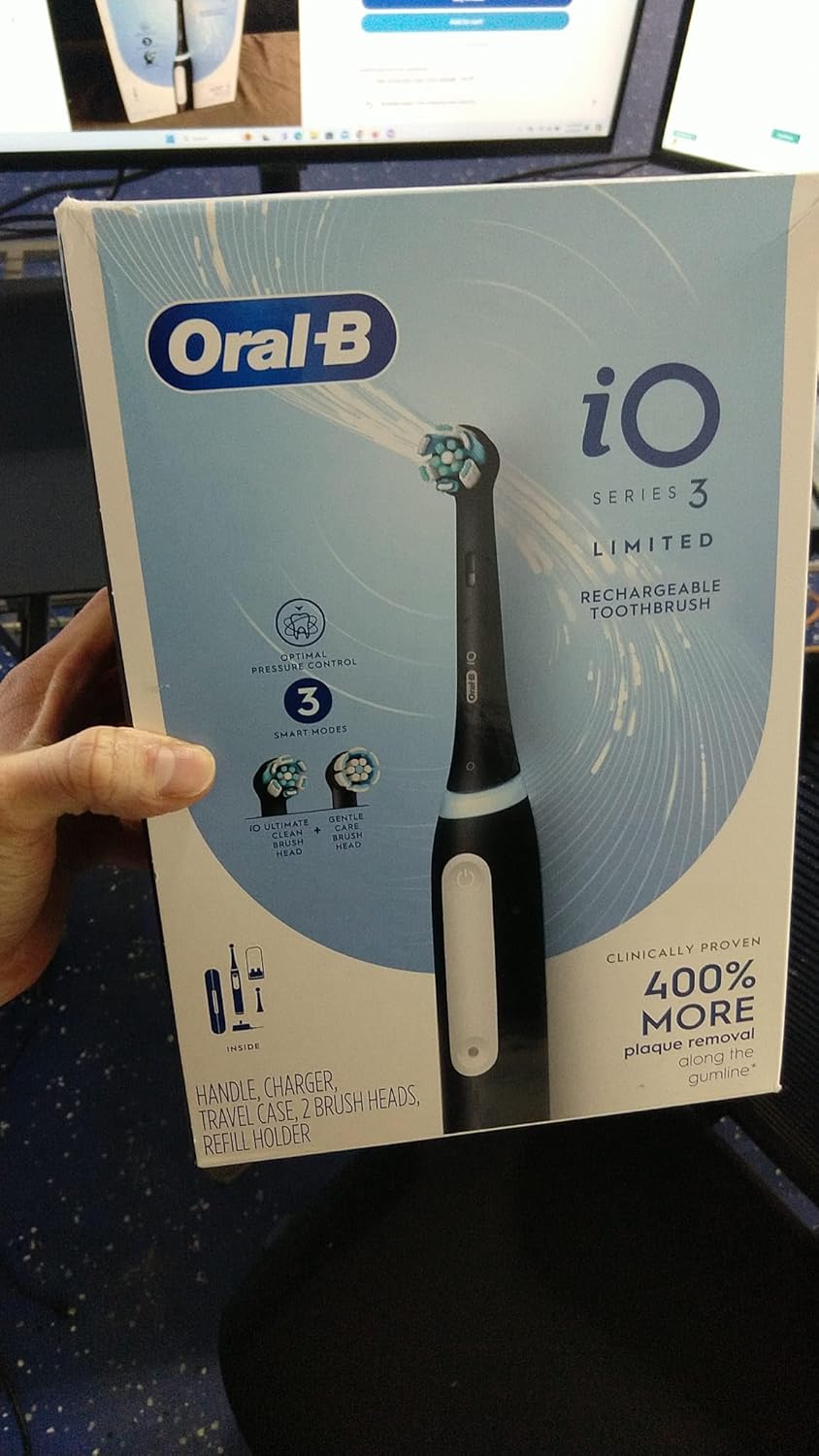
Image: The two types of brush heads included with the Oral-B iO Series 3: Ultimate Clean and Gentle Care.
Troubleshooting
Toothbrush Not Turning On
- Ensure the toothbrush is fully charged. Place it on the charger for several hours.
- Check if the charger is properly plugged into a working power outlet.
Light Ring Not Responding to Pressure
- Ensure the brush head is securely attached.
- If the issue persists, contact customer support.
Reduced Battery Life
- Ensure the toothbrush is placed correctly on the charger.
- Avoid completely draining the battery frequently.
- If battery life significantly degrades, it may be time to replace the toothbrush or contact support.
Specifications
| Feature | Detail |
|---|---|
| Brand | Oral-B |
| Model Number | IO 3 |
| Special Feature | Pressure Sensor |
| Power Source | Battery Powered |
| Item Firmness Description | Medium |
| Age Range (Description) | Adult |
| Package Dimensions | 10.75 x 10.2 x 5.28 inches |
| Item Weight | 1.26 Pounds |
| Date First Available | December 27, 2022 |
| Manufacturer | Oral B |
Warranty and Support
For warranty information and customer support, please refer to the official Oral-B website or the documentation included with your product.
Legal Disclaimer: Statements regarding dietary supplements have not been evaluated by the FDA and are not intended to diagnose, treat, cure, or prevent any disease or health condition.
Ask a question about this manual
Ask about setup, troubleshooting, compatibility, parts, safety, or missing instructions. Manuals+ will review the question and use this page’s manual context to help answer it.