
Kinivo BTD500
Kinivo USB Bluetooth Adapter BTD500 Instruction Manual
Model: BTD500
Brand: Kinivo
1. Overview
The Kinivo BTD500 is a compact USB Bluetooth 5.0 adapter designed to provide wireless connectivity to your PC or laptop. It enables seamless connection with various Bluetooth-enabled devices such as headsets, speakers, mice, keyboards, printers, and gaming controllers. This adapter utilizes Bluetooth v5.0 Class 2 with BLE (Bluetooth Low Energy) technology for stable connections and efficient data transfer.

A close-up view of the compact Kinivo BTD500 USB Bluetooth 5.0 adapter, showing its small size and the Kinivo logo.
2. Features
- Bluetooth 5.0 with BLE Technology: Ensures enhanced connection stability and energy efficiency.
- Backward Compatibility: Fully compatible with older Bluetooth 4.0 devices.
- Plug & Play: Easy setup for Ubuntu, Windows 11, and Windows 10 operating systems.
- Extended Range: Offers a wireless range of up to 66 feet (20 meters).
- High Data Transfer Rate: Supports data transfer speeds of up to 3Mbps.
- Wide Device Compatibility: Connects with a variety of Bluetooth devices including mice, keyboards, speakers, printers, headphones, and gaming controllers.
- Compact Design: Small form factor for discreet integration into your system.

A cutaway view of the Kinivo BTD500 adapter, revealing its internal Bluetooth 5.0 chip and circuitry, emphasizing its advanced technology.
3. Setup and Installation
- Insert the Adapter: Plug the Kinivo BTD500 USB Bluetooth adapter into an available USB port on your PC or laptop.
- Driver Installation:
- Windows 11/10 & Ubuntu: The adapter is generally plug-and-play. Your operating system should automatically detect and install the necessary drivers.
- Windows 8.1/8: Driver installation is required. Please visit the Kinivo website (kinivo.com/BTD500) to download the appropriate drivers and follow the on-screen instructions.
- Verification: After installation, check your system's device manager or Bluetooth settings to confirm the adapter is recognized and Bluetooth functionality is enabled.

The Kinivo BTD500 adapter plugged into the side USB port of a laptop, highlighting its plug-and-play ease of use.
4. Operating Instructions: Connecting Devices
- Enable Bluetooth on your device: Ensure the Bluetooth device you wish to connect (e.g., headphones, mouse) is powered on and in pairing mode. Refer to your device's manual for specific pairing instructions.
- Open Bluetooth Settings: On your PC, navigate to the Bluetooth settings:
- Windows: Go to Settings > Bluetooth & devices (or Devices > Bluetooth & other devices).
- Ubuntu: Go to Settings > Bluetooth.
- Add a Device: Click on "Add device" or "Add Bluetooth or other device" and select "Bluetooth".
- Select Your Device: Your PC will scan for nearby Bluetooth devices. Select your device from the list when it appears.
- Confirm Pairing: Follow any on-screen prompts to complete the pairing process. This may involve entering a PIN or confirming a code.
- Connection Established: Once paired, your device should connect automatically when in range and Bluetooth is enabled.

An illustration showing the Kinivo BTD500 adapter connected to a desktop PC, simultaneously linking to headphones, a speaker, a keyboard, a mouse, and a tablet, demonstrating multi-point connection capability.
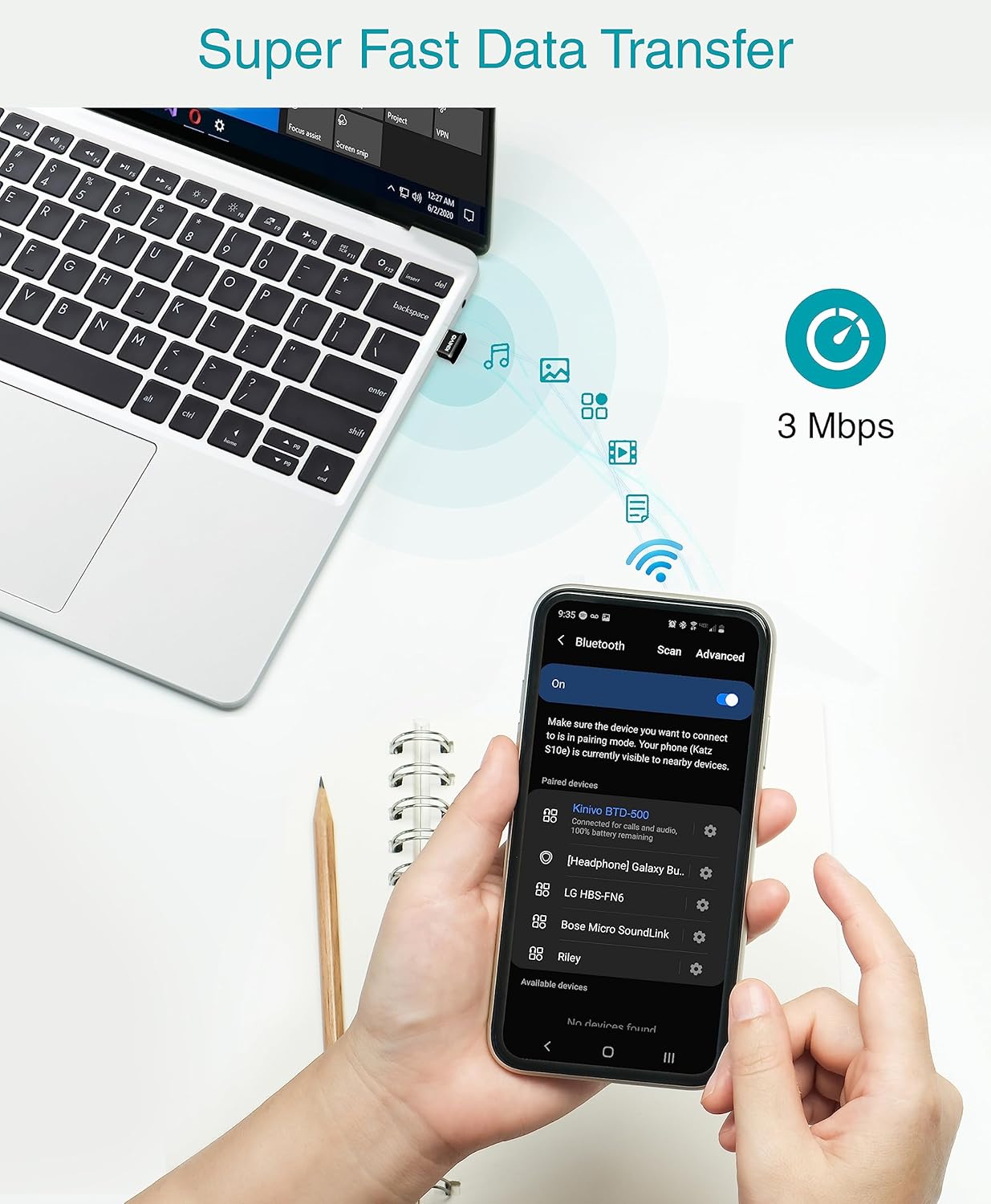
A laptop with the Kinivo BTD500 adapter transferring data at 3Mbps to a smartphone, depicted with icons representing various file types being transferred wirelessly.
An official product video demonstrating the features and benefits of the Kinivo BTD500 Bluetooth 5.0 adapter, including its compact design, compatibility, and ease of use.
A promotional video showcasing the Kinivo BTD500 Bluetooth adapter, highlighting its ability to connect various devices to a PC for audio streaming, data transfer, and communication.
5. Compatibility
Supported Operating Systems:
- Windows 11
- Windows 10
- Windows 8.1
- Windows 8
- Ubuntu
- Raspberry Pi
Compatible Devices:
- Laptops
- Desktops
- Headsets
- Speakers
- Mouse
- Keyboards
- Printers
- Xbox/PS4/PS5 Gaming Controllers (when connected to PC)
- Phones
- Tablets
Important Notes:
- Not compatible with Mac, TVs, or cars.
- Cannot be used directly on Xbox/PS5/PS4/PS3 consoles; it works with their controllers when connected to a PC.

An infographic illustrating the wide compatibility of the Kinivo BTD500 with various devices and operating systems.
6. Troubleshooting
- Bluetooth Adapter Isn't Working:
- Ensure no other Bluetooth devices are installed or enabled on your computer. If present, disable them in the Device Manager before inserting the Kinivo BTD500 adapter.
- Verify the adapter is securely plugged into a functional USB port.
- For Windows 8.1/8, confirm that the correct drivers have been installed from the Kinivo website.
- Device Not Pairing:
- Ensure your Bluetooth device is in pairing mode and fully charged.
- Move the device closer to the Kinivo BTD500 adapter.
- Remove previous pairings of the device from other systems to avoid conflicts.
- Restart your PC and the Bluetooth device.
- Audio Issues (e.g., with TWS earbuds):
- The dongle may not work with all TWS (True Wireless Stereo) earbuds.
- Check for updated drivers on the Kinivo website.
- Range Issues:
- Ensure there are no significant obstructions (walls, large metal objects) between the adapter and the connected device.
- Minimize interference from other 2.4GHz wireless devices.
7. Specifications
| Feature | Detail |
|---|---|
| Product Dimensions | 1.18 x 0.39 x 0.39 inches |
| Item Weight | 0.352 ounces |
| Hardware Interface | Bluetooth 5 |
| Color | Black |
| Data Link Protocol | Bluetooth, USB |
| Data Transfer Rate | 3 Megabits Per Second |
| Compatible Operating System Family | Windows, Linux (Ubuntu, Raspberry Pi) |
| Minimum Required Operating System Version | Windows 10 (for plug & play) |

The Kinivo BTD500 adapter shown next to a US quarter, illustrating its compact size and dimensions when plugged into a laptop.

An overhead diagram of a home layout, showing the Kinivo BTD500 adapter centrally located and providing a wireless range of up to 66 feet (20 meters) to devices throughout different rooms.
8. Warranty and Support
The Kinivo BTD500 USB Bluetooth Adapter comes with a two-year warranty, ensuring peace of mind regarding product quality and performance.
For any questions, technical assistance, or support needs, Kinivo provides lifetime US-based customer support. Please visit the official Kinivo website for detailed support resources, FAQs, and contact information.
Related documentsBTD500

Ask a question about this manual
Ask about setup, troubleshooting, compatibility, parts, safety, or missing instructions. Manuals+ will review the question and use this page’s manual context to help answer it.