
1. Introduction
The LeLuv Magna LCD Smart Handheld Electric Vacuum Pump Handle is a precision-engineered device designed for controlled vacuum applications. It features both manual and smart operating modes, a clear LCD display, and a USB-rechargeable battery for convenience and portability. This manual provides essential information for safe and effective use of your device.
2. Safety Information
Please read all safety instructions before using the device. Failure to follow these instructions may result in injury or damage to the product.
- Quick-Release Safety Button: The device is equipped with a quick-release safety button. Press this button immediately to release vacuum pressure if it feels too strong or uncomfortable.
- Automatic Shutoff: In Smart Modes, the device automatically powers down after 20 minutes for safety.
- Charging: Use only the provided USB charging cable. Do not use the device while charging.
- Water Exposure: While the device features waterproof components, avoid submerging the main unit in water. Clean with a damp cloth as instructed in the Maintenance section.
- Storage: Store the device in a cool, dry place away from direct sunlight and extreme temperatures.

Image: The LeLuv Magna pump highlighting its digitally controlled safety features, including smooth regulation and prevention of pressure spikes.
3. Package Contents
Verify that all items are present in your package:
- LeLuv Magna LCD Smart Handheld Electric Vacuum Pump Handle
- USB Charging Cable
- User Manual
4. Setup
4.1 Initial Charging
Before first use, fully charge the device. Connect the provided USB charging cable to the charging port on the device and to a compatible USB power source. The LCD display will indicate charging status.
4.2 Attaching Accessories
Connect any compatible vacuum accessories (e.g., cylinders, hoses) to the device's quick-disconnect port. Ensure a secure and airtight connection to prevent vacuum leaks.

Image: A visual guide illustrating the four primary steps for operating the LeLuv Magna pump: Power On, Choose Mode, Set Level, and Start Cycle.
5. Operating Instructions
The LeLuv Magna offers two primary operating modes: Manual and Smart.
5.1 Power On/Off
To power on the device, press and hold the On/Off button until the LCD screen illuminates. To power off, press and hold the On/Off button again.
5.2 Manual Mode
Manual Mode provides direct, continuous control over the vacuum level without preset patterns or timers.
- Ensure the device is powered on.
- Press the On/Off button once to start the pump and build vacuum. The KPa reading on the LCD will increase.
- Press the On/Off button again to hold the current vacuum level. The pump will maintain this level, reactivating if pressure drops.
- To reduce or release pressure at any time, press the Release button.

Image: The LeLuv Magna pump's LCD screen showing KPa readings and mode indicators, illustrating manual precision control.
5.3 Smart Modes
Smart Modes offer automated vacuum control with intelligent cycling patterns. The device features six preset modes and allows for customizable settings.
- Ensure the device is powered on.
- Press the Smart button to cycle through the available Smart Modes (indicated on the LCD).
- Once a Smart Mode is selected, the device will automatically build vacuum to the preset level and follow its programmed cycle.
- To save a preferred vacuum level for a customizable Smart Mode, reach your desired level and then press and hold the Smart button for 3 seconds. A heart icon will appear on the display, confirming the setting is stored.
- Each Smart Mode runs for up to 20 minutes before automatically shutting off.
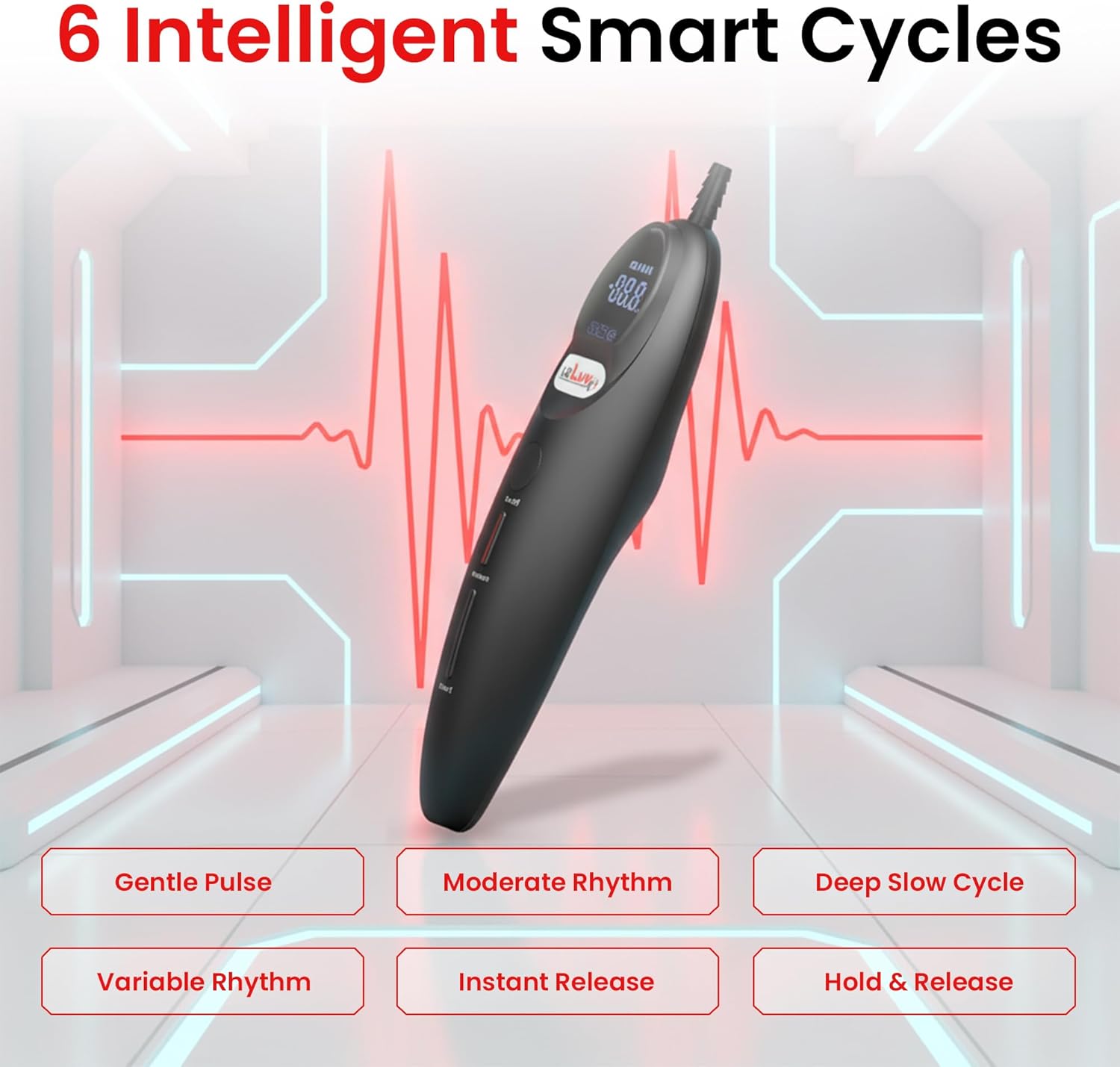
Image: A visual overview of the six intelligent Smart Cycles available on the LeLuv Magna pump, including Gentle Pulse, Moderate Rhythm, and Deep Slow Cycle.
5.4 Quick Release
The Release button provides an immediate way to drop all vacuum pressure. This is a safety feature and can be used at any point during operation in either Manual or Smart Mode.

Image: A detailed view of the LeLuv Magna pump's LCD display, demonstrating clear LED feedback for monitoring the current mode, vacuum level, and cycle status.
6. Maintenance
6.1 Cleaning
After each use, disconnect any accessories. Wipe the device's exterior with a soft, damp cloth. For accessories, follow their specific cleaning instructions. Ensure the device is completely dry before storing.
6.2 Storage
Store the LeLuv Magna in its original packaging or a protective pouch in a clean, dry environment. Avoid placing heavy objects on top of the device.
7. Troubleshooting
If you encounter issues with your LeLuv Magna, refer to the following common problems and solutions:
| Problem | Possible Cause | Solution |
|---|---|---|
| Device does not power on. | Low battery; internal issue. | Charge the device fully. If the issue persists, contact customer support. |
| Vacuum pressure is weak or not building. | Loose connection; accessory leak; pump malfunction. | Check all connections for airtight seals. Inspect accessories for damage. If the problem continues, contact customer support. |
| LCD display is not working correctly. | Temporary software glitch; hardware issue. | Try powering the device off and on again. Ensure the battery is charged. If the display remains faulty, contact customer support. |
| Battery drains quickly. | Aging battery; device not fully powering off; internal short. | Ensure the device is fully powered off when not in use. Avoid leaving it on the charger for extended periods if not needed. If battery life significantly degrades, contact customer support. |
| Hose connector breaks easily. | Excessive force or leverage on the connector. | Handle the hose connection with care. Avoid applying undue stress or leverage. Ensure compatible hoses are used. |
8. Specifications
- Model: Magna LCD Smart Handheld Electric Vacuum Pump Handle
- Brand: LeLuv
- ASIN: B0BQRX7G25
- Color: Black
- Package Dimensions: 10.55 x 3.07 x 3.07 inches
- Weight: 6 ounces
- Battery: 1 Lithium Ion battery (included)
- Battery Description: Lithium-Ion
- Vacuum Range: 0-60 KPa (adjustable)
- Material Type Free: Nonlubricated, non-latex, non-spermicidal
- Manufacturer: LeLuv
- First Available: October 10, 2022
9. Warranty and Support
For warranty information, product support, or to purchase replacement parts and accessories, please contact LeLuv customer service directly. Refer to the packaging or the official LeLuv website for contact details.
LeLuv Official Website: Visit the LeLuv Store on Amazon