
1. Introduction
The Seasonic Vertex GX-1000 is a high-performance, fully modular power supply unit designed to meet the demands of modern computing systems. Featuring 1000 watts of stable power output and 80 PLUS Gold certification, it ensures high efficiency and reliable operation. This power supply is fully compliant with ATX 3.0 and PCIe 5.0 standards, making it ideal for systems utilizing the latest NVIDIA RTX 40/50 series and AMD GPUs. Its advanced fan control system provides quiet operation, while premium Japanese capacitors ensure long-term durability and stability.
Video: Product Overview of the Seasonic Vertex GX-1000 Power Supply, showcasing its exterior design and key features.
2. Safety Instructions
Please read and follow all safety instructions carefully before installing or using your power supply unit. Failure to do so may result in personal injury or damage to your equipment.
- Always disconnect the power cord from the wall outlet before installing, removing, or cleaning the power supply.
- Do not open the power supply unit. High voltages are present inside, and opening the unit will void the warranty.
- Ensure the power supply is installed in a well-ventilated area to prevent overheating.
- Use only the modular cables provided with your Seasonic power supply. Using incompatible cables may cause damage.
- Avoid exposing the power supply to moisture, dust, or extreme temperatures.
- If the power supply is not functioning correctly, refer to the troubleshooting section or contact Seasonic support.
3. Package Contents
Verify that all items listed below are included in your package:
- Seasonic Vertex GX-1000 Power Supply Unit: The main power supply unit.
- Modular Cable Set: Includes all necessary cables for motherboard, CPU, PCIe (including 12VHPWR), SATA, and peripheral connections.
- AC Power Cord: For connecting the PSU to a wall outlet.
- Mounting Screws: For securing the PSU in your PC case.
- Cable Ties (Velcro and Zip Ties): For organized cable management.
- PSU Tester: A tool to verify basic PSU functionality before full system installation.
- User Manual & Installation Guide: Comprehensive documentation for setup and operation.
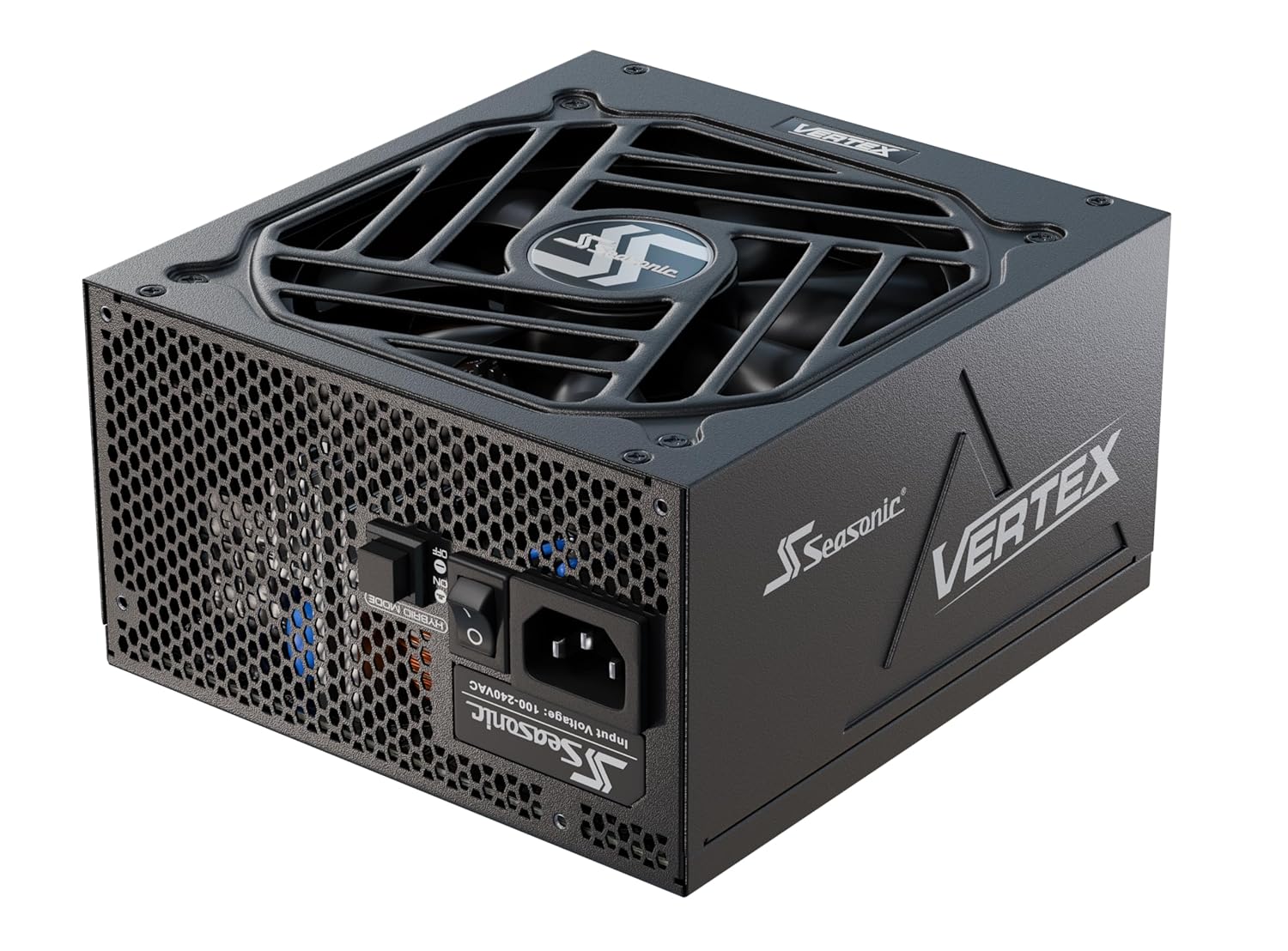
Image: Front-side view of the Seasonic Vertex GX-1000 power supply unit.

Image: A collection of black modular cables, including the 12VHPWR cable, designed for the Seasonic Vertex GX-1000 power supply.
4. Setup and Installation
Follow these steps to properly install your Seasonic Vertex GX-1000 power supply:
- Prepare Your Case: Ensure your PC case has an available power supply mounting bay. Remove any old power supply if applicable.
- Mount the PSU: Secure the Seasonic Vertex GX-1000 into the designated bay using the provided mounting screws. Ensure the fan is facing the correct direction for optimal airflow (usually facing downwards or upwards depending on case design).
- Connect Modular Cables: Identify the necessary modular cables for your motherboard (24-pin ATX), CPU (4+4-pin or 8-pin EPS), graphics card(s) (PCIe, including the 12VHPWR for compatible GPUs), SATA devices, and other peripherals. Plug them firmly into the corresponding ports on the power supply unit.
- Route Cables: Route the connected cables through your case for optimal airflow and aesthetics. Use the provided cable ties to manage and secure them.
- Connect to Components: Connect the other end of each modular cable to its respective component (motherboard, CPU, GPU, SSD/HDD, etc.). Ensure all connections are secure.
- Connect AC Power Cord: Plug the AC power cord into the power supply unit and then into a grounded wall outlet.
- Power On: Flip the power switch on the back of the PSU to the 'ON' position. Your system should now be ready to power on.

Image: Rear panel of the Seasonic Vertex GX-1000, showing the power input, power switch, and Hybrid Mode button.

Image: Close-up view of the modular cable connection ports on the Seasonic Vertex GX-1000, clearly labeled for different components.
5. Operating Instructions
The Seasonic Vertex GX-1000 features a Hybrid Silent Fan Control for optimized cooling and noise reduction.
- Hybrid Mode: This mode allows the fan to remain off under low to moderate loads, providing silent operation. The fan will automatically activate when the system load increases and requires additional cooling.
- Normal Mode: With Hybrid Mode disabled, the fan will operate continuously, adjusting its speed based on temperature and load.
You can toggle between Hybrid Mode and Normal Mode using the switch located on the rear panel of the power supply.

Image: Illustration of the Seasonic Hybrid Silent Fan Control, highlighting its role in ensuring silence and safety.
6. Maintenance
Proper maintenance can extend the lifespan of your power supply and ensure optimal performance:
- Dust Removal: Regularly clean dust from the power supply's fan and ventilation grilles using compressed air. Ensure the system is powered off and unplugged before cleaning.
- Cable Management: Periodically check cable connections to ensure they are secure and not obstructing airflow.
- Environmental Conditions: Operate the PSU within recommended temperature and humidity ranges to prevent premature wear.
7. Troubleshooting
If you encounter issues with your Seasonic Vertex GX-1000, try the following steps:
- No Power:
- Ensure the AC power cord is securely plugged into both the PSU and the wall outlet.
- Verify the power switch on the back of the PSU is in the 'ON' position.
- Check all modular cable connections to the motherboard, CPU, and other components.
- Test the PSU using the included PSU tester to confirm basic functionality.
- System Instability/Crashes:
- Ensure your system's power requirements do not exceed the PSU's 1000W capacity.
- Check for loose cable connections.
- Monitor system temperatures to ensure components are not overheating.
- Fan Noise:
- If the fan is constantly running at high speed, check if Hybrid Mode is enabled.
- Clean any dust accumulation from the fan and grilles.
If problems persist after following these steps, contact Seasonic customer support.
8. Specifications
| Feature | Detail |
|---|---|
| Model Name | VERTEX GX-1000 |
| Output Wattage | 1000 watts |
| 80 PLUS Certification | Gold |
| Form Factor | ATX |
| ATX Standard | ATX 3.0 Compliant |
| PCIe Standard | PCIe 5.0 Compliant (with 12VHPWR cable) |
| Modularity | Fully Modular |
| Cooling Method | Air (135mm Fluid Dynamic Bearing Fan) |
| Fan Control | Seasonic Hybrid Silent Fan Control |
| Capacitors | Japanese 105 °C Aluminum Electrolytic Capacitors |
| Voltage Regulation | ± 3 % (12 V, 5 V and 3.3 V) |
| Product Dimensions | 4.53 x 2.69 x 1.59 inches |
| Item Weight | 4.34 Pounds |
| Date First Available | February 23, 2023 |
9. Warranty and Support
The Seasonic Vertex GX-1000 power supply comes with a 10-Year Warranty, ensuring long-term reliability and peace of mind. For technical support, warranty claims, or additional product information, please visit the official Seasonic website or contact their customer service department.
Official Seasonic Website: www.seasonic.com


