1. Introduction
This manual provides comprehensive instructions for the installation and care of your HENGTO Smartwatch Screen Protector. Designed to offer robust protection, high clarity, and maintain touch sensitivity, this screen protector is an essential accessory for compatible kids' sports watches.
2. Product Overview
2.1 What's in the Box
- Screen protector
- Dry Wipe
- Micro Fiber Cloth
2.2 Key Features
- Designed for Flat Surfaces: This screen protector has a diameter of 37.5 x 33mm, suitable for smartwatch screens with curved edges of this size.
- Highly Protective + Fingerprint-Free: Protects your smartwatch from dust, scratches, keys, and other sharp objects, leaving no fingerprints.
- HD Transparent: Ensures high transparency and sensitivity for quick response and smooth touchscreen interaction.
- Easy to Install: Simple application process with included tools.

Image: HENGTO Smartwatch Screen Protector applied to a purple smartwatch, showcasing its transparent design.
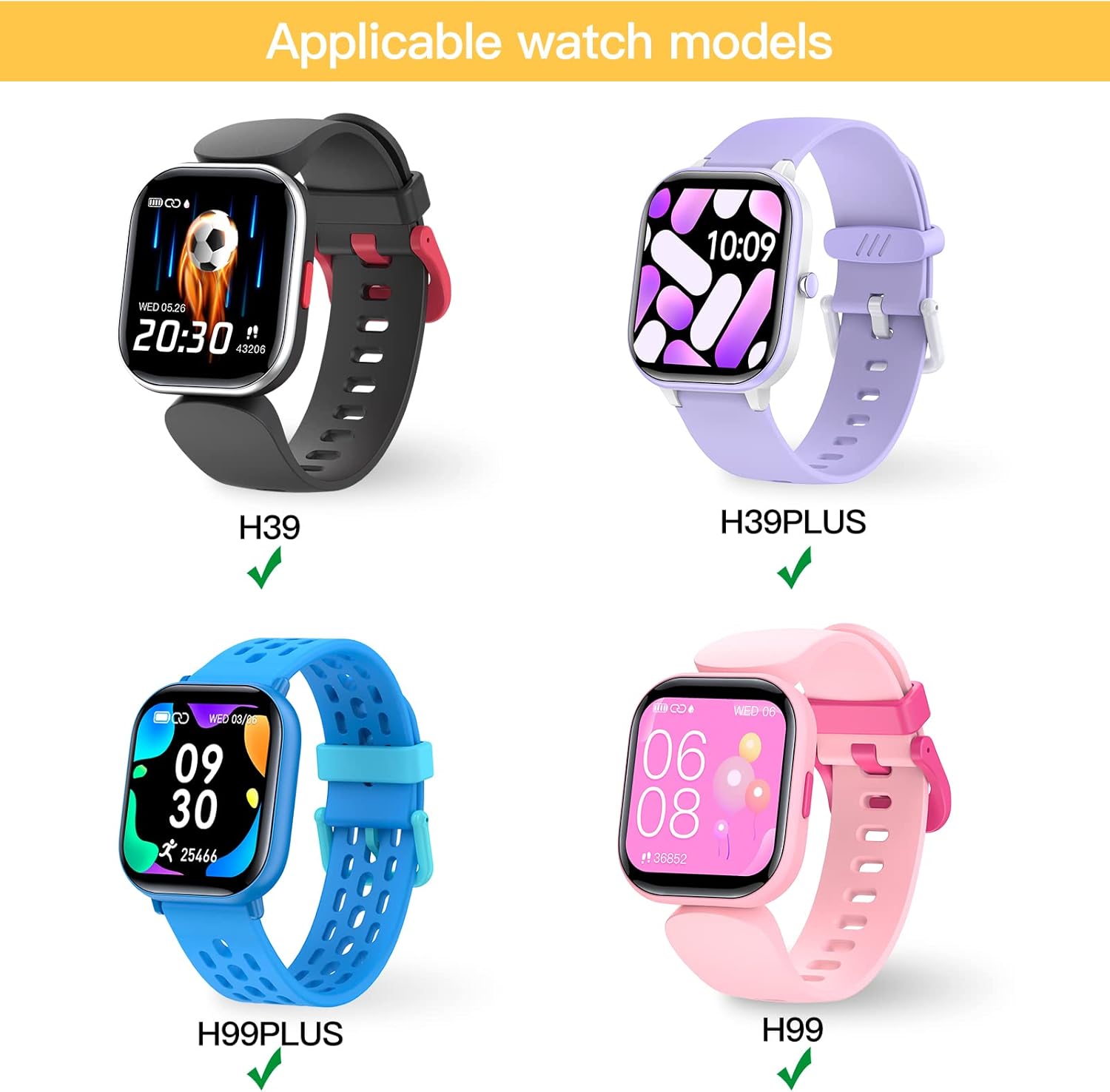
Image: Visual representation of the screen protector's key features including scratch resistance, HD clarity, natural touch, and overall protection.
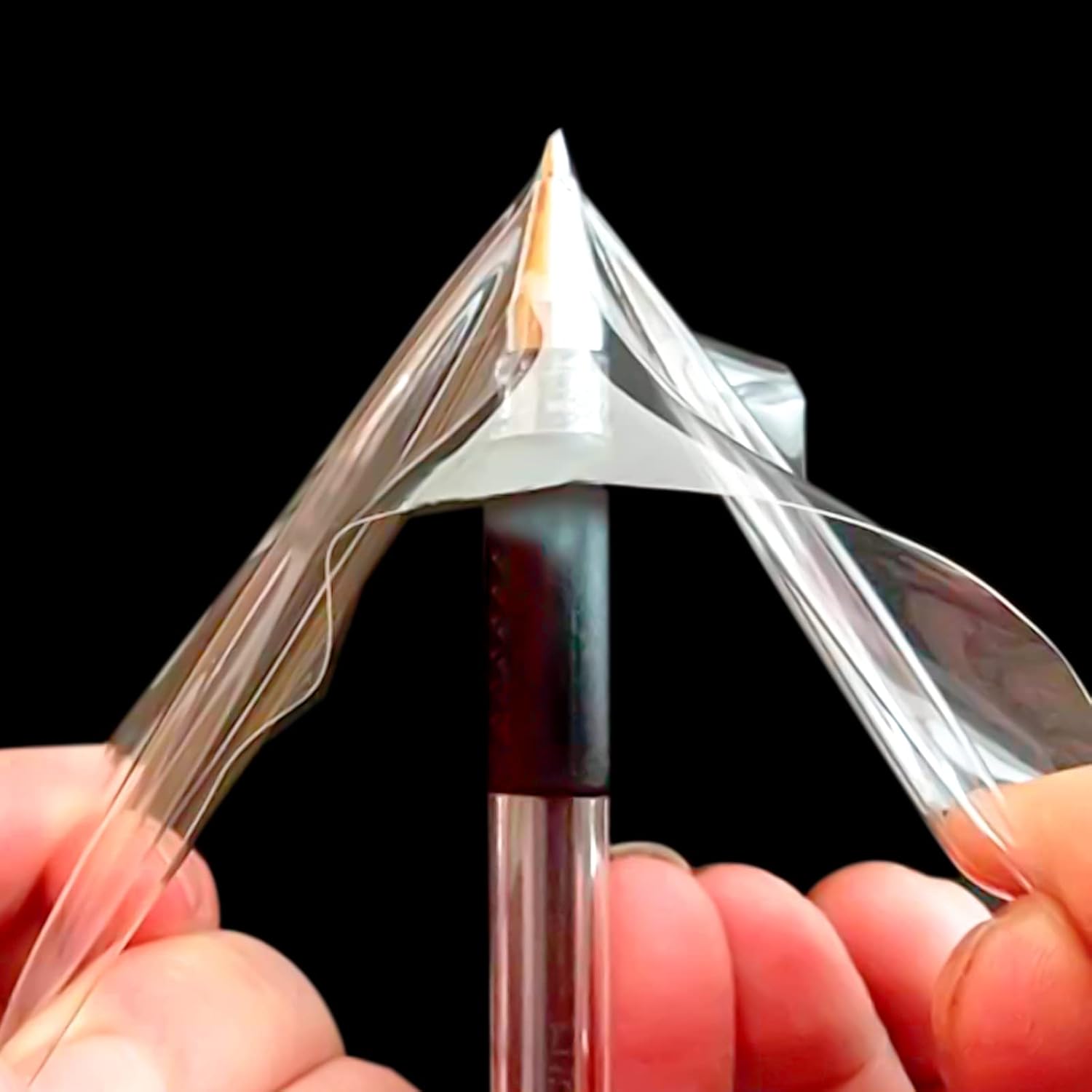
Image: Diagram illustrating the multi-layered structure of the TPU Screen Protector, including the protective plastic films.
2.3 Compatibility
This screen protector is compatible with the following smartwatch models:
- H99 PLUS 1.4 smart watch
- H99 1.4 smart watch
- H39 PLUS 1.4 smart watch
- H39 1.4 smart watch
Note: If your watch has a flat edge, this screen protector may not fully cover the watch. Please check compatibility before purchasing.

Image: Visual guide showing the compatible smartwatch models (H39, H39PLUS, H99, H99PLUS) for which this screen protector is designed.
3. Installation Instructions
Follow these steps carefully for optimal application of your screen protector:
- Clean the screen: First, wipe the surface of the screen clean with the wet wipe (included in the package). Then, use the dry paper, and finally clean the display using the microfiber cloth.
- Remove back stick 1: This watch foil consists of three layers. Put the text side up, and first peel off the bottom layer (labeled '1').
- Align and stick: Carefully align the edge of the screen protector with one side of your smartwatch screen and gently stick it down.
- Apply evenly: When installing, use a card (or similar flat object) to push from one side to the other, ensuring even application. Simultaneously, tear off the sticker 1 completely.
- Press entire screen: Press the entire screen protector firmly with your hand, working from the center outwards to the edges.
- Remove stick 2: Gently peel off the top layer (labeled '2') to finish the application. If there are any bubbles, use your hand to gently push them towards the edges until they disappear.

Image: Step-by-step visual instructions for applying the screen protector to your smartwatch.
4. Maintenance
To ensure the longevity and clarity of your screen protector, follow these maintenance tips:
- Cleaning: Use the included microfiber cloth or a soft, lint-free cloth to gently wipe the screen protector. For stubborn smudges, slightly dampen the cloth with water or a screen cleaner designed for electronics. Avoid harsh chemicals or abrasive materials.
- Avoid Sharp Objects: While the protector is scratch-resistant, extreme pressure or very sharp objects can still cause damage.
- Regular Inspection: Periodically check the edges of the screen protector to ensure it remains firmly adhered to the watch screen.
5. Troubleshooting
If you encounter any issues during or after installation, consider the following:
- Bubbles After Installation: Small bubbles can sometimes appear. Gently push them towards the nearest edge using a soft cloth or a card. For persistent bubbles, try lifting the nearest edge slightly and reapplying while pushing the bubble out.
- Protector Not Sticking Properly: Ensure the screen was thoroughly cleaned before application, free of dust, oils, or debris. Re-read the installation steps carefully, especially regarding the removal of protective films.
- Edge Lifting: If edges begin to lift, gently press them down. Ensure the protector is correctly sized for your watch's screen surface, especially if your watch has curved edges.
If problems persist, please refer to the contact information in the Support section.
6. Specifications
| Feature | Detail |
|---|---|
| Product Dimensions | 1.31 x 1.32 x 0.5 inches (Packaging) / 1.4"L x 1.3"W (Protector) |
| Item Weight | 2.39 ounces |
| Material | Plastic (TPU) |
| Item Hardness | 9H |
| Color | Transparent |
| Screen Size (Compatible) | 1.3 Inches (for H39, H39PLUS, H99, H99PLUS) |
| Special Feature | Scratch Resistant |
| Finish Type | Glossy |
| Clarity | 10 |
| Manufacturer | HENGTO |
| Country of Origin | China |
| Date First Available | January 5, 2023 |
7. Warranty and Support
For any questions, concerns, or support regarding your HENGTO Smartwatch Screen Protector, please contact the seller or manufacturer directly through your purchase platform. Please have your order details and product model number (H39PLUS) ready for faster assistance.