
Introduction
The RØDE X Streamer X is a professional-grade integrated audio interface and 4K video capture card designed for streaming, gaming, and content creation. This compact device combines high-quality audio input with advanced video capture capabilities, offering versatile connectivity for various setups. It features studio-grade microphone preamps, HDMI video input and passthrough, and dual USB-C outputs for multi-computer workflows.
Setup Guide
What's in the Box
- 1 x Streamer X Unit
- 1 x USB-C to USB-C Cable
- 1 x Power Supply
Connecting the Streamer X
- Power Connection: Connect the included power supply to the 5V 3A USB-C port on the rear of the Streamer X.
- Computer Connection: Use the provided USB-C to USB-C cable to connect one of the USB-C data ports (labeled 1 or 2) on the Streamer X to your computer. For dual PC setups, connect the second USB-C port to your second computer.
- HDMI Video Input: Connect your camera, console, or other video source to the HDMI IN port on the rear of the Streamer X using an HDMI cable.
- HDMI Video Passthrough (Optional): For real-time video monitoring, connect an HDMI cable from the HDMI THRU port on the Streamer X to a monitor or display.
- XLR Microphone Input: Connect a professional XLR microphone to the Neutrik combo input on the rear. Ensure 48V phantom power is enabled via the P48 button if your microphone requires it.
- TRRS Headset/Headphone Input: Connect a headset or headphones to the TRRS headset jack for communication or monitoring.
- Headphone Output: Connect headphones to the 3.5mm headphone jack for audio monitoring.
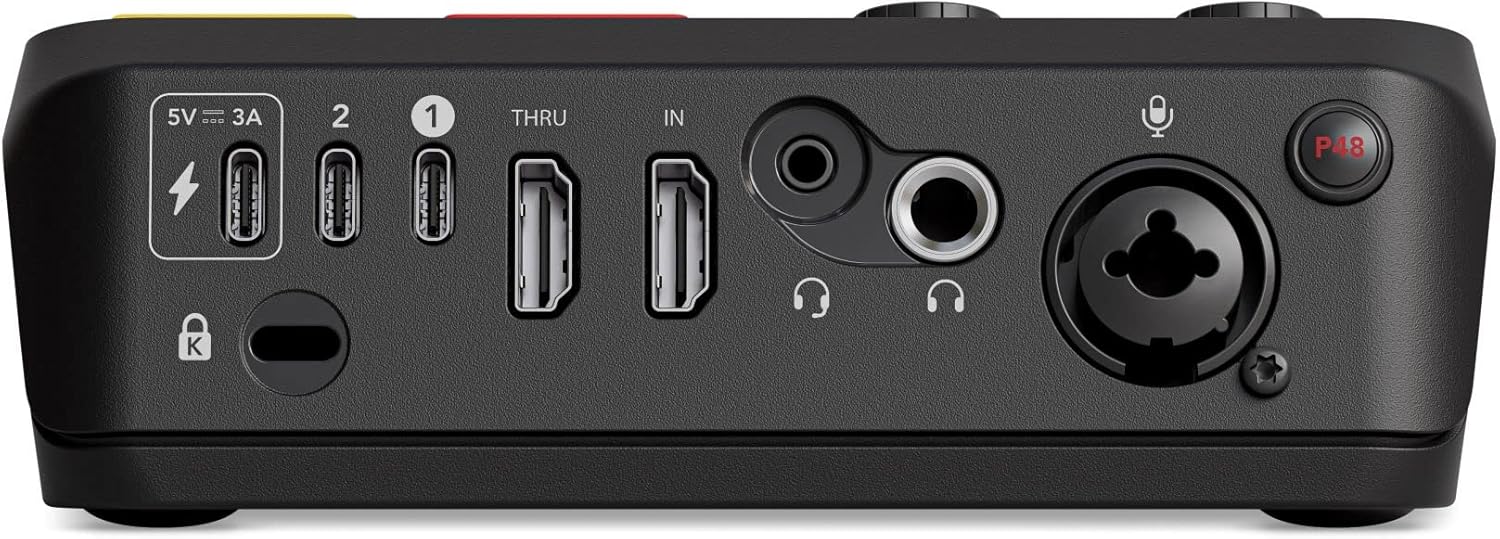
Figure 1: Rear view of the Streamer X with all connectivity ports labeled.

Figure 2: Front view of the Streamer X displaying the control surface.
Operation
Basic Controls
- Microphone Gain Knob: Adjusts the input level for the connected XLR microphone.
- Headphone Volume Knob: Controls the output volume for connected headphones.
- Programmable Pads: The eight colored pads can be customized for various functions such as triggering sound effects, switching scenes, or muting audio.
- Microphone and Camera Buttons: Dedicated buttons for quick mute/unmute of microphone and camera feeds.
Audio Management
The Streamer X features RØDE's Revolution Preamp for capturing broadcast-grade audio from XLR microphones. It also supports TRRS headsets and includes an on-board wireless receiver for RØDE Series IV wireless products like Wireless GO II and Wireless ME. Audio routing and processing can be managed using the accompanying UNIFY software.
Video Capture and Passthrough
Capture video resolutions up to 4K at 30 frames per second (fps) or 1440p at 60fps via HDMI. The device also supports real-time video monitoring with zero-latency HDMI passthrough up to 4K at 60Hz, allowing you to view your video source without delay.
Dual PC Connectivity
Utilize the dual USB-C outputs to connect the Streamer X to two computers simultaneously. This enables advanced workflows, such as capturing video from a gaming PC and streaming it from a dedicated streaming PC, with flexible audio routing.
Software Integration
The RØDE X Streamer X integrates with RØDE's UNIFY software, which provides powerful audio routing, processing, and mixing capabilities. This software allows for detailed control over your audio and video streams, including noise gates, compressors, and other effects.

Figure 3: User engaging in gaming and streaming with the Streamer X.
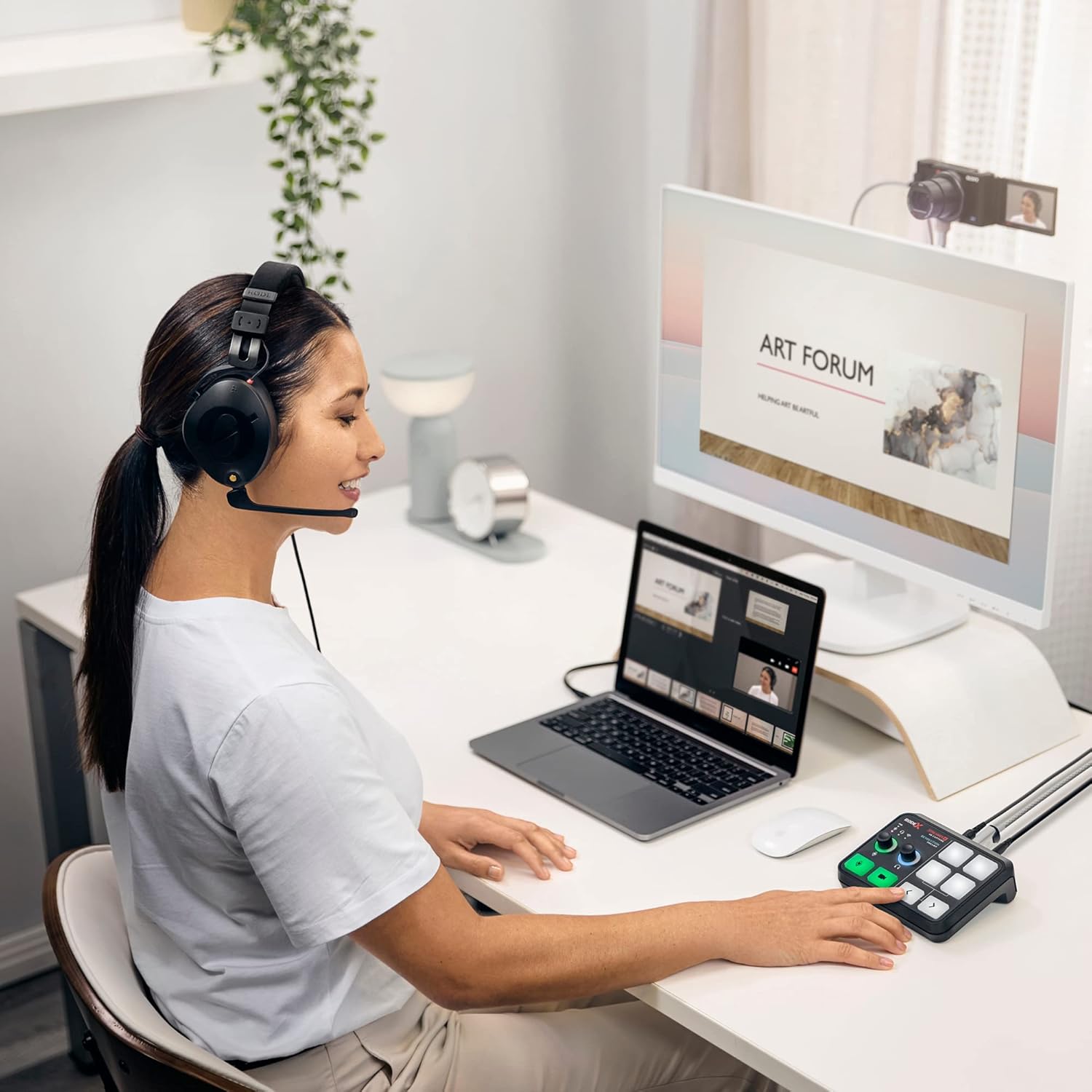
Figure 4: User utilizing the Streamer X for content creation or presentations.

Figure 5: User engaged in podcasting or streaming with the Streamer X.
Maintenance
To ensure optimal performance and longevity of your RØDE X Streamer X, follow these maintenance guidelines:
- Cleaning: Use a soft, dry cloth to clean the exterior of the device. Avoid abrasive cleaners or solvents.
- Firmware Updates: Regularly check the RØDE website for firmware updates. Keeping your device's firmware up-to-date ensures access to the latest features and performance improvements.
- Storage: When not in use, store the Streamer X in a cool, dry place away from direct sunlight and extreme temperatures.
Troubleshooting
If you encounter issues with your Streamer X, consider the following troubleshooting steps:
- No Power/Device Not Responding:
- Ensure the power supply is securely connected to both the Streamer X and a working power outlet.
- Verify the USB-C cable is properly connected to your computer and the Streamer X. Try a different USB-C port on your computer or a different cable.
- No Audio Input/Output:
- Check all audio cable connections (XLR, TRRS, headphones).
- Confirm that the microphone gain and headphone volume knobs are adjusted appropriately.
- Ensure phantom power (P48) is enabled for condenser microphones.
- Verify that the Streamer X is selected as the audio input/output device in your computer's sound settings and streaming software (e.g., OBS, Zoom).
- If using UNIFY software, check audio routing and mixer settings.
- No Video Input/Output:
- Ensure HDMI cables are securely connected to the HDMI IN and HDMI THRU ports (if used).
- Verify your video source (camera, console) is powered on and outputting video.
- Check video settings in your streaming software to ensure the Streamer X is selected as the video capture device.
- Device Freezing or Disconnecting:
- Restart the Streamer X by disconnecting and reconnecting the power.
- Ensure your computer's operating system and the Streamer X firmware are up-to-date.
- If issues persist after waking from sleep, consider adjusting power management settings on your computer or restarting the device.
- Software Issues (e.g., UNIFY):
- Ensure you are running the latest version of the UNIFY software.
- Restart the UNIFY application.
- Consult the UNIFY software manual or RØDE support for specific software-related problems.
Technical Specifications
| Feature | Specification |
|---|---|
| Brand | Rode |
| Model Number | STREAMERX |
| Item Weight | 13.4 ounces (380 Grams) |
| Product Dimensions (LxWxH) | 5.6 x 4.8 x 2 inches |
| Connectivity Technology | HDMI, USB |
| Number of Channels | 4 |
| Video Capture Resolution | Up to 4K/30fps or 1440p/60fps |
| HDMI Passthrough Resolution | Up to 4K/60Hz |
| Audio Inputs | XLR (Neutrik combo), TRRS Headset |
| Audio Outputs | 3.5mm Headphone |
| Power Source | Battery Powered (via USB-C power supply) |
Warranty and Support
The RØDE X Streamer X typically comes with a manufacturer's warranty. For specific warranty terms and conditions, please refer to the documentation included with your product or visit the official RØDE website. Keep your proof of purchase for warranty claims.
For technical support, firmware updates, or additional resources, please visit the official RØDE support page. You can often find FAQs, driver downloads, and contact information for customer service there.
Official RØDE Store: Visit the Rode Store on Amazon


