
Introduction
This manual provides essential information for the proper setup, operation, and maintenance of your Sangyn S-MS-300 Retro Corded Landline Telephone. Designed with a classic vintage aesthetic, this phone incorporates modern features for reliable communication. Please read this manual thoroughly before using the product.
Package Contents
- Sangyn S-MS-300 Retro Corded Landline Telephone Unit
- Handset
- Coiled Handset Cord
- Telephone Line Cord (RJ11)
- User Manual (this document)
Setup
1. Connecting the Telephone Line
Locate the telephone line port on the underside of the phone. Connect one end of the provided telephone line cord (RJ11) into this port and the other end into your wall telephone jack. Ensure a secure connection.

Image: Underside view of the phone, highlighting the phone line port and other controls.
2. Connecting the Handset
Connect the coiled handset cord to the handset port on the underside of the phone and to the corresponding port on the handset. Ensure both connections are firm.
3. Powering the Device
This telephone does not require external power or batteries. It operates using the power supplied through the telephone line. Simply connect the telephone line cord as described above to power the device.
4. Bluetooth Pairing (If Applicable)
While primarily a corded phone, some models may offer Bluetooth functionality for connecting to mobile devices. If your model supports Bluetooth, activate Bluetooth on your mobile device and search for 'LCS Phone' or a similar identifier. Pair the devices as prompted. Refer to the specific instructions provided with your phone for detailed Bluetooth pairing steps.
Video: An overview of the Sangyn Retro Landline Telephone, demonstrating its classic design and features.
Operating Instructions
1. Making a Call
- Lift the handset from the cradle.
- Listen for a dial tone.
- Press the desired number buttons on the dial pad. The phone features modern push-button dialing despite its retro appearance.
- Wait for the call to connect.

Image: Detailed view of the push-button dial, designed to resemble a rotary dial.
2. Redial Function
To redial the last number called, lift the handset and press the 'REDIAL' button located in the center of the dial pad.
3. Answering a Call
When the phone rings, simply lift the handset to answer the incoming call.
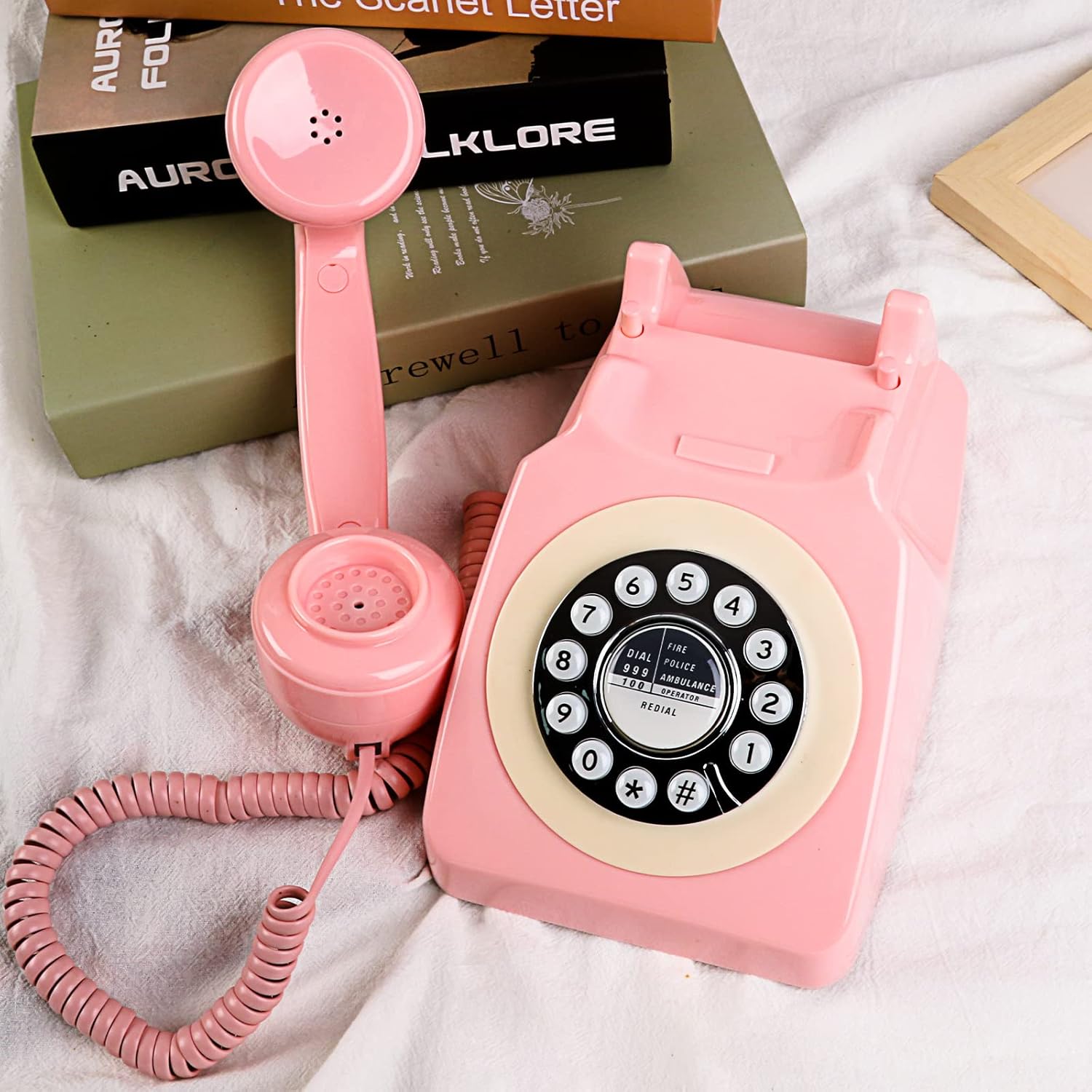
Image: The phone with its handset off the hook, illustrating how to answer a call.
4. Adjusting Ringer Volume and On/Off
On the underside of the phone, locate the 'RINGER' switch and 'VOLUME' slider. The ringer switch allows you to turn the mechanical ringer ON or OFF. The volume slider adjusts the loudness of the ringer.
5. Ending a Call
To end a call, simply place the handset back onto the phone cradle.
Maintenance
Cleaning
To clean your telephone, use a soft, damp cloth. Avoid using harsh chemicals, abrasive cleaners, or excessive moisture, as these can damage the phone's finish and internal components.
General Care
- Keep the telephone away from direct sunlight and heat sources.
- Avoid dropping the telephone or subjecting it to strong impacts.
- Ensure the telephone is placed on a stable, flat surface.
Troubleshooting
- No Dial Tone:
Check that the telephone line cord is securely plugged into both the phone and the wall jack. Ensure your landline service is active. - Ringer Not Working:
Verify that the 'RINGER' switch on the underside of the phone is set to the 'ON' position. Adjust the 'VOLUME' slider to an audible level. - Cannot Make or Receive Calls:
Confirm all connections are secure. If using a splitter or extension cord, try connecting the phone directly to the wall jack. Contact your telephone service provider if the issue persists. - Bluetooth Connection Issues (if applicable):
Ensure the phone's Bluetooth is enabled (if it has a dedicated switch). Turn off and on Bluetooth on your mobile device. Move closer to the phone to ensure you are within range.
Specifications

Image: Product dimensions for the Sangyn S-MS-300 telephone.
| Feature | Detail |
|---|---|
| Product Dimensions | 9.65 x 8.54 x 4.88 inches |
| Item Weight | 2.38 pounds (1.08 Kilograms) |
| Model Number | S-MS-300 |
| Brand | Sangyn |
| Color | Pink |
| Telephone Type | Corded |
| Material | Metal, Plastic |
| Power Source | Corded Electric (via phone line) |
| Dialer Type | Single Keypad (Push-button) |
| Answering System Type | Digital |
| Multiline Operation | Single-Line Operation |
Warranty and Support
For warranty information and customer support, please refer to the documentation included with your purchase or contact Sangyn customer service directly. Keep your purchase receipt as proof of purchase for any warranty claims.