
1. Introduction
Thank you for choosing the TOOLSPACE Cordless Electric Scissors. This device is designed for efficient cutting of various materials, offering cordless convenience and powerful performance. Please read this manual thoroughly before first use to ensure safe and optimal operation.
2. Safety Information
Always observe basic safety precautions to reduce the risk of fire, electric shock, and personal injury.
- Keep the work area clean and well-lit. Cluttered or dark areas invite accidents.
- Do not operate power tools in explosive atmospheres, such as in the presence of flammable liquids, gases, or dust.
- Keep children and bystanders away while operating the electric scissors.
- Avoid accidental starting. Ensure the switch is in the off-position before connecting to battery pack, picking up or carrying the tool.
- Do not overreach. Keep proper footing and balance at all times.
- Dress properly. Do not wear loose clothing or jewelry. Keep your hair and clothing away from moving parts.
- Always wear appropriate personal protective equipment, such as safety glasses.
- Store idle power tools out of the reach of children and do not allow persons unfamiliar with the power tool or these instructions to operate the power tool.
- Use the power tool, accessories and tool bits etc. in accordance with these instructions, taking into account the working conditions and the work to be performed.
3. Package Contents
Verify that all items are present and in good condition upon unpacking.
- 1x 4V Cordless Electric Scissors
- 2x Scissor Head Blades (O-Blade and D-Blade)
- 1x Charger
- 1x Rechargeable Lithium-Ion Battery
- 1x Utility Knife
- 1x User Manual
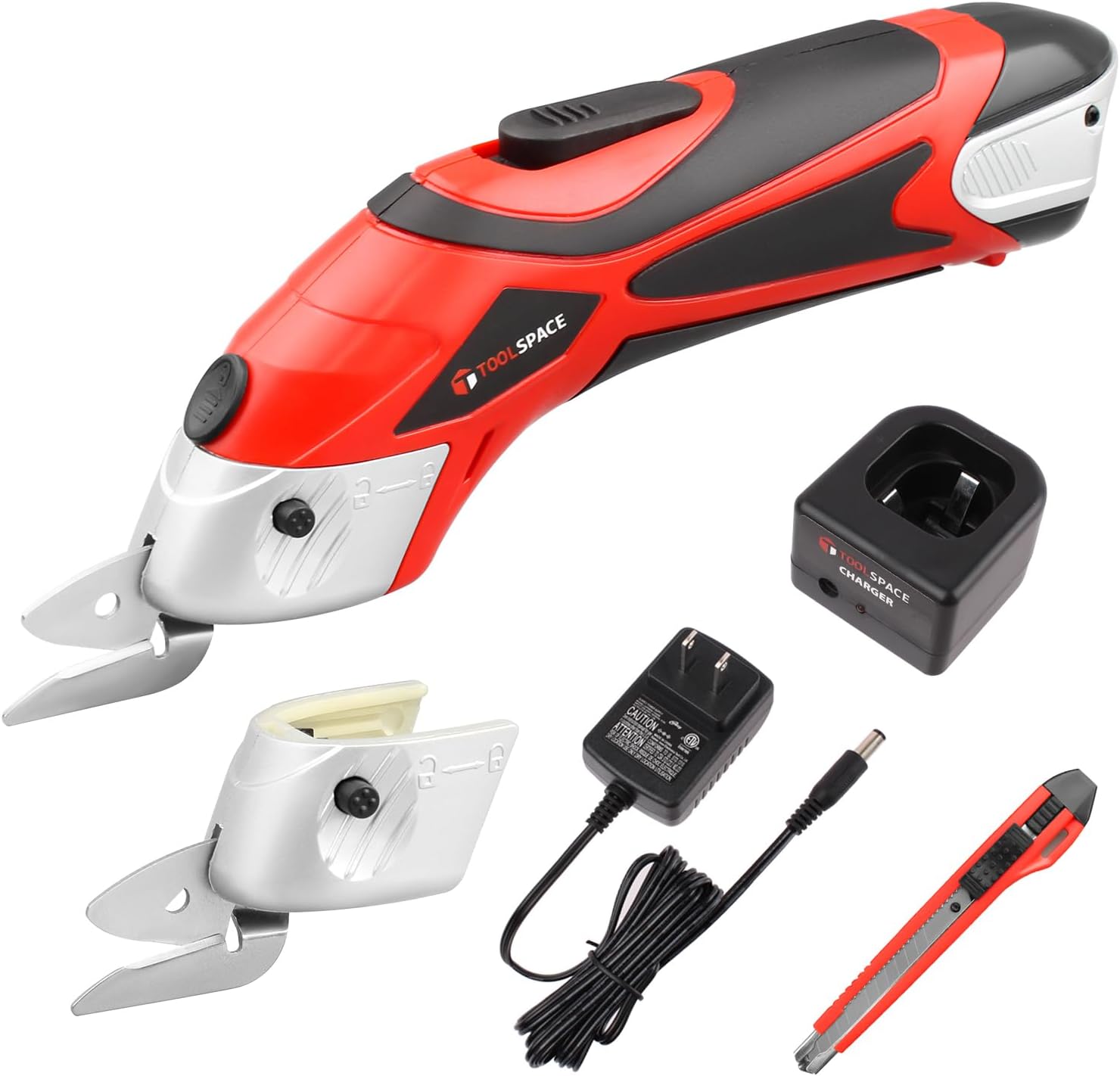
Image 3.1: Contents of the TOOLSPACE Cordless Electric Scissors package, including the main unit, two blade types, charger, battery, and a utility knife.
4. Product Overview
Familiarize yourself with the components of your electric scissors.

Image 4.1: Diagram illustrating the key components of the electric scissors, including the ON/OFF switch, safety release switch, battery release button, blade release button, and the O-Blade/D-Blade cutting heads.
- ON/OFF Switch: Activates and deactivates the motor.
- Safety Release Switch: Must be pressed simultaneously with the ON/OFF switch to operate the tool, preventing accidental activation.
- Battery Release Button: Used to detach the battery from the main unit.
- Blade Release Button: Used to remove and attach different blade types.
- O-Blade/D-Blade: Interchangeable cutting heads for various materials.
5. Setup
5.1 Charging the Battery
The electric scissors are powered by a 4V Lithium-Ion rechargeable battery. Ensure the battery is fully charged before first use.
- Remove the battery from the electric scissors by pressing the battery release button and sliding the battery out.
- Connect the charger to a standard power outlet.
- Insert the battery into the charger. The charging indicator light on the charger will illuminate.
- Allow approximately 1 hour for a full charge. A fully charged battery provides 60-120 minutes of usage depending on the material and cutting intensity.
- Once charging is complete, disconnect the charger from the power outlet and remove the battery.

Image 5.1: The removable 4V Lithium-Ion battery being charged using the provided charger. A full charge typically takes 1 hour.
5.2 Installing and Changing Blades
The electric scissors come with two specialty blades: an O-Blade for soft materials and a D-Blade for hard materials.
- Ensure the tool is off and the battery is removed before changing blades.
- Locate the blade release button on the side of the cutting head.
- Press and hold the blade release button, then gently pull the installed blade head away from the main unit.
- Align the desired blade (O-Blade or D-Blade) with the slot on the main unit.
- Push the blade head firmly into place until it clicks, ensuring the blade release button is fully engaged.

Image 5.2: Visual guide demonstrating the simple process of replacing the cutting blade on the electric scissors.
6. Operating Instructions
6.1 General Operation
- Ensure the correct blade is installed for the material you intend to cut.
- Insert the charged battery into the electric scissors until it clicks securely into place.
- To start the tool, press and hold the safety release switch, then press the ON/OFF switch. Release the safety release switch once the tool is running.
- Guide the cutting head along the material. Apply gentle, steady pressure. Do not force the tool through thick or resistant materials.
- To stop the tool, release the ON/OFF switch.
6.2 Blade Selection and Material Compatibility
The TOOLSPACE electric scissors include two distinct blade types for optimal cutting performance across various materials.

Image 6.1: Illustration of the O-Blade and D-Blade, detailing their design and recommended materials for cutting, such as corrugated cardboard and cotton fabric for the O-Blade, and tin sheets and solid cardboard for the D-Blade.
- O-Blade: This blade is embossed with an 'O' and is designed for cutting flexible or light materials. Examples include corrugated cardboard, cotton fabric, carpet backing, and rose stems.
- D-Blade: This blade is embossed with a 'D' and is suitable for cutting thicker, tougher, and more rigid materials. Examples include tin sheets, solid cardboard, and plastic sheets.
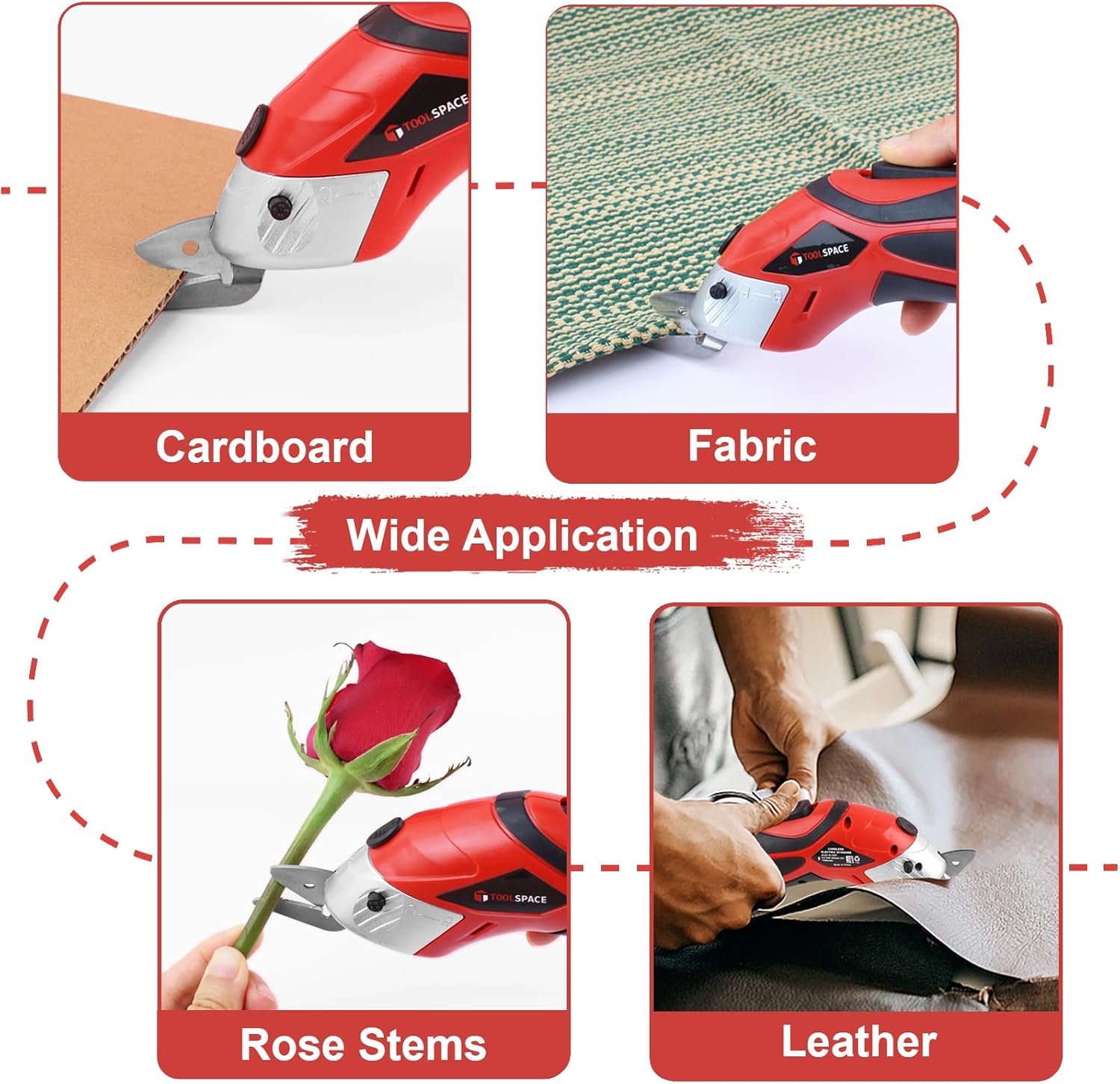
Image 6.2: Demonstrations of the electric scissors cutting various materials, including cardboard, fabric, rose stems, and leather, highlighting its wide application.
7. Maintenance
7.1 Cleaning
Regular cleaning ensures optimal performance and extends the life of your tool.
- Always remove the battery before cleaning.
- Use a dry cloth to wipe down the main body of the electric scissors.
- Remove any debris or material residue from the blades using a small brush or cloth.
- Do not use harsh chemicals or abrasive cleaners.
7.2 Blade Care
The blades are designed for durability, but proper care is essential.
- Inspect blades regularly for signs of wear or damage. Replace worn blades to maintain cutting efficiency.
- Ensure blades are clean and free of adhesive or material buildup, which can hinder performance.
- Store blades in a dry place to prevent rust.
7.3 Battery Care
To maximize battery life and performance:
- Charge the battery fully before first use.
- Do not store the battery in extremely hot or cold conditions.
- If storing for extended periods, charge the battery to approximately 50% capacity.
- Do not attempt to disassemble or modify the battery pack.
8. Troubleshooting
If you encounter issues with your electric scissors, refer to the following common problems and solutions.
| Problem | Possible Cause | Solution |
|---|---|---|
| Tool does not turn on | Battery not charged Battery not properly inserted Safety switch not engaged | Charge the battery fully Ensure battery is clicked into place Press safety release switch simultaneously with ON/OFF switch |
| Poor cutting performance | Incorrect blade for material Blades are dull or dirty Battery low | Select appropriate O-Blade or D-Blade Clean blades or replace if dull Recharge battery |
| Tool stops during operation | Battery depleted Overload protection activated | Recharge battery Reduce pressure or cut thinner material; allow tool to cool if overheated |
9. Specifications
Detailed technical specifications for the TOOLSPACE Cordless Electric Scissors.

Image 9.1: Visual representation of the electric scissors' dimensions (7.8"L x 1.8"W) and other key specifications like 1 hour usage, 4V Li-ion battery, and 0.75lb weight.
- Model: 4V Electric Scissors-RED/BLACK
- Power Source: Battery Powered
- Battery Type: 4V Lithium-Ion (included)
- Charging Time: Approximately 1 hour
- Usage Time: 60-120 minutes (depending on material)
- Item Weight: 0.75 Pounds (12 ounces)
- Product Dimensions: 7.8"L x 1.8"W
- Blade Material: Metal
- Handle Material: Plastic
- Blade Length: 1.25 Inches
- Blade Edge: Curved
- Style: Double-Blade (O-Blade, D-Blade)
- Hand Orientation: Ambidextrous
10. Warranty and Support
TOOLSPACE is committed to providing high-quality products. For any issues or inquiries regarding your Cordless Electric Scissors, please refer to the following information.
10.1 Warranty Information
This product comes with a standard manufacturer's warranty. Please retain your proof of purchase for any warranty claims. Specific warranty terms and duration may vary by region and retailer. For detailed warranty information, please contact TOOLSPACE customer service.
10.2 Customer Support
If you encounter any problems during use or have questions not covered in this manual, please contact TOOLSPACE customer support. Contact details can typically be found on the product packaging or the official TOOLSPACE website.