1. Setup Guide
Follow these steps to prepare your Meidase S950 Cellular Trail Camera for use.
1.1 Unboxing and Components
Verify that all components are present:
- 1 x Meidase S950 Trail Camera
- 1 x Antenna
- 1 x SIM card (pre-installed)
- 1 x Mounting Strap
- 1 x Mini-USB Cord
- 1 x Instruction Manual (this document)
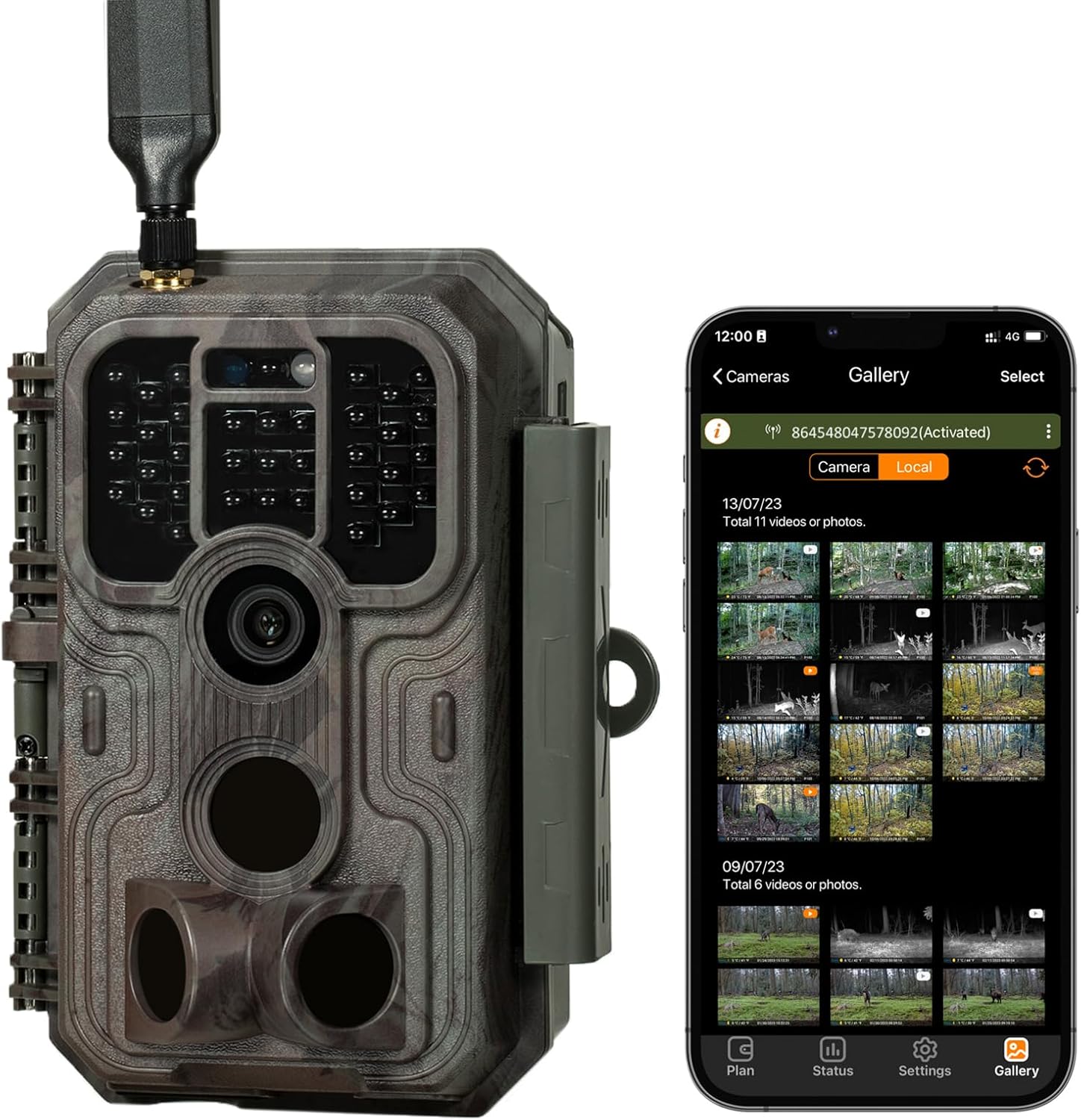
Image: The Meidase S950 Cellular Trail Camera shown alongside a smartphone displaying its companion app's image gallery. This illustrates the camera's design and its remote viewing capability.
1.2 Powering the Camera
The camera requires 8 AA batteries (not included). Ensure batteries are inserted with correct polarity.
For extended operation, the camera supports an external DC 12V/1A power source (plug 5.5x2.1mm, not included).
1.3 SD Card Installation
Insert a standard-size SDHC/SDXC card (up to 512GB, not included) into the designated slot. Ensure the card is formatted before first use via the camera's menu or the mobile application.
1.4 SIM Card and Network Activation
A free SIM card is pre-installed. The camera operates on AT&T or T-Mobile cellular networks (US only) for optimal coverage. No activation fee is required for the SIM card itself.

Image: An illustration detailing the camera's 4G LTE cellular transmission, its compatibility with AT&T and T-Mobile networks (with a pre-installed SIM card), and the availability of a dedicated app for both Android and iOS devices.
1.5 Mobile App Installation
Download the dedicated free Meidase app from your device's app store (available for iOS and Android). Follow the in-app instructions to register your camera and link it to your account.
1.6 Mounting the Camera
Use the included mounting strap to secure the camera to a tree or other suitable structure. The camera is designed for tree mount or wall mount applications.
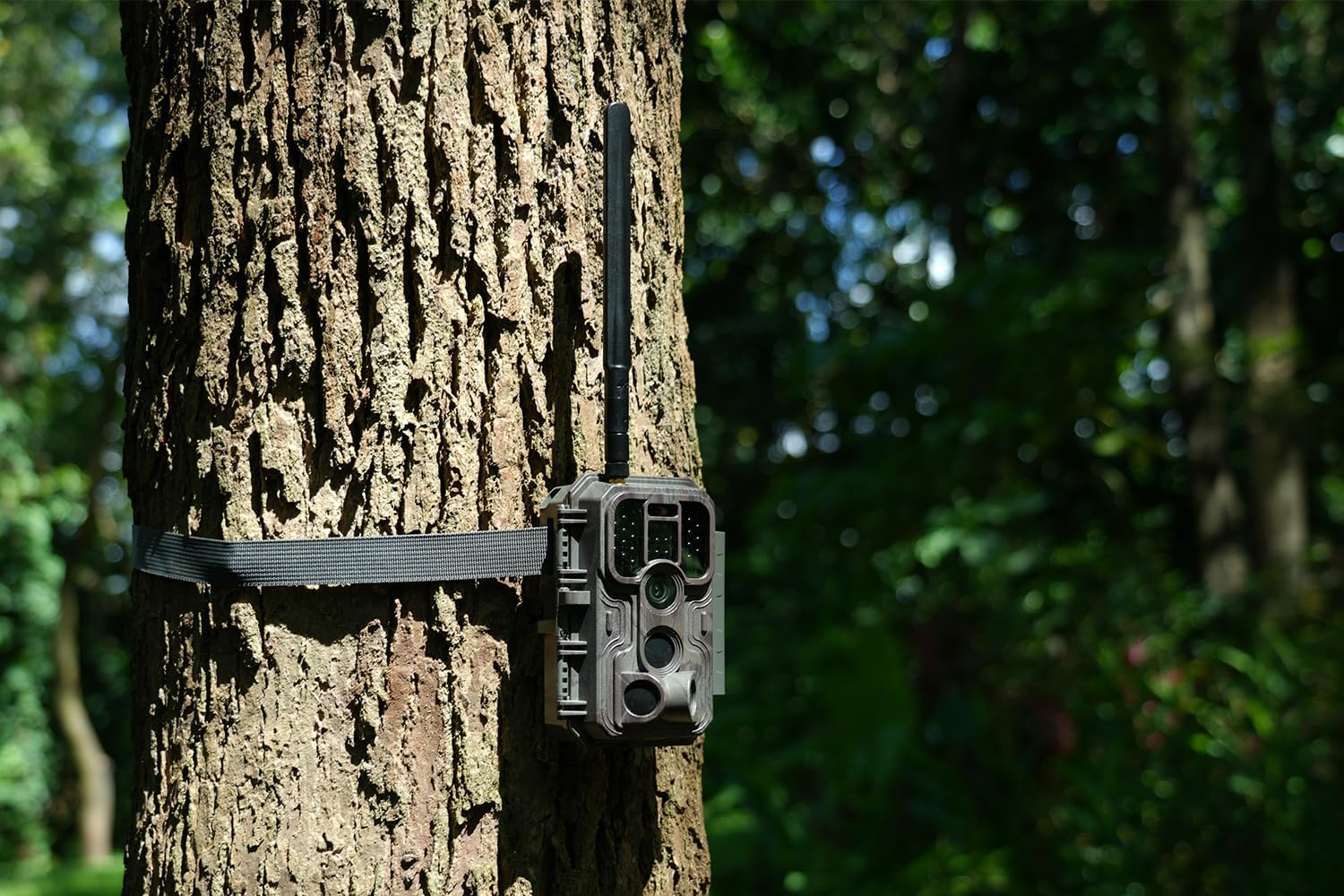
Image: The Meidase S950 Cellular Trail Camera securely mounted to a tree trunk using its strap, blending into a natural forest environment.
2. Operation
Understand the key features and operational modes of your trail camera.
2.1 Basic Functionality
- Trigger Speed: The camera features a fast 0.1-second trigger speed to capture motion quickly.
- Recovery Time: A 0.5-second recovery time ensures minimal delay between consecutive captures.
- Detection Angle: The camera offers a 120-degree wide detection angle with a 75ft long detection distance.
- Display: A built-in 2.4-inch color display allows for on-site viewing and settings adjustment.

Image: A visual representation of the camera's motion detection capabilities, highlighting its 0.1-second trigger speed, 120-degree detection angle, and 75-foot detection range, with a deer in motion.
2.2 Night Vision
The S950 utilizes 940nm no-glow infrared technology for discreet night vision, effective up to 100 feet. Adaptive illumination technology prevents overexposure or underexposure, providing clear images in low-light conditions.
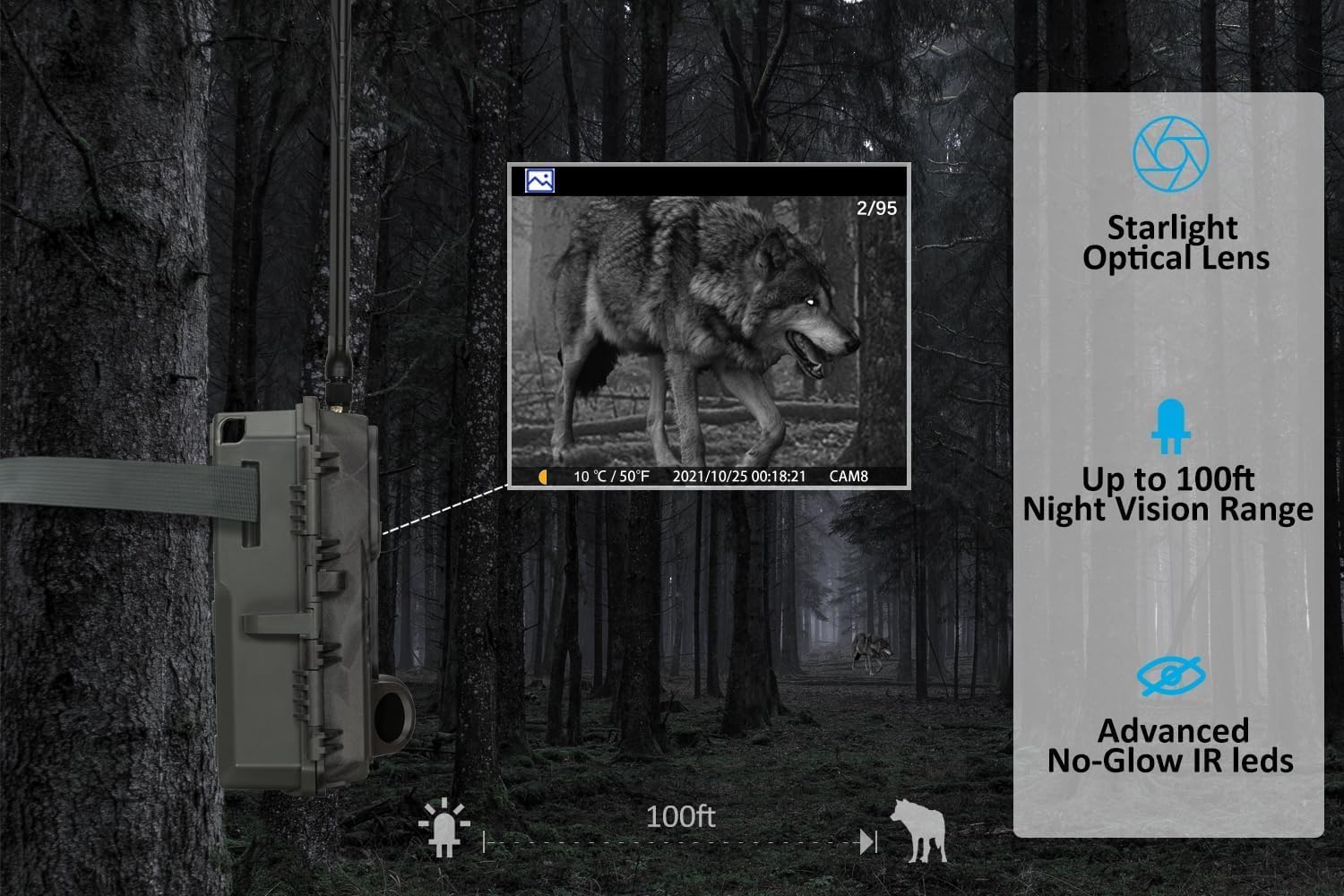
Image: A night vision capture from the Meidase S950 camera showing a wolf in a forest, demonstrating the 100ft night vision range and no-glow IR technology.
2.3 Cellular Connectivity and App Features
The camera sends pictures directly to your mobile phone via the dedicated app, regardless of your mobile carrier (Verizon, AT&T, T-Mobile, etc.).
- Remote Programming: Program camera settings via the app.
- Image Transmission: Receive captured images directly to your phone.
- Lite Video Feature: For each recorded video, the camera sends a 'lite video' of equal length to your app. This allows you to review the event sequence without high data usage. HD videos can be purchased separately if needed.
- HD Photo/Video Request: Request high-definition versions of captured media through the app.

Image: The Meidase S950 camera positioned in a forest, with a smartphone screen overlayed, illustrating the app's functions for sending pictures, programming the camera, and requesting HD media.
2.4 Data Plans
Subscription plans are available for data usage. You can choose between monthly or annual plans:
- Basic Plan: 500 photos or 5,000 seconds of lite videos for $7 per month.
- Standard Plan: 1,500 photos or 15,000 seconds of lite videos for $10 per month.
- Premium Plan: Unlimited photos or unlimited lite videos for $15 per month.
An annual subscription offers a 20% saving.
3. Maintenance
Proper care ensures the longevity and optimal performance of your camera.
3.1 Environmental Protection
The camera features an IP54 international protection rating, making it waterproof and dustproof. It is designed to operate in temperatures ranging from -4°F to 140°F (-20°C to 60°C).

Image: The Meidase S950 camera shown outdoors in light rain, illustrating its waterproof and dustproof design, wide operating temperature range, and support for external power.
3.2 Battery Management
Regularly check battery levels, especially if using standard AA batteries. For optimal performance and to reduce frequent battery changes, consider using high-capacity rechargeable AA batteries or an external 12V DC power source (solar panel compatible).
3.3 SD Card Care
Periodically format your SD card to maintain performance and prevent data corruption. Ensure the camera is powered off before inserting or removing the SD card.
4. Troubleshooting
This section addresses common issues you might encounter with your Meidase S950 camera.
4.1 No Signal or Poor Connectivity
- Ensure the camera is placed in an area with adequate AT&T or T-Mobile cellular coverage (US only).
- Verify the antenna is securely attached.
- Check your data plan status through the mobile app.
- Restart the camera and check for network updates in the app.
4.2 Excessive Battery Drain
- High frequency of photo/video transmission can increase battery consumption. Adjust transmission settings in the app to a less frequent schedule if possible.
- Ensure you are using fresh, high-quality AA batteries. Rechargeable batteries with sufficient capacity are recommended.
- Consider using an external solar panel (Meidase brand or compatible) for continuous power, especially in remote locations.
- Extreme cold weather can reduce battery efficiency.
4.3 Intermittent or Delayed Photo/Video Transmission
- Check the cellular signal strength displayed in the app. Weak signals can cause delays or failures.
- Verify your data plan has sufficient allowance for transmissions.
- Ensure the camera's settings for transmission frequency are configured as desired.
- Confirm the mobile app is updated to the latest version.
4.4 Unclear Night Vision Images
- Ensure there are no obstructions in front of the camera's IR LEDs.
- Check if the camera lens is clean and free from dirt or condensation.
- The adaptive illumination technology works best when there's a balance of light. Very dense fog or heavy rain can affect clarity.
5. Product Specifications
| Feature | Detail |
|---|---|
| Brand | Meidase |
| Model Number | S950 |
| Connectivity Technology | Wireless, Cellular (4G LTE) |
| Compatible Devices | iOS and Android Cell Phone |
| Power Source | Battery Powered (8 AA, not included), External DC 12V/1A |
| Controller Type | iOS and Android app |
| Mounting Type | Tree Mount, Wall Mount |
| Video Capture Resolution | 720p (Lite Video), HD available for purchase |
| Color | Camo |
| Night Vision Range | 100 Feet (940nm no-glow IR) |
| Trigger Speed | 0.1 seconds |
| Recovery Time | 0.5 seconds |
| Detection Angle | 120 degrees |
| Detection Distance | 75 feet |
| Display | 2.4-inch color display |
| International Protection Rating | IP54 (Waterproof & Dustproof) |
| Operating Temperature | -4°F to 140°F (-20°C to 60°C) |
| Product Dimensions (L x W x H) | 9.15 x 3 x 6 inches |
| Item Weight | 1.26 pounds |
| SD Card Support | SDHC/SDXC up to 512GB (not included) |
6. Warranty and Support
For warranty information and technical support, please refer to the official Meidase website or contact their customer service directly. Specific warranty terms may vary and are typically provided with your purchase documentation.
You can visit the Meidase Store on Amazon for additional product information and support resources.