
1. Introduction
This manual provides essential information for the safe and effective use of your MEDca Rechargeable Digital Behind-The-Ear (BTE) Hearing Aid Amplifier. Please read these instructions thoroughly before operating the device. This product is designed to amplify sound for individuals experiencing hearing loss, featuring noise reduction capabilities and a rechargeable battery for extended use.
2. Product Overview
The MEDca BTE Hearing Aid Amplifier is a compact and lightweight device designed for comfort and ease of use. It features digital sound processing with active noise reduction to enhance clarity of conversations.
2.1 Key Components
- Microphone: Captures external sounds.
- Ear Hook: Secures the device behind the ear.
- Tuning Button/Volume Adjustment: Controls sound amplification levels.
- Switch: Power On/Off control.
- Charging Port: For recharging the internal battery.
- Earplugs: Soft silicone tips that fit into the ear canal. Multiple sizes are provided for optimal fit and to prevent howling.

Figure 1: Diagram illustrating the microphone, ear hook, tuning button, switch, charging port, and earplugs of the MEDca BTE Hearing Aid Amplifier.

Figure 2: The MEDca BTE Hearing Aid Amplifier held in a hand, highlighting its lightweight and comfortable design.
3. Setup
3.1 Initial Charging
Before first use, fully charge the hearing aid amplifiers. A 2-hour charge provides approximately 24 hours of continuous use. The charging case can provide an additional 4-5 full charges on the go.
- Connect the provided USB charging cable to the charging port on the device or the charging case.
- Plug the other end into a compatible USB power source.
- A steady blue light indicates the device is charging. The light turns off when charging is complete.

Figure 3: Illustration of the two charging methods: directly via cable or using the portable charging case.
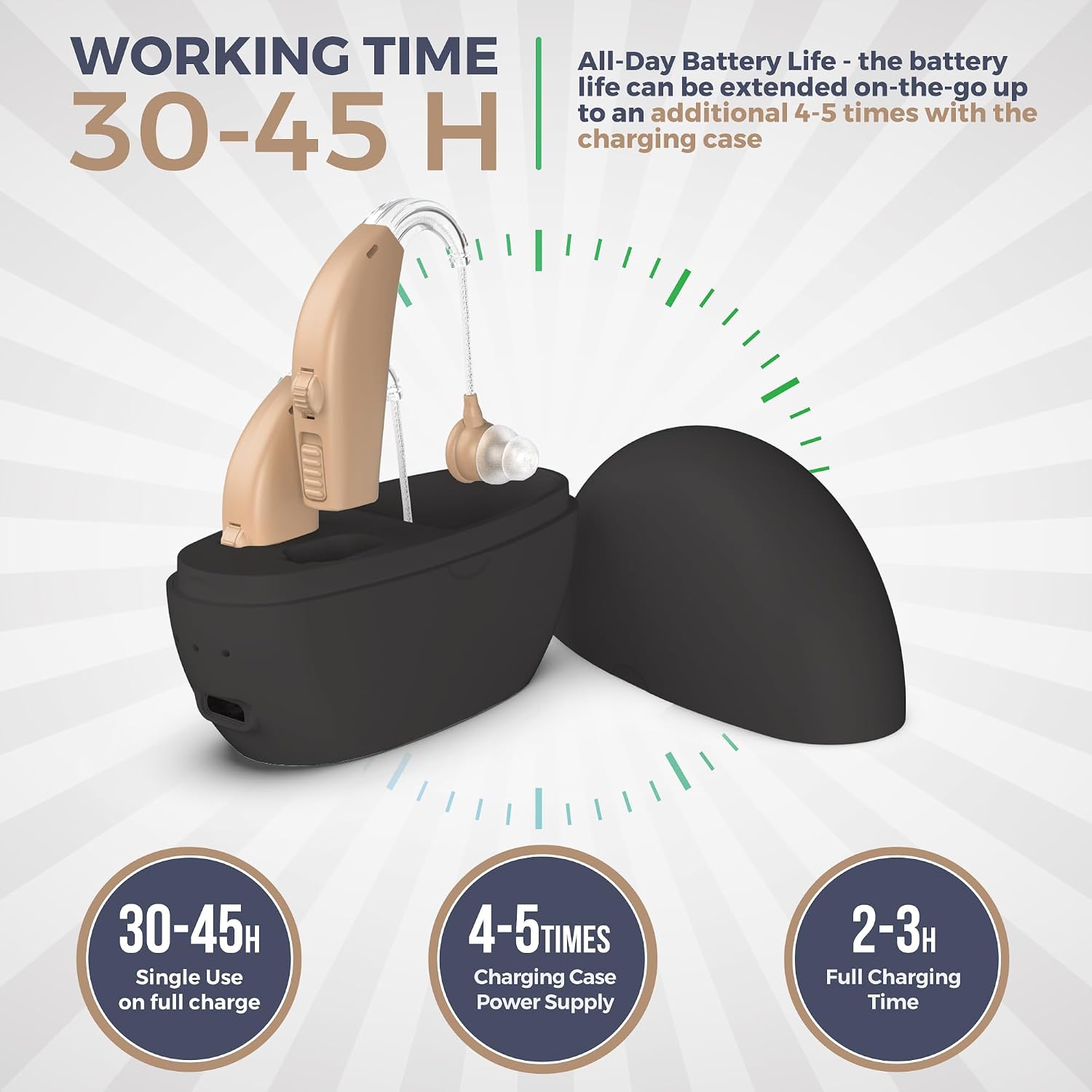
Figure 4: Details on battery life (30-45 hours single use) and charging time (2-3 hours for full charge).
3.2 Selecting and Attaching Earplugs
Choose the earplug size that provides a comfortable and secure fit in your ear canal. A proper fit is crucial to prevent sound leakage and feedback (howling).
- Select an earplug that feels snug but not tight.
- Gently attach the chosen earplug to the sound tube of the hearing aid.
3.3 Wearing the Device
Carefully place the ear hook over the top of your ear, then insert the earplug into your ear canal. Adjust the device until it feels secure and comfortable.

Figure 5: An individual wearing the Behind-The-Ear Hearing Amplifier, demonstrating its placement.
4. Operating Instructions
4.1 Power On/Off
Locate the switch on the device. Slide it to the "ON" position to power on and to the "OFF" position to power off.
4.2 Volume Adjustment
The device features an easy-to-use volume control dial. Rotate the dial to increase or decrease the sound amplification to a comfortable level. Start with a lower volume and gradually increase it as needed.
4.3 Mode Selection
The MEDca amplifier offers six modes for precision amplification. These modes allow you to switch tone and volume settings for optimal results and maximum clarity in various listening environments. Refer to the detailed operation guide included in your product packaging for specific instructions on how to cycle through and select different modes.
5. Maintenance and Care
- Cleaning: Regularly clean the earplugs and the device with a soft, dry cloth. Use the provided cleaning brush to remove any wax or debris from the earplugs and sound outlet. Do not use water or cleaning solutions directly on the device.
- Storage: When not in use, store the hearing aids in their charging case in a cool, dry place away from direct sunlight and extreme temperatures.
- Battery Care: To prolong battery life, avoid fully discharging the device frequently. Charge regularly.
6. Troubleshooting
| Problem | Possible Cause | Solution |
|---|---|---|
| No sound or weak sound |
|
|
| Whistling or feedback noise |
|
|
| Intermittent sound |
|
|
7. Technical Specifications
| Feature | Value |
|---|---|
| Product Dimensions | 0.39 x 0.39 x 0.39 inches; 6.35 ounces |
| Item Model Number | B08YFN72GK |
| Batteries | 2 Lithium Ion batteries required (built-in) |
| Date First Available | August 24, 2022 |
| Manufacturer | MEDca |
| Brand | MEDca |
| Color | Beige |
| Material | Plastic, Resin, Silicone |
| Power Source | Battery Powered (Rechargeable) |
| Maximum saturation pressure level OSPL90 | ≤120±3 db |
| Output sound pressure level | 120±4 db |
| Full-scale sound gain | 38±5dB |
| Frequency Response Range | 500Hz - 3500Hz |
| Total harmonic distortion | ≤8% |
| Equivalent input noise level | ≤32dB |

Figure 6: Visual representation of the technical specifications table.
8. Warranty and Support
For warranty information and customer support, please refer to the documentation included in your product packaging or visit the official MEDca website. Protection plans are available for purchase separately.
9. Legal Disclaimer
Statements regarding this product have not been evaluated by the FDA and are not intended to diagnose, treat, cure, or prevent any disease or health condition. This product is a sound amplifier device and not a medical hearing aid.