
Introduction
Welcome to the instruction manual for your new Kodak PIXPRO AZ528 16MP Astro Zoom Digital Camera. This cutting-edge mega zoom bridge camera is designed to capture stunning images with its 52x optical zoom and 24mm wide-angle lens. This manual will guide you through the setup, operation, maintenance, and troubleshooting of your camera to help you get the most out of its powerful features.
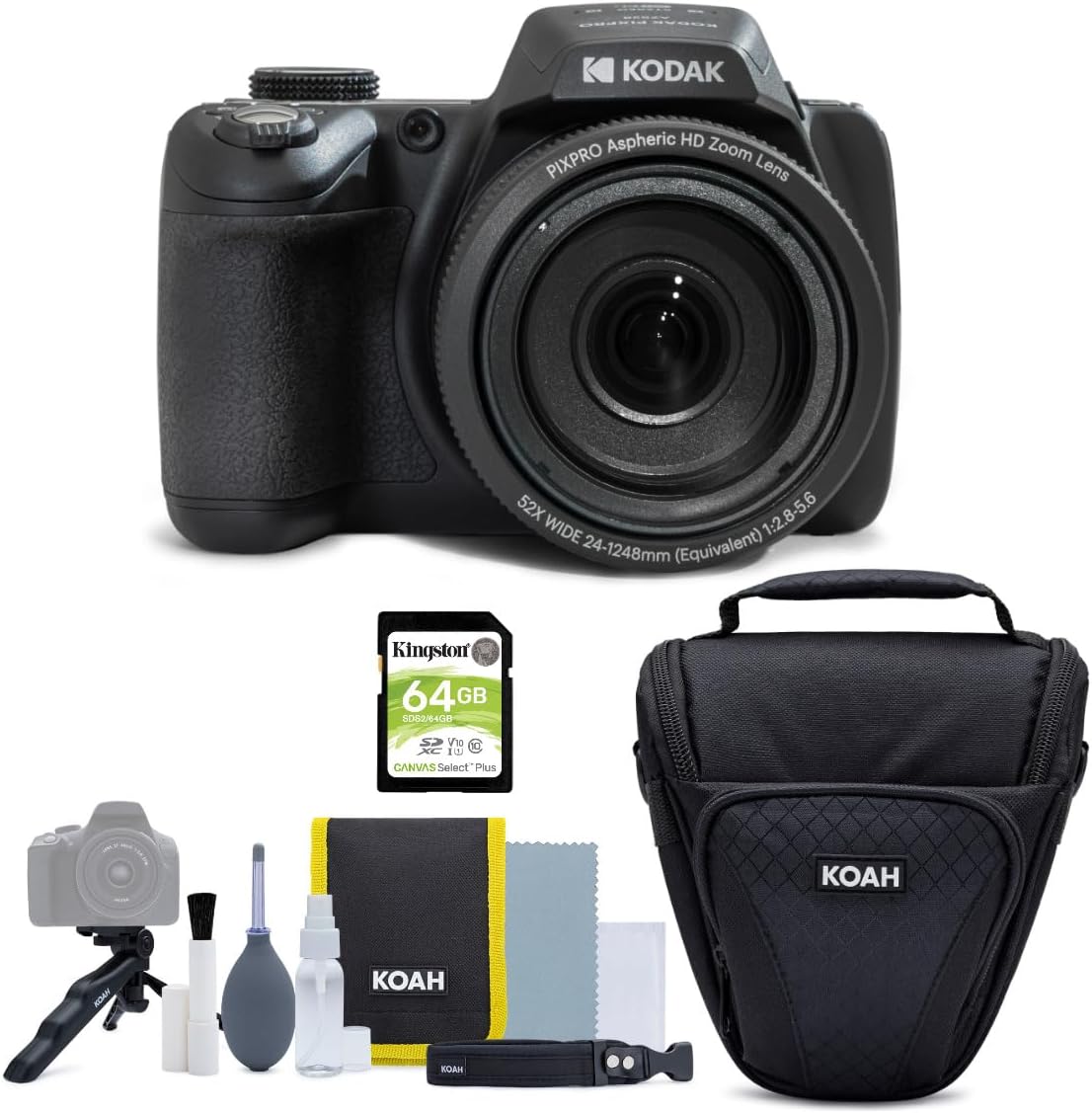
Image: The Kodak PIXPRO AZ528 Digital Camera shown with its accompanying accessories, including a memory card and camera case.
What's in the Box
Please check the contents of your package to ensure all items are present:
- Kodak PIXPRO AZ528 16MP Astro Zoom Digital Camera (Black)
- Camera Case and Accessory Bundle for DSLR, Mirrorless, and Camcorders (includes Holster Camera Case, Compact Mini Tripod, Microfiber Lens Cloth, Fine Bristle Cleaning Brush, Lens Cleaning Wipes, Lens Cleaning Spray Bottle, Rubber Bulb Air Blower, Straps, and a small Carrying Pouch)
- 64GB Memory Card

Image: The camera case and various cleaning and accessory items included in the bundle.
Setup
Battery Installation
The Kodak PIXPRO AZ528 uses a Lithium Ion battery. Locate the battery compartment on the bottom of the camera. Open the compartment cover, insert the battery according to the polarity indicators, and close the cover securely. Ensure the battery is fully charged before first use.
Memory Card Installation
Your camera supports SDXC memory cards. The included 64GB memory card is recommended for optimal performance. Locate the memory card slot, typically near the battery compartment. Insert the memory card with the gold contacts facing the correct direction until it clicks into place. To remove, press the card gently until it pops out.

Image: A Kingston 64GB SDXC memory card, similar to the one included with the camera.
Initial Power On
Press the power button located on the top of the camera. The LCD display will illuminate. Follow any on-screen prompts to set the date, time, and language for the first time setup.
Connecting to Devices (Wi-Fi)
The AZ528 features Wi-Fi connectivity, allowing you to wirelessly control the camera with your iOS or Android device. Refer to the camera's on-screen menu for Wi-Fi setup instructions. Typically, you will enable Wi-Fi on the camera, then connect your smart device to the camera's Wi-Fi network and use the dedicated Kodak PIXPRO app for remote control and image transfer.
Operating the Camera
Basic Controls
Familiarize yourself with the camera's main controls. The top panel typically includes the power button, shutter button, zoom lever, and mode dial. The rear panel features the 3-inch LCD display, navigation buttons, and various function buttons for menu access, playback, and settings adjustments.
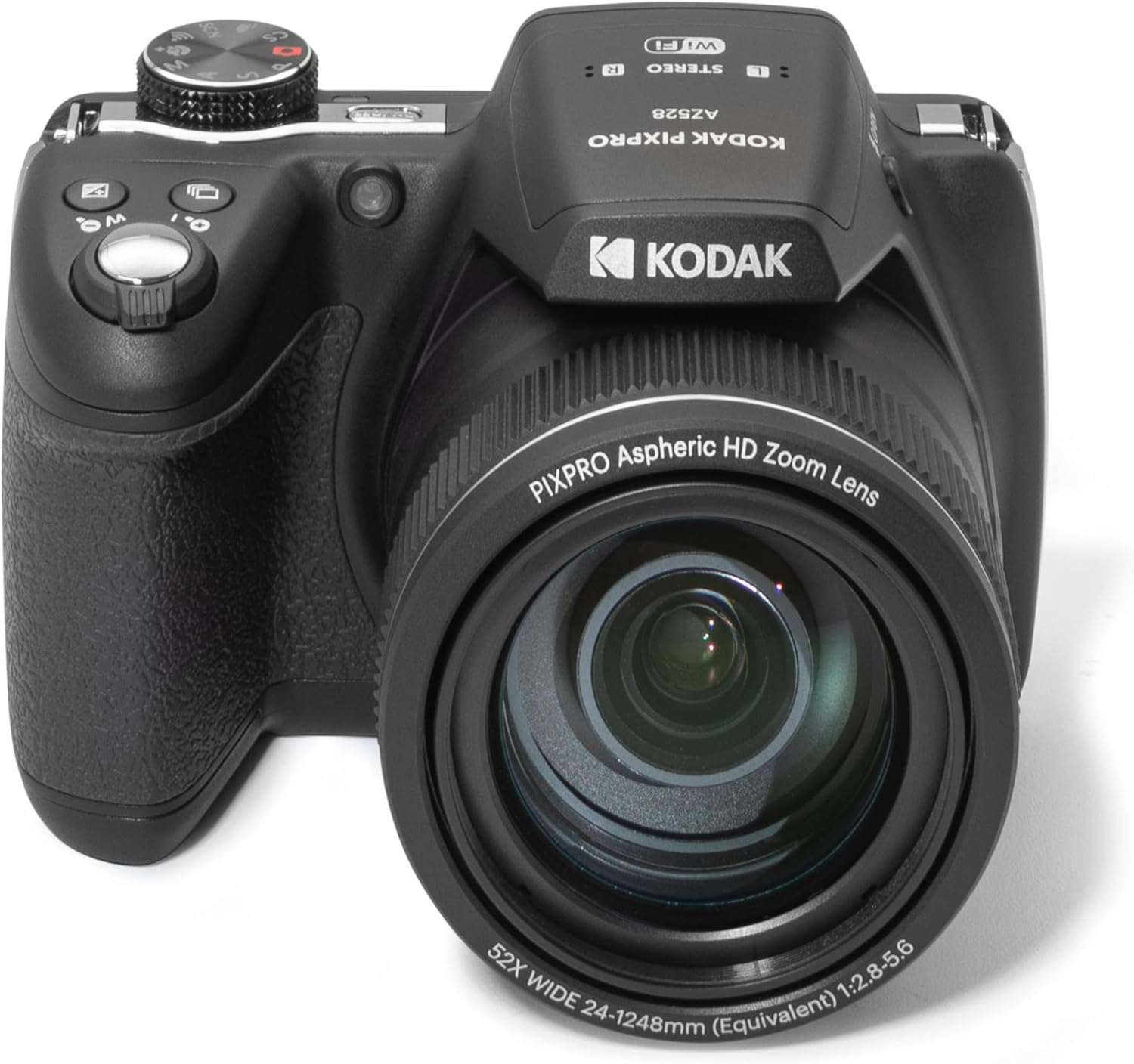
Image: Top-down view of the Kodak PIXPRO AZ528, highlighting the control layout including the mode dial and shutter button.
Taking Photos
- Turn on the camera.
- Select your desired shooting mode using the mode dial (e.g., Auto, Program, Aperture Priority, Shutter Priority, Manual).
- Frame your shot using the LCD display.
- Press the shutter button halfway down to focus. The camera will confirm focus.
- Press the shutter button fully down to capture the image.
Video Recording
The AZ528 supports 1080p video recording at 30 FPS in MP4 format.
- Switch to video recording mode (usually indicated by a video camera icon on the mode dial or a dedicated video record button).
- Press the record button to start recording.
- Press the record button again to stop recording.
Zoom Function
The camera features a powerful 52x optical zoom. Use the zoom lever located around the shutter button to zoom in or out. Pushing the lever towards 'T' (Telephoto) will zoom in, while pushing it towards 'W' (Wide) will zoom out. The 24mm wide-angle lens allows for expansive landscape shots, while the 52x zoom brings distant subjects closer.

Image: The Kodak PIXPRO AZ528 camera with its lens fully extended, demonstrating the powerful optical zoom capability.
Using the LCD Display
The 3-inch LCD display provides a clear view for framing shots, reviewing images, and navigating menus. Adjust brightness and display settings through the camera's menu system for optimal viewing in various lighting conditions.
Flash Modes
The camera features a built-in flash. To activate the flash, typically you will press a dedicated flash button or select a flash mode from the menu. Available flash modes usually include Auto, Fill-in, Red-eye Reduction, Slow Sync, and Off. Ensure the flash is popped up if required for operation.
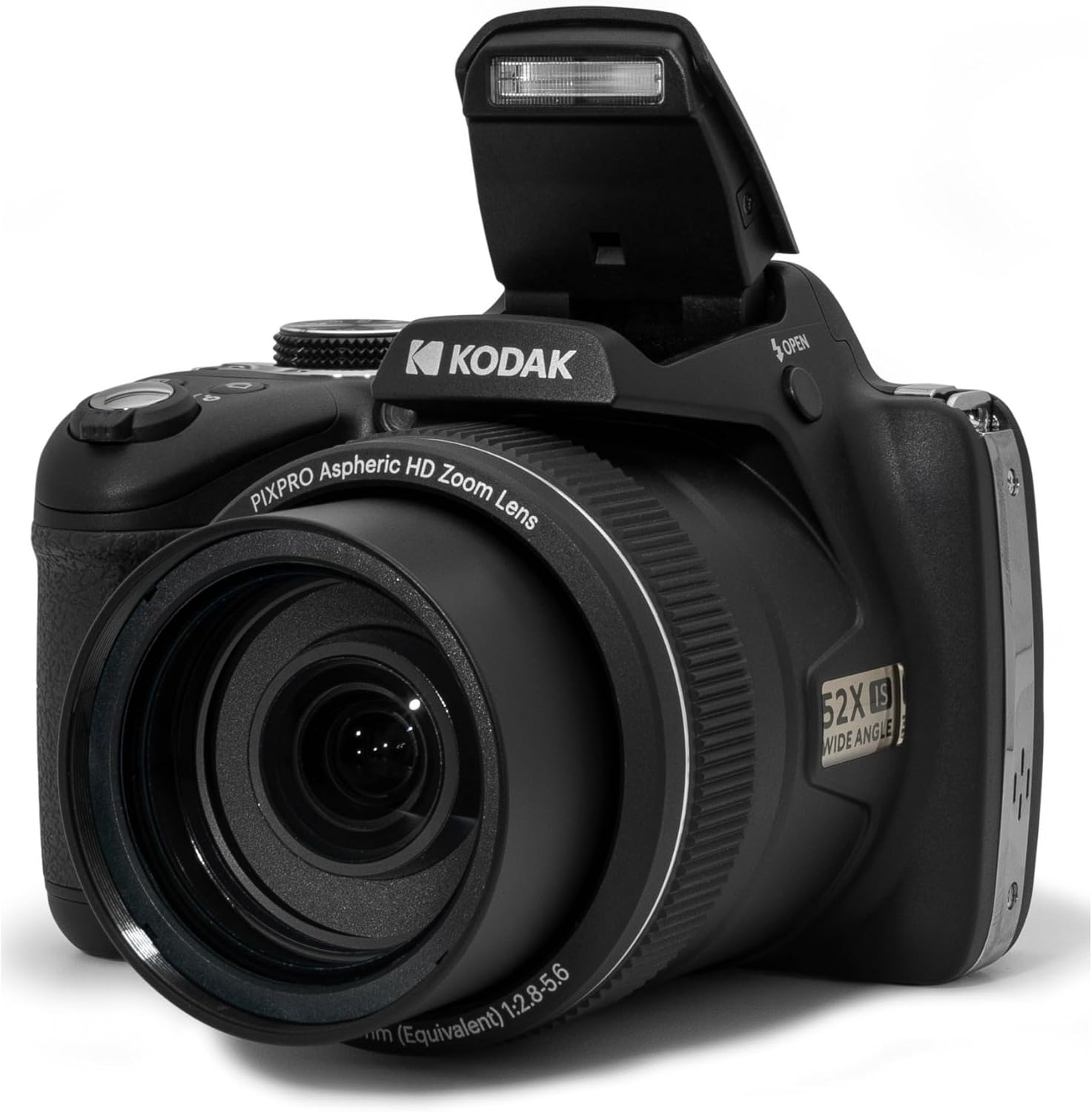
Image: The Kodak PIXPRO AZ528 camera with its built-in flash unit popped up, ready for use in low-light conditions.
Maintenance
- Cleaning the Camera and Lens: Use the included microfiber lens cloth and fine bristle cleaning brush to gently clean the lens and camera body. For stubborn smudges on the lens, use a lens cleaning wipe or a small amount of lens cleaning spray on the cloth, never directly on the lens. Use the rubber bulb air blower to remove dust from the lens surface.
- Battery Care: Store the battery in a cool, dry place when not in use. Avoid fully discharging the battery frequently to prolong its lifespan.
- Storage: When not in use, store the camera in the provided camera case to protect it from dust, moisture, and physical damage. Remove the battery if storing for extended periods.
Troubleshooting
| Problem | Possible Cause / Solution |
|---|---|
| Camera does not power on. | Battery is not charged or incorrectly inserted. Ensure battery is charged and inserted correctly. |
| Images are blurry. | Camera not focused correctly. Ensure shutter button is pressed halfway to focus before fully pressing. Check for lens smudges. |
| Memory card error. | Memory card is full, corrupted, or not inserted correctly. Try reinserting the card, formatting it (this will erase all data), or using a different card. |
| Wi-Fi connection issues. | Ensure Wi-Fi is enabled on both camera and smart device. Check network settings and try restarting both devices. |
| Flash not firing. | Flash may be disabled or not popped up. Check flash settings and ensure it's in an appropriate mode. |
Technical Specifications
| Feature | Specification |
|---|---|
| Model Name | PIXPRO AZ528 |
| Photo Sensor Resolution | 16 MP |
| Optical Zoom | 52x |
| Minimum Focal Length | 24 Millimeters |
| Maximum Focal Length | 52 Millimeters |
| Display Type | LCD |
| Screen Size | 3 Inches |
| Image Stabilization | Optical |
| Supported File Format | RAW, JPEG |
| Video Resolution | 1080p |
| Frame Rate | 30 FPS |
| Wireless Technology | Wi-Fi |
| Battery Type | Lithium Ion |
| Memory Storage Capacity | 64 GB (included) |
| Item Weight | 1 Pounds |
| Color | Black |
Warranty and Support
For warranty information and technical support, please refer to the official Kodak PIXPRO website or contact Kodak customer service. Keep your purchase receipt as proof of purchase for any warranty claims.