1. Introduction
Thank you for choosing the Cecotec Bolero Squad I 3100 FullFlex Induction Hob. This manual provides essential information for the safe and efficient operation, installation, and maintenance of your new appliance. Please read this manual thoroughly before first use and keep it for future reference.

Image 1.1: The Cecotec Bolero Squad I 3100 FullFlex Induction Hob in use, featuring a pot of curry on one of its cooking zones.
2. Safety Instructions
To prevent personal injury or damage to the appliance, always observe the following safety precautions:
- Electrical Safety: Ensure the appliance is correctly installed by a qualified professional and connected to a properly grounded electrical outlet. Do not use extension cords or adapters.
- Heat and Burns: The hob surface will be hot after use due to residual heat. Avoid touching hot surfaces. Always use oven mitts or pot holders.
- Pan Detection: The hob features a pan detection system. Only use cookware suitable for induction hobs.
- Children Safety (Kid Lock): This appliance is not intended for use by persons with reduced physical, sensory, or mental capabilities. Keep children away from the appliance during operation and when it is cooling down. Utilize the Kid Lock function to prevent accidental activation.
- Cleaning: Disconnect the appliance from the power supply before cleaning. Do not use abrasive cleaners or sharp objects that could scratch the glass surface.
- Ventilation: Ensure adequate ventilation around the appliance during installation and operation.

Image 2.1: A padlock icon, indicating the Kid Lock safety feature, which prevents unintended operation by children.
3. Product Features
The Cecotec Bolero Squad I 3100 FullFlex Induction Hob is equipped with advanced features for a superior cooking experience:
- 9 Power Levels: Precisely control cooking intensity with 9 distinct power settings, up to a maximum of 7400 W.
- Bridge Zone: Two cooking zones can be combined to form a larger rectangular zone, ideal for griddles or large pots.
- Booster Function: Provides rapid heating for immediate cooking, significantly reducing boiling times.
- Invisible Slider Touch Control: Intuitive and precise touch and slide controls for easy selection of desired settings.
- Beveled Front: Enhances aesthetics and simplifies cleaning.
- Keep Warm Function: Maintains food at an optimal serving temperature without further cooking.
- Pan Detector: Automatically recognizes suitable cookware placed on the hob and switches off if no pan is detected.
- Stop & Go: Allows pausing cooking and resuming with the same power settings.
- Timer: Program cooking times for perfect results and automatic shut-off.
- Residual Heat Indicator: Alerts you when cooking zones are still hot after use, preventing accidental burns.

Image 3.1: Visual representation of the hob's 9 power levels and maximum 7400 W output.

Image 3.2: The induction hob accommodating multiple pans, showcasing the flexibility of the Bridge Zone for larger cookware.
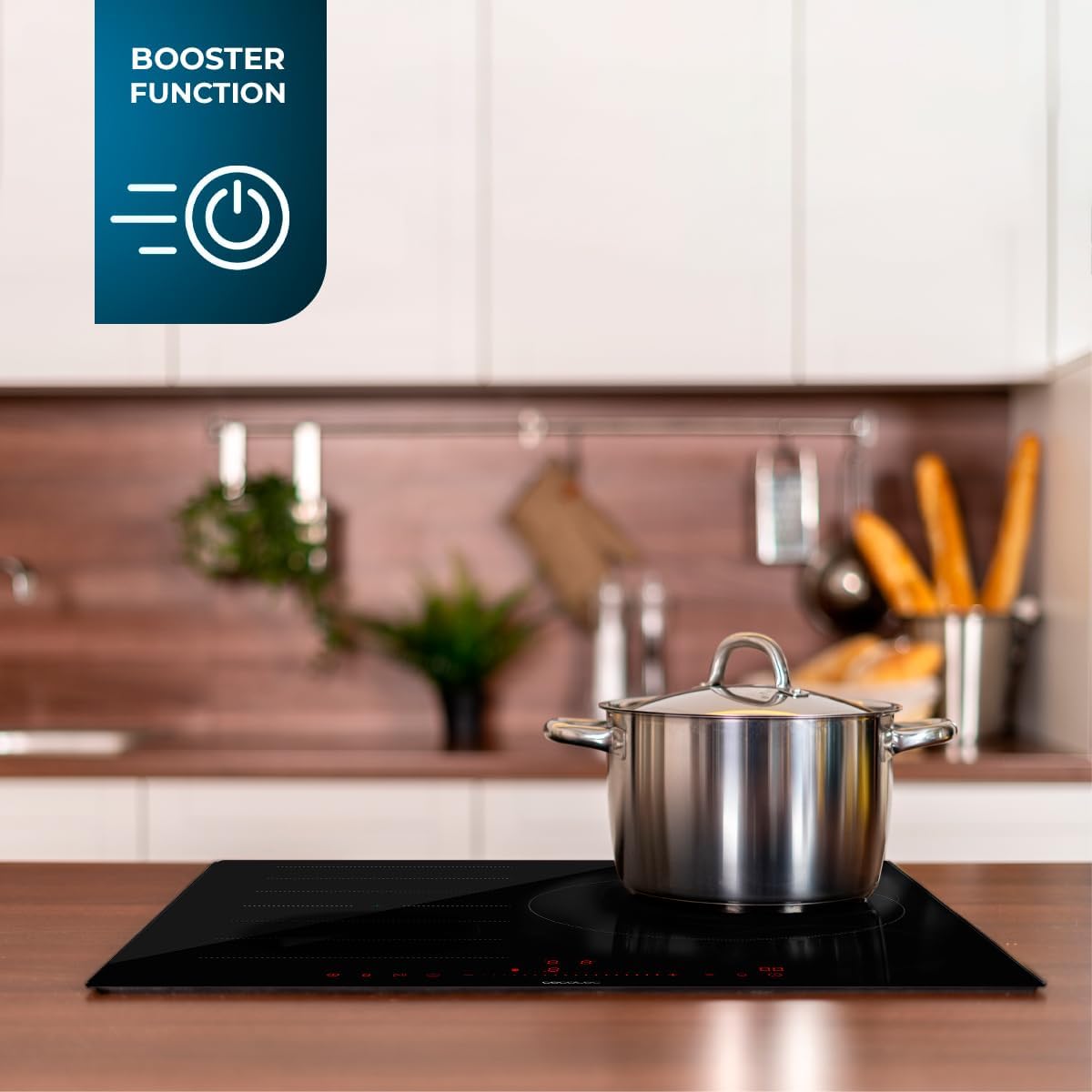
Image 3.3: The hob with a pot, highlighting the 'Booster Function' for rapid heating.
4. Setup and Installation
The Cecotec Bolero Squad I 3100 FullFlex Induction Hob requires professional installation. Please ensure all local electrical codes and regulations are followed.
4.1. Unboxing and Contents
Carefully unpack the appliance and check for any damage. The package should contain:
- 1 x Cecotec Bolero Squad I 3100 FullFlex Induction Hob
- 1 x User Manual (this document)
4.2. Dimensions and Placement
Refer to the product dimensions for proper cutout and cabinet requirements. Ensure sufficient clearance for ventilation.
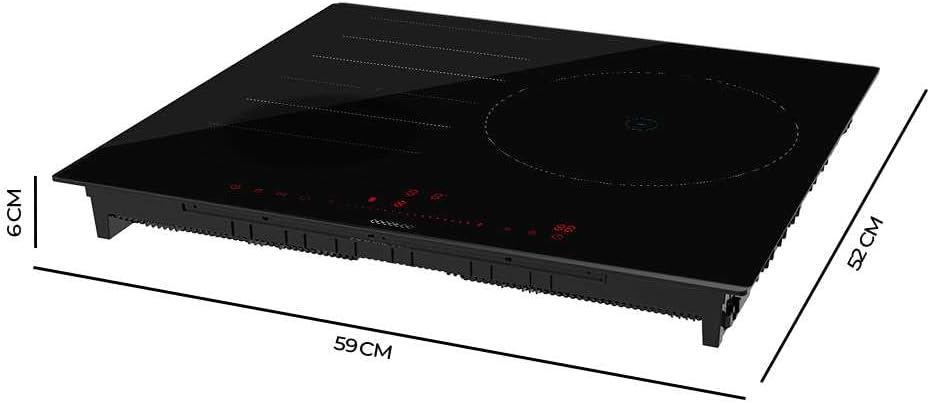
Image 4.1: Dimensional diagram of the induction hob, showing its height (6 cm), depth (52 cm), and width (59 cm).
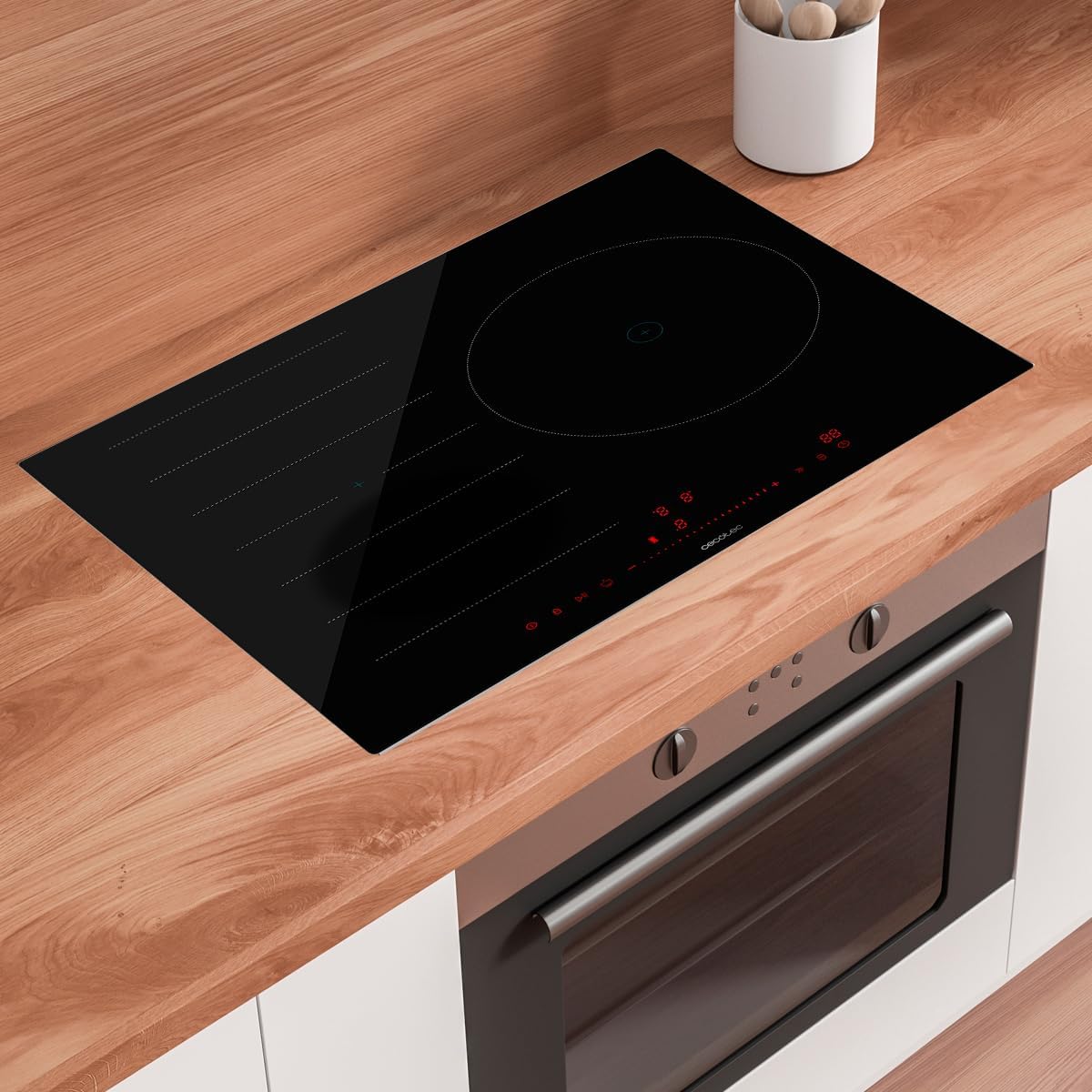
Image 4.2: The induction hob seamlessly integrated into a modern kitchen countertop.
5. Operating Instructions
Familiarize yourself with the control panel and functions before cooking.
5.1. Control Panel Overview
The hob features an Invisible Slider Touch Control panel. Simply slide your finger along the control bar to adjust settings.

Image 5.1: A hand demonstrating the use of the touch slider control for adjusting hob settings.
5.2. Basic Operation
- Power On/Off: Touch the power symbol to turn the hob on or off.
- Selecting a Cooking Zone: Tap the desired cooking zone indicator.
- Adjusting Power: Use the slider control to select one of the 9 power levels.
5.3. Advanced Functions
- Booster Function: Activate the Booster for rapid heating. This function provides maximum power for a short period.
- Bridge Zone: To activate the Bridge Zone, select both connected cooking zones and press the Bridge Zone button (if available on your model's interface).
- Keep Warm: Select a cooking zone and activate the Keep Warm function to maintain a low, constant temperature.
- Stop & Go: Press the Stop & Go button to pause cooking. Press it again to resume with the previous settings.
- Timer: Set a cooking duration for any zone. The zone will automatically turn off when the timer expires.
- Kid Lock: Press and hold the Kid Lock button to lock the control panel, preventing accidental changes. Repeat to unlock.
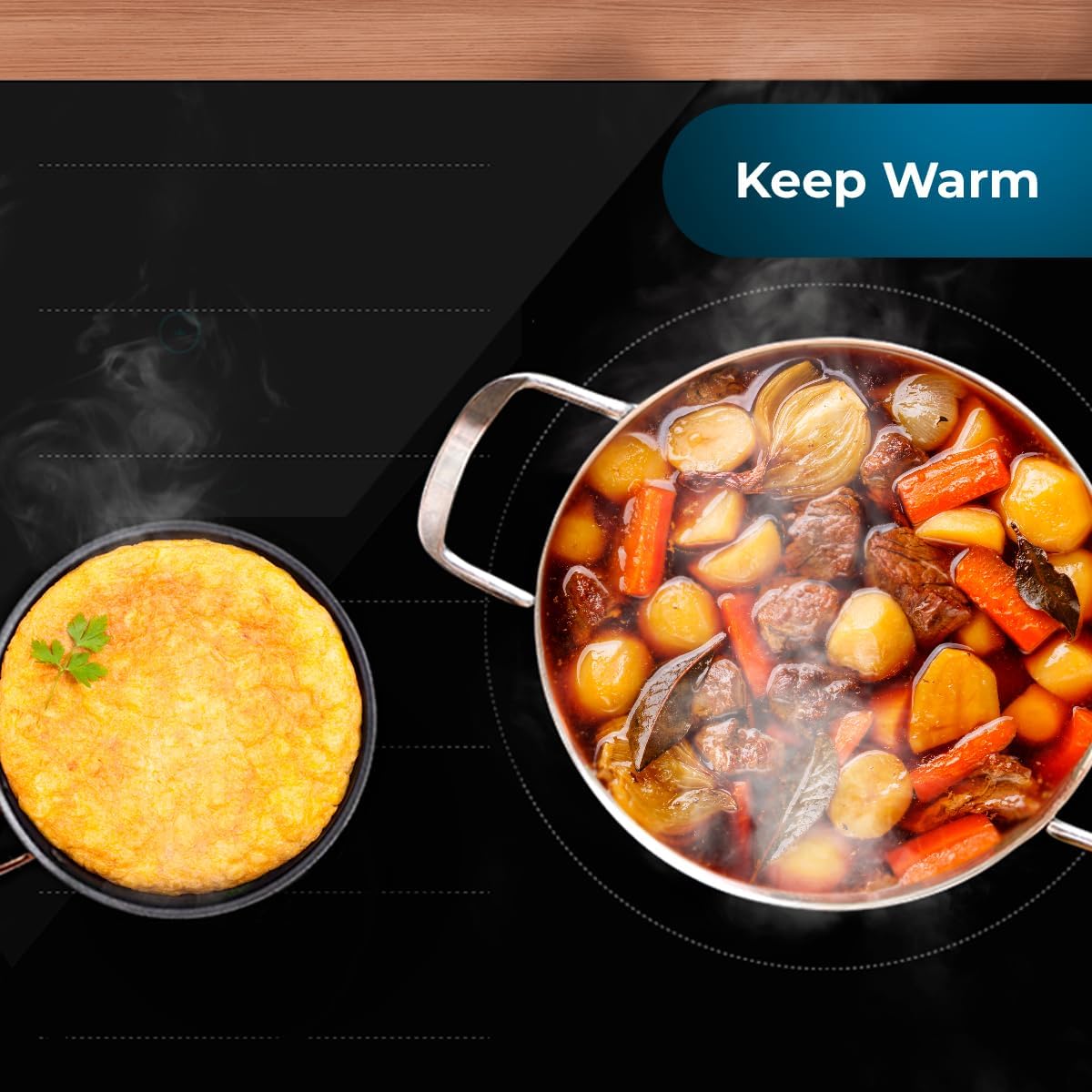
Image 5.2: The hob demonstrating the 'Keep Warm' function, keeping food at an ideal serving temperature.
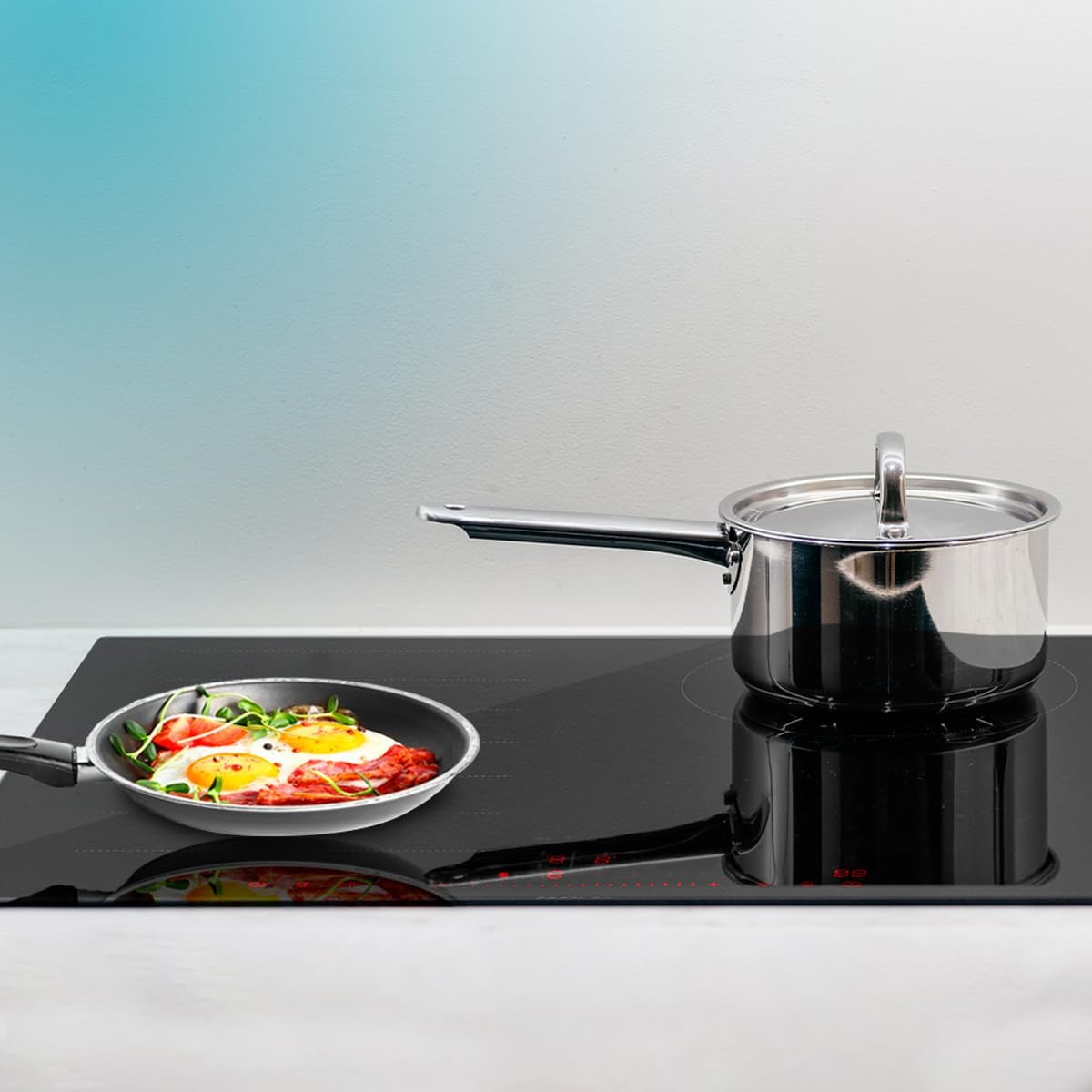
Image 5.3: The hob's pan detection system, which ensures operation only when suitable cookware is present.

Image 5.4: The 'Stop & Go' feature in action, allowing users to pause and resume cooking without losing settings.
6. Maintenance and Cleaning
Regular cleaning and maintenance will ensure the longevity and optimal performance of your induction hob.
6.1. Cleaning the Glass Surface
- Always ensure the hob is cool and disconnected from the power supply before cleaning.
- Wipe spills immediately with a soft, damp cloth.
- For stubborn stains, use a ceramic hob cleaner and a non-abrasive sponge.
- Avoid using abrasive pads, harsh chemicals, or steam cleaners.
6.2. General Care
- Do not place hot lids directly on the hob's control panel.
- Avoid dropping heavy or sharp objects on the glass surface.
- Ensure the ventilation openings are not blocked.
7. Troubleshooting
If you encounter issues with your induction hob, refer to the following common problems and solutions:
| Problem | Possible Cause | Solution |
|---|---|---|
| Hob does not turn on. | No power supply; Kid Lock activated; Incorrect installation. | Check power connection; Deactivate Kid Lock; Consult a qualified electrician for installation check. |
| Cooking zone not heating. | Cookware not suitable for induction; Pan not centered; Pan detector error. | Use induction-compatible cookware; Center the pan on the zone; Ensure pan is flat-bottomed. |
| Control panel unresponsive. | Spill on controls; Kid Lock activated; Temporary electronic glitch. | Clean the control panel; Deactivate Kid Lock; Disconnect power for a few minutes and reconnect. |
| Unusual noises (humming/clicking). | Normal operation of induction technology; Cookware quality. | This is often normal. If excessive, try different cookware. |
| Error code displayed. | Specific internal fault. | Note the error code and contact customer support. |
If the problem persists after attempting these solutions, please contact Cecotec customer support or a qualified service technician.
8. Specifications
Detailed technical specifications for the Cecotec Bolero Squad I 3100 FullFlex Induction Hob:
| Specification | Value |
|---|---|
| Brand | Cecotec |
| Model Number | 02511 |
| Product Dimensions | 64.5 x 11 x 57 cm; 10.5 kg (Packaging) / 52 x 59 x 6 cm (Unit) |
| Heating Elements | Multiple (Bridge Zone functionality) |
| Color | Black |
| Power Source | Electric Cable |
| Fuel Type | Electric |
| Special Function | Timer |
| Heater Surface Material | Tempered Glass |
| Material | Glass |
| Burner Type | Induction |
9. Warranty and Support
For warranty information, technical support, or service requests, please refer to the warranty card included with your product or visit the official Cecotec website. Keep your proof of purchase for any warranty claims.
You can find more information and contact details on the Cecotec Brand Store on Amazon.


