
Cecotec ForceClima 7500 Soundless Connected (Model 08172)
Cecotec ForceClima 7500 Connected Portable Air Conditioner User Manual
Model: ForceClima 7500 Soundless Connected (Model 08172)
Brand: Cecotec
Introduction
Thank you for choosing the Cecotec ForceClima 7500 Connected Portable Air Conditioner. This manual provides important information regarding the safe operation, installation, maintenance, and troubleshooting of your new appliance. Please read this manual thoroughly before using the product and keep it for future reference.
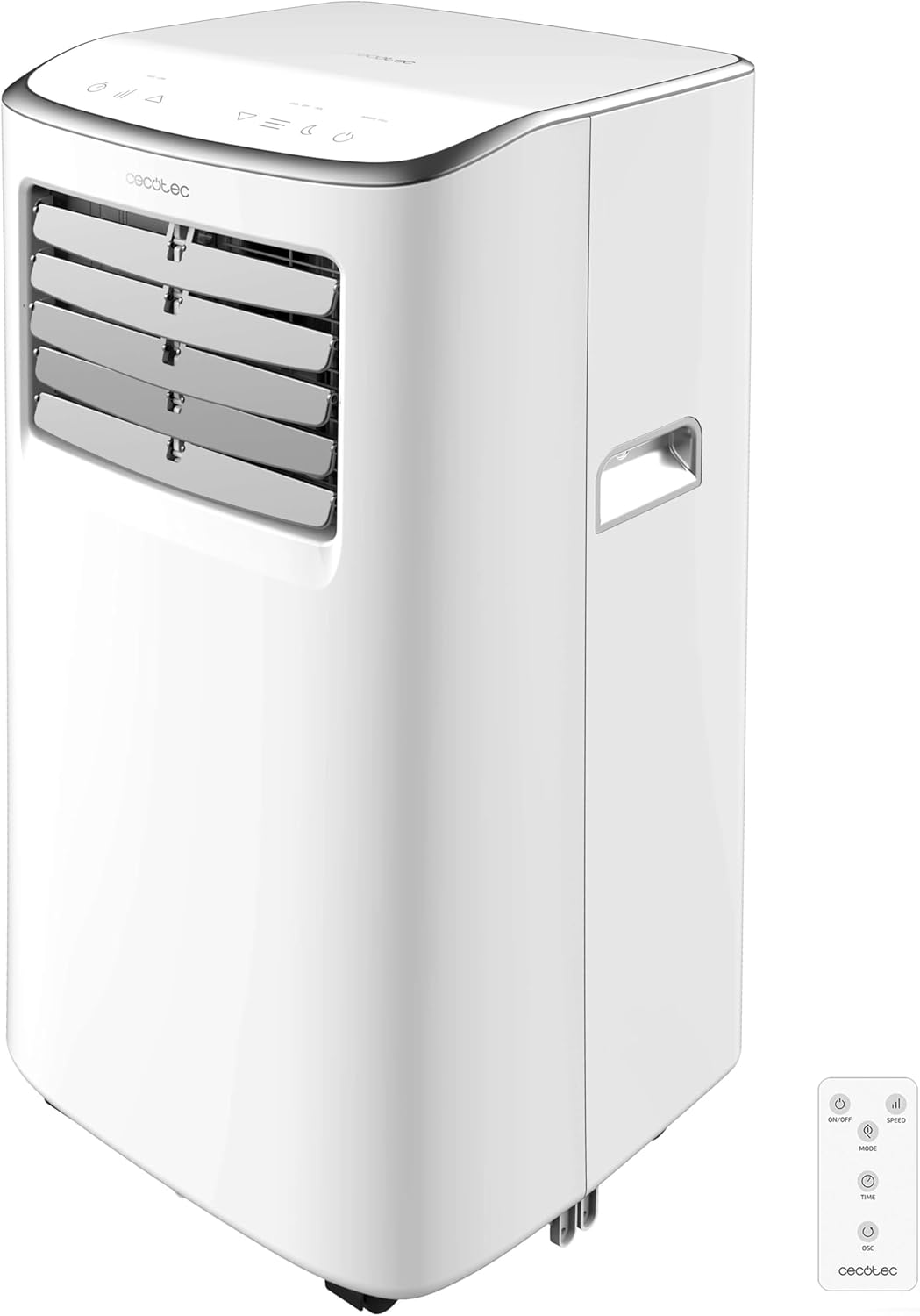
Image: Front view of the Cecotec ForceClima 7500 Connected Portable Air Conditioner, showing its compact design and control panel.
Safety Information
Always follow basic safety precautions when using electrical appliances to reduce the risk of fire, electric shock, and injury to persons.
- Ensure the power supply matches the voltage specified on the appliance's rating label.
- Do not operate the appliance with a damaged cord or plug.
- Keep the appliance away from heat sources and direct sunlight.
- Do not block air inlets or outlets.
- This appliance uses R-290 refrigerant, which is environmentally friendly but flammable. Handle with care and ensure proper ventilation.
- Unplug the appliance before cleaning or performing any maintenance.
Product Overview
The ForceClima 7500 Connected is a portable air conditioner designed for efficient cooling and dehumidification in rooms ranging from 15 m² to 20 m².
Key Features:
- 7000 BTU Cooling Capacity: Provides rapid and effective cooling.
- Wi-Fi Connectivity: Control the unit remotely via your smartphone.
- Remote Control: Convenient operation from a distance.
- Touch Control Panel & LED Display: Easy-to-use interface for settings adjustment.
- 4 Operating Modes: Fan, Cooling, Dehumidification, and Night mode.
- 2 Fan Speeds: Low and High settings for customized airflow.
- 24-Hour Timer: Program the unit to turn on or off automatically.
- Dehumidification Capacity: Up to 20 liters per day.
- R-290 Refrigerant: Environmentally conscious refrigerant.
- Multi-directional Wheels & Handles: Easy portability between rooms.
- Window Installation Kit: Included for exhaust hose setup.

Image: The portable air conditioner demonstrating its cooling airflow, highlighting its primary function.
Setup and Installation
Proper installation is crucial for optimal performance and safety.
Unpacking:
- Carefully remove the air conditioner from its packaging.
- Check for any damage during transit. If damaged, contact customer service.
- Retain the original packaging for future storage or transport.
Exhaust Hose Installation:
The unit must be vented to the outside to expel hot air.
- Attach the exhaust hose to the air outlet on the back of the unit.
- Extend the exhaust hose and connect it to the window kit adapter.
- Install the window kit in a suitable window opening (sliding windows are ideal).
- Ensure the hose is as straight and short as possible to maximize efficiency.

Image: A person installing the exhaust hose into a window kit, demonstrating the setup process for venting hot air.
Placement:
- Place the unit on a flat, stable surface.
- Ensure there is at least 30 cm of space around the unit for proper airflow.
- Position the unit near a window for easy exhaust hose installation.
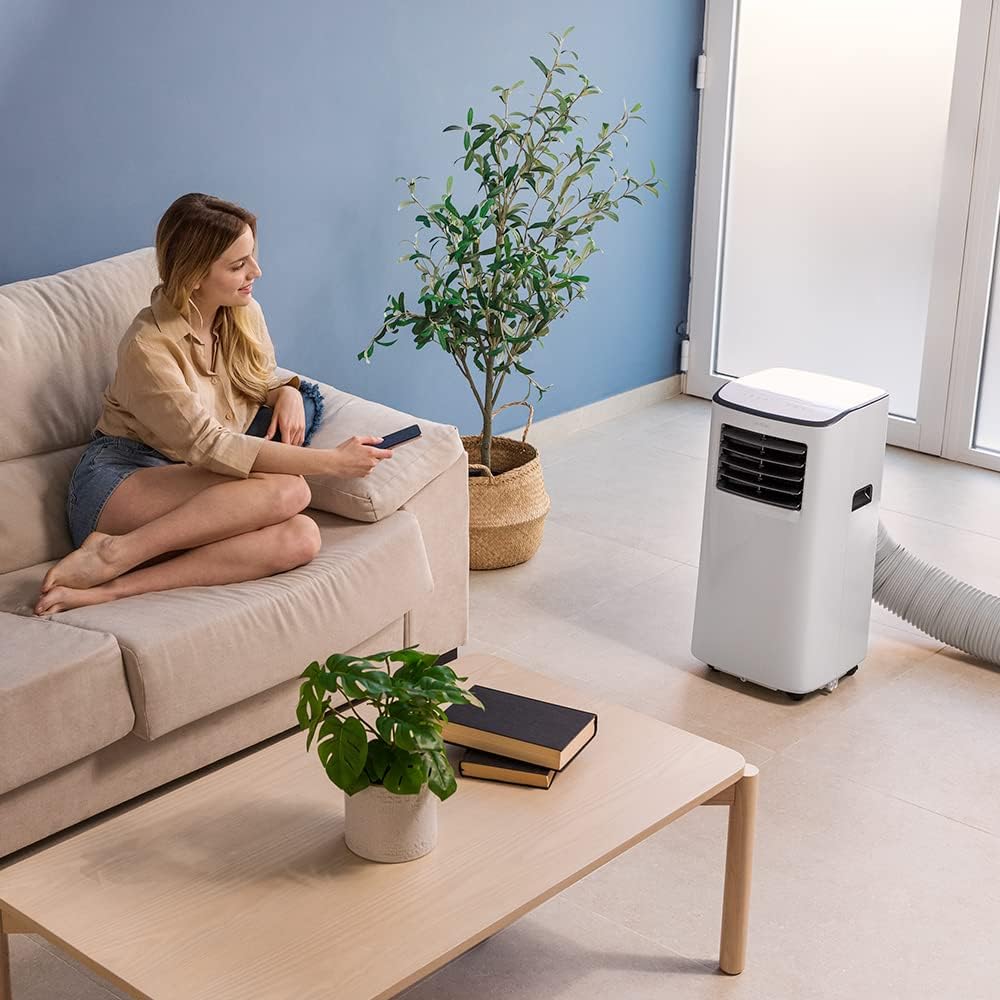
Image: A woman relaxing on a sofa in a living room with the portable air conditioner operating, showing a typical setup.
Operating Instructions
Your ForceClima 7500 Connected offers multiple ways to control its functions.
Control Panel:
The touch control panel on top of the unit allows direct access to all settings.

Image: A hand interacting with the touch control panel on the top of the air conditioner, demonstrating its ease of use.
Remote Control:
Use the included remote control for convenient operation from anywhere in the room.
Wi-Fi Control (Smartphone App):
Download the Cecotec app to control your air conditioner remotely via Wi-Fi. This allows you to adjust settings, change modes, and monitor the unit from your smartphone.

Image: A split image showing the physical remote control and a smartphone displaying the Cecotec app interface for controlling the air conditioner.
Operating Modes:
- Cooling Mode: Provides powerful cooling to lower room temperature. Adjust desired temperature using the control panel, remote, or app.
- Fan Mode: Circulates air without cooling. Select between Low and High fan speeds.
- Dehumidification Mode: Removes excess moisture from the air, collecting up to 20 liters per day.
- Night Mode: Operates at a lower fan speed and noise level for comfortable sleep.

Image: A woman reading in bed with the portable air conditioner operating nearby, illustrating its use in a bedroom setting, possibly in night mode.
Timer Function:
Set the timer for up to 24 hours to automatically turn the unit on or off at a specified time.
Maintenance
Regular maintenance ensures the longevity and efficiency of your air conditioner.
Cleaning the Air Filter:
The air filter should be cleaned regularly (every two weeks or more often depending on usage) to maintain optimal performance and air quality.
- Unplug the air conditioner from the power outlet.
- Locate and remove the air filter from the back of the unit.
- Clean the filter with a vacuum cleaner or wash it gently with warm water and mild detergent.
- Allow the filter to dry completely before reinserting it into the unit.
Water Drainage:
During dehumidification or cooling in high humidity, water will accumulate inside the unit. The unit has a drainage tube for continuous drainage or can be manually drained when the internal tank is full.
- Continuous Drainage: Connect a drainage hose (not included) to the drainage port and direct it to a floor drain or a suitable container.
- Manual Drainage: When the "Full Water" indicator lights up, turn off the unit and place a shallow pan under the drainage port. Remove the drain plug to empty the water. Replace the plug securely after draining.
Troubleshooting
Before contacting customer service, please refer to the following common issues and solutions:
| Problem | Possible Cause | Solution |
|---|---|---|
| Unit does not turn on | No power, power cord unplugged, full water tank. | Check power connection, empty water tank if full. |
| Insufficient cooling | Windows/doors open, air filter dirty, exhaust hose blocked/kinked, room too large. | Close windows/doors, clean air filter, check exhaust hose, ensure room size is within coverage area. |
| Unit is noisy | Unit not on a flat surface, fan speed too high. | Place on a flat surface, select lower fan speed or Night mode. |
| Water leakage | Drain plug loose, drainage hose not properly connected. | Ensure drain plug is secure, check drainage hose connection. |
Specifications
| Feature | Detail |
|---|---|
| Model Number | 08172 |
| Cooling Capacity | 7000 BTU |
| Coverage Area | 15-20 m² |
| Dehumidification Capacity | 20 Liters/day |
| Refrigerant | R-290 |
| Noise Level | 65 dB |
| Dimensions (L x W x H) | 32.5 x 33 x 67.5 cm |
| Weight | 19.1 kg |
| Voltage | 28 Volts |
| Seasonal Energy Efficiency Ratio (SEER) | 13.0 |

Image: A detailed product information sheet displaying various technical specifications and environmental data for the air conditioner.
Warranty and Support
For warranty information and technical support, please refer to the official Cecotec website or contact their customer service directly. Keep your purchase receipt as proof of purchase for warranty claims.
For more information, visit: Cecotec Official Store
Ask a question about this manual
Ask about setup, troubleshooting, compatibility, parts, safety, or missing instructions. Manuals+ will review the question and use this page’s manual context to help answer it.